We remain fully operational. Our teams are working around the clock to ensure your deliveries continue safely.

DOWNLOAD THE APP


Customer Services
Copyright © 2025 Desertcart Holdings Limited
DOWNLOAD THE APP
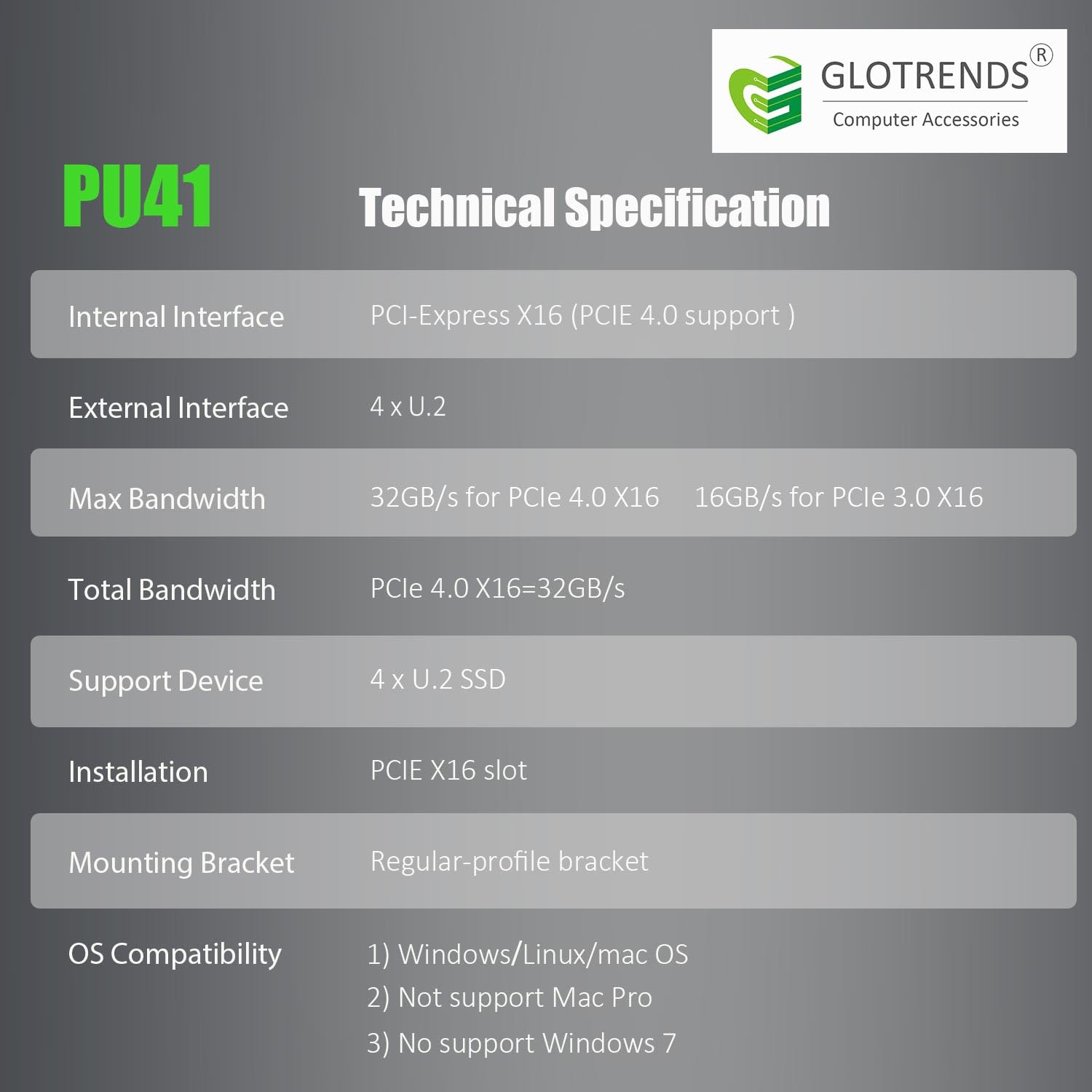
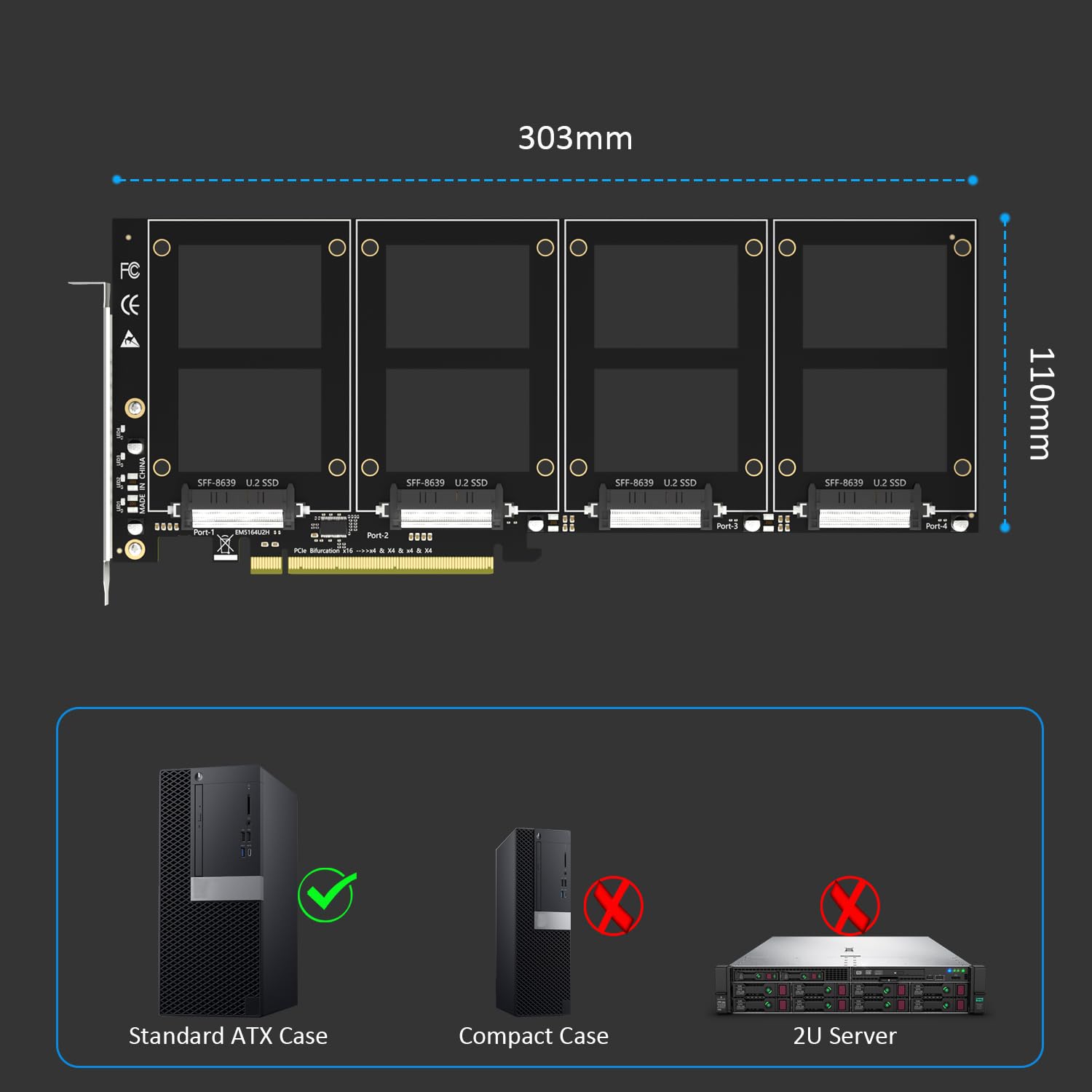
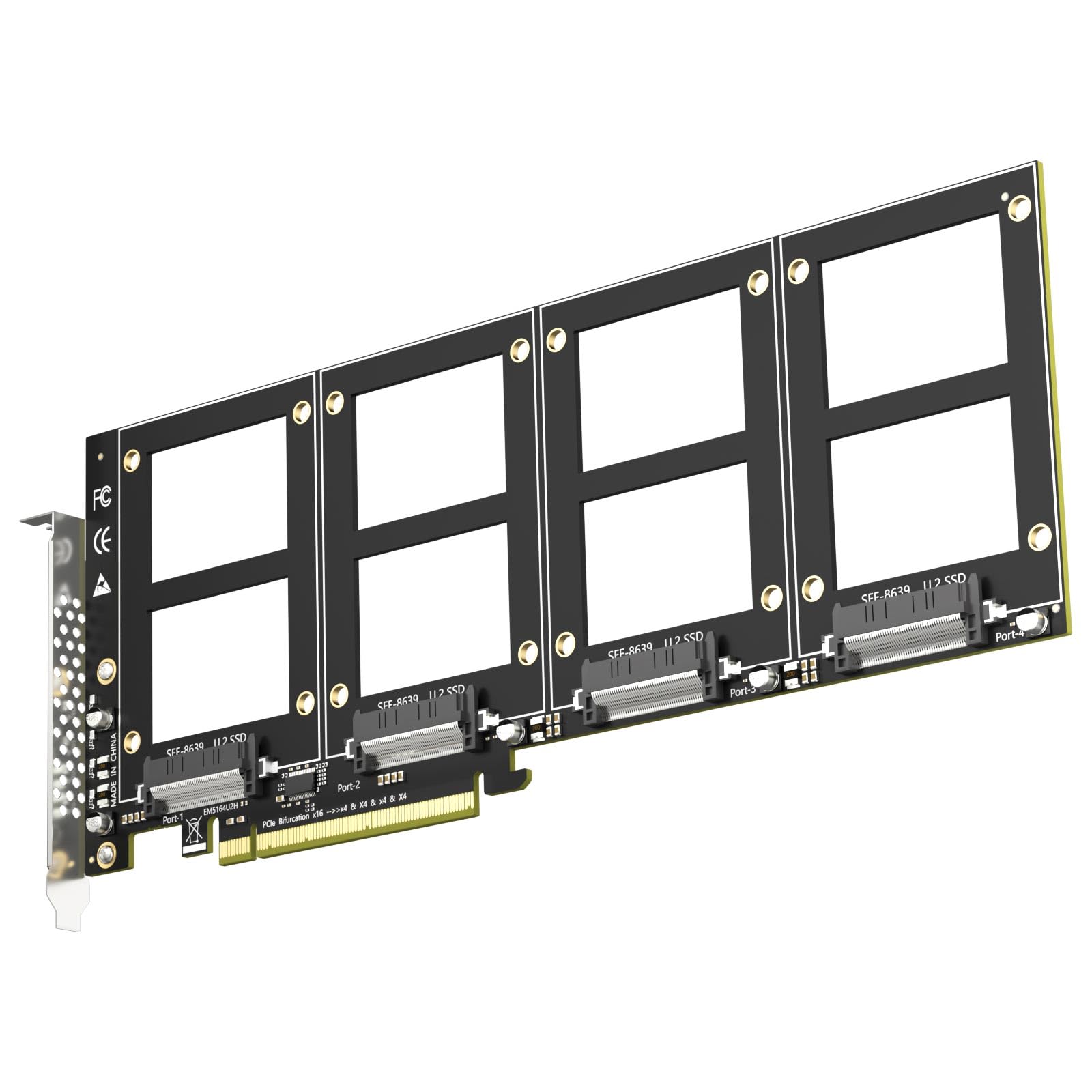

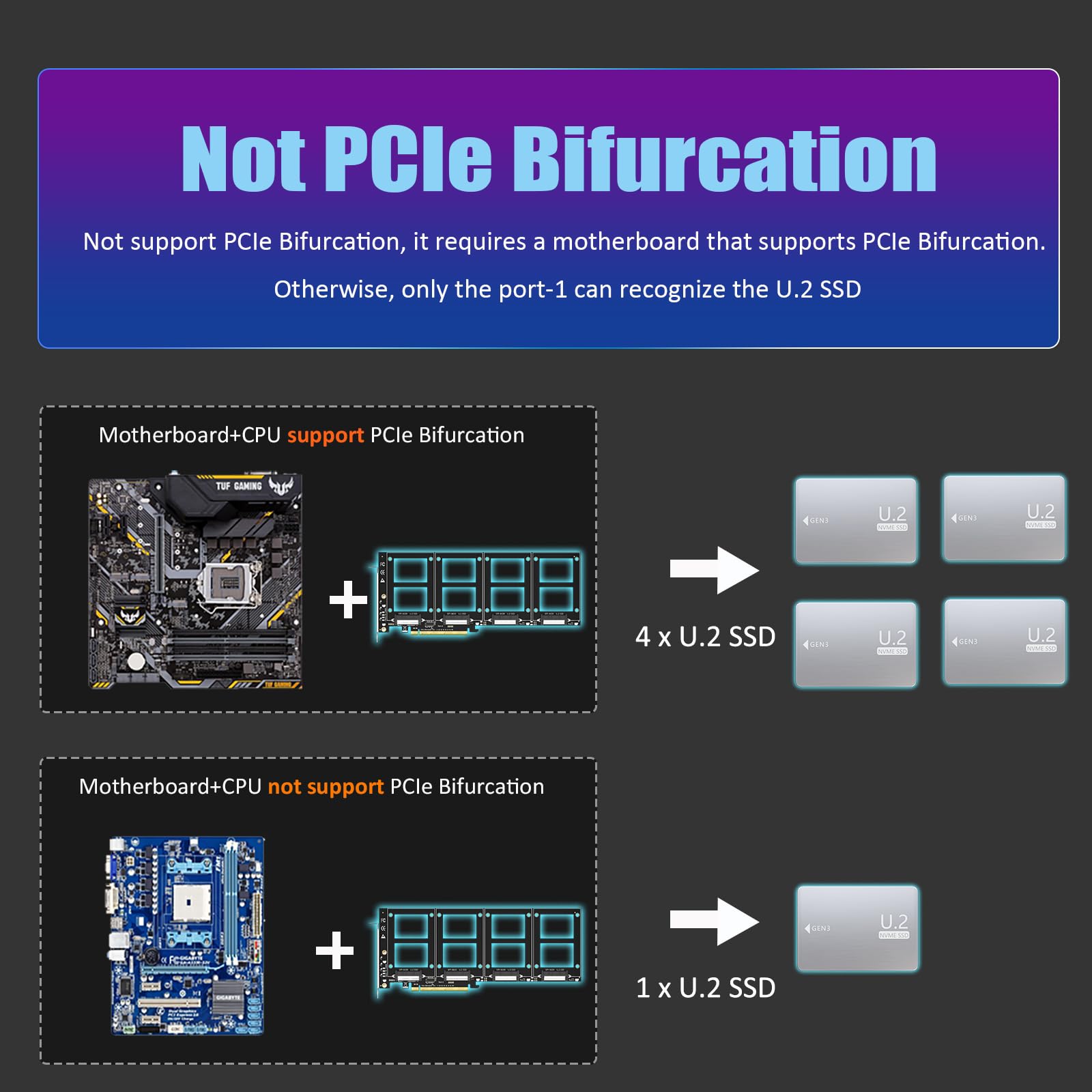
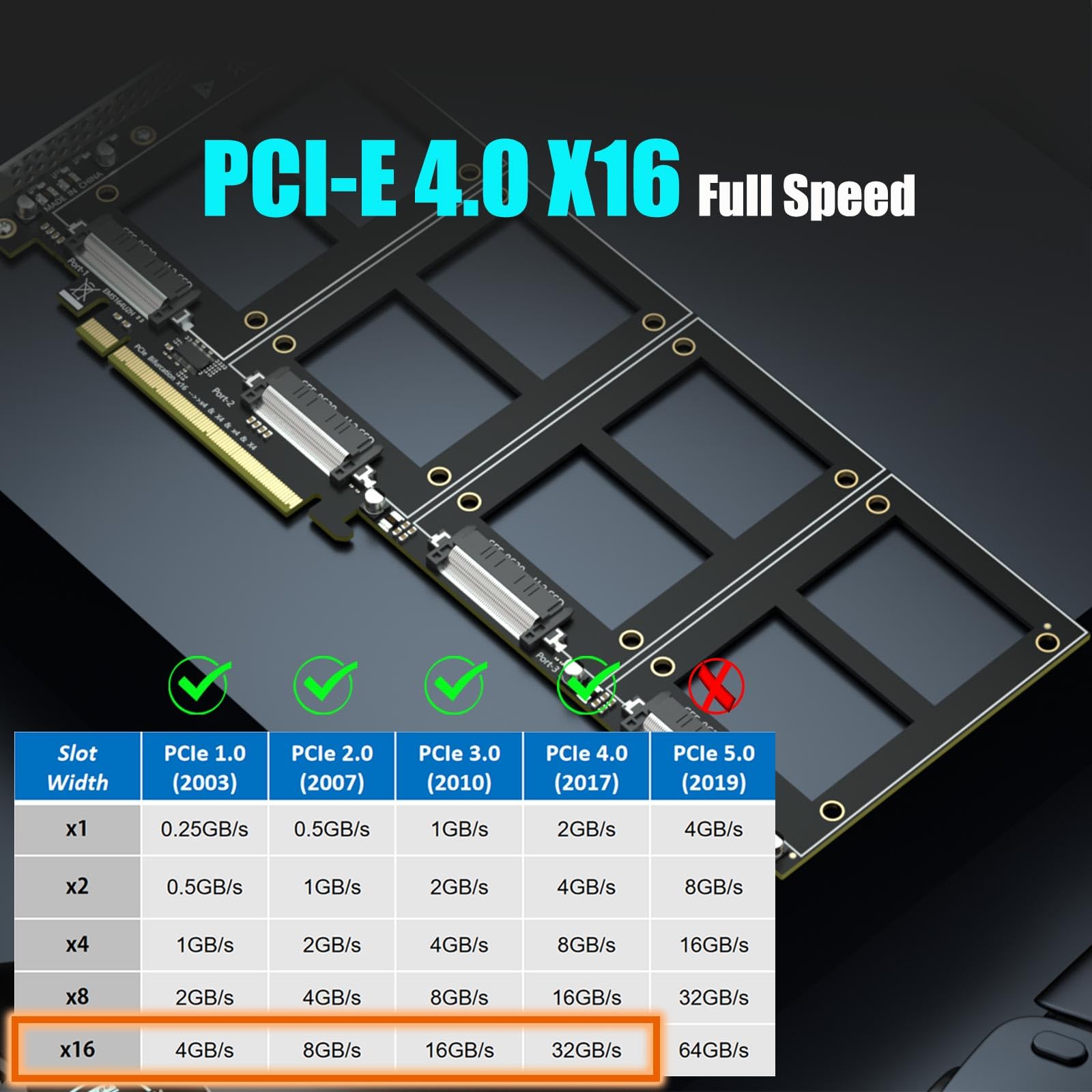

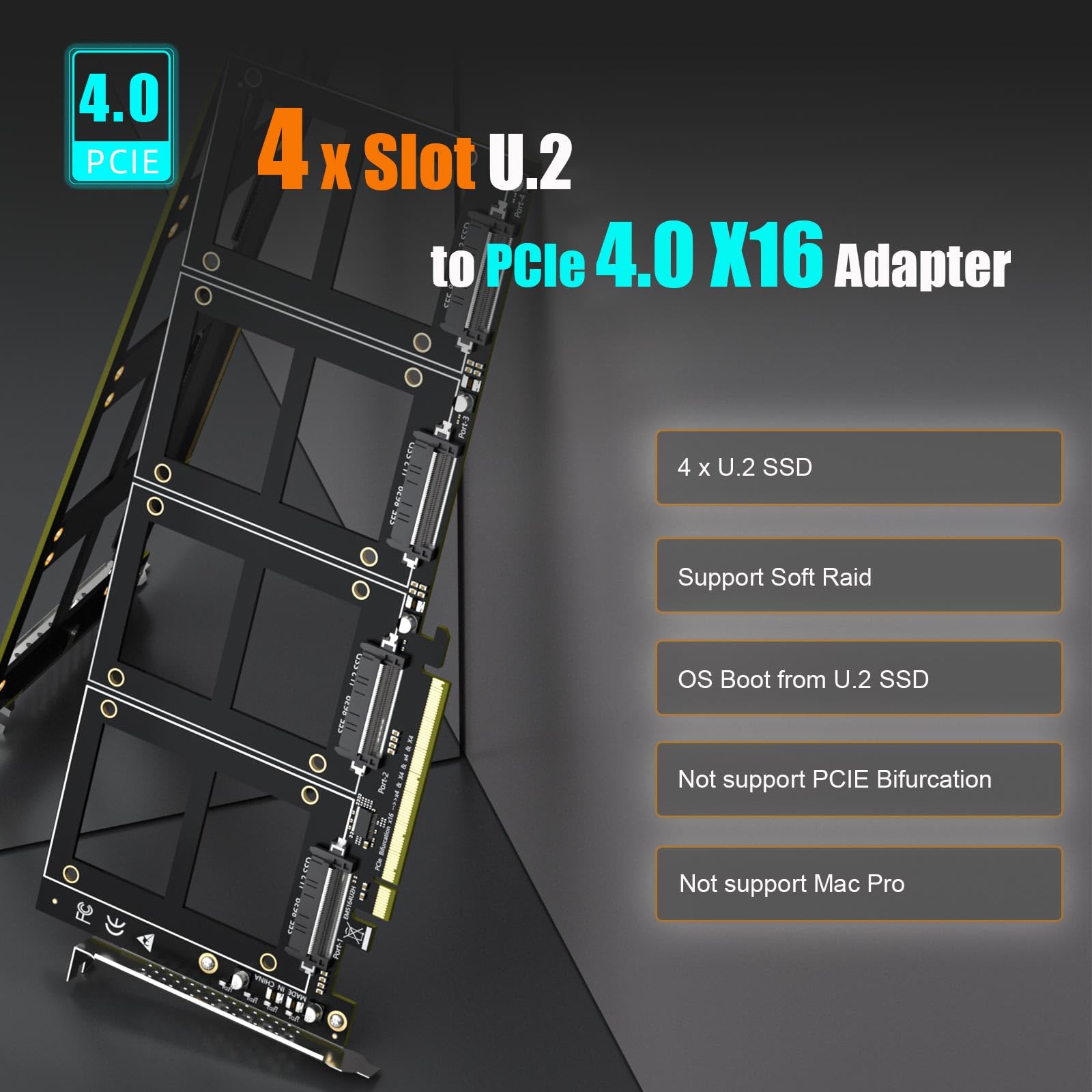
🚀 Unlock next-level storage power with GLOTRENDS PU41 – where speed meets scalability!
The GLOTRENDS PU41 is a high-performance PCIe 4.0 x16 adapter card that supports up to four U.2 NVMe SSDs simultaneously, delivering ultra-fast data transfer speeds up to 64Gbps. Ideal for professional workstations, it supports Intel and AMD Soft RAID configurations and requires a motherboard with PCIe bifurcation. Compatible with modern Windows and Linux systems, this adapter enables scalable, reliable, and high-density storage expansion for demanding users.


| ASIN | B0D3XX7PSF |
| Amazon Bestseller | #96,591 in Computers ( See Top 100 in Computers ) #323 in Network I/O Port Cards |
| Batteries Included | No |
| Batteries Required | No |
| Brand | GLOTRENDS |
| Compatible Devices | 4 x U.2 SSD |
| Customer Reviews | 4.0 4.0 out of 5 stars (57) |
| Date First Available | June 7, 2024 |
| Item Model Number | PU41 |
| Item Weight | 0.21 Kilograms |
| Item model number | PU41 |
| Manufacturer | glotrends |
| Operating System | Linux, Windows, Mac OS (Not support Windows 7/ Mac Pro 5.1 |
| Package Dimensions | 35 x 15.29 x 3.2 cm; 209 g |
| Size | 4スロット |
コ**ジ
U.2 SSDを複数入手したので、購入。 自宅サーバーでBIOSでPCIE x16をx4x4x4x4に変更したあとに、取り付けたら問題なく読み込みました。
A**3
U.2SSDを4つ増設できる拡張カード。 ワークステーションとして安定性や信頼性を求める用途に適しており、この製品自体も長時間の使用でも問題等起こらず、とても安定しています。 一般的にはU.2自体がマニアックな製品になりますが、さらにはその拡張用。 ニッチな需要になりますが、しっかり支えてくれる良品です。
K**O
GLOTRENDS PU41 4ポート U.2 SSD PCIe 4.0 X16変換アダプターカード 2025/10/20 現在の価格 7,199円 この「GLOTRENDS PU41」は、以下ができるようになる「拡張カード」です。 ・最大4台のU.2 SSDを1枚のPCIe 4.0 X16スロットに接続できるようにする ・それらのSSDを同時に使い、ソフトRAID構成(例:RAID 0やRAID 1など)で高速・高信頼のストレージ環境を構築できるようにする したがって、この商品は下記のようなユーザー向けです。 ・U.2 SSDを複数運用し、高速なRAID構成や大容量ストレージを構築したいプロユーザー ・Bifurcation対応マザーボードを使って、自作ワークステーションを構築中の上級者 【特徴】 1. 4基のU.2 SSDを同時接続可能なPCIe 4.0 X16拡張カード 2. PCIe分岐機能非搭載のため、マザーボード側でBifurcation(分岐)対応が必要 3. Intel・AMDプラットフォームのソフトRAID構築に対応 4. 最大32GBpsの帯域幅(フルPCIe 4.0環境時) 5. Windows 11/10/8、Linux、Mac OSに対応(Mac Pro 5.1およびWindows 7非対応) 6. OSブート対応(UEFI設定が必要な場合あり) 【感想】 1. RAID構築により複数のU.2 SSDを一括管理ができる。 2. エンタープライズ向けSSDを活用できる。動画編集やデータ処理などに 【気になる点】 ・マザーボードがPCIE Bifurcation機能していないと1基しか認識されない。購入前に分岐対応の確認が必須 補足: PCIe Bifurcation…1つのスロットを複数レーンに分割する機能。複数SSD利用に必要。
A**ー
GLOTRENDSのU.2変換カードは3枚目ですが、4台用の当商品も問題なく PCIe 4.0で動作しています。 また、海外製の割に商品説明がしっかりしていますし、変換ボードの作りも悪くないと思います。 基盤に関しては、私は素人なので基盤のカットやシルク印刷の丁寧さ等、外見や半田付けの感じくらいしか分かりませんが…。 あとはドライブ固定用のねじが1ドライブごとに袋詰めされており、予備ねじx2も付属している点も好感が持てますね。
O**Z
U.2インターフェイス用のSSD接続用でした。 SATA接続用と間違えました。 本製品はりU.2というエンタープライズ向けのわりとマイナーな 規格のSSDですので、間違えないようにしてください。 M.2でもSATA規格でもなく、接続できませんので注意です。 U.2規格のSSDはもってないので、動作確認はできませんでした。
A**ー
プロ向けの性質が強い製品でワークステーション向けのCPUを中心とした環境で使うことが前提になります。 一般的なPC環境での利用は現実的ではなく、ワークステーションやサーバーを自作・構築したい上級者向けのU.2 SSDを4基まで搭載できるPCIe 4.0 x16アダプターカードです。 PCIe分岐機能は搭載されていないためマザーボード側でPCIeバイファケーションに対応している必要があります。 最新のワークステーンション向けのCPU対応のマザーボードであればほとんど大丈夫だと思いますが万が一対応していない環境では1台しか認識しないので購入前にマニュアルを確認することを推奨します。 U.2 SSDはエンタープライズ向けの製品で冷却性能と耐久性が高く長時間稼働にも強いです。 発熱は控えめで放熱性の高いアルミ基板設計になっておりケース内での取り回しも良好です。 高速なサーバー環境やローカルストレージを構築したい方に向いた製品だと思います。 ワークステーションやクリエイティブ用途で大量データを扱う方には4台のU.2 SSDをまとめて接続できる点が大きな利点です。 本格的なストレージ拡張を考えている方には選択肢として有力だと思いました。
ア**ビ
マザーボードに搭載可能数では足りない場合や、RAIDやSSDを多数搭載したい時に重宝します。 こちらを使用する為には、PCI-eスロットに挿すだけではなく、マザーボードのBIOS設定が必要なケースが多いです。 PCIe Bifurcationの設定を確認する必要があり、メーカーや機種によって設定項目等が異なりますが、「Settings → IO Ports → PCIe Slot Configuration」というようなあたりを探してみてください。「PCIe Slot Configuration」や「Bifurcation」などの名称があります。ここで分岐モードを選びます。
あ**ま
SATAケーブルで繋ぐのも、SSDをケースに取り付けるのも不要で一気に4台増設できるのは素晴らしいです。 M.2だと割高なので助かります。 現状、問題なくSSDを認識できています。
L**F
Ich habe den Adapter gekauft, um damit größere SSDs in der U.2 Bauform in meinem Rechner zu installieren. Diese gibt es häufig deutlich günstiger zu erwerben, als große M.2 SSDs, da diese häufig in Servern und Workstations verbaut werden. Mit diesem Adapter spart man sich teuere NVME auf U.2 Kabel oder NVME M.2 auf U.2 Kabel, da man die U.2 SSDs direkt mit den mitgelieferten Schrauben auf die Adapterkarte schraubt und die Karte in einen geeigneten PCIe 4.0 x16 Steckplatz installiert. Das Mainboard muss PCIe Bifurcation unterstützen. Nun muss nur noch die PCIe Bifurcation im BIOS des Mainboards für den betreffenden Steckplatz aktiviert werden und die installierten SSDs werden vom Betriebssystem erkannt. In meinem Fall (ASUS Pro WS WRX90E-SAGE SE) laufen die installierten Micron PCIe 4.0 SSDs jeweils mit voller Performance in meinem System. Die Adapterkarte ist wirklich eine günstige und perfekte Lösung für diesen Anwendungsfall. Von mir gibt es eine klare Empfehlung.
S**S
Works great, making it an excellent value for the money. It also provides the maximum speeds of the motherboards bus, so drives run as fast as possible (no extra latency or slowdown like USB models). Its a standard form factor so easy to install, like any other card. THE ONLY LIMITATION is that YOUR MOTHERBOARD MUST SUPPORT 4x4 bifurcation to use it. If your motherboard does not support this, or only supports some other bifurcation type (like 8x8, 2x16, etc) then only the first slot will work and the second slot will not. it works fine with later gen pcie lanes (i have 1 gen4 and 1 gen3 mixed use on it, and they operate well). It is only rated to run at pcie gen 3 speeds (I have not tested that it can exceed such speeds yet).
D**N
It was purchased to replace a noname PCIe x16 -> 4 x SFF-8643 passive board to reduce cable mess. 4 x Optane p4800X 750GB are used in Intel VROC RAID0 In general, it performs well on all sequential operations with different thread depths, except that it slows down the RND4K Q1T1 operations five times (see screenshots). Same drives, same system, same setup, even the RAID volume remains the same. This is one of the primary advantages of Optane. I'm disappointed
U**I
Do not buy it. It only runs as GEN-3. If GEN-4 it generates a lot of "crc_error_count" issues, dropping link and resets nvme controller.
A**R
No PCIe errors at Gen4 x4x4x4x4 (slot has to be bifurcated), drives run at full Gen4 speed with a Louqe cobalt Gen4 riser, no training issue
Trustpilot
1 month ago
2 weeks ago