We remain fully operational. Our teams are working around the clock to ensure your deliveries continue safely.

DOWNLOAD THE APP


Customer Services
Copyright © 2025 Desertcart Holdings Limited
DOWNLOAD THE APP

❄️ Stay cool, stay ahead — power your productivity with smart, sleek cooling.
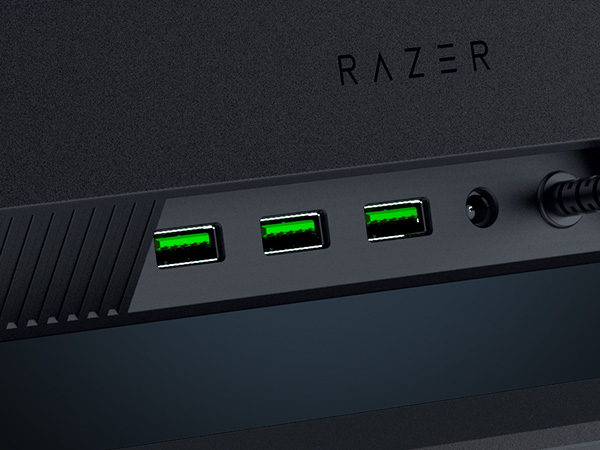
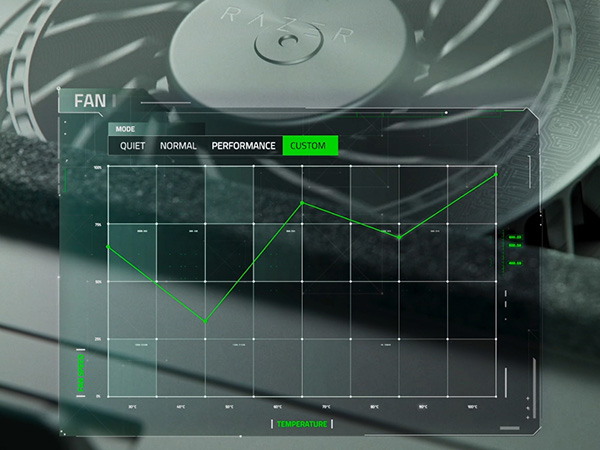
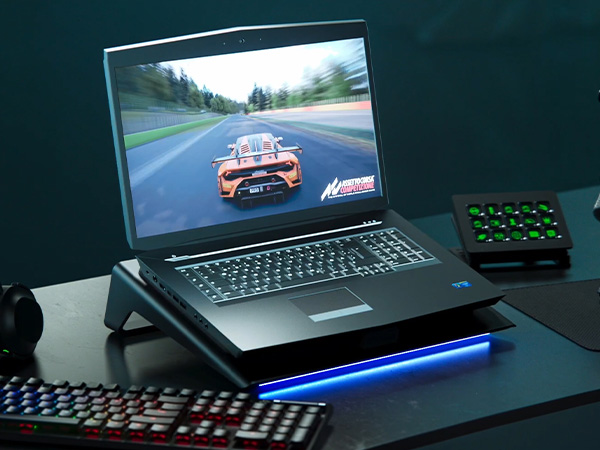
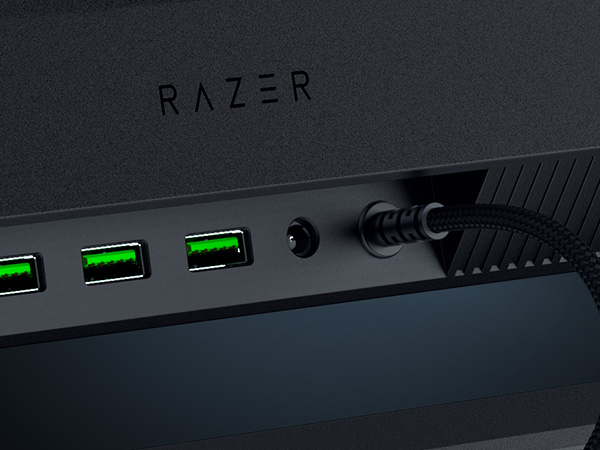
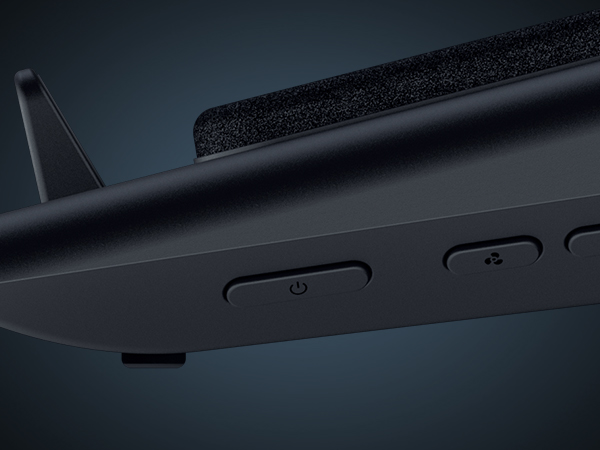
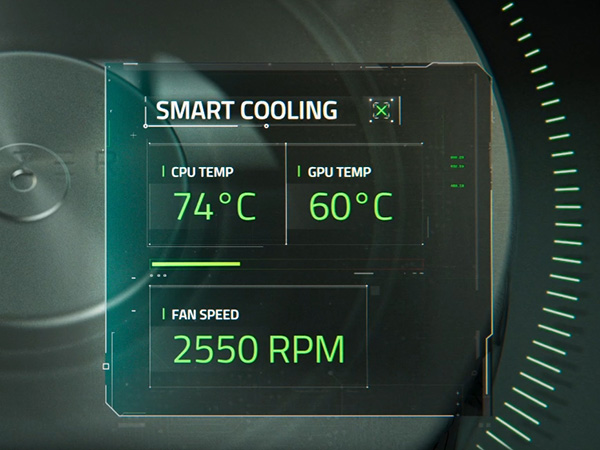
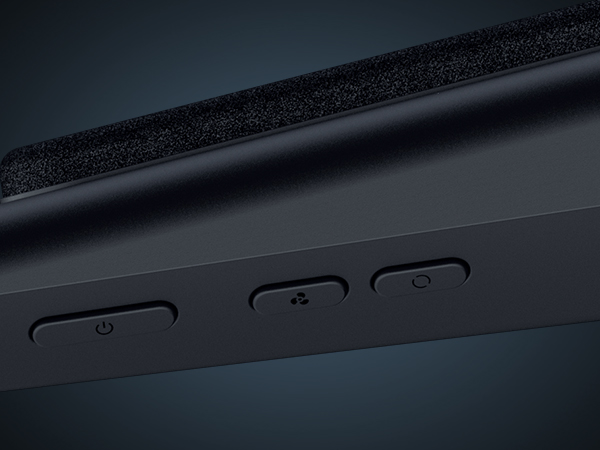
The Razer Laptop Cooling Pad is a high-performance cooling solution designed for laptops between 14" and 18". Featuring a 3000 RPM brushless fan housed in an airtight pressure chamber, it maximizes cooling efficiency while minimizing noise. Its adaptive fan control automatically adjusts speeds based on system temperature, supported by customizable fan curves through Razer Synapse software. The pad also includes a 3-port USB Type-A hub and remappable multifunction buttons, enhancing connectivity and user control. With magnetic frames for a secure fit and a 2-year warranty, it’s engineered to boost laptop performance and comfort for demanding professionals.










| ASIN | B0DJDWWHTV |
| Best Sellers Rank | #408 in Computers & Accessories ( See Top 100 in Computers & Accessories ) #10 in Laptop Cooling Pads |
| Brand | Razer |
| Built-In Media | User manual |
| Color | Black |
| Cooling Method | Air |
| Customer Reviews | 4.3 out of 5 stars 428 Reviews |
| EU Spare Part Availability Duration | 2 Years |
| Enclosure Material | Plastic |
| Item Dimensions L x W x H | 15.6"L x 11.5"W x 4.49"H |
| Item Weight | 2.61 Kilograms |
| Manufacturer | Razer |
| Material | Plastic |
| Product Dimensions | 15.6"L x 11.5"W x 4.49"H |
| UPC | 840272914793 |
| Warranty Description | 2 Year Manufacturer |
J**N
Worthwhile unless you need it for travel.
This has been amazing, not only does it actually as a cooler it also gives my laptop a lift so Im not staring down all day it also has a USB hub so I can connect my devices cleanly. Runs in different modes depending on your needs from quiet to hyper cooling (quite loud) and you can change the light settings or turn them off completely. Seems a little flimsy at first but it has been holding up well. It is a little bulky so transporting it frequently would be a hassle.
H**E
Great cooling pad
Very happy with this cooling pad. I'm using a laptop to run a golf simulator and it does a great job at keeping the CPU and GPU cooler to prevent throttling and avoid stuttering. I would estimate 10°c to 15°c cooler. Great software too for controlling the fan and the LED lights along the front of the pad. It displays temp, clock speed and other data for each processor. You can have app specific fan settings (profiles) that activate when a program is opened. That allows low fan speed automatically when not running demanding programs. It is a very stable platform for the laptop.
B**M
Does this justify the price when you can get something way cheaper?
I have a cheaper, generic laptop cooler that works very well and cost $120 cheaper. Lots of fans and you can run it at low speed. It works..... But there was no way to turn the rgb lights off. I am not at a dance club.... I am trying to focus on being productive. That is what led me to the razer version of a laptop cooler. 1. It's solid. I love how well it is built. 2. Good seal to pull out hot air. It works amazingly well. I only need to run it on speed 1 of 3. 3. Speeds 2 and 3 are loud and very loud. If music is playing it's no concern. Guess it's good to have it if you need it. 4. I keep the leds either off or razer green. 5. I have the new razer blade 18 2025 with 5080. It keeps it very cool (gpu) when rendering. I think it gets up to 44°C once but that was rendered so fast I didn't really get to test it out. Verdict : if you need something to cool your system, this will do it very well. It's expensive. But it works well and the design is better than others I have used.
Y**A
Great cooling performance for gaming
This cooling pad actually makes a noticeable difference while gaming. My laptop stays cooler under heavy load, and performance feels more stable. The build quality is solid, and the RGB lighting looks clean without being too much. The fan is powerful but not overly loud. If you use a gaming laptop, this is definitely worth it.
S**E
It's a good cooling pad, but has some drawbacks. Worth noting is that this is LOUD!
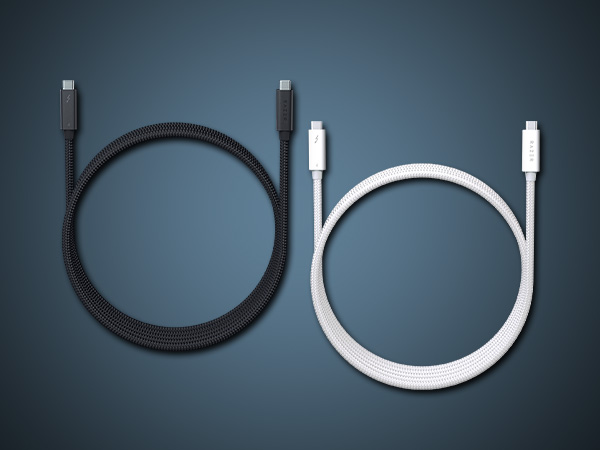
As a preface, I think positively of Razer and their products. I have a couple of keyboards (tron, halo infinite) and mice (tron, halo infinite, a couple basic PC and laptop wireless mice), along with their Razer Sila wireless router, and a 2021 Razer Blade 15. I bought Razer's laptop cooler for my Razer Blade 15 because it runs hot when gaming. As a whole, I feel kinda meh about the cooling pad. With respect to the cooling pad, the packaging is stellar, the cooling pad itself is well designed, it has quality cables (USB and power), the fan is very powerful, it's quite efficient at cooling my laptop, and I appreciate how it has 3 different inserts that support different laptop sizes and types. However, I have a few gripes. For $150, the product should be made of metal and not plastic. Coming from an old Thermaltake CLN0008, I felt Razer could've done a better job with the materials, especially when my Razer Blade is completely aluminum. My next issue is the fan is loud, seriously loud. If I leave the fan setting on "balanced," the middle of the road setting, it sounds like my car AC turned on high. Sure, it's blowing a lot of air, but it's loud enough that I'm scrambling to figure out how to turn the fan RPM down because I can't hear myself think over the fan noise. I use the Razer Synapse software which adds a level of "automated" fan control, but that's based upon the CPU temp and if you've ever watched your CPU temp, it fluctuates like crazy within a second. One second the CPU temperature is passed the cooling pad's temperature threshold and the fan is throttling up, the next second the CPU is below the temperature threshold and the fan is throttling down. It would be smart if Razer added some type of temperature smoothing/averaging to initiate a fan throttle up, rather than make it an knee-jerk response to one of the many random CPU temperature fluctuations. My last gripe is that the Chroma settings between the cooler and my laptop get out of sync from time to time. I've noticed this when my computer boots up and when it's coming out of sleep mode. At some point it fixes itself (I think). For the cooling pad to have gotten 4 stars, the fan would need to be quieter and the fan's temperature logic should have a smoothing/rolling average feature to prevent the knee-jerk throttle up and down of the fan. To have gotten 5 stars, the cooling pad should be made out of aluminum to match my Razer laptop.
S**R
Noise
I greatly appreciate that the cooling pad offers different cooling levels, of "Quiet," "Balanced," and "Performance." When set to "Quiet," the cooling pad is just that, but "Balanced" or higher, it becomes very loud. Other than that, it does its job well.
A**S
Cooling Beast
Before I purchased this cooling pad I had a cheap Chinese pad with four fans and zero software. I ran the Chinese pad on max all the time but it barely made a difference. There was nothing in the way of dust filtration in the Chinese pad. Razer has outdone themselves concerning the design of this cooling pad. The plastic is very sturdy and the stand is at a perfect angle. This cooling pad also doubles as a USB-A hub, with appropriate space for cables underneath the pad. The foam serves to insulate the underside of a laptop from dust, and there is dust filtration on the fan as well. While gaming this cooling pad offers significant performance gains. The fan will easily go up to full speed and generate a substantial amount of noise. I can hear this noise occasionally through headphones but it doesn't bother me too much. The game soundtrack should cover up the fan noise as well. The software allows you to see temps, manually set the fan speed, set the fan to adaptive mode, and control the LED bar on the bottom of the pad. I use the fan on adaptive mode since it usually runs slowly enough that I cannot hear it or I have tuned it out. I have the LED set to Razer green, but you can easily turn it off. You can also use a plethora of LED modes like "breathe" or "rainbow". Overall the cooling pad is worth the cost. Razer may have added a little "brand tax" but this cooling pad is reliably performant. There are cheaper cooling pads from China that serve the same purpose, but they do not usually offer the gains this pad delivers. The build quality is also lacking in many of the cheaper options.
A**.
Top price, mediocre quality
Not worth the $150, not even half of that! Less than three months after purchase fan is now rattling! EDIT: Changed from 1 to 2 stars because the Razer app keeps crashing and randomly decides not to recognize the pad. Customer support told me do a clean install, which solved nothing, and that Razer's warranty doesn't cover my country. DO NOT BUY THIS IF YOU'RE OVERSEAS. Crappy plastic construction, a very flimsy and poorly designed rear support beam, and a power cord so short you may as well have bought a gaming desktop in the first place. It's a stupid product that makes no sense for using your gaming laptop on your lap (crazy idea, right?) for a comfortable gaming session anywhere other than your desk. Build quality is pathetic for something that costs $50 more than the competition: you're paying top dollar for something that feels cheap, like it could snap any second, and you'll be stuck with an expensive broken lump of plastic. Sadly I made the mistake of buying this cheap piece of plastic from outside the US so now I'm hoping Amazon doesn't charge me too much for the shipping so I can get a refund. Razer is pure hype and no substance, I guess it's my fault for believing the reviews I read. Buy something else: other laptop pads offer similar fans for $50 less and you have enough money left for a AAA game.
Trustpilot
1 week ago
1 month ago