

Desert Online General Trading LLC
Dubai, United Arab Emirates
Desert Online General Trading LLC
Dubai, United Arab Emirates
![eXtremeRate DIY Full Set Shell with Buttons for Steam Deck LCD, Custom Faceplate Back Plate Replacement Shell for Steam Deck LCD - Orange [Console NOT Included]](https://m.media-amazon.com/images/I/61S-8q1KUeL.jpg)


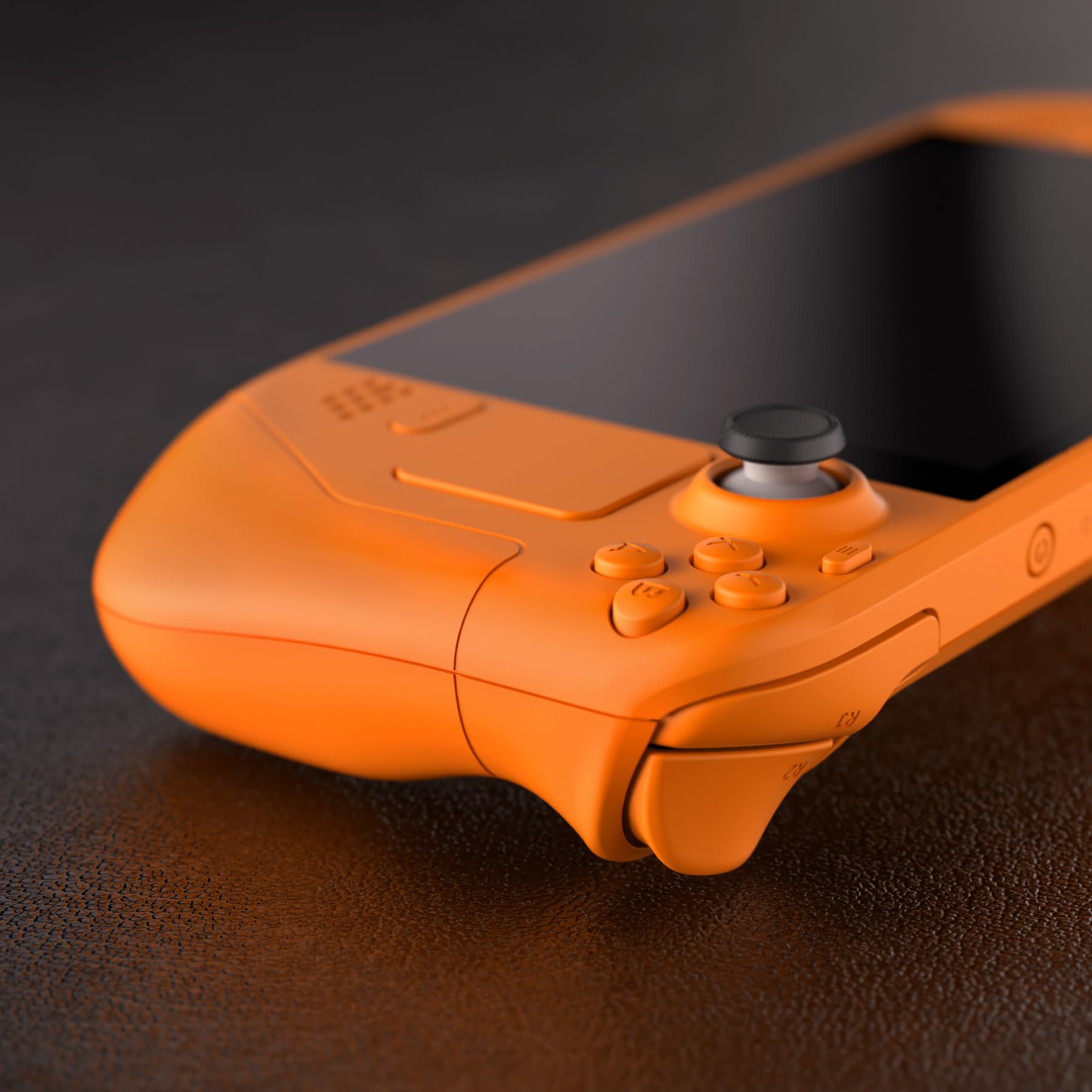

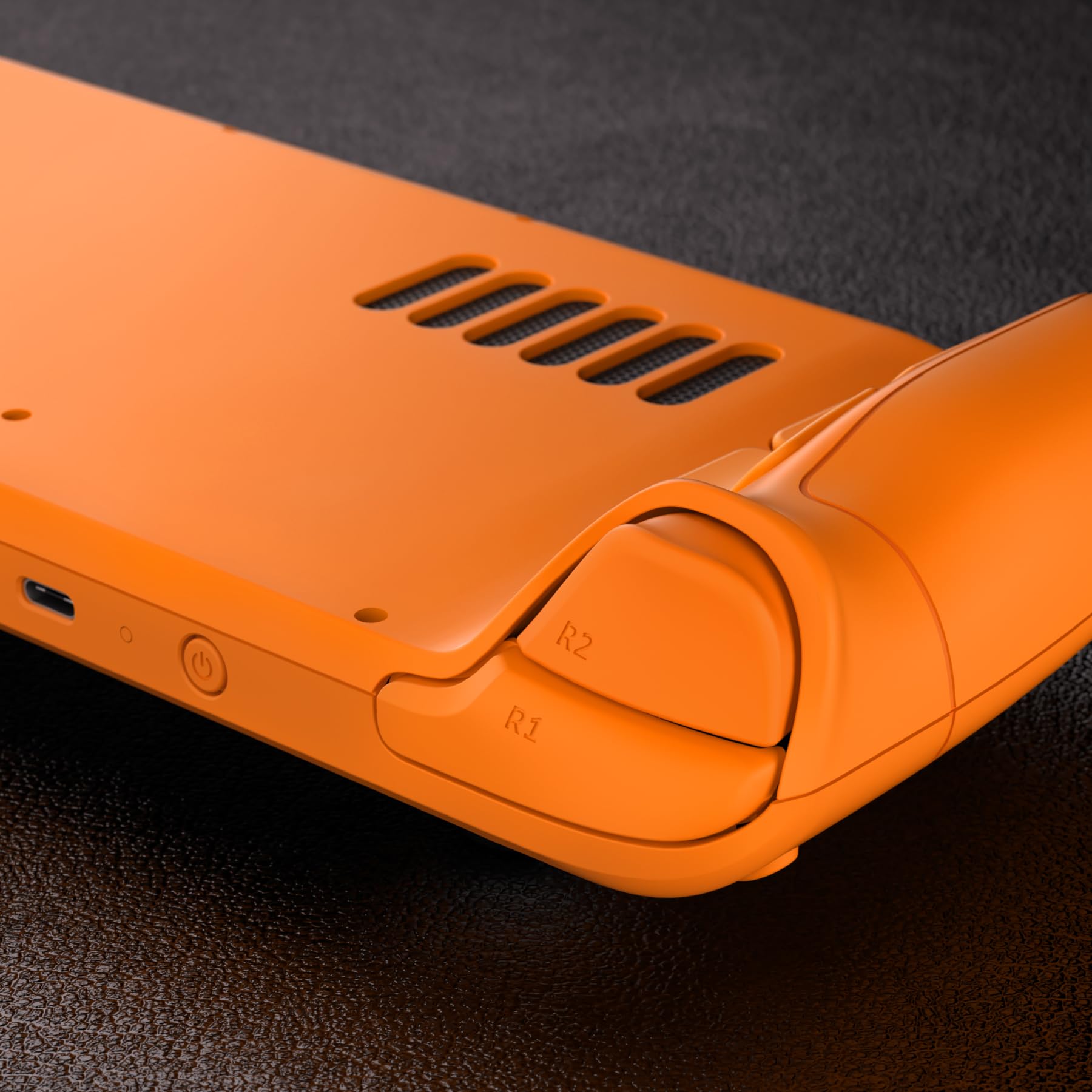
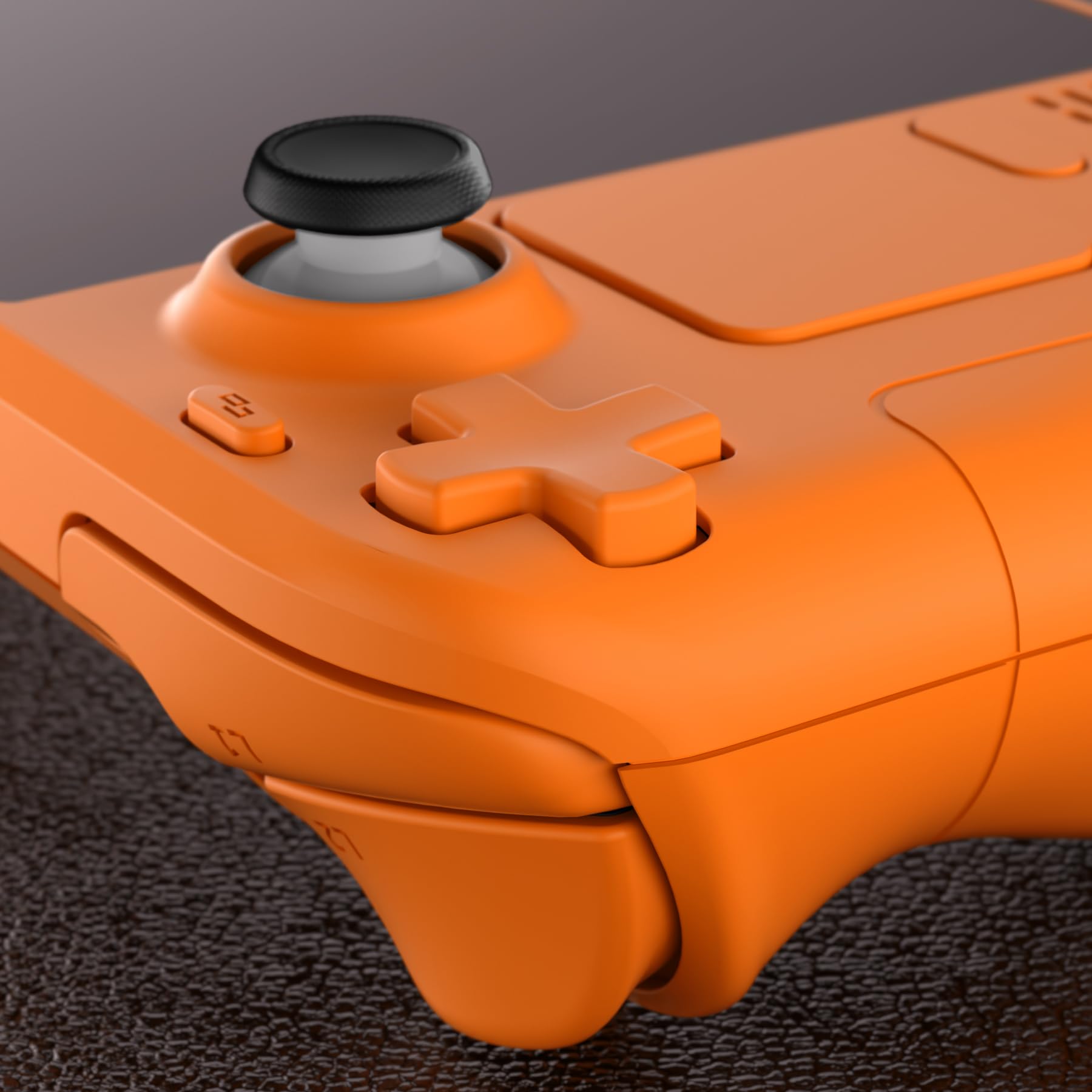

🎮 Unleash Your Style with eXtremeRate!
The eXtremeRate DIY Full Set Shell is a custom replacement faceplate and backplate designed specifically for the Steam Deck LCD (2022). This vibrant orange shell not only enhances the aesthetic appeal of your console but is also made from durable ABS material. The package includes all necessary components for installation, making it a perfect choice for gamers looking to personalize their handheld experience.
G**E
Gorgeous case, lots of work, maybe grab other tools
I'm absolutely obsessed with the final product and ultimately have no regrets about doing this but here's some advice before you buy if you're looking for it:-Be mentally and financially prepared to replace your screen if necessary. The hardest part of this was not damaging the screen, and even after reading a lot of advice and watching vids I was extremely close to damaging mine multiple times while I was trying to remove it. On top of almost cracking it, I also almost separated the screen from its component because it's seriously the tiniest space you need to pry the glue away from, if you go too far in you're going to damage it. I took a picture of the back of my screen to try to help. DO NOT SHOVE TOOLS IN FARTHER THAN THE OUTER BLACK LINE.-If you don't think you damaged your screen but it won't turn on once you plug it in and turn the console on, go back in and shove the screen to mother board ribbon cable in a little harder than you think you should.-I wasn't able to swap my track pads. Even with a heat gun I couldn't separate the chips from my old track pads. I'm just using a skin on mine which I think looks just fine, but heads up it's not easy to make the swap.-The tools sent with this are a little sub par. Like many other reviews I also recommend getting the ifixit iopener kit.-There is no thermal paste included with either of the kits (this one or the iopener). In the extremerate video they tell you to take your heatsink/fan off of your motherboard during teardown. I strongly recommend either leaving it all stuck together or purchasing thermal paste to reseal your heatsink during reassembly. The MB and cooling system really don't have to be disconnected to remove or replace them safely.-The finish on my case is similar to a soft touch joycon. I love it and find it comfortable, but I know that's not for everyone!-I have medium-low tech experience and this took me about 7 hours all said and done.Ultimately if you have the time and you're willing to pay for your mistakes I really do recommend performing the reshelling with this brand :)
A**E
No Competition
I've purchased exclusively from eXtremerate ever since I bought my first shell accessories for my Sony Playstation 5 controllers; there is hands down no competition when it comes to quality. This is fantastic.I went with their white, which seemingly doesn't appear to be offered at the moment after a previous reviewer complained about the white being "soft touch white". Forget that, this shell is INCREDIBLE; and it's easy to clean, seriously a single baby wipe cleans the shell with ease.Installation is indeed quite technical and I would only recommend enduring this process if you're confident in your ability to follow directions. So long as you can do so, you will be 100% ok; but throughout the process you will most definitely be disassembling critical components within the Steam Deck.eXtremerates video guide has you remove the heat sync from the APU; but personally I would recommend simply unplugging all connectors, removing all screws from the motherboard and the x2 screws with the fan, and removing the motherboard and fan together as a single unit. This will prevent you from having to re-apply any thermal paste to the APU so long as your gentle in it's removal. If thermal paste is not applied properly, either too much, or too little, it can cause you some serious headaches or catastrophic hardware failures that will result in an inevitable early grave for your device.Be incredibly careful when removing the screen. eXtremerate provides only a METAL scraper pick to segregate the screen from the base of the deck; and it will ABSOLUTELY scratch the paint of the screen; as can even be seen in their tutorial video. My suggestion, ask a musician friend for a soft plastic guitar pick or something, and use that instead. Angle the tip slightly downward so to keep the tip of the scraper from even making contact with the bottom of the displays faceplate glass. This will ensure 0 scratches and that you maintain that miny fresh Steam Deck appearance.I also purchased the blue/purple case for my wife's steam deck; which is equally as fantastic as the white!All in all, 5/5 stars. Will continue to buy from eXtremerate so long as their products remain this fantastic!(Note: I did not utilize all the buttons included with the kit as I wanted to contrast the colors with the original black buttons. The only buttons used were the L4/5 & R4/5 buttons, as they are molded onto the original deck shell, thus, having to utilize the eXtremerate buttons for those. I could have probably used my dremel to break the black buttons free, but felt it was more effort than I wanted to put into it at this time. Maybe later ;) )
E**F
Decent but some flaws
First of it looks amazing especially in person. The installation video was decent even tho I would recommend using ifixit and a competitors video for best instructions possible. Oh and do pick up a 15 dollar heat gun makes it so much easier. One thing that is not mentioned is that most of the colors are actually painted and will scratch with a level 3 or 4. It would be such a value bonus if they actually used the plastic it self for color. The tools it came with were also better than expected and were updated to include plastic guitar pics to make sure you don’t scratch the screen. Other than that I was able to use all original steam deck screws, but the include ones make for excellent spares. I did haveone of the bumpers hooks break off while installing. Slightly less durable plastic than OEM. Over I would still recommend especially when on sale.
I**R
Not an upgrade, purely aesthetics
I really love the look and feel to this new shell, but for starters, it is not easier to clean and it is definitely not as durable. I regularly wipe it down with alcohol swabs to remove finger smudges. As for durability, it is a high quality plastic, but the soft finish makes it prone to scratches. I have a Jsaux dock and just from having the deck rest on the dock, it left an impression and I had to buff it out with a super soft file as a microfiber cloth wasn't cutting it.P.s. I put a strip of duct tape on my dock now, where the deck would lay to reduce scratching risk
C**N
I bought this because thought I was getting a steam deck but I didn't
Anywho, I bought this so I can know how big the steam deck is. I only just bought the shell and just to know how big it is. Yeah, pretty big good to fit in the hand but I just wanted to see if I had the actual system. Anywho, this is a good buy for you. Amazon steam deck buyers if you don't know what you're doing with this, do not install it. You may destroy something in the steam guy and you don't want that. Trust me I had the Nintendo switch light. I opened it up and I f***** the left trigger and it doesn't work. That and the power and the volume button on on the manual side doesn't put in. So just letting you know out there guys. Thanks and happy gaming and happy buying!
V**R
Perfect Upgrade for My Steam Deck!
I recently upgraded my Steam Deck with the eXtremeRate Cover, and I couldn't be happier! The installation was straightforward, thanks to the comprehensive instructions. The cover fits perfectly, giving my device a sleek and customized look. The quality is top-notch, with durable materials that provide excellent protection. In fact, the quality is so good that I prefer it over the original Steam Deck's casing. This one is way more sturdy and stiff—this is what the original Steam Deck should have been. I particularly love the vibrant color options that make my Steam Deck stand out. For those worried about the shell replacement being hard to do, if you take your time and organize your parts and screws while taking apart your Steam Deck, the job is pretty easy. Note! This case doesn't fit if you have a Steam Deck OLED, but I am sure eXtremeRate is working on one though. This cover is a fantastic investment for anyone looking to personalize and protect their device. Highly recommended!
J**R
Gut
Sehr schön
S**E
Looks great but a fiddly job to replace
Couldn't decide on the best colour to go for but went with the white shell in the end.Looks good but... if you have not stripped down devices before, this may be a little too complex for you.The online video instructions are good, not sure why the white costs more than some of the other colours but, for the amount of design, effort and effor that has gone inyo the product , it is good value for money
N**E
Sehr vorsichtig sein mit allen Kabeln, das Gitarrenplektrum anschleifen!
Ich habe zwei gekauft und zwei Steamdecks damit umgebaut.Die Qualität ist definitiv da, das Video ist sehr hilfreich.Man sollte selbst dem Video exakt folgen, auch wenn einem manche Schritte komisch/unnötig erscheinen.Ich selbst bin seit 20 Jahren R+F-Techniker und habe sehr viel mit Reparaturen, aber sehr wenig mit kleinen, verklebten Displays zu tun gehabt.Trotzdem hab ich beim ersten Umbau ein paar "Abkürzungen" genommen, die es beim folgen des Videos dann schwerer gemacht haben.Zum Umbau sei weiter zu sagen:- bei mir war das Metall Gitarrenplektrum nach unten scharfkantig ausgestanzt. Beim ersten Umbau hab ich das nicht gemerkt und hab mir mein (altes) Steamdeck-Case damit zerkratzt. Für das zweite Steamdeck habe ich vor dem Umbau die Grate dann weggeschliffen.- bitte nicht wie im Video öfters gesehen auf Kontakte fassen (Platine und Flachbandkabeln), das führt immer zu Problemen in der Zukunft.- super vorsichtig sein mit dem Flachbandkabel fürs Display. Eins meiner Displays ging nach Tausch nicht mehr an, und musste ich als Austausch von ifixit für 65€ nachbestellen. Das ist kein Problem von diesem Kit (!), sondern einfach weil ich beim ersten Umbau unvorsichtig mit dem Flachbandkabel war. Leider passiert dies (laut Reddit) öfter, die Kabel sind leider sehr empfindlich, und ebenso leider kann man dieses nicht einzeln bestellen.- beim Display ausheben/auslösen nicht (!) and die Ecken des Glases kommen, das bricht sofort. Auch die Wärme gleichmäßig nur auf die Kanten des Displays, nicht auf die Fläche. Ein 3D-Druckerbett auf 60°C und das Steamdeck dort 2-3min ruhen lassen (facedown) ist ebenso eine gute Idee um den Kleber anzuwärmen.- nehmt euch Zeit. Besorgt euch viel Licht, eine geeignete Unterlage, und eventuell noch einen halbwegs ordentlichen Feinschraubendrehersatz.
Trustpilot
2 months ago
4 days ago