
DOWNLOAD THE APP


Customer Services
Copyright © 2025 Desertcart Holdings Limited
DOWNLOAD THE APP

🎮 Your PS5, untethered — game anywhere, anytime, no compromises.
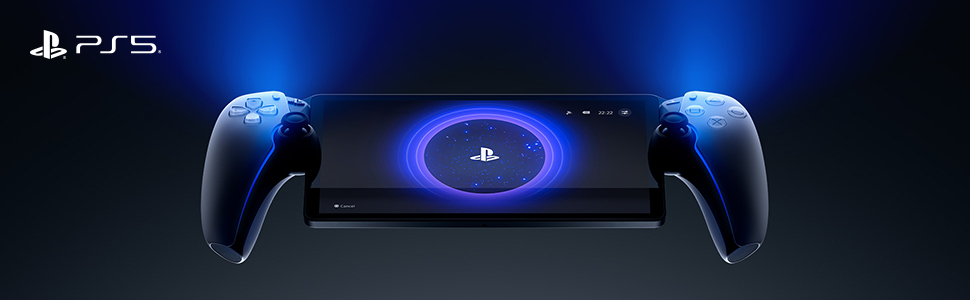
The PlayStation Portal Remote Player 5 is a cutting-edge handheld device that streams your PS5 games via Wi-Fi, featuring an 8-inch Full HD 1080p screen capable of 60fps gameplay. It offers access to thousands of games through PlayStation Plus Premium cloud streaming, enhanced by Tempest 3D AudioTech for immersive sound. Designed for seamless DualSense controller integration, it delivers console-quality gaming in the palm of your hand, perfect for busy professionals craving premium gaming on the move.



| ASIN | B0CJT5DJ16 |
| Batteries | 1 Lithium Ion batteries required. (included) |
| Best Sellers Rank | #49 in Video Games ( See Top 100 in Video Games ) #2 in PlayStation 5 Controllers |
| Customer Reviews | 4.4 4.4 out of 5 stars (5,715) |
| Date First Available | September 29, 2023 |
| Item Weight | 0.317 ounces |
| Item model number | 1000041319 |
| Language | English |
| Manufacturer | Sony Interactive Entertainment |
| Product Dimensions | 14 x 3.88 x 6 inches; 0.32 ounces |
| Rated | Rating Pending |
| Release date | November 15, 2023 |
| Type of item | Video Game |
V**A
Far better than I ever thought
I wasn’t sure if this was going to be as cool as I wanted it to be. But it’s a hundred times better. It could be a bit easier/smoother to switch between profiles, and to get the most out of it you really do need a premium plus account. Those are the downsides. But that premium account gives you access to a really quite good library of old and new games to stream, and you can stream certain games you already own. Streaming is the only way to play if someone else is using the PlayStation, otherwise you can play any game on the portal via the PlayStation. A decent WiFi connection is a must for streaming, and you are kicked off the server if youre inactive for too long. It’s really comfortable to use, the controllers are the same as normal just a little smaller. The screen is absolutely perfect - crystal clear and the exact right size. The screen is comparable in size to the size of the tv across the room, IYKWIM (see pic). I’ve found it to be a more pleasurable way of gaming. I can take it in with me while I make dinner, bring it to bed or to the bathroom (always looking for ways not to scroll on the toilet 😉), and I can curl up with it on the sofa with it. I’ve even tried it on the stationary bike with great success. The battery lasts a good long while, and you get warnings when it’s getting low and when it’s getting desperate. It’ll happily keep going if you plug it in though. I got an off brand charging stand for it, which I’d recommend because it’s fairly sizeable and I could see it being easily knocked off a surface or sat on. Excellent, I choose it over the main console almost every time.
K**P
Finally a standalone handheld console with Cloud Streaming!
Edit 11/9/2025: Upping this to 5 stars. PlayStation released cloud streaming recently and it is AMAZING. All the connectivity issues with Remote Play back to my PS5 are nonexistent with Cloud Streaming, and there are nearly 3,000 games available. The Portal finally feels like a standalone handheld console, rather than being tethered to a (sometimes) finicky Remote Play connection I really wanted to use this device more. I loved the idea of having the ability to play my PlayStation 5 from the couch with something else on TV. However, there are some limitations: 1) Your PS5 must be plugged in via ethernet for this to work well. For whatever reason, the WiFi on this device isn't as strong as something like an iPhone when my PlayStation 5 was connected via WiFi. 2) Not a great device for traveling. Due to the device size, it's hard (especially adding a case) to fit this in a smaller bag or easily pull out on a plane. Obviously, this is limited too by the fact that it needs to connect back to your PS5, and I had pretty consistent issues trying to use hotel WiFi or hotspots to connect. If you don't mind the above flaws, this device feels great, the feedback is great, and as a controller it's the closest thing to a DualSense controller. My only gripe with the controller itself is the sticks are smaller than they are on normal controller, and I would've liked the bigger size.
C**R
Long review, but it's amazing
I 100% bought this because I'm an Elden Ring fan (PS5). I didn't want to be tied down to the loft all the time either. For reference, my Internet has 4 waypoints throughout the house (2 upstairs and 2 down), and a router on the outside of the house (Breaker box - Yeah, my first experience with that, too). Here's my legitimate experience: This thing is awesome. Gameplay is absolutely seamless. It acts as a controller if you're sitting right in front of the TV. I tested it with PvP (Person vs Person) online play, and also seamless. The only complaint I have is when I'm in my bedroom and the door is closed, every now and then I'll get an "Internet is Weak" symbol. But if you play online, it's very mild and semi resembles lag for a second. Then it's back to being good. Other than that, all rooms (Including the garage) work well. As an online player, I have to steas that's a minor inconvenience, I have not been kicked from an online game. I have not tried playing remotely from another WiFi source, so I can't give a review on that portion. BUT, this has 100% met my needs. Screen quality is the same as my TV (Sony, 2023 Smart TV), linking it to my PS5 was surprisingly easy, and all games were available. 100% wish I had known about this before. If you're an avid player, definitely a freedom piece to roam your house/apartment.
Y**.
Fantastic device for what it is: a PS5 remote player with all the functionality of a PS5 controller
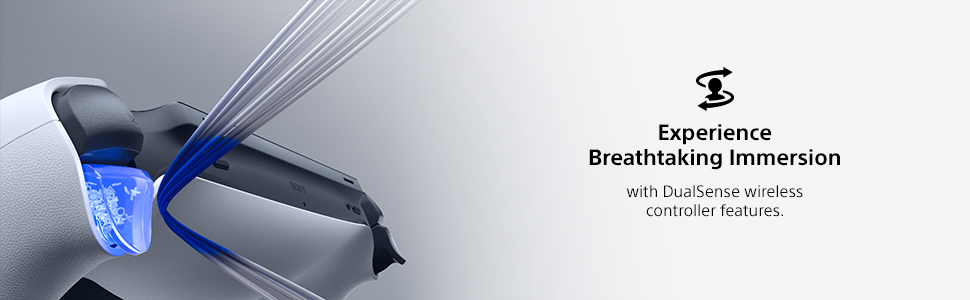
The PS portal is a remote play device that connects to your PS5 allowing you to play games without use of the television. This is what it is advertised as doing, and it does this very well. There has been a recent update to the device that allows you to stream games from the PS Plus library of games if you are a PS Plus subscriber, completely bypassing your PS5. As of this review, the feature is still in beta, however, from my testing it works well. If you have a good connection from your PS5 to your router and have a good WiFi connection outside, you can even remote play your PS5 while you are not at home, such as in a hotel. I suggest using your phone's hot spot on a 5G connection to do this. For a more responsive and lag free experience make sure your PS5 is connected to your router with an Ethernet cable instead of connecting via WiFi. This will provide a stable experience on your PS Portal. Remember that this is not a stand alone console like a Switch or a Steam Deck allowing you to play games directly on the machine. The PS Portal connects to your PS5 or can stream games from the PS Plus library if you are a subscriber. The PS Portal itself has all the functions of the PS5 controller which is awesome. That means when you play a game that makes use of the adaptive triggers, the PS Portal will feel just like your PS5 controllers. For instance, pulling an arrow back on a bow in a game with the actually feels like there is bow string tension in the trigger. This is light years better than just getting a set of controllers that attaches to a phone for remote play. It also has all the buttons like the PS button, screen capture button, and options button. The only thing missing is the touch pad. In order to use the touch pad, you actually touch the screen on the PS Portal and a virtual touch pad pops up on the screen. My favorite feature is that the PS Portal allows you to wake up your PS5 from sleep mode. If someone in the house is using the TV, no problem. Just pick up your PS Portal, connect to your PS5, and starting playing your games!
O**N
Awesome
Update: still awesome but now on a trip 2313 miles away from home. Worked great 5 of the 6 days I was here, but now one the last day (and two hours later, yes I’m obsessed with getting this bi**h to connect) it’s failed to connect. Assuming it’s the travel router..but dropping a star because I shouldn’t need one. Sony needs to add a browser to this thing so we can click the silly message on captive wifi and just get on the network. I didn’t buy this to utilize while at a vacation home with my family that has standard wifi. I bought it for travel, work travel, in which I live in hotels and airports..which, guess what, Sony, use mf’in CAPTIVE WIFI BRO! Just let the browser work for that one simple thing. Got darn vultures. I’m not going to write some wannabe tech dude review here, you all know what it does at this point if you don’t have one yet. What I can tell you is this for those on the fence, it is not able to utilize captive wifi (wifi that first makes you open your browser and enter credentials or watch a short video or whatever), so if you plan on using it at hotels or airports, etc., you’ll also have to buy a travel router to bypass that. On vacation hundreds of miles away on standard wifi it works perfectly so long as your home connection is strong and the wifi at the location you are at is decent. I really do love it as I used to pack my whole ass PlayStation for business trips for downtime, now I can fit it in my backpack! Pro tip for those of you that may play late at night and keep your PlayStation in a room your family may still be using while you’re gone. Keep PlayStation in rest mode (you have to anyways) but unplug the HDMI from the back of the TV so it won’t turn your tv/monitor on when you connect the Portal. Also, go into settings on your PS5 and turn off the dang startup beep so you don’t startle everyone in the house in the middle of the night because you had to get your gamer fix on. Lastly, turn down the console lights to low so your PS5 doesn’t light up a room no one is in and causes folks to come investigating something that isn’t actually a concern. Other than that, it’s awesome, nice big screen and the controller feels like the standard controller, just have to get used to your hands being significantly further apart. Really though, if you can’t decide and you love to game and have to travel, worth every penny and more.
A**R
I love this thing, but not for everyone.
I love the PS Portal. I didn't get it. I still don't. But I love it. Pros: - Can game anywhere in your home wifi network pretty well. Graphics look almost as good as the PS5. It has had a few drop outs while in the bathroom for some reason and it stutters. But generally only has happened a few times. - Works decently on phone hotspot. It's playable, granted it hiccups more than I'd like it too. And the graphics don't look as sharp as home network. - Feels like playing PS5 on the go, in bed, or lying on the couch. Almost the same graphical power and look- it doesn't look quite as good as tv but it's very close- especially coming from the antique switch. Cons: - No browser, so you have to use hotspot/wifi over connecting it directly while on restaurant/hotel wifi - No blu tooth audio, that's a big issue, but maybe due to latency? Wired headphones work great though. - No downloadable playable media. If it had this, this game system would be the king. - Hard to get (check out the app Hotstock. I found one in less than two days casually looking on the app). - Screen is quite reflective, so hard to play outside in the sun. - It sometimes drops wifi connection and it's laggy or slow during those moments, not great for multiplayer games where speed and accuracy is an asset. - It takes around 20-30 seconds to boot up. So if you're a grab and play for a few minute kind of person, huge disadvantage vs a switch, where I could pick it up and play immediately for 5-10 minutes. This is a bit more of a time commitment. - YOU HAVE TO keep your PS5 on rest mode or this won't function at all. If you have a home power outage while on a trip, you're carrying around a portal for nothing. Not only does it need to be on, but you need to be logged into your account on your machine. - My hands aren't quite as large so the controller is a little big in my hands compared to the smaller switch, so it's a little less comfortable, but doesn't bother me that much. - get a case, this thing is big and more delicate. The case makes it feel really solid. I got a clear case with a screen protector, it's nice. Reasons I got a Portal: I love handheld gaming - I've played my switch 90/10 to my ps5. My biggest drawback to using a switch or a steam deck, I like being able to play on the TV and on handheld- but the switch has huge graphical drawbacks, so I never hooked it up to the TV. It's really cool to have your games all be on one cohesive network of games and saves. The screen is really nice and looks about as nice as playing on my TV. Anyone that approaches this with an open-mind will love it. I'll probably keep my switch for trips and keep the portal at home for playing in bed or lying on the couch. I've enjoyed it- once they get a PS5 connected handheld that can download games and create a cloud saving- I'm completely in.
R**N
Games would not load
Had a few problems loading games, other than that it was fine
B**S
Buyer's Remorse
I'll preface with a disclaimer that I should've done more research into how much of the catalog is ACTUALLY playable, but I did not. Giving it a free "my bad" star as an accommodation for that. I'll also cut to the chase and say that, regardless, I feel like this product is sort of an underwhelming attempt for Sony to mimic some of Nintendo's success with the Switch via a handheld console. The amount of titles playable on the device is very limited, in my opinion. For example, Castlevania Symphony of the Night is one of my favorite games - with the Requeim collection only available right now on PS. You'd think that would be a lock to be playable on the Portal, but it's not on the list. Went through a few other of my "greatest hits" and was more disappointed than not in what I could actually stream from my library on the device without having to mirror from my PS5. The device in itself is fine. The PS5 controller design makes playing it feel natural and familiar, the screen is pretty solid quality for an LCD, and the sound is pretty good as well. The mechanics of the devices are fine, as far as I'm concerned. The biggest flaw or disappointment is really the fact that it's a $200 "controller-with-a-screen" meant to create a handheld format for PS games...and that experience is extremely limited by the amount of games you're ACTUALLY able to play on it - or it requires what I've experienced as extremely wonky connectivity and stability when streaming from a PS5 console. I feel like the $200 price point reflects the awareness by Sony that it's an inferior option to other handheld solutions on the market. The Steam Deck is definitely the most expensive while also arguably providing the most bang for your buck - Steam sales make games cheaper so it technically pays the difference in the long run, has an exponentially larger catalog that covers PS and Xbox games more often than not these days, you can easily dock to act as a Steam "console" or play handheld, and the device is pretty easy to understand, use, and even customize. The Nintendo Switch is more mid-range in price, limited in catalog to Nintendo IPs and licenses (duh), it popularized the dock/handheld concept, and it's extremely simple to use. In hindsight, I probably would've skipped the PS Portal entirely. It's cool to look at, has a smart design for a Playstation handheld, but the limited capabilities and disappointing performance make even the $200 price tag give me buyer's remorse.
Trustpilot
3 weeks ago
1 month ago