Some deliveries may take a little longer than usual due to regional shipping conditions.

DOWNLOAD THE APP


Customer Services
Copyright © 2025 Desertcart Holdings Limited
DOWNLOAD THE APP

🎨 Elevate your digital canvas — create like a pro, anywhere, anytime!
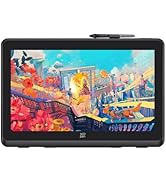
The XPPen Deco Pro LW 2nd Gen is an 11-inch wireless drawing tablet featuring Bluetooth v5.0 connectivity with dual device pairing, a battery life exceeding 10 hours, and the advanced X3 Pro battery-free stylus offering 16,384 pressure sensitivity levels and 60-degree tilt support. Its ergonomic design includes a metal backplate for heat dissipation and an X-edge to reduce wrist strain. The included Mini Key-dial with 10 customizable shortcut keys streamlines creative workflows. Compatible with multiple operating systems via wired connection, this tablet is ideal for digital artists, animators, and video editors seeking professional-grade performance on the go.













| ASIN | B0C3R3JVBD |
| Batteries | 2 Lithium Ion batteries required. (included) |
| Best Sellers Rank | #37 in Computer Graphics Tablets |
| Customer Reviews | 4.3 4.3 out of 5 stars (801) |
| Date First Available | August 28, 2023 |
| Item Weight | 4.36 pounds |
| Item model number | Deco Pro LW (Gen 2)+ACK05 |
| Manufacturer | XP-PEN |
| Product Dimensions | 13.11 x 10.16 x 0.04 inches |
T**O
Honestly confused why some people give it a bad review
I own the MW 9 inch and the XL 15 inch. I bought my XL months ago and never had any problems with it. Recently decided to buy a travel size MW 9 inch. Absolutely amazing as well. What I am confused about is some of the reviews. *cough* two star rant *cough*. To start make sure to download the latest drivers for the correct device and have it open while you use it. In the application of the XP-pen you can adjust the work space and sensitivity of the pen pressure, so it's perfect for the light drawer like myself. yes it can detect all 16K pressure points, you just need to calibrate it to your liking. it doesn't need to be forced for some detection. The pen stabilization is a great feature when using it outside out of painting applications and you can turn it off or on. Not sure why it's labels to be bad. So if you got shaky hands, this might be good, if you got smooth hands, even better. Another thing, idk why but using two of the same pens from each one Xl and the MW I don't have any wobble, at all. Slow or medium, fast, nothing. I have owned previous drawing tablets including those with a screen, and yet I haven't to detect the wobble from this one. I get smooth straight lines when I draw it. ANOTHER point, hover feature, don't know why you need 30cm above your tablet to draw, you are drawing, not playing darts. Just having your hand resting on the device and the pen distance from your tablet shouldn't even be that far to begin with. Customer service is good, I've had some problems with my devices before in the past and they gladly replaced with what I needed. Cable doesn't work? Got it replaced in 3 days. Screen faulty? Got it replaced in less than a week after returning my faulty one. (FYI from their official website if you don't want to go through amazon) Last thing, never gotten the issue of "broken line". Again, I'm so confused how this person such got such a bad experience and I would like to share my own in case anyone is wondering if this is really good or not. And read first, this tablet doesn't have a screen. in the end, I do recommend this, it's great, it feels smooth, quality is great. Been drawing since 2020. Yes there are much cheaper options out there and you may not need all the fancy stuff this tablet offers, so if you are on a budget, maybe go with the deco pro 1. Wired is much cheaper btw. Or even a regular deco or deco fun which are even cheaper. Thank you for reading this long wall of text.
A**R
Your Ultimate Drawing Companion
I gotta say, I’m super impressed with the XPPen Deco Pro MW 2nd! The responsiveness is spot-on, and setting it up was a total breeze. I’m honestly confused by some of the negative reviews out there, especially about the hover issue—seriously, just make sure you grab the latest drivers and keep them running while you’re using the tablet. The pen picks up all 16K pressure points without a hitch, and the calibration options fit my light drawing style perfectly. The pen stabilization is a sweet feature, especially if you’ve got shaky hands. I haven’t run into the “broken line” problem that some people mention, which makes me wonder if their setup is off. The tablet itself feels really solid, with a sleek design, and it holds up well to regular use. I’m also a big fan of the accessories that come with it, especially the Mini Keydial. It’s super handy and integrates perfectly with Photoshop, making my workflow way smoother. As for the concerns about the surface wearing down the nibs, I’ve found them to hold up just fine for my needs. Plus, the fact that you can replace the surface is a great bonus. All in all, I’d totally recommend this tablet to any artist or educator. It performs like a champ, and for the price, it’s a killer deal compared to the pricier options like Wacom. You won’t regret it!
C**T
Good tablet for the Mac with some drawbacks
Out of the box: great packaging, nice pen case. Try it out: on the Mac, without driver installation the pen on the tablet moves the mouse, left click works a little, no right click, basically useless. Driver installation asks for keystroke monitoring permission (twice, denied), and asks for accessibility permission (have to accept otherwise it doesn't work). Each time the software starts it asks for more permissions (denied). Hooked up the tablet with USB-A cable. Pen on tablet works fine and is responsive and feels good, buttons on pen work. Movements are smooth and soundless. Works fine for me as a left-handed person since there are no buttons on the tablet. At times something weird happens where a menu doesn't work or selections don't turn off. Solution is to quit the driver software and restart. Don't leave the driver running if you don't use the tablet, weird menu selections will happen, the driver interferes with some mouse commands. Basically the driver can be buggy and invasive but mostly works fine while using the tablet and I don't see it working when I quit the driver app. I'm not a super user, I didn't try the extra device with buttons and I didn't try any advanced pen sensitivity trials, I didn't try to set any fancy settings. It works fine for the average user drawing and painting digitally with default settings. Overall, OK value for money. Driver software should be in the App Store so you can trust it better.
K**H
I bought this for my grand daughter it works really well and she is happy.
F**A
Estuve a punto de comprarla. Vi un montón de reseñas, comparativas, vídeos... y todo apuntaba a que es una muy buena tableta gráfica por su precio. Diseño pro, buena sensibilidad, inalámbrica, y compatible con mil programas. Pero siendo honesto: no me animé porque ya tengo otro modelo que cumple y sé que la acabaría dejando aparcada. No por la calidad (que parece top), sino porque hay que ser realistas con lo que uno realmente va a usar. ✅ Pros (según lo investigado): diseño elegante, rueda táctil muy precisa, buena duración de batería, muy cómoda para dibujar o retocar. ❌ Contras (lo que me echó para atrás): algo grande para mi escritorio, y me pareció demasiado avanzada para el uso básico que realmente le doy. Si estás buscando una tableta seria para diseño, ilustración o edición, creo que esta es una apuesta segura. Yo no la compré, pero estuve muy, muy cerca.
B**O
Tenía una Intuos del 2019 y me dio por upgradear mi set up y no me arrepiento de esta compra. El área activa de la Xp pen es mas amplia que la Wacom además que ame el lápiz, la superficie es suave al tacto y el control de remoto es muy fácil de usar.
R**E
Die Kilder sind zufrieden, nutzen es auch für die Schule.
A**O
At this price I can even get a Wacom intuos pro. So in that regard It's not a super competitve package. Mostly because the software is quite limited. For instance the scrolling, both pen as the wheel, doesn't have any speed settings. That said, their scroll using the pen works better than other (on par with Wacom) and this pen, unlike Xenselabs, Wacom or Huion, can actually wake the computer (Mac OS). The annoying thing however Is that this pen doesn't trigger the bottom of the screen properly, which is really annoying with 2 monitors using Mac OS dock at the bottom. This is the same with Wacom and Xenselabs, but this is where Huion does a much better job. Also, setting a custom size on the tablet, there's this weird hampering of the cursor to determine the edge of the area, also unusable. The added quick-button and scroll-wheel is a nice addition, but considering the size of the tablet, not very convenient to use, running out of space also with a keyboard next to it. Also the buttons don't really feel nice and rather cheap. It's hard to memorize these buttons to make It useful. Would have been nice to have little RGB markings, like the tablet, to identify them better by colour for instance. Lacking a pen holder. Very nicely designed pen container with tips though. Feels very premium. The surface of the tablet isn't the best compared to their competitors. Software is very limited and performance somewhat buggy. Too bad none of them can get everything right ...
Trustpilot
1 month ago
5 days ago