Some deliveries may take a little longer than usual due to regional shipping conditions.

DOWNLOAD THE APP


Customer Services
Copyright © 2025 Desertcart Holdings Limited
DOWNLOAD THE APP


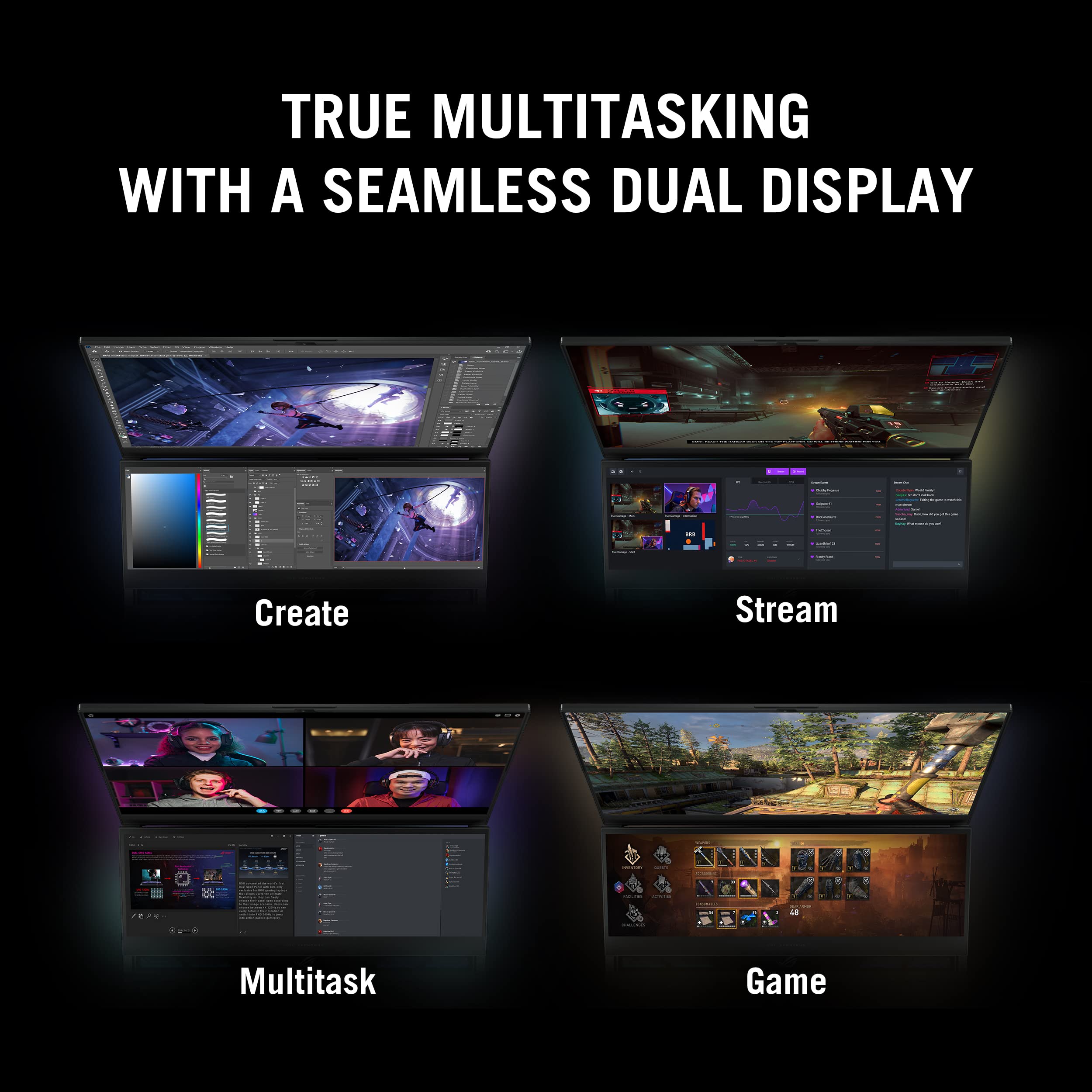


🔥 Elevate your game and grind with the ultimate dual-screen beast!
The ASUS ROG Zephyrus Duo 16 (2022) is a cutting-edge gaming and creative laptop featuring a 16” Mini LED QHD 240Hz display, a secondary 14.1” touchscreen, AMD Ryzen 9 7945HX CPU, NVIDIA GeForce RTX 4080 GPU, 32GB DDR5 RAM, and 1TB PCIe 4x4 SSD. Designed for professionals and gamers craving top-tier performance, it combines innovative cooling, ultra-fast memory, and expansive multitasking capabilities in a sleek, portable chassis running Windows 11 Pro.


| ASIN | B0BS9Z5FF7 |
| Average Battery Life (in hours) | 6 Hours |
| Batteries | 1 Lithium Ion batteries required. (included) |
| Best Sellers Rank | #32,343 in Computers & Accessories ( See Top 100 in Computers & Accessories ) #4,706 in Traditional Laptop Computers |
| Brand | ASUS |
| Card Description | Dedicated |
| Chipset Brand | NVIDIA |
| Color | Black |
| Computer Memory Type | DDR5 RAM |
| Customer Reviews | 3.6 3.6 out of 5 stars (62) |
| Date First Available | January 19, 2023 |
| Flash Memory Size | 1 TB |
| Graphics Card Ram Size | 12 GB |
| Graphics Coprocessor | NVIDIA GeForce RTX 4080 |
| Hard Drive | 1 TB SSD |
| Hard Drive Interface | PCIE x 4 |
| Item Dimensions LxWxH | 13.98 x 1.17 x 10.47 inches |
| Item Weight | 5.9 pounds |
| Item model number | GX650PZ-XS96 |
| Max Screen Resolution | 2560x1600 |
| Memory Speed | 4800 MHz |
| Number of Processors | 16 |
| Number of USB 3.0 Ports | 2 |
| Operating System | Windows 11 Pro |
| Optical Drive Type | No Drive |
| Processor | 5.4 GHz ryzen_9 |
| Processor Brand | AMD |
| Product Dimensions | 13.98 x 1.17 x 10.47 inches |
| RAM | 32 GB DDR5 |
| Screen Resolution | 2560 x 1600 pixels |
| Series | Zephyrus Duo |
| Standing screen display size | 16 Inches |
| Voltage | 19.5 Volts |
| Wireless Type | 802.11ax, Bluetooth |
A**D
Powerfull and well build
Pros: Powerful performance handles editing, rendering, and demanding games effortlessly. The second screen is highly useful and syncs smoothly with the main screen. Loved the customizable keyboard lighting, and the mouse pad doubles as a number pad. Many customization options, including shortcut buttons and fan speed. Sleek design and the back of the screen even offer a subtle finger massage when plugged in (Im serious). Cons: Runs hot when plugged in, ranging from 75-90 degrees in idle and easily reaching 100 degrees under heavy use. Customizing fan speed helps but increases noise. Runs cooler (around 60 degrees) on battery. There is no option to lock the F keys, requiring FN + F Number for volume or brightness adjustments. I can't believe ASUS didn't make this basic option for this computer. Customized keyboard lighting settings are often reset to "rainbow" mode at startup. Overall: Despite minor bugs and high temperatures, the computer is excellent.
C**K
Dead after 10 months
Died after 10 months. Just won't turn on won't charge. No warranty coverage go figure. Computer always acting slightly off would shut down and close all programs assumed it was updates but now I wonder about that. I don't recommend asus... their customer service sucks and they haven't made a good product since 2018... this is my second laptop from them post 2018 and the one before this died of blue screen due to moisture build up and rust in the internal components. Dont even know how that happened. Stay away the customer service agents just ignore you and will make sure to squeeze you for repairs. Computer bluetooth would just stop working even with updated drivers. Overheats easily without a cooler and external fan; terrible ventilation. Touch screen responsive when it feels like it. Games ran well while it worked. Waste of an investment.... steer clear if your a creative your end up with a heart break.
A**R
Best for $3500 - R9 7945hx + RTX 4080
The thermal interface is better applied than last model year. (see photos) pros: + very nice performance + pleasant to the touch + if you lick - delicious too + good second disaplay, looks great cons: - main display is disgusting. the mini LEDs should leave the laptops and gone away forever. at low brightness or with HDR turned on, it's look like broken, but its okay. - very noisy at 100% cooler speed - small nvme (1tb in 2k23 its absolutely nothing) - main charger - proprietary? and heavy, its worst in this product - have usb type A port (for who? for what? useless in 2k23) - needed upgrade bios after buy or you get many BSODs and troubles - ugly ROG logos
L**L
Very good laptop that does more than just gaming
I've had this laptop for roughly 2 years now and I can safely say its reliable. Gaming performance is very good once you setup the fan speed and threshold. The LCD Mini display is very bright and beautifully sharp! Sound speaks is loud and decently well executed. The 2nd screen is great for additional display for apps and tools but too bad its only max out at 60 fps. If you are looking for a full gaming laptop performance I would recommend you go for the full fledge RTX 5090 that is currently out for the same price. However, productivity mixed with high gaming performance this laptop is very good !
P**H
Ehhhhh?
The good: + It does rip for a laptop, it is faster than a desktop I spent over a grand on <12 months prior to purchasing this item. + Dual screen can be nice, Discord fits very well there, you can do other creative things + The keyboard stuff is pretty cool The Neutral-ish ~ The secondary touch screen is not great for touch operation at certain angles. That's more a human interface problem, and the screen displays well despite. I suppose I wish there was a way to angle it up -more-, even if It meant I has to 'pull up' the main screen to avoid the secondary covering it. - The touchpad is too sensitive for being where it is; far too easy to hit it while typing and mess lots of stuff up. - Trying to set up for thermal management becomes it's own meta. The Questionable: ? That power cord slot. It's in an odd spot. My -hope- is the position means VRMs are further away from CPU and that helps lifetime, bu not sure if that is reality. The ugly: ?!?!? You couldn't put a grille or whatever between the secondary screen and the special sauce cooler? Seriously how much money did Asus save with the warning stickers on each side instead of even the simplest proper mesh? Heck a decent one would help with airflow anyway... 5.5/10 would not buy again but I wish they could make the concept work. Tips: 1. Turn the second screen off if you aren't using it. 2. Embrace the switching off of the Nvidia GPU (i.e. eco or optimized mode). 3. Adjust the silent profile down on CPU minimum state, and use that for most day to day stuff
D**N
Asus Rog is DOPE
This thing is a beast! Asus has stepped it up.
S**R
This laptop is sweet! It's got plenty of power and speed. Love the mini display for programming. Touch screen is a nice touch ;) Just make sure you let it download all the updates from Asus and Windows, it takes about an hour but after it's stable, cool and works great. No complaints!
T**M
The laptop kept doing sudden auto shutdowns even after I made sure everything was updated, and after every single shutdown the only way to get it running again was to reinstall Windows. I spent about 85% of my time reinstalling Windows, before it would do a forced shutdown again. I found comments online on several different websites after I purchased it, of others having the same issue and no possible fix, so I returned it.
S**A
This laptop is a beat! I bought this in September 2024, and it arrived in proper, secured packaging. the box clearly was never opened. I have owned for about 7 months now and it still running great, it does run hot when you are working it to the bone but I feel that this is expected for such a high spec. laptop. So maybe consider getting it a fan cooling station especially if the room temp is already warm/hot.
I**S
Great laptop
Trustpilot
2 weeks ago
1 month ago