We remain fully operational. Our teams are working around the clock to ensure your deliveries continue safely.

DOWNLOAD THE APP


Customer Services
Copyright © 2025 Desertcart Holdings Limited
DOWNLOAD THE APP
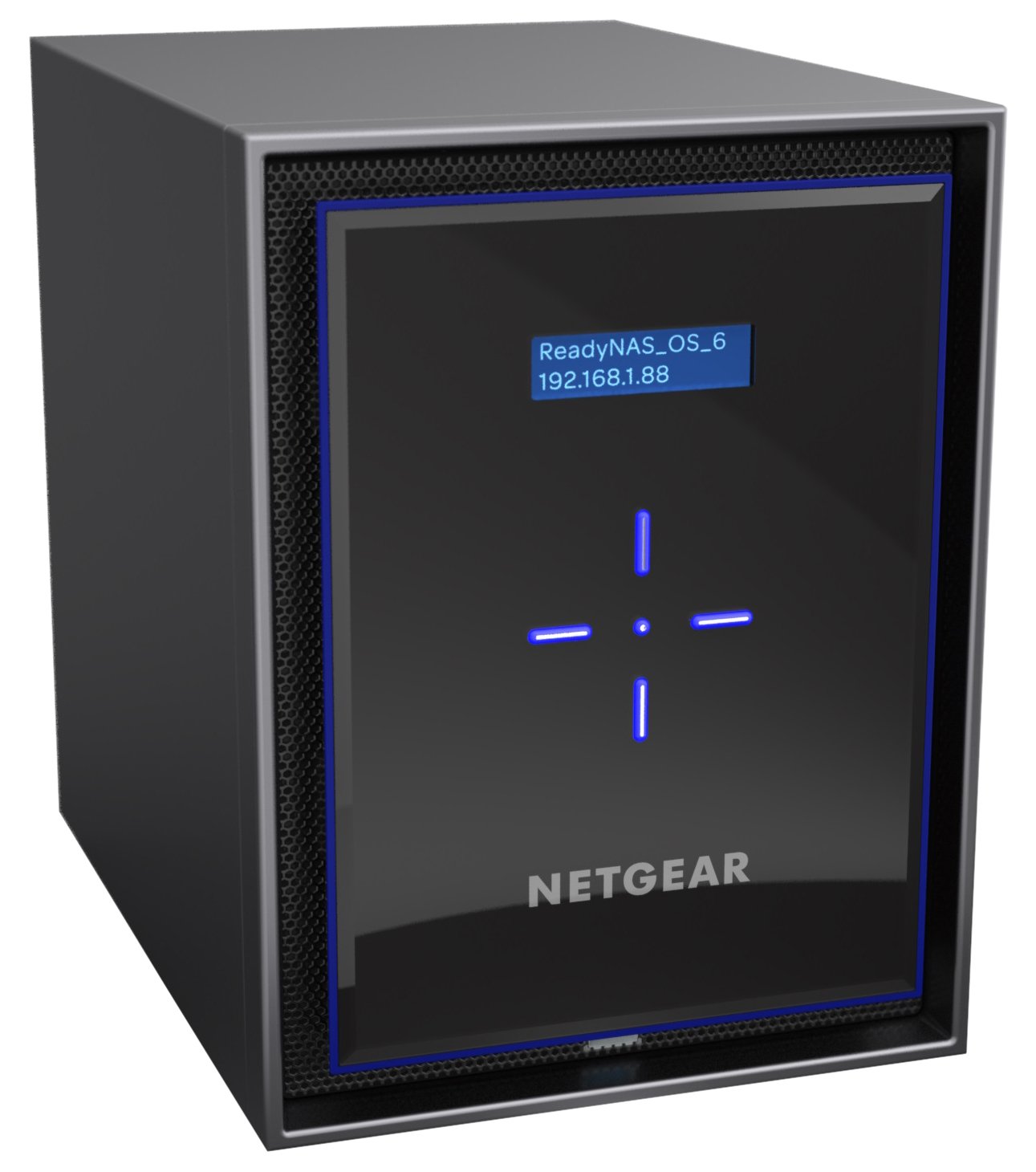
🚀 Elevate your data game with enterprise power and bulletproof protection!
The Netgear ReadyNAS RN426E1-100NES is a high-performance desktop network storage device featuring an Intel Quad-Core Atom processor, 4GB DDR4 RAM, and 6 hot-swappable bays supporting up to 60TB of storage. It offers 5 levels of advanced data protection including X-RAID and Bit Rot prevention, plus 4 Gigabit Ethernet ports with link aggregation for enhanced speed and reliability. With next-generation BTRFS file system and free cloud management for two devices, it’s designed for professionals demanding scalable, secure, and easily manageable storage solutions.
| ASIN | B0774RPV5D |
| Are Batteries Included | No |
| Brand | NETGEAR |
| Colour | Black |
| Connectivity Type | No |
| Customer Reviews | 4.4 4.4 out of 5 stars (19) |
| Date First Available | 28 Oct. 2017 |
| Guaranteed software updates until | unknown |
| Hard Disk Description | Mechanical Hard Disk |
| Hard Drive Size | 6000 GB |
| Item Weight | 7.43 kg |
| Item model number | RN426E1-100NES |
| Manufacturer | Netgear |
| Number of Ethernet Ports | 4 |
| Processor Brand | Intel |
| Processor Count | 4 |
| Product Dimensions | 27.7 x 19.2 x 25.9 cm; 7.43 kg |
| RAM Size | 4 GB |
| Series | ReadyNAS 426 |
| Wattage | 63.11 watts |
P**.
Excellent NAS for home office or small business
I have had a Buffalo Terrastation NAS 1TB since 2007, with 4 x 250Gbyte drives configured in RAID5. However, as this was filling up with high-resolution photos from my pro digital SLR, and the network speed was a bit slow, I decided to upgrade. After reading a number of online journal reviews of some other NAS products, I decided to avoid the ones which used a processor model which was susceptible to hardware failure, and opted for the Nether 526x due to the fact that it uses a relatively high-performance Intel processor, and it has 6 drive bays, enabling it to support RAID 6 configuration (and the ability to tolerate failure of 2 drives without loss of data). After reading the BackBlaze disk drive review (which is authoritative, as it uses in-service data from their data centre), I purchased 6 Western Digital Red 4TB drives, providing 24TB capacity minus RAID 6 overhead (resulting in about 14TB of usable storage). I have found the network access speed of the Netgear 526x to be virtually instantaneous (over 1Gbps Cat7 Ethernet and 2G + 5G Wi-Fi), and where photos and files would pause before loading on the old TeraStation, there is no delay with the Netgear 526x. There are a lot of configuration options and features (which you can read about elsewhere), but the ones I most like are: * ability to perform Apple Time Machine backups from multiple Macs simultaneously * ability to configure fan settings for temperature of drives (I run mine cool at no more than 35degC to extend the life of the drives). * ability for perform AES256 encryption of the array (useful when storing financial information) * works well with both PC and Mac clients The only thing I don't like is (unlike the Buffalo Terastation), the front door of the NAS is not lockable. Overall it's an excellent NAS.
P**T
I am a great believer in personal cloud storage, this unit has a very efficient XRAID protocol for increased reliability
We already had 3 NAS units, two buffalo and one Synology. This gives us a total of 16 TB of Raid1 NAS storage. I also had several spare hard disks, 2x4 TB and one 1 TB. When these were installed in this new net gear unit in XRAID formulation, I was pleased to find that we now have an extra4.5 TB of NAS storage in RAID X configuration. Netgear recommend adding hard disks in even numbers, and also provides a software tool to allow you to experiment with different configurations. If I was to add the same hard disks again (2X4 TB and 2X1 TB)We will have an extra 12.7 TB accessible from anywhere in the world. We are just about to go on holiday for a month, but this is something I will definitely do when we return. I always use WD red discs but bought from different suppliers to ensure the discs come from different batches.
K**T
Faster transfer speeds than the old Readynas104
So much faster to transfer files to than my old Readynas 104 regularly get transfer speeds of 110-120mb per sec compared with the 40-50 of the old 104. Quite heavy and very solidly built. Upto the usual netgear quality. Its so easy to put drives in with it being a tool less operation. The only thing i am not so keen on is those super bright Blue leds that tend to be the in thing at the moment, and even though it is nice and quiet in operation, You still get the blue glow shining through the air vents into the room. And as blue light can be disturbing to sleep patterns, have angled it accordingly. Just wish the 10TB Hdd's were a little cheaper, but they will drop in price eventually like all new technology does.
S**N
Your own cloud
This is Netgear ReadyNAS with 8 bays of storage space. If you're familiar with Netgear products this is the usual reliable build quality that you will have experienced before and with a pretty user friendly installation process. Inserting drives into the unit is easy to do, even if you're not overly technically gifted, requiring no additional tools or know how. Once the drives are inserted and the software is setup, transferring your data is relatively simple, even if not the fastest of processes. However, if you want to back up large quantities of data and would rather avoid paying ongoing fees for cloud storage, then this is certainly a great option to consider.
P**F
La confezione si compone della macchina che presenta dimensioni generose ed un peso non trascurabile che è pari a quello di un desktop. Viene fornita con diversi tipi di alimentatori ed un cavo lan. Ci sono manualetti d’istruzione in diverse lingue, tra cui Inglese, tedesco e francese, purtroppo manca quello in italiano. Sono presenti anche delle viti che servono a fissare gli hard disc negli 8 slot disponibili.. Le elevate prestazioni di questo Nas, fanno si che il suo utilizzo sia ideale per le piccole imprese. Per un utilizzo domestico è opportuno fare riferimento a modelli che presentano caratteristiche tecnologiche meno spinte ed una minore capacità di archiviazione dati. Attraverso tali soluzioni l’utente medio domestico soddisferà le sue esigenze con un esborso molto più contenuto. Premetto che non sono un esperto di tali dispositivi, di conseguenza credo che attraverso questa breve recensione non riuscirò a rendere giustizia al prodotto, essendo enormi le sue potenzialità. Uno sguardo al sistema operativo Installare la macchina richiede pochi semplici passaggi grazie alla piattaforma Redy Nas che ha migliorato parecchi aspetti della piattaforma precedente. Attraverso di essa Netgear ha semplificato l'interfaccia e l’utilizzo del NAS, senza trascurare nessun aspetto, neanche la funzione di sincronizzazione con i cloud di Amazon e Dropbox. Dopo l’installazione tutto si controlla attraverso il browser con schermate chiare , semplici ed intuitive. Con l’utilizzo di font colorati Netgear ha voluto rendere familiari le diverse schermate rendendo semplici la gestione. In maniera rapida è possibile creare gruppi di utenti assegnando loro permessi di condivisione particolari. Nonostante la semplicità dell’interfaccia grafica, per le funzioni più avanzate, è bene leggere il manuale. I protocolli supportati sono SMB, AFP, NFS, Rsync, FTP, HTTP a cui si aggiungo DLNA, e la condivisione iTunes. Con questa versione si è aggiunta anche la possibilità di creare account multipli, attraverso la quale ogni utente può creare una home privata visibile solo personalmente. Tale funzionalità consente agli utenti Mac di creare i backup corrispondenti al numero di macchine possedute. Chi ha la funzione di amministrazione, può caricare i file sul Nas con il semplice drag and drop. Tra le funzioni eccellenti dei Nas Netgear c’è sicuramente la tecnologia XRAID, per mezzo della quale è possibile aggiungere o sostituire unità disco, con altre di maggiore capienza in secondo momento, senza dover formattare tutto il sistema. Un'altra funzione che ritengo molto interessante è quella di poter fare una serie illimitata di snapshot delle varie cartelle presenti sul proprio volume. Pur non essendo dei veri e propri backup, di conseguenza se un disco si guasta i dati vengono persi comunque, consentono di salvare i dati di una cartella su una zona del disco diversa e ciò risulta importante nel caso in cui per errore venissero cancellati i dati nella cartella d’origine. Tale funzione è incrementale, nel senso che, una volta esaurita la sezione di un disco, vengono eliminati gli snapshot più vecchi a vantaggio di quelli più recenti. Il vero e proprio backup dei dati è possibile farlo attraverso delle funzioni programmate per mezzo delle quali è possibile copiare i file da cartelle locali, verso una periferica USB o eSata connessa al NAS, oppure verso un altro NAS o un’altra unità di rete locale. Anche per queste funzioni l’interfaccia grafica risulta essere molto intuitiva, di conseguenza si effettua l’operazione abbastanza agevolmente. Sebbene altre aziende offrano la possibilità di poter sfruttare un numero maggiore di componenti aggiuntivi, Netgear presenta a tale riguardo add-on piuttosto interessanti. Solo per citarne qualcuno sul fronte multimediale ricordo Plex e TVMobili, CMS come Wordpress, Jumla e Drupal ecc. Il sistema operativo ha già integrato un buon antivirus e funzionalità Cloud. E’ possibile condividere sul NAS il proprio account Dropbox e Amazon Il servizio Netgear ReadyNAS Vault con un piano di abbonamento a pagamento consente di poter accedere ad uno spazio cloud Il servizio ReadyCLOUD permette di accedere in modo semplice e sicuro per l’utente dall’esterno ai propri file senza smanettare con le impostazioni del router. Basta creare un proprio account attraverso il quale il sistema registra il nostro NAS e l’accesso diventa possibile anche da qualsiasi dispositivo mobile. Con la funzione ReadyDrop è possibile sincronizzare i contenuti dei nostri dispositivi remoti sul Nas siano essi PC o Mac. Caratteristiche tecniche Questo modello è’ dotato di 2 porte USB3.0 di cui, una sulla parte frontale ed una posta sul retro. Possiede inoltre 1 porta eSATA, X-RAID2 per l’espansione automatica di un singolo volume e Flex-RAID per il supporto di RAID 0, 1, 5, 6, 10, 50 e 60 con file system BTRFS. La conservazione dei dati viene assicurata da Neatgear come molto affidabile e sicura La stessa protezione dei dati ha ben cinque livelli di sicurezza. La procedura di backup risulta essere semplice ed intuitiva e, ad evitare il deterioramento dei dati provvederà la tecnologia bit root. Il processore della macchina è un Intel atom abbastanza potente che consente una buona velocità di trasferimento dati sia in lettura che in scrittura. In questo caso lo spazio è veramente tanto si possono archiviare file di qualsiasi genere fino ad un totale di 80 Tb, i quali possono essere condivisi da più persone. Questo modello è consigliato per reti fino a 40 utenti. Dall’utilizzo che ne ho fatto finora, questo NAS si è comportato in maniera egregia, sebbene io abbia sfruttato solo in parte le sue potenzialità. Il funzionamento è risultato sempre molto stabile ed il trasferimento dati è stato velocissimo. La velocità di scrittura mi è apparsa molto buona, per non parlare delle ottime prestazioni rilevate durante il trasferimento di una notevole mole di dati relativi allo streaming di contenuti multimediali. Per quanto riguarda la silenziosità di funzionamento dipendente dalla ventola della macchina, è risultata buona e il lieve rumore lo si percepisce solo in ambienti molto silenziosi, per il resto tutto dipende dal tipo di dischi che si implementa. Conclusioni In base a quelle che sono le mie esigenze di archiviazione e condivisione dei file, veramente limitate rispetto al potenziale di questo NAS, ho archiviato tantissimi films, ho collegato il sistema di videosorveglianza della mia abitazione e messo in sicurezza una notevole quantità di file. E’ vero che attraverso i vari Dropbox è possibile avere a disposizione uno cloud da poter consultare in qualsiasi momento e da qualsiasi posizione, ma siccome lo spazio di questo servizio è gratuito entro certi limiti, avere un dispositivo di archiviazione del genere, risulta essere di grande ausilio. Considerato anche il fatto che certi documenti hanno dati sensibili, il solo pensiero di non averli più in rete con il rischio che possono essere intercettati da male intenzionati, non è cosa da poco e ciò mi fa vivere sonni più tranquilli. Le mie esigenze rappresentano ben poca cosa rispetto a quelle di una piccola azienda, la quale di dati importanti da condividere con l’esterno ed i propri dipendenti ne ha veramente tantissimi, buona pare dei quali vitali per il suo funzionamento. In tali condizioni il dispositivo deve assicurare prestazioni di alto livello e da quello che ho potuto sperimentare, questo NAS Neatgear ha tutte le credenziali per poterlo fare in maniera efficace e professionale.
A**L
Good
F**R
Bisher habe ich einen Synology DS214play genutzt, der aber seine Grenzen hatte. Angefangen bei den zwei Bays war auch die Geschwindigkeit gerade so ausreichend. Der Test des RN42600 von Netgear kam daher gerade richtig und ich kann etwas vergleichen, wenn auch der Synology in einer ganz anderen Preisklasse spielt. Das Gerät ist sehr hochwertig verarbeitet und bringt schon ohne eingebaute Festplatten in stolzes Gewicht auf die Waage. Ein Display auf der Front zeigt den aktuellen Status an und gibt auch die IP-Adresse an. Das Display erlöscht nach einiger Zeit wenn es keine Besonderheiten gibt, lässt sich aber über die Tasten darunter wieder aktivieren. Die Anleitung ist in ihrem Umfang sehr bescheiden, es erfordert schon ein etwas technisches Gespür um ohne Hilfe aus dem Internet die Festplatten einzubauen. Der ReadyNAS richtet sich schon allein vom Preis aber auch eher an erfahrene Nutzer. Die Einrichtung geht dafür spielend einfach und ist nach etwa 15 Minuten abgeschlossen. Allerdings müssen Festplatten grundsätzlich nach dem Einbau formatiert werden, ein Umzug von einem anderen NAS gestaltet sich so recht kompliziert und zeitaufwendig. Die Menüs sind schlicht, aber übersichtlich und gut strukturiert. Ich habe mich sofort zurechtgefunden. Die knallbunte und mir zu verwinkelte Oberfläche von Synology gefällt mir nicht so gut. Ich finde mich inzwischen auf dem Netgear NAS nach einigen Tagen besser zurecht als bei Synology nach Jahren. Da ich in der ReadyNAS neue Festplatten eingebaut habe konnte ich die Daten von meinem alten NAS relativ problemlos herunterziehen. Die Oberfläche hat eine sehr praktische Funktion zur Datensicherung. Hier habe ich einfach nach einander alle zu sichernden Ordner angegeben, den Rest hat der ReadyNAS über Nacht ohne mein Zutun erledigt. Lediglich die Dateiberechtigungen musste ich zurücksetzen, weil ich von meinem Windows PC keine Schreibrechte auf die kopierten Dateien hatte. Mit der Geschwindigkeit bin ich sehr zufrieden, selbst unter Last kann man sich noch problemlos durch die Ordnerstruktur bewegen. Über die Oberfläche können verschiedene Anwendungen installiert werden, etwa auch ein MySQL- und PHP-Server. Leider kommt hier die Oberfläche schnell an ihre Grenzen, das Anlegen von Virtualhosts ist über die Oberfläche nicht möglich. Zum Glück lässt sich SSH aktivieren, allerdings droht der Hersteller hier mit einem eventuellen Garantieverlust. Per Shell ist das auf der NAS installierte Linux erreichbar und somit können auch Virtualhosts angelegt werden oder auch der externe Zugriff auf MySQL-Datenbanken erlaubt werden. Durch den Zugriff auf Linux sind der Nutzung kaum Grenzen gesetzt, allerdings nur, wenn man sich mit Linux auskennt. Bisher hatte ich, außer einem wohl selbst verursachten Fehler beim Einrichten, keinerlei Probleme. Die Bedienung ist gut, die Geschwindigkeit klasse und alle für mich notwendigen Funktionen (Fileserver, Streaming, Webserver, Backups) laufen einwandfrei und schnell. Wer allerdings von Technik und Linux keine oder wenig Ahnung hat, der dürfte durch den im Vergleich zu Synology geringen über die Weboberfläche steuerbaren Funktionen Probleme haben. Fazit: Toller Netzwerkspeicher für erfahrene Anwender mit Linux-Kenntnissen.
D**Y
After doing a lot of research I took the plunge and bought this Netgear ReadyNAS 6 bay unit. I chose this over the 2 and 4 HDD models as a means of future proofing our needs. This NAS unit was paired with four 4 TB Western Digital Red Pro NAS drives. After using this NAS server for a few months, here are my comments: PROS: - Fairly easy to set up if you are technically inclined - You can configure it to make regular backups (- I set this up to take copies ("daily snapshots") of specific folders that contain media (years of digital photos, MP3 audio files, etc.) and other critical data files. It feels great to have peace of mind knowing if any of the 6 hard drives between two desktop PCs suddenly failed we have backups we can revert back to. - The ReadyCloud app makes it easy to backup media (photos/videos) from your phone - again no more worries about an SD card getting corrupted and then losing digital pictures. I use this weekly to back up media from two Samsung S9 Plus phones. - Can use the NAS storage to host your media files using Plex (you don't have to pay for a full account unless you want to remotely access the files outside of your home) - Case is made of metal and feels solid and well made. - Comes with built in anti-virus software - actually flagged a zip file from my wife's computer that had a virus hidden inside of it (from her old Antivirus program) - You can set up multiple user accounts/profiles with separate passwords and restrict which folders they can access on the NAS. - Supports encryption CONS: - Can't upgrade the total memory. It comes with 4GB DDR4 RAM. If you read the forums it is possible to upgrade the RAM because it is not soldered in place. However, you literally have to disassemble the unit - that could void the warranty if you damage it. - Set up required a bit of effort and research - definitely not user friendly for someone who is a beginner. - ReadyCloud app does not allow you to choose non-media files (PDFs, Word, etc.) to back up from your phone. - Much more expensive compared to other home cloud/storage solutions but that is expected as this NAS is more robust than those which offer backup at the push of a button. - Compared to other NAS units like Snap or Synology, it does not seem to have as many apps available. To date, this NAS is being used to take daily snapshots for 2 different home computers, weekly backups for media from two Android phones (S9+), and weekly backup from another remote PC. I also paired this NAS unit with a good quality UPS unit in case of a power failure as another preventive measure to allow for time to shut down any computer or the NAS unit. I would recommend this unit if you are technically inclined and want a future proof NAS solution that is also flexible in terms of options on how you want to set it up.
H**U
UpDate 30.10.2018 Nach einem kleine Trick (Pre-Sale Anfrage), über den ich den NETGEAR-Support erreichte, kommt nun auf einmal Schwung in das Geschehen. Tatsächlich war es so, dass auf Grund von Problemen in der NETGEAR Datenbank mein Account einfach nicht auffindbar war / ist. Eine ausgesprochen freundliche und auch sehr kompetente Dame von der Telefon Hotline hat sich über TeamViewer mit meinem Rechner verbunden und dort - zu ihrem Erstaunen - gesehen, dass ich mich problemlos mit einem scheinbar nicht existierenden MyNetgear Account verbinden, sonst aber nichts weiter tun kann. Jedenfalls dürfte das die Ursache für alle auftretenden Registrierungs- und sonstigen Probleme gewesen sein. Ich habe somit einen Fall mit einer Fallnummer und es wird daran gearbeitet. Da inzwischen auch ReadyCLOUD und NETGEAR Insight reibungslos funktionieren, habe ich Bewertung und Titel angepasst. Danke und LG hpuat1 Installation und Einbindung ins lokale Netz funktionieren beim Netgear RN426D4-100NES einigermaßen gut, VPN und Cloud nicht. 90 Tage Gratis Support, ab Kaufdatum ist zwar angekündigt, allerdings muss man dazu ZWINGEND das Gerät in MyNetgear registrieren. Das klappt jedoch nicht und so wird man permanent an den Support verwiesen. Wie aber, wenn sich das Gerät nicht registrieren lässt. Daraus folgt, es gibt keinen Support, solange man nicht einen teuren Servicevertrag kauft. Die Community weiß auf derartige Anliegen auch keine Antworten. Es gibt zwar einen ambitionierten Redakteur, der versucht so gut es geht die auftretenden Fragen / Probleme zu bearbeiten. In meinem Fall hat er aber schon nach dem 2. Mail aufgegeben und antwortet nun nicht mehr. Ich habe auch mehrfach (!!!) versucht per Telefon mit NETGEAR Kontakt aufzunehmen, sogar über die kostenpflichtigen Support Nummern (D und A führen zum gleichen Anschluss), jedoch ohne den geringsten Erfolg. Nach Durchlaufen der Tonbandnachrichten mit Ziffernauswahl Optionen, kommt zum Schluss immer die Meldung: "Gehen sie zur Seite 'support(punkt)netgear(punkt)de(slash)kontakt' und erstellen sie einen neuen Fall", dann wird die Verbindung gekappt. DIESE SEITE GIBT ES ABER NICHT !!! Überflüssig zu sagen, dass das Erstellen eines neuen Falls sowieso eine Produktregistrierung vorausgesetzt hätte. Ein besonderes Kuriosum ist die österreichische Firmentelefonnummer. Außerhalb der Dienstzeit hört man eine Tonbandnachricht, während der Dienszeit schnappt die Leitung einfach nach 3sec ab. !!! eine derartige Ignoranz, was Kontakt und Support betrifft, habe ich noch NIE erlebt. Deshalb Hände weg von NETGEAR !!! Weitere Nachteile: -) Das Netgear RN426D4-100NES ist für NAS Systeme in dieser Preisklasse sehr laut. Im Ruhezustand geht's noch irgendwie, da hört man nur den Lüfter, diesen aber deutlich. Im Betriebszustand ist das Klicken und und Klappern der Festplatten-Zugriffsmechanismen so laut, dass zeitweise den Eindruck entsteht, man sei in einer Webfabrik. -) Die Software ist sehr rudimentär und unübersichtlich gehalten. Die vorinstallierten "shares" lassen sich nur verändern, indem man sie löscht und neu anlegt. Besonders störend für mich ist, dass beim Anmelden als admin immer ALLE shares am Rechner zu sehen sind und Unterordnen aufscheinen, die im admin Bereich gar nicht auftauchen. Man muss also, wenn man das nicht möchte einen neuen Benutzer, mit weniger Zugriffsrechten anlegen und sich mit diesem anmelden. -) Das soviel beworbene "ReadyCLOUD" verdient den Namen nicht mal halbwegs. Der Zugriff funktioniert bei mir derzeit nur, wenn ich mich im lokalen Netz befinde. Tolle Cloud!!! ..... Vorteil: im Dunkeln leuchtet es Violett und ist schön anzusehen Danke und LG hpuat1
Trustpilot
2 weeks ago
1 day ago