
🚀 Surf the future with ARRIS G36 — where speed meets smart connectivity!
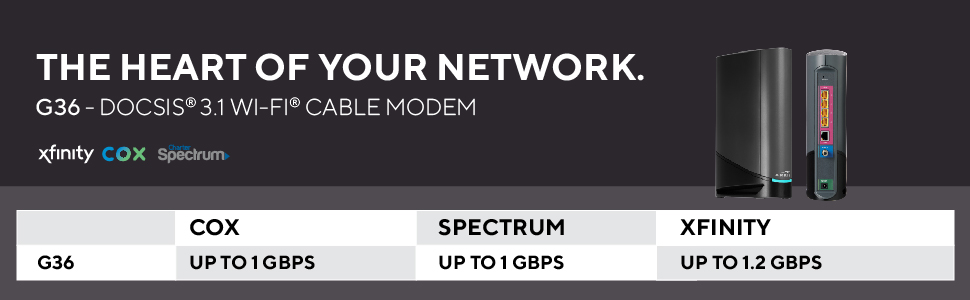
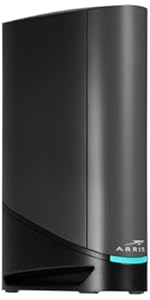
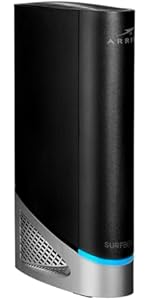
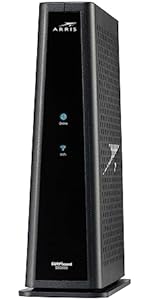
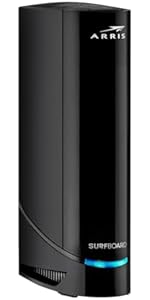
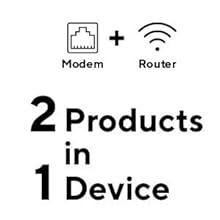
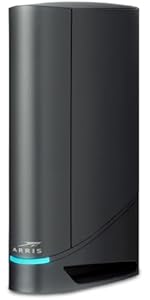
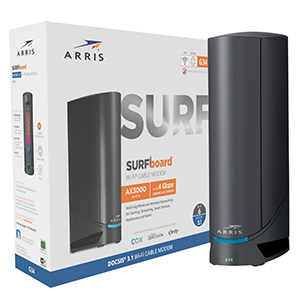
The ARRIS Surfboard G36 is a premium DOCSIS 3.1 cable modem and AX3000 Wi-Fi router combo designed for professional-grade home networking. It supports up to 1.2 Gbps internet speeds with four 2.5 Gbps Ethernet ports, ensuring multi-gigabit wired connections. Certified for major U.S. ISPs like Comcast Xfinity, Cox, and Spectrum, it offers wide Wi-Fi coverage up to 2,500 sq ft and a user-friendly app for setup and network management. This two-in-one device helps users save on rental fees while delivering reliable, low-latency performance for streaming, gaming, and remote work.


| ASIN | B096W6X41Y |
| Are Batteries Included | No |
| Best Sellers Rank | 188,115 in Computers & Accessories ( See Top 100 in Computers & Accessories ) 1,390 in Routers |
| Brand | ARRIS |
| Colour | Black |
| Connectivity Type | Wi-Fi |
| Customer Reviews | 3.5 3.5 out of 5 stars (2,189) |
| Date First Available | 20 May 2022 |
| Guaranteed software updates until | unknown |
| Item Weight | 907 g |
| Item model number | G36 |
| Manufacturer | CommScope |
| Number of Ethernet Ports | 4 |
| Operating System | Linux |
| Product Dimensions | 25.4 x 7.62 x 20.32 cm; 907.18 g |
| Series | G36 SURFboard DOCSIS |
| Voltage | 120 Volts |
| Wireless Type | 802.11ax |
J**F
I was originally impressed with this product, because what it does, it does well. If you connect to it (directly) and have fast Internet service, it's quick, and very easy to set up and activate, IF you have an iOS or Android device with cell service. Good luck otherwise. The Family controls don't work well AT ALL. Especially now that Apple devices use private MAC addresses. Plus the interface is awfully slow. Also - the support is REALLY hard to get a hold of. You can't email them. Live chat is almost never online. So you have wait on hold. Fortunately, it's not usually more than 10 minutes. That being said, there is a real show-stopper with this device. From day 1, I had a hard time getting it to work with my 2.5GB desktop switch. Usually, I can't even get a DHCP address - or if I do, I get 80-90% packet loss. If I hook up the switch through the 1GB ports, it's fine. But the 2.5GB is unusable. I swapped out the modem, but the new one was still having the same issue. So I swapped out the switch. Same issue! Since, at the time, I only had the switch as a 2.5GB device, I couldn't really test anything else. Flash forward 2 months, and I got a new computer, with a 2.5GB NIC. The modem works fine directly plugged into my computer, but with the switch - unusable. I made another call to Arris support, and the tier 1 guy is like: yeah - sorry - these don't handle switches on the 2.5GB very well. I asked if there was a fix, and he said he'd get me to the next level of support. Still waiting to hear back, an hour later. It would have been good to know that when I had trouble on day 1! Before I spent $10 shipping the switch in to be replaced, when nothing was wrong with it! Bottom line: caveat emptor! If you only have 1 thing to hook up at 2.5GB, this thing will do the trick. But if you have an actual network, and you want to use the 2.5GB port, this is not going to do it for you. Get something else. I am now waiting for a refund or firmware update. I'll edit the review with the results. Easter 2022 update: Return was refused because it's been so long. Still no firmware update, and tech support took days to get back to me. I'm stuck with this thing. If you have more than one 2.5GB device, don't get this modem! December 2022 update: The device started dropping the cable connection. Arris forced me to have the cable company come out to verify the cable (which cost me $20) before they would swap it out. FURTHER - there is no way to update the firmware on this P.O.S. Arris says the DOCSIS protocol won't allow them to allow ME - the owner of the modem - to update the firmware: only the cable company can. Cable company says that's hogwash, and they can't update firmware on MY modem. A year later, and I *still* completely regret buying this device, and feel totally ripped off. DON'T DO IT!
9**R
I recently upgraded my home internet with the Arris Surfboard G36from the SBG6782-AC , and I'm impressed with its performance. This modem-router combo packs a punch, delivering both speed and reliability to keep me connected. First and foremost, the G36's setup was a breeze! I'm not the most tech-savvy person when it comes to networks, but the installation process was pretty straightforward, thanks to the user-friendly interface. Within minutes, I had it up and running, ready to experience improved internet connectivity. The speed this device offers is AMAZING! My downloads and uploads are now lightning-fast, making streaming, gaming, and browsing a seamless experience. It's a RIDICULOUS improvement from my previous router, and I couldn't be happier. I've had 1000Mbps service but was maxed out at 300Mbps with the old router. The G36 also boasts excellent reliability. I've experienced no disruptions or dropouts since I started using it. Even during peak hours, the connection remains stable and strong, which is a relief when I'm in the middle of important online tasks. To top it off, I keep the unit in my basement and still get amazing 2.4Mhz and 5Mhz service throughout the 1800sqft split-level house. Another great feature is its sleek design. The compact and modern look of the G36 blends seamlessly with my home decor. It doesn't take up much space, which is perfect for my limited setup area. The only reason I'm giving it four stars instead of five is that the user manual could be a tad more detailed and Xfinity was a little annoying having to register the product with them. While setup was easy, I also had to look to online forums for some advanced configuration options that weren't covered in the manual. Overall, the Arris Surfboard G36 is a fantastic modem-router combo that delivers on its promises. It's easy setup, VERY impressive speed, and reliable performance make it an excellent choice for anyone seeking a seamless internet experience and some monthly cash savings from not having to rent their unit from the cable company. With just a few tweaks to the user manual, this device would be a perfect five-star product.
G**E
For some reason every 3 or 4 days the internet is gone. You have to restart the modem in order to get the internet back. I bought a motorola modem/router combo before and in 3 or 4 years I restarted it like 3 times. The ARRIS Surfboard G36 is not bad except for the moments where the internet is gone. I play fortnite (for example) and sometimes in the middle of a match the internet would start failing and all my devices would not connect, then I know it is time to restart the modem/router. It takes around 3-5 minutes in order to restart it which is kind of fast, but comparing it to the device xfinity provided me or the motorola device I used to have then restarting it so often is a little bit annoying. The speed I get is in average between 790-980 mgbts and I have the gigabit plan from xfinity, so it is not bad since the modem/router combo that xfinity provides has an average speed of 700-830 mgbts (in my residence). Also, I only had to restart the device xfinity provided me like once or twice in two years which was pretty good, and the signal was very stable just like the motorola I mentioned before. This is the reason I cannot give 5 stars to the ARRIS Surfboard G36.
J**N
I am very impressed with this router. I bought it because I was tired of the ISPs $15-20 "modem rental" fee per month, we just moved to a new home and set up a new internet service, so it made sense to get a new router. I was not familiar with the ARRIS brand, but some of my tech friends told me it's a top-of-the line brand for routers, and it DOES NOT DISAPPOINT. The set up is easy peasy and the when accessing the router from your browser, the admin screen is clean and easy to use. But the real star of the show is the router's WiFi strength. Yeah, you have 2.4ghz and 5ghz bands to choose from, and in my experience the 5g signal strength from other routers have not been able to carry through your home...but the ARRIS G36 model gets the 5G signal EVERYWHERE with full strength - the router is located in the upper right of my home, first floor, the wifi signal is amazing: in the bedrooms, the bathroom, the basement and it only starts to weaken when I am in the back of my yard. Ir covers the entire 1350sq footage. I had planned to get some WiFI boosters based on previous experiences with the ISP rental routers,, but these will not be needed. There's plenty of space to run ethernet lines if you prefer a wired connection (I do this for my main TV, Playstation, and PC) but I can't stress enough how easy and great this router has been. Well worth the cost.
C**R
Step1. Connected Ethernet cable to the Desktop. Wifi network was not working/available off the get go. Step 2. All i had to do, after researching internet, is to manually type in the Desktop's browser on Desktop 192.168.0.1 and then login onto device and just save information, and magically Wifi network appeared available and started working. Feedback of wasted 2 hours: just like everything one else i got frustrated with 3 different apps neither of which had worked or were helpful. Useless Xfinity installer and support were giving trash feedback saying software on the G36 device needed to be updated and i had to contact the manufacturer. And this is Day 1. My return deadline is June 26th, if i experience any connection drops like other customers i am returning this in a heartbeat. Headache by design from Comcast like this is not worth saving 15 bucks a month on a rental. I wish i had experienced joy from this purchase like in the old days before getting fleeced by corporation Additional feedback after 12 months of use: wi fi speeds are atrocious so something is wrong with router or software, which i found impossible to correct and there is zero actual customer support besides Amazon reviews from other customers. If you buy this after all the reviews, you might as well set your money on fire now and save yourself some headache My experience basically echoes this customer. I purchased this modem on the advice of my ISP to increase my internet speed. Right from the beginning, I had issues with the WIFI portion of the device. Because the cell service in my new home was also issues, I made the wrong assumption that my WIFI would be the same, so I lived with the issue for a few months. I finally purchased some ethernet cables to plug my devices directly into. The speeds were where they should be. Plugged in, my download speeds were in the 600 – 900 mbps range. Using the Wifi, my speeds were in the 1 – 40 mbps. I see there is a problem now. I have attached pictures showing speeds when plugged in and on WIFI I contacted my ISP and they came to my home for some analysis. The tech who was here believed the modem was good, but the router was defective and needs to be replaced. He recommended I contact Arris to verify his findings. I contacted them and spent 90 minutes on a live chat session. At the end the agent recommended, I contact my ISP to have the modem reprovisioned, which is a fancy word for downloading updated firmware. After that was done, I checked again and no changes to the issue. I contacted Arris again, after 40 minutes on a chat with the tech, he ran out of ideas and told me I needed to call and discuss with a live agent on the phone. If the tech could not find any issues, then maybe they would replace the modem/router. When I called Arris with a phone call, I spent another 30 minutes with a tech. Low and behold, the tech finally found another issue that they could deflect yet again, sending me a new modem. I finally concluded that Arris was going to do whatever they could to not send me a new modem. Thank you, Arris, for the stellar customer service. In the end, I decided to eat the $300+ I paid for the product and purchase another modem/router. I am a prime member but let the date elapse to return the modem for a refund without a hassle. Live and learn. Lesson here. If you purchase this product and you have any doubt there is an issue, send it back for a refund. The problem is that you need to purchase a new modem/router before you can send the old one back, if you do not want to be without internet service for at least a few days. Plan ahead and do not get stuck and frustrated like I did.
Trustpilot
1 month ago
1 month ago



