
DOWNLOAD THE APP


Customer Services
Copyright © 2025 Desertcart Holdings Limited
DOWNLOAD THE APP




🚀 Elevate your office game with speed, size, and smart tech!
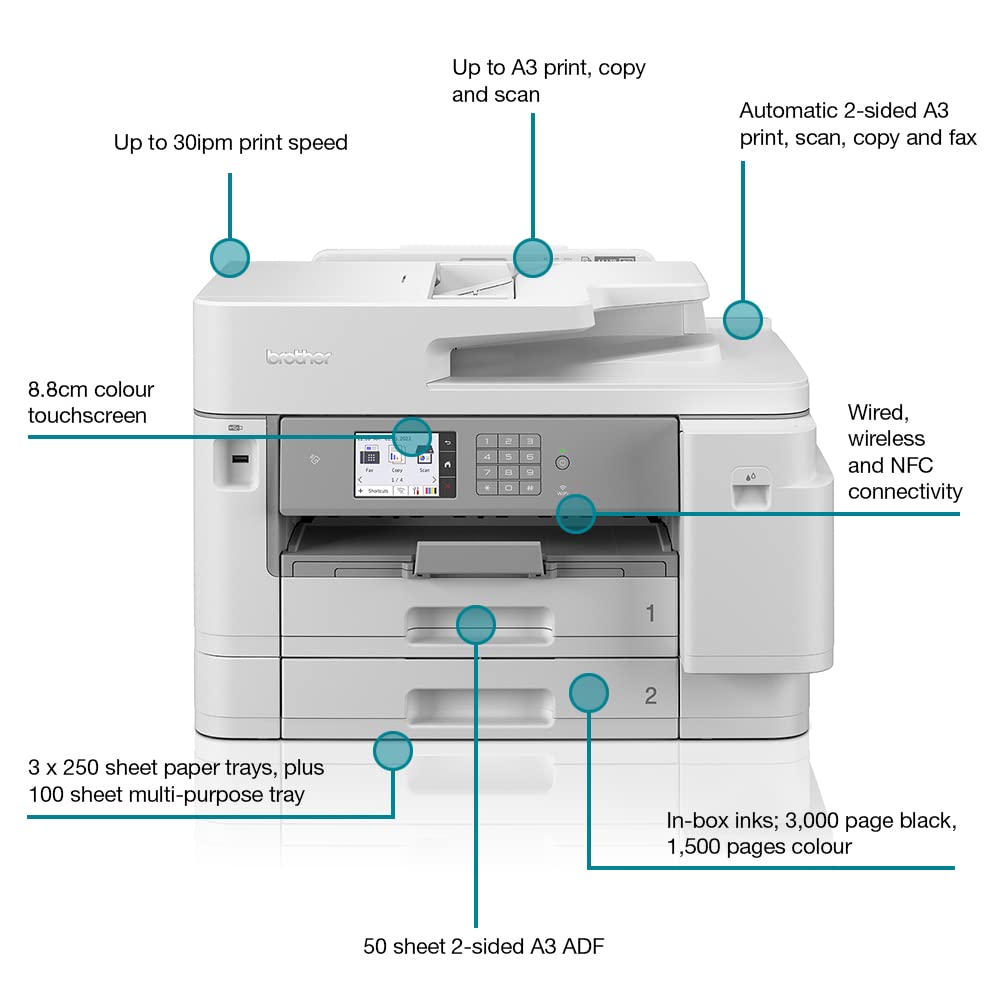
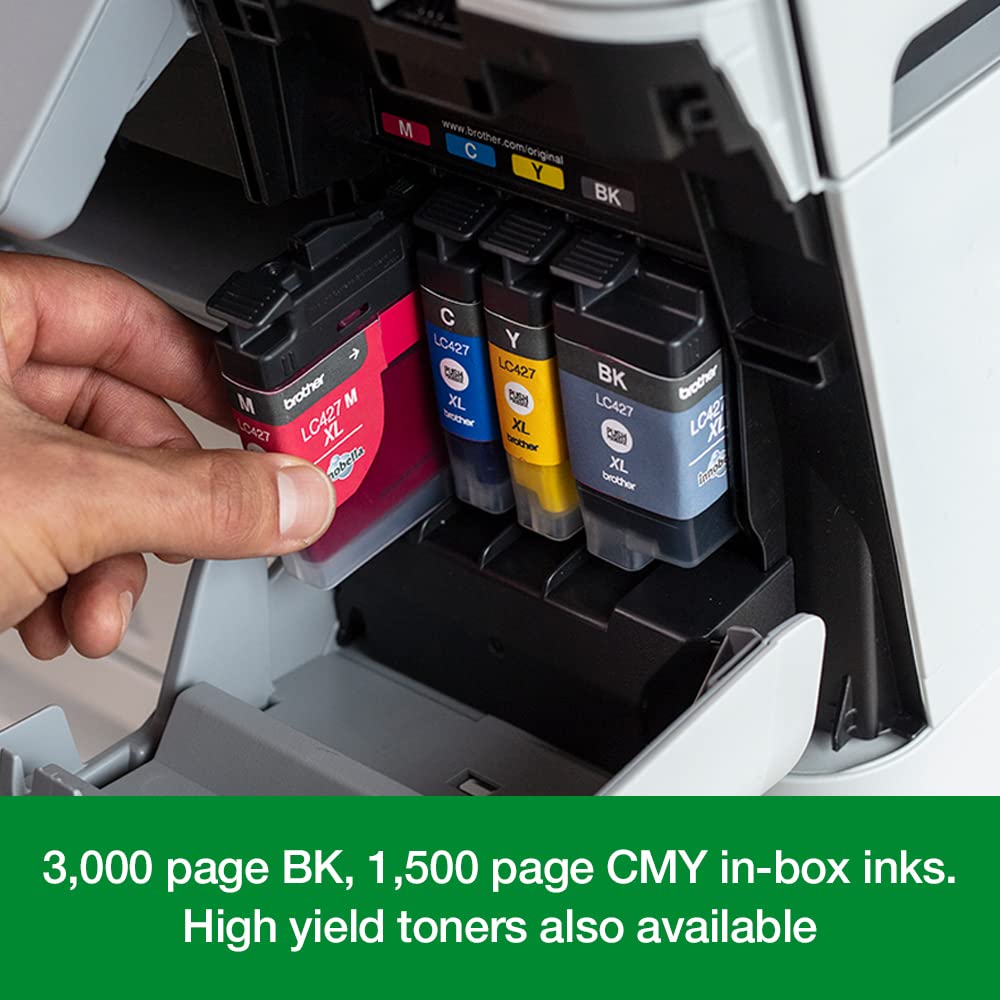
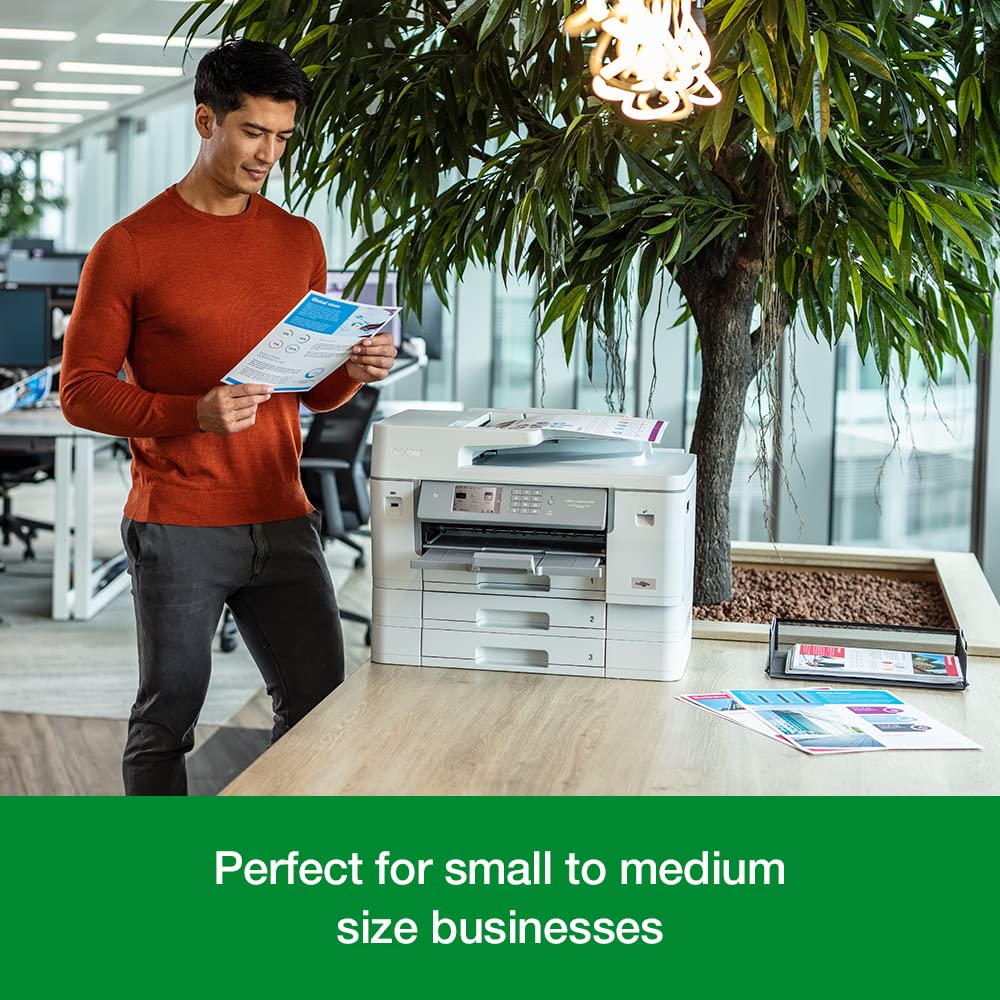
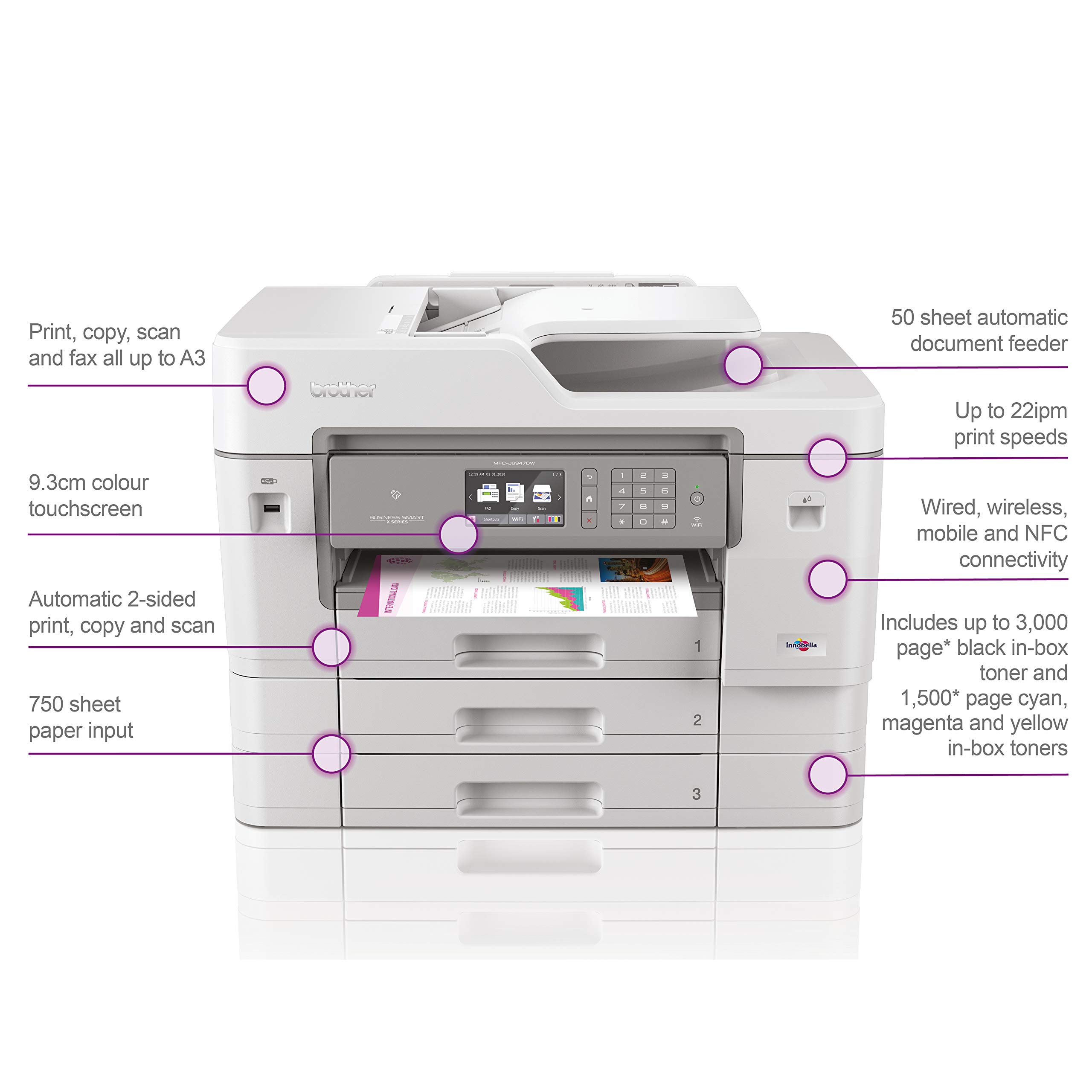
The Brother MFC-J6957DW is a powerhouse A3 wireless inkjet printer designed for busy professionals. It delivers fast 30 ppm print speeds, supports versatile A3 printing, copying, scanning, and faxing, and features a user-friendly 8.8cm color touchscreen. With a massive 750-sheet paper capacity and smart Wi-Fi/NFC connectivity, it streamlines high-volume workflows while maintaining sharp, professional-quality output. Ideal for small offices or home workspaces craving efficiency and flexibility.





| ASIN | B09ZPM5QY8 |
| Additional Printer Functions | Copy |
| B&W Pages per Minute | 30 |
| Best Sellers Rank | 16,199 in Computers & Accessories ( See Top 100 in Computers & Accessories ) 8 in Ink Cartridge Printers |
| Box Contents | MFC - J6957DW A3 Colour Inkjet MFP |
| Brand | Brother |
| Brand Name | Brother |
| Color Depth | 1 bpp |
| Color Pages per Minute | 30 ppm |
| Colour | Black and White |
| Compatible Cartridge | Brother |
| Compatible Devices | Smartphones |
| Connectivity technology | Wi-Fi |
| Control Method | App |
| Controller Type | Android, iOS |
| Customer Reviews | 3.9 out of 5 stars 41 Reviews |
| Display Type | LCD |
| Dual-sided printing | Yes |
| Duplex | Automatic |
| Hardware Interface | USB |
| Ink Colour | Black |
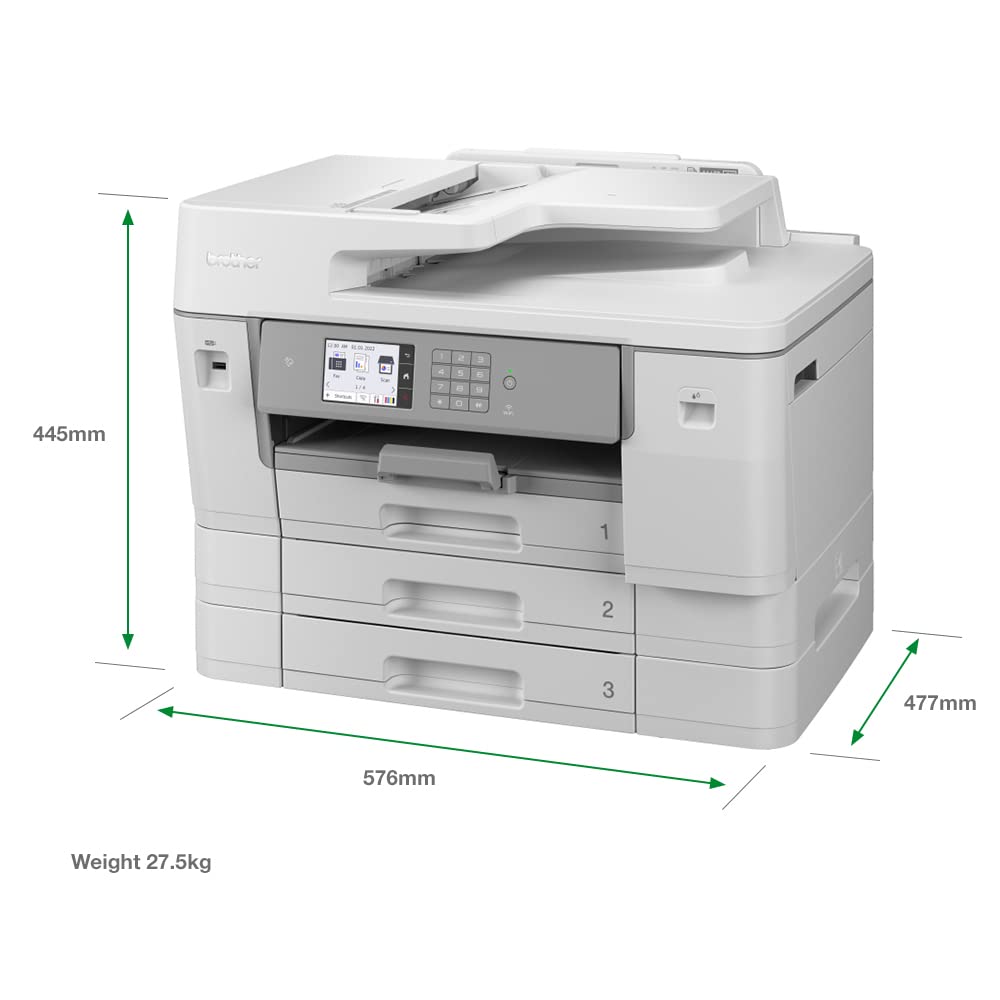
| Item Dimensions D x W x H | 68D x 55.5W x 55.7H centimetres |
| Item Type Name | Inkjet Printer |
| Manufacturer | BROTHER |
| Maximum Copy Resolution Black and White | 2400 dpi |
| Maximum Copy Resolution Color | 600 dpi |
| Maximum Print Resolution Black and White | 2400 dpi |
| Maximum Sheet Capacity | 750 |
| Maximum Supported Paper Size | A3 |
| Maximum print Resolution Color | 1200 x 4800 DPI |
| Model Name | MFC-J6957DWTS1 |
| Model Number | MFC-J6957DWTS1 |
| Model Series | MFC-J6957DW |
| Model name | MFC-J6957DWTS1 |
| Network Connectivity Technology | Wi-Fi |
| Number of Trays | 5 |
| Other Special Features of the Product | Auto-Duplex |
| Paper Size | 29.7 centimeters |
| Print media | Paper (plain) |
| Printer Output Type | Monochrome |
| Printer Type | Inkjet |
| Printing technology | Inkjet |
| Product Warranty | 1 year manufacturer |
| Resolution | 1200 x 4800 |
| Scanner Type | Sheetfed |
| Special feature | Auto-Duplex |
| Specific Uses For Product | Office |
| Total USB Ports | 1 |
| Unit Count | 1.00 Count |
| Warranty Type | No Warranty |
G**N
It's good and replaces a smaller, older Brother
I had a smaller version of this for 7 years, went wrong once, fixed it, with major surgery myself and it did lots of work, home use. It suddenly died, I hunted for a replacement, the exact one looked a bit dated, so I went for this one - it's bigger and much heavier, but quality is good and speed.......amazing. Only trouble is it's in a first floor room and a 2 man lift......................and more money. So far pleased with the results, bit of a luxury though. Used all the same leads as the old one, had to download some additional drivers. some ink comes with it, but it seems miserly with ink usage. Does A3...................... and has 3 trays so no swapping of paper. Love it.
L**N
Nice printer, quick and versatile.
Over the years I have used printers from most manufacturers Brother included and that one was a complete disaster. I was interested to see if Brother have improved since my last experience with them and I'm pleased to say that so far this printer has proved reliable and functional. Firstly this printer is aimed at the small office or business as it's footprint is fairly big and the machine itself is very weighty, I'm using this machine at home so finding a place to hide it away was a problem, the machine has ended up upstairs on a desk top as it is a little unsightly to be in any of the room downstairs. Set-up of the Brother was easy and simple, I use Windows 10 and the installation of the supplied software was fine with no problems. This printer is connected to my home WiFi. This printer supports 3 paper trays and a rear paper feed tray, it can handle A3 on ALL feed trays and all sizes down from that, I have it set-up for A3 in the top tray, A4 mid tray and A5 bottom, the rear tray I have for 'specials' that being photo paper etc. This printer is quick and print output is very good indeed, whether it be just copying a document as a stand-alone or from an attached network printing is fast and efficient. This printer supports double sided printing too. One thing I would mention is the ink cartridges and their price as these seem very expensive indeed, £50 for a black cartridge is way too expensive though it does print upto 6000 A4 pages but still a bit much, compatibles are available for this machine and are more reasonably priced. This machine is a complete all-in-one, it includes scanner with auto document feed, full copier functions and a fax machine, I'm not that sure many use fax nowadays as E-mail has taken over. To use the fax you have to send away to Brother for the relevant cable as one is not supplied but the cable is free of charge. The LCD touchscreen on this printer is sharp and responsive, the menus for the printer are easy to use and simply laid out. This printer can be used direct from a mobile Phone and has NFC connection for simple easy and stress free connecting. Overall a good all rounder and it very versitile it is way better than the previous Brother printer I owned, this machine would be ideal for moderate use in the work environment, but can't help thinking the genuine ink should be cheaper and Brother should address this.
S**N
You wont be disappointed
This is the best printer i have ever owned. The inks last a long time, the printing time is like lightning but the best part for me was the setup and running. On a wireless network it worked first time and it is very responsive every time you send a print, its instant. Printing a3 is also a massive bonus. Ive had it a couple of months now and its only had one paper jam. Still on the inks that came with the printer and i use it most days. The down side? Its big, make sure you have room. For a printer that prints a3 though, its very compact. The scan to pc software is also very good but i did run in to memory errors when trying to scan a3 with highest res.
M**S
Terrible Print Quality & Reliability
On paper, the specifications of this printer looked perfect. But after 20 months of use it has become an absolute pain and liability. I have only used genuine Brother ink from purchase, but the Black nozzles are blocked every time I send anything to print even if it has just been a few hours since it's last use! Today, after 5 attempts to unblock the black nozzle, using the most extreme setting and a huge amount of ink I have finally (almost) expended the original cartridge that came with the printer. I'm not a heavy user, but a regular 'weekly' printer. - when it will work! The other massive issue is the inability of the trays to actually remember and report what paper they have loaded, even after I have completed the forced questions on refill. Telling the printer to default to Tray 1 for A4, Tray 2 for A3 and ignore the MP feed seems to be beyond it's understanding and frequently tries to force me to fill the MP feed (which I hardly ever use). The print quality, even when new, was as poor as my very first HP Inkjet dating from 1998. C/M/Y & Black only ink sets can produce good photographic quality prints as my Canon printers from 2003 to 2011 proved on a regular basis, but Brother seems to be using a coarse and clumsy print head? Utter rubbish for 2021 technology and its regular inability to print a simple word document which may soon require a claim on the extended warranty
R**D
Not an office printer
Looks the part but memory always causes it to buffer takes an age to print from a file even when direct just to laptop. It's easy to use but not ideal as an office printer.
M**N
Excellent Printer
I bought this to replace an earlier model. This one was much easier to set up (less than 10 minutes). It is much quieter than my previous one and the print quality is excellent, both in colour and black and white. The printer is fast in both printing and scanning. The additional rear tray in which put A3 paper is a welcome addition when compared with its predecessor and works well. Overall I am very happy with this printer and happy to recommend it to anyone wanting a reliable and robust machine.
T**C
Good all round printing but not for photos and requires printhead cleaning all too often
I have previously owned the Brother MFC J5335DW and whilst it was ok, it was a faff to use particularly for the A3, I had hoped that this would be better. For a start, for the price you pay you would hope that they would supply full capacity cartridges because at a price of over £100 for a full XL set of OEM ones, it would be nice to not have to buy them within a month or so of buying the printer for nearly £400! The whole unit seemed very similar to my former J5335 except that it has a second general use tray which can be used for A4 or A3. If used for A4 you get a total capacity of 1 ream or 500 sheets. Set up is relatively easy via the touch screen. Connecting to the network via wifi or the alternative cable is step by step and so it walks you through it without having to read in the instruction manual (and how many of us unpack a gadget and then sit down and read the manual?!) . The one thing I do like about the Brother printers if their ability to scan to network/file. With one or more pages and the ability to create a continuous scan and save as PDF. Ok, so on to printing. Reasonable speed, I think the spec says about 20ppm and yes depending how much text you have on the pages, it does about that give or take a page or two. Colour is obviously slower and whilst it is absolutely fine for documents, the ability to print nice crisp images on photo paper is not so great. As a general home or small office printer for documents and general images, it's fine but if you want to print good quality photos often, then look for a better printer or a dedicated photo printer. The one major problem I had with the J5335 was that I was continuously having to run the printhead cleaner, thereby using more ink. I used to use it on a daily basis for a home run business so it was not that the printheads were clogging due to lack of use. But if it was not cleaned every few days, the images on documents ended up grainy and with lines appearing intermittently through them. Unfortunately, with my experience of this printer, it would seem that maybe this is a general thing with all Brother printers. In fact, my J5335 is currently sitting in the loft until I decide what to do with it, because eventually after only one year, all the printhead cleaning meant the ink absorber tray became full, needs replacing and now the printer refused to print until I do replace it. I truly hope this one does not go the same way. With the J5335 A3 printing was manual load one sheet at a time and it was sometimes hit and miss and it would not always be dragged through evenly no matter how careful you were. At least with this one A3 can be put in the tray and so far I have not had any issues with jamming. I also sometimes like to use glossy A3 to create booklet format documents and again the J5335 did not really like it. It would sometimes print fine and sometimes because the ink was not absorbed quick enough, it would slip and jam. This model seems to deal with glossy A3 much better. Now the only real problem I have is, it cannot do 2 sided printing on A3! I also have an HP7740 printer which is very similar in funtionality and guess what....for half the price new, it DOES PRINT A3 duplex automatically. So why can't the Brother do the same? To be honest, i do much prefer HP printers, easier on ink, less jamming and oh yeah, they can print A3 duplex for half the price of a Brother. I am finding so far, that with this model I am still running the printhead cleaner every few days. Which is a little disconcerting as it probably means I may end up with a full ink absorber tray again. Not to mention the loss of inks used to do this. I print perhaps 40 A3 sheets a day on an average day and about 20 A4 black and white. Sometimes it can be about 50% more but I would not say that was high usage which warrants the printheads continuously printing out lined images and requiring cleaning. To be honest, I fear that I may never buy a Brother printer again once this one gives up the ghost and goes to the printer heaven in the loft!
B**.
Fast, high quality and reliable
Using for over 3 months, the printer is very useful in all aspects, very functional and easy to use.
Trustpilot
1 day ago
2 weeks ago