
DOWNLOAD THE APP


Customer Services
Copyright © 2025 Desertcart Holdings Limited
DOWNLOAD THE APP
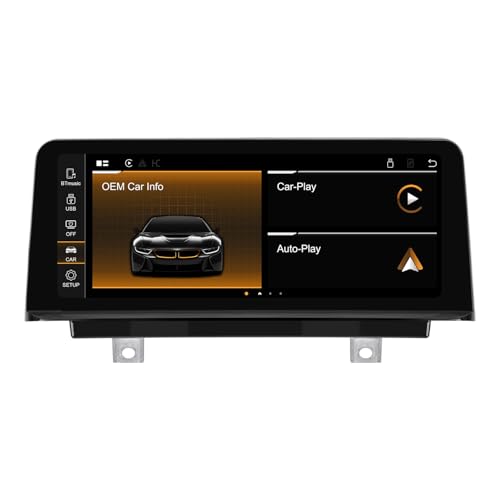
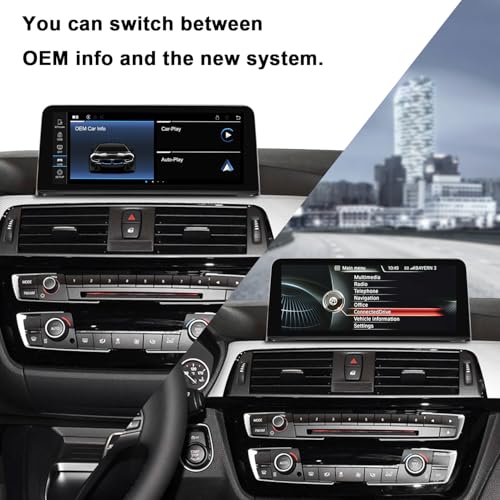
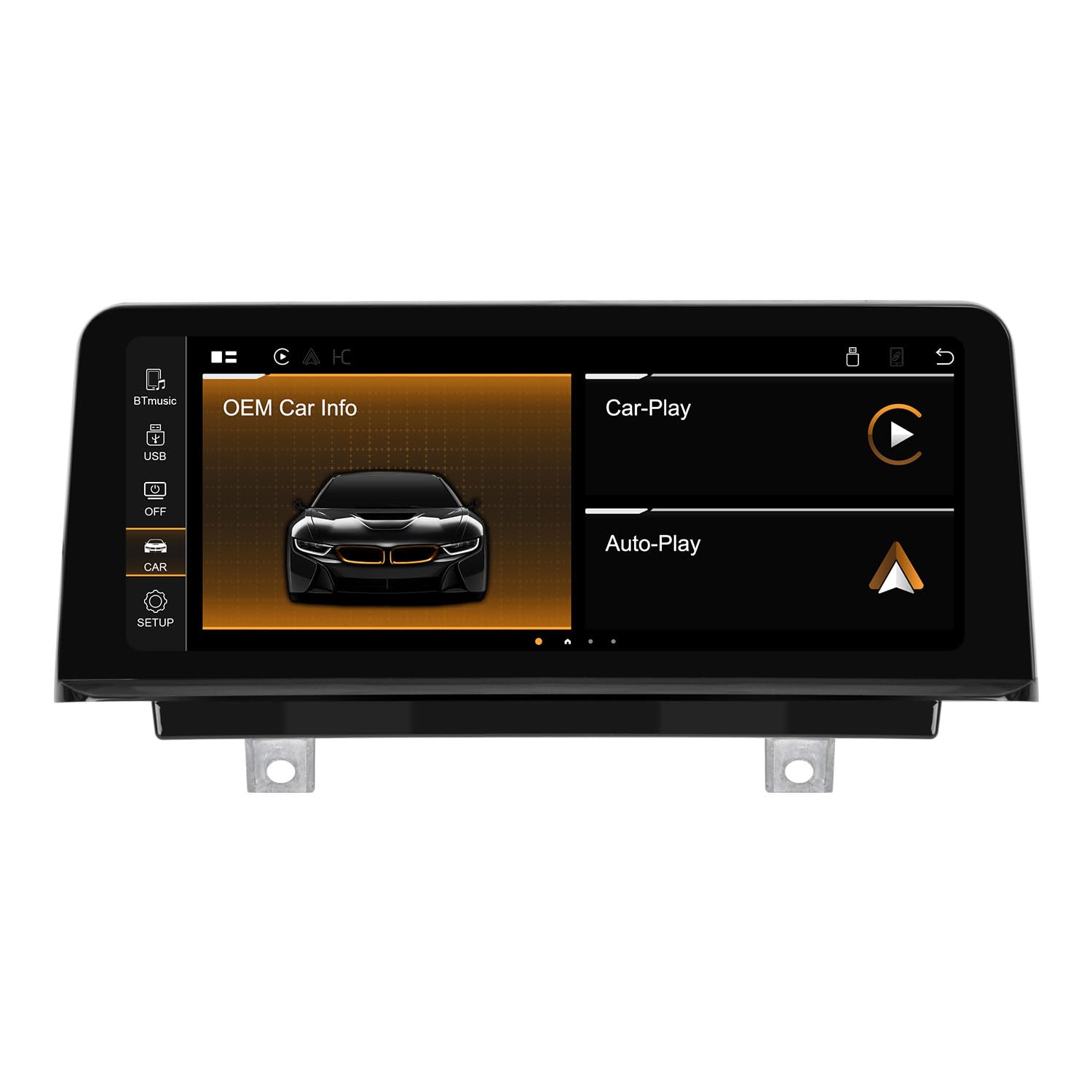
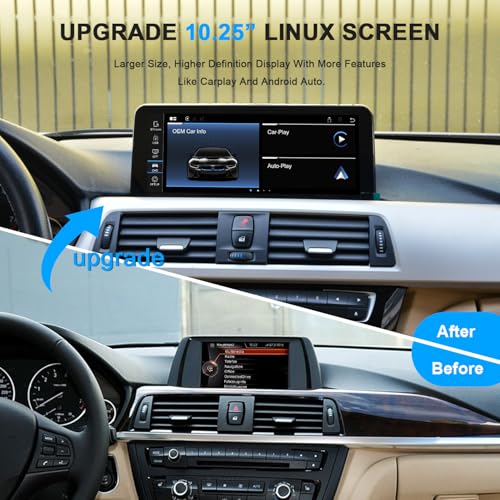
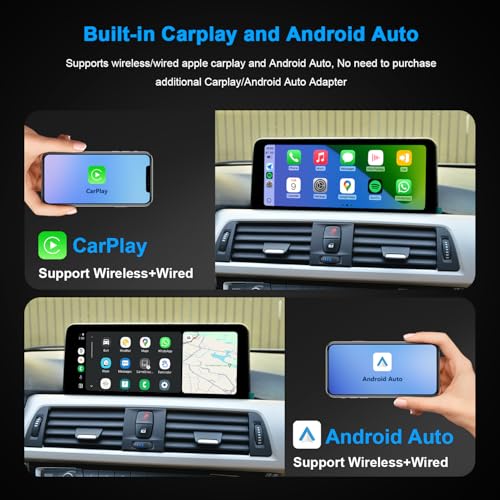


🚗 Upgrade your BMW’s brain with seamless wireless smart tech — don’t get left behind!
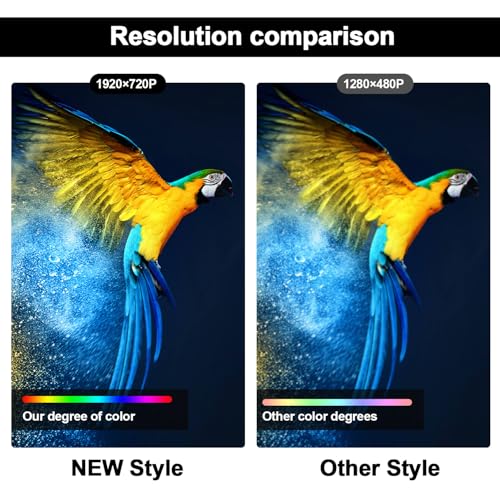
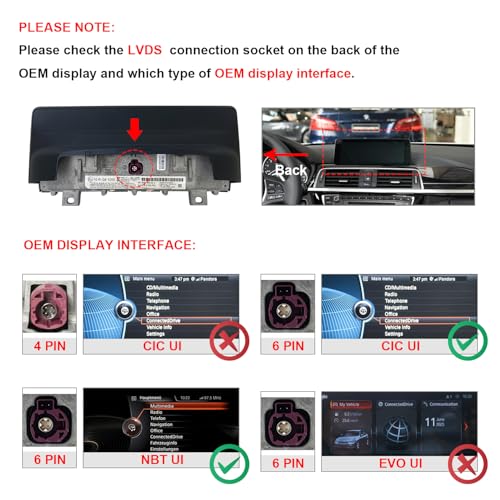
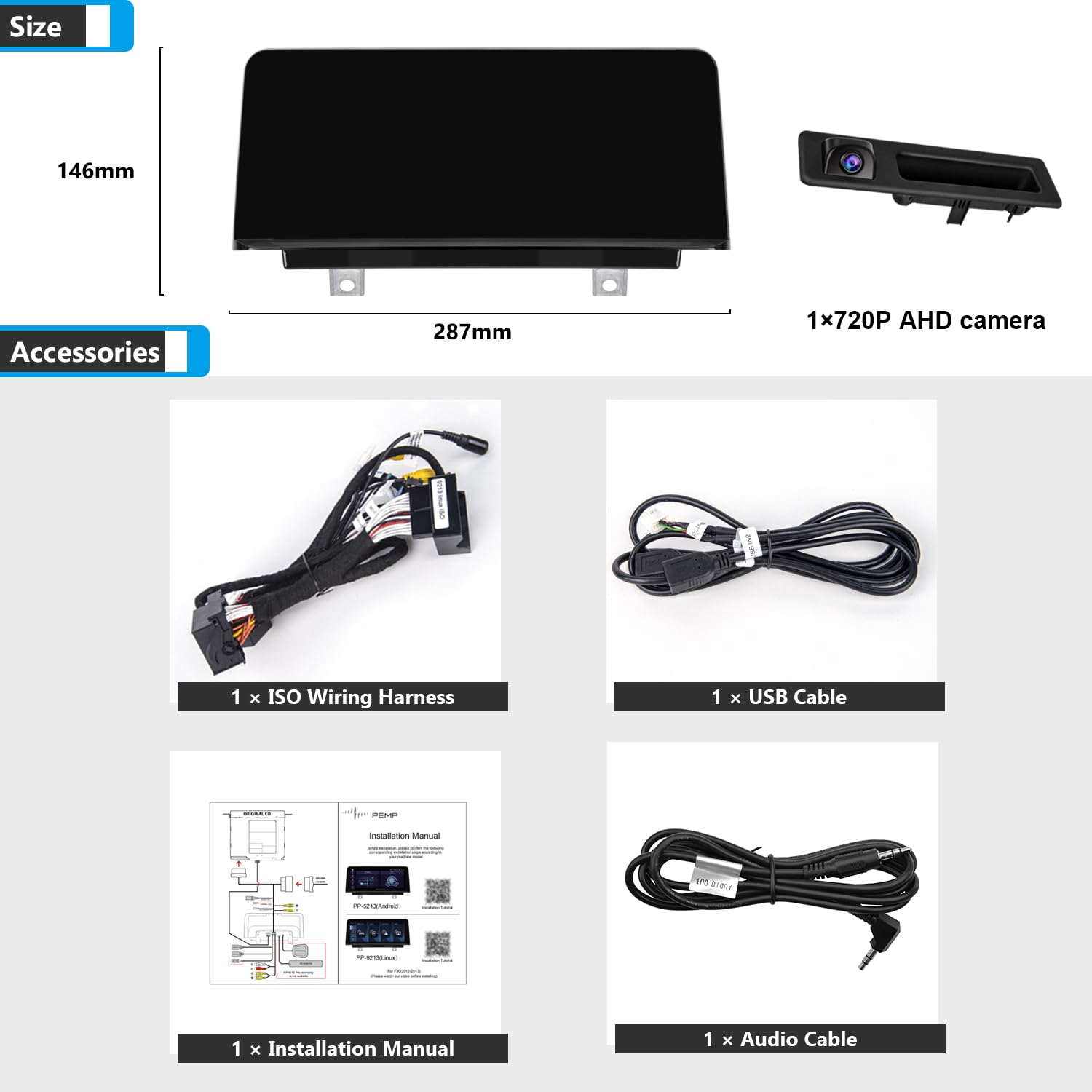
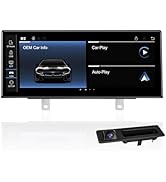
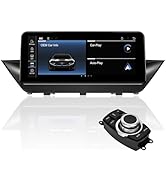
The PEMP Linux Screen is a premium 1920x720 HD capacitive touchscreen upgrade for BMW 3 Series F30 (2012-2017) NBT CIC systems, supporting both wireless and wired CarPlay and Android Auto. It includes a 720P 25FPS AHD reversing camera for enhanced safety and integrates fully with OEM features like steering wheel controls and factory monitor info. Designed for quick response and seamless switching between factory and smart interfaces, it modernizes your infotainment without compromising native functionality.




| ASIN | B09L4TQ8G8 |
| Best Sellers Rank | #20,869 in Electronics ( See Top 100 in Electronics ) #1,249 in Car In-Dash Navigation GPS Units |
| Color | Linux + 720P AHD Camera |
| Connectivity technologies | Bluetooth |
| Customer Reviews | 4.2 4.2 out of 5 stars (371) |
| Date First Available | October 20, 2020 |
| Display resolution | 1920 x 720 |
| Human Interface Input | Touchscreen |
| Is Discontinued By Manufacturer | No |
| Item Weight | 4.62 pounds |
| Item model number | PP-9213X |
| Manufacturer | Alex |
| OS | Android |
| Other display features | Wireless |
| Product Dimensions | 11.3 x 0.98 x 5.75 inches |
| RAM | 6 GB |
| Scanner Resolution | 720 x 1920 |
| Special features | Built-In Bluetooth, Touchscreen |
| Whats in the box | ISO Harness, Camera |
| Wireless communication technologies | Bluetooth |
K**7
Seamless upgrade with CarPlay
Installed this on my BMW F22 (2 Series), and I have to say the setup was surprisingly easy. The screen quality is excellent—crisp and vibrant, with smooth touch response. Switching between the OEM display and the PEMP interface is seamless, making it feel like a natural upgrade rather than an add-on. I mainly purchased it for the wireless CarPlay feature, and it works flawlessly—no lag, quick connection, and stable performance so far. Overall, my initial impressions are very positive. It’s a solid upgrade that modernizes the infotainment system. I’ll update later with a long-term review after extended use.
T**W
Good replacement screen
I decided to write this review to help people out in case they had some unanswered questions. I have an F33 which is the convertible version of the F32. it's a 2015 428i. It's also fully loaded and I didn't see a lot of answers to questions I had 1st off the packaging is really nice. they include a pry tool that was helpful but I already had my own. everything on the wiring harness was nicely labeled and there was plenty of instructions that will take care of most of your needs and questions. install wasn't too bad. the worst part is removing the trunk interior to disconnect the battery but thats mostly just an issue with the convertibles. there are 10 screws total to remove, they hardest will be the 2 for the screen itself since it's above the AC vents and recessed in. having your own torx screwdriver set makes it a lot easier. also having fishing tape to run the Antenna and GPS is very helpful. the biggest issue I had was getting all the wiring harnesses to fit behind the main CPU. the extra wires made it tight for me. I know I have wires already from the videos since my car is fully loaded and I didn't need to add the 3rd party cameras or anything. Because of that, all I had to do was plug in the main harnesses and swap the fiber optic cable. I didn't need to hook up any aux, it works and switches automatically. I didn't need to wire any UBS either since the car already has them built in. using the device, I seen complaints about the boot up time. If you have it boot to android, it takes about 30 seconds. I set it to boot to OEM and it's up in like 5 seconds, no different from the OEM one. even the usage is 100% no different from the OEM one. all the buttons on the steering wheel work the same and the console. you can't use the touch screen in OEM, if you touch the screen it'll load up the android system. in regards to the android system, you can't use google maps without getting a 4g sim card and data plan. the GPS antennae works but google maps needs internet. same with the music. so you have 2 options if you want the full functionality, option 1 is to get a 4g sim card and data plan. option 2 is to use your phone (if you have an android phone) while using my phone it's all wireless and powered by the phone. ther eis a pre loaded app called zlink. you need your phone connected and paired to it and wifi on and android auto will work perfectly from the phone itself, however not all the buttons work in the car anymore. you have to use the touch screen. the cameras work but the pemp itself changes to aux for everything so android can operate for your music and such. as cool as the android stuff is, since my car was already fully loaded I just set it to boot up to OEM and use the car like I always did. I only purchased this because my OEM screen all of a sudden got a black circle burned into it which seems to be a somewhat common problem. the new screen looks great but it is more reflective and glossy then the OEM one. If your car doens't have all the options, the android PEMP system adds a lot more features and allows you to install additional cameras at a fraction of the OEM price
B**X
(EDITED) Connectivity issues mostly solved. Still not strong but works well.
EDIT: I had some issues with connectivity where I couldn't get my phone to pair. Solving that is detailed at the end. Pictures show the Android screen and Prime Video playing. Carplay works fine but the picture I have of it shows my address so not posting that one. Screen looks nice and it was snappy and touch sensivity is decent. It would be 5 stars except for two issues: 1) connectivity is not great, 2) brightness is too low, and 3) sound is low. Connectivity: Even after fixing my issues, sometimes the audio will crackle on Carplay. It's like the connection gets partly interrupted. Brightness: By using Bimmercode to override iDrive's "dim screen at night" function and turning the brightness all the way up, I was able to get the screen to a tolerable level during the day. There may be more to tweak in settings because sometimes when I turn off the engine, the screen brightens up a little more before shutting off. Weird. However, it's mostly usable if you're not using an app in "dark mode" during the day. (UPDATE: This is heavily dependent on your lights. If my lights are off or I just have parking lights on, the system knows it's daytime and keeps the screen brighter. If I turn on my headlights, the screen dims. Unfortunately, sometimes you want your headlights on during the day for safety, even if it's bright out, and then the screen will be kinda dim but still usable.) Sound volume: It's just too low. Have to crank it up on the volume knob. Still sounds good, but if you crank too loud, you can hear feedback noise. Microphone: BMW has a great built-in microphone for calls. Unfortunately, you lose this when you have this screen. There's just a tiny pinhole mic at the top of the screen which you literally have to yell into for people to hear you. I will update if I find a way to use a different mic. Solving connectivity issues: Tl/dr, I was able to get the bluetooth and the wifi both to work correctly, but it took some time to figure out. 1) Wifi to your home network *will not work* while your iPhone is trying to connect to Carplay. If you attempt to turn off Bluetooth or select a different WiFi network (i.e., select home wifi to override the Carplay connection), it will screw things up. 2) Contrary to the instructions from the manufacturer, I left Blutooth *enabled* in iDrive. But I removed all Bluetooth devices. 3) If you can't get Bluetooth to sync, get into the Android developer options, open the task menu, and reset the Android bluetooth process (if you don't know what this means, this might be too advanced for you). 4) Once your phone is paired and Carplay is working, if you need to access your home wifi network to get updates for your Android apps, turn off your car, power off your phone, and then turn on your car and use PEMP screen to connect to your home wifi network.
S**U
Disappointed. I installed it according to the book and tested it before reassembling everything. It seemed to work fine. Then the next day I turned on the car and the OEM menu completely froze. I lost all BMW functions. Only Android auto/carplay works fine. I will dismantle it and check the connections but if no improvements, I send it back.
V**O
F33, montaggio abbastanza semplice e intuitivo.. display con buona luminosità e contrasto. Sistema molto veloce e reattivo e audio ottimo.
S**E
Einbau mit etwas Geschick in unter 1h erledigt, Display sieht fast aus wie Original-Teil, gute Auflösung, sehr scharf. Bedienung ist sowohl über Lenkrad als auch iDrive möglich, die Original-Funktionen lassen sich ebenfalls aufrufen. Sehr zufrieden mit dem Produkt, Preis-Leistung angemessen.
J**Z
Muy fácil de instalar y funciona de maravilla. Algunos puntos que no pude resolver y no está tan claro en la información. No pude usar el Bluetooth OEM para Apple car play. Tuve que usar el Bluetooth de la pantalla y funciona de maravilla. No logro hacer que el micrófono de la pantalla funcione con las llamadas. Tengo que usar el OEM y después no regresa la musica. No me importa mucho porque casi no contesto llamadas. Todo lo demás está funcionando de maravilla, conserve las funciones OEM.
3**Y
Vorweg, ja dies wird eine längere Rezession, aber jeder der so viel Geld für einen Bildschirm ausgeben will, sollte die 5-10 Minuten haben um sich das durchzulesen. Ich habe lange überlegt, ob ich mir so ein Display kaufen sollte oder nicht, ich wollte schon lange CarPlay im Auto haben, aber von BMW war mir das deutlich zu teuer. Als ich dann diese Displays bei diversen China Shops gesehen habe, wurde ich sehr neugierig, ob und wie gut das funktioniert. Allerdings wollte ich mir keins aus irgendeinem Shop bestellen, da ich es dort nicht zurückschicken kann, wenn etwas nicht passt oder nicht richtig funktioniert, daher wurde es dann hier bei Amazon bestellt. Ja es gibt hier auch günstigere Displays, aber es gibt ein paar gravierende Unterschiede zwischen den anderen Displays und diesem hier, weshalb ich mich für dieses Display entschieden habe. Einer der größten Unterschiede ist das Display an sich, dieses ist hier deutlich deutlich heller als bei Anderen und daher auch bei direkter Sonneneinstrahlung optimal zu lesen, dies ist bei sehr vielen anderen ein großes Problem. Außerdem ist das Display mit der Scheibe verklebt, wodurch sich keine Staubkörner etc zwischen Glas und Display einschleichen können, außerdem sind die Farben dadurch deutlich satter und nicht so ausgewaschen. Dieser Bildschirm hat außerdem den Sim- und Micro SD Karten-Anschluss an der Oberseite des Gerätes, wodurch die Slots sehr leicht zu erreichen sind. Auch kann man sich beim vielen billigen Modellen nicht sicher sein, welcher Prozessor wirklich verbaut ist, da mittlerweile leider einige Fakes auf dem Markt sind und man dies oft erst merkt wenn man den Bildschirm verbaut hat und er nicht richtig läuft, sondern stockt. Aus diesen Gründen habe ich mich eben für den "teureren" und qualitativ deutlich besseren Bildschirm von Pemp entschieden. Außerdem hat Pemp einen super support und Antwortet sehr schnell (innerhalb 24 Stunden) auf alle möglichen Fragen per Mail, viele andere China Herstellern Antworten da erst nach Wochen oder ignorieren solche Mails komplett. Ich kann den Bildschirm nur jedem empfehlen, der über ein Upgrade nachdenkt, nun noch ein paar nützliche Tipps für den Anfang, falls ihr einen Bildschirm kauft: -Beachtet die Einbauanleitung genau, ich hatte bei einer anderen Rezession gesehen, dass das Service Menü nichtmehr funktioniert und deshalb den Bildschirm fast nicht gekauft. Es hat sich aber gezeigt, dass dort wohl vergessen wurde das grüne Glasfaserkabel von dem originalen Stecker in den neuen Stecker zu machen. Der Einbau ist sehr leicht, nehmt euch nur genug Zeit (1-2 Stunden) und befolgt alles ganz genau. Es gibt auch einige Videoanleitungen, die sehr praktisch sind. -Updatet den Bildschirm am besten sofort. Anfangs ging bei mir CarPlay nicht immer, hat sich manchmal nicht verbunden etc, dies war aber nach einem Update behoben und alles funktioniert nun perfekt. Wie man updatet kann man den support per Mail fragen oder auf dem Youtube Kanal von Pemp das entsprechende Video zum updaten anschauen. -Natürlich ist auch bei diesem Bildschirm nicht alles absolut perfekt, aber das folgende ist schon meckern auf sehr hohem Niveau. Leider gibt es keine Möglichkeit die Tasten wie Media, Radio, Tel etc nach eigenen wünschen zu belegen. Der Bildschirm zeigt leider beim Starten ganz kurz (2-3 Sekunden) "Smartphone wird gestartet" an, das ist natürlich nur sehr kurz zu sehen, aber das fand ich anfangs schon etwas nervig. -Wer sich etwas mehr und länger mit solchen Bildschirm beschäftigen will und eine Community oder Tutorials dafür sucht, sollte mal nach "Android 9/10 HU theming and discussion" oder "automotive android headunits discord" in Google suchen. Ja, dies ist ein Android 11 Modell, aber fast alles trifft auch auf dieses Modell zu. Als Schlusswort kann ich nur sagen, klare Kaufempfehlung für jeden, der schon länger darüber nachdenkt die alte Technik in seinem BMW gegen etwas neues und modernes zu ersetzen.
Trustpilot
2 months ago
1 month ago