Desert Online General Trading LLC
Dubai, United Arab Emirates
Desert Online General Trading LLC
Dubai, United Arab Emirates





🔐 Elevate your home security with smart style and effortless control!
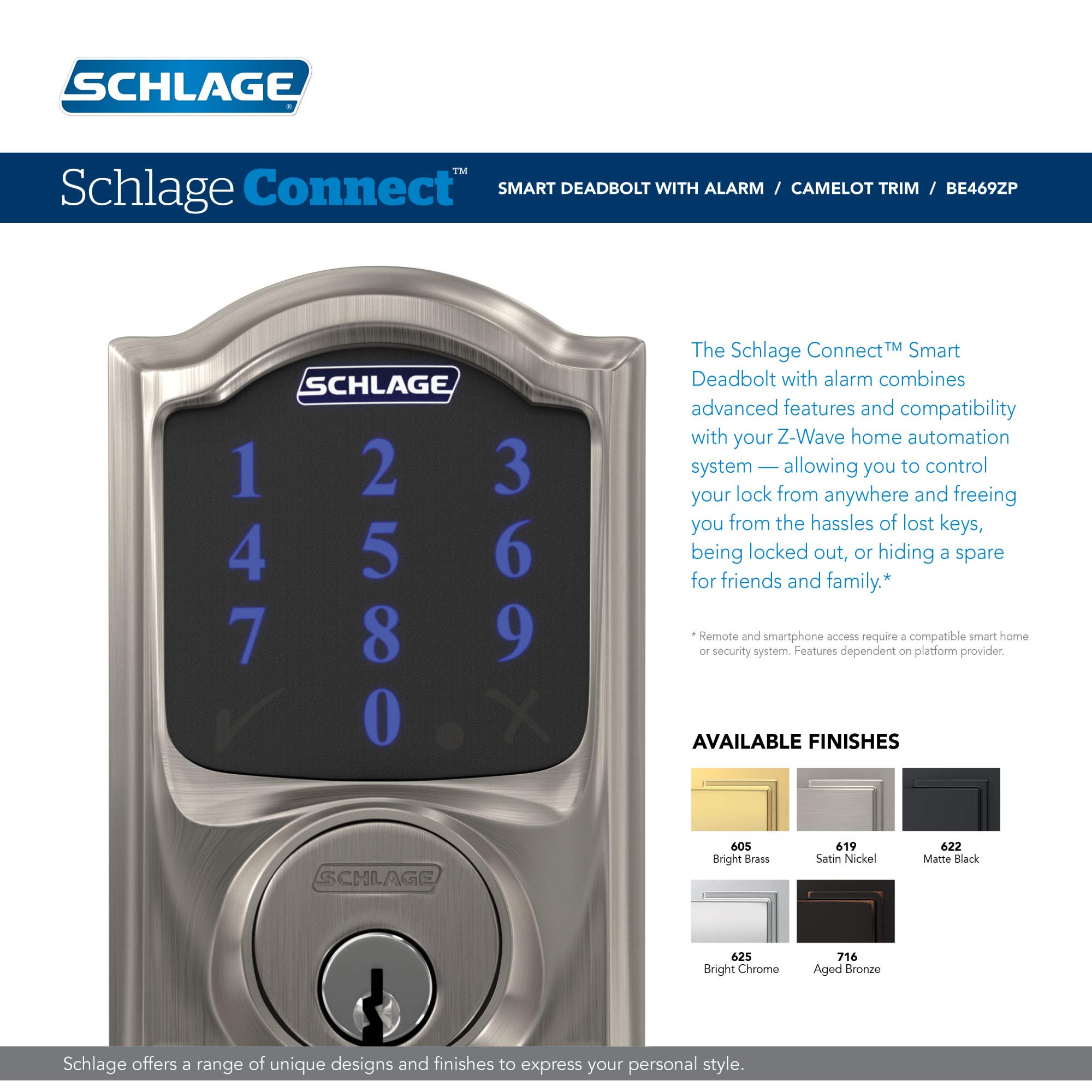
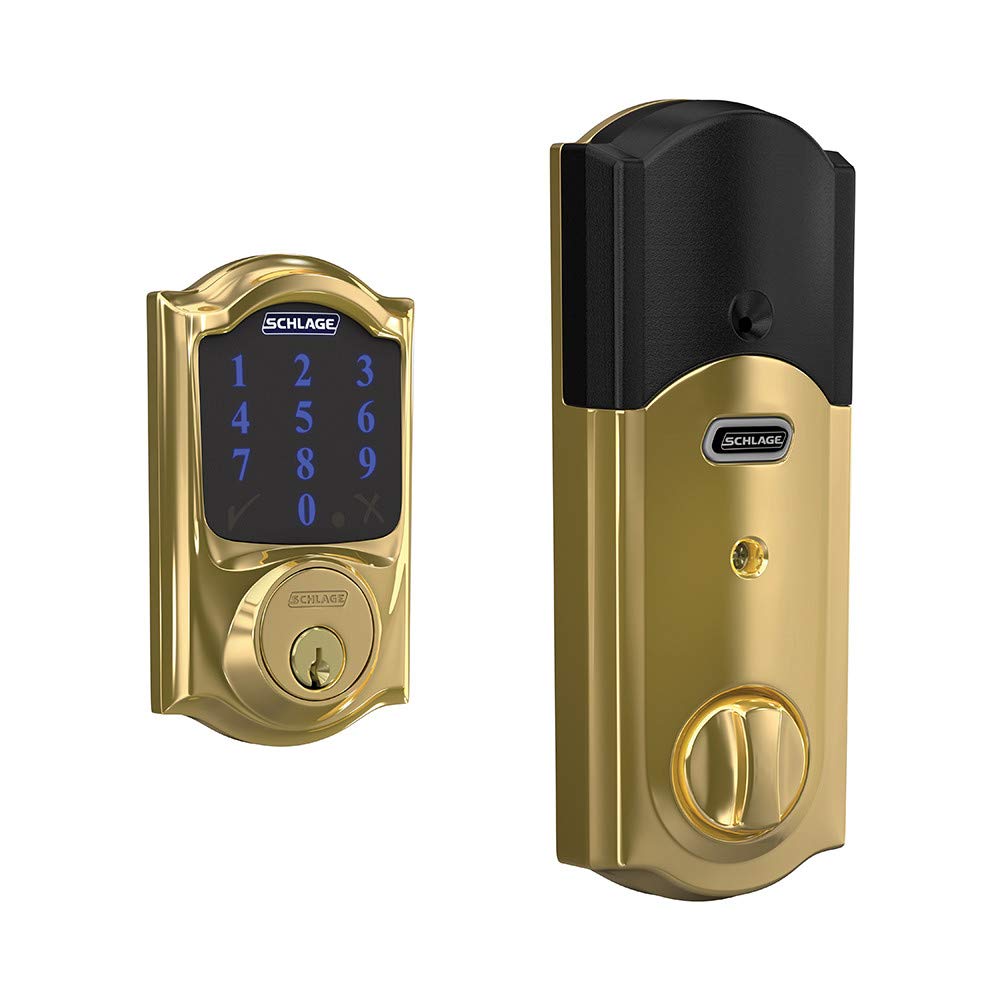
The SCHLAGE BE469NX Camelot is a premium electronic touchscreen deadbolt featuring ANSI Grade 1 security, a matte resistive touchscreen that resists fingerprints, and the ability to store up to 30 unique access codes. Designed for easy installation on standard doors, it supports voice control via Alexa (hub required) and offers durable bright brass finish with lifetime limited mechanical and finish warranty.





| Brand | SCHLAGE |
| Special Feature | Touchscreen |
| Lock Type | Keypad |
| Item dimensions L x W x H | 4.5 x 5.13 x 9.25 inches |
| Material | Brass |
| Recommended Uses For Product | Security |
| Style | Camelot |
| Color | Bright Brass |
| Number of Pieces | 2 |
| Finish Type | Matte Finish |
| Included Components | all mounting hardware, durable resistive touchscreen, 5-pin tumbler C Keyway key, 4 AA alkaline batteries |
| Controller Type | Amazon Alexa, Nexia, Vera |
| Shape | Rectangular |
| Item Weight | 3.8 Pounds |
| Control Method | Voice |
| Connectivity Protocol | Wi-Fi, Z-Wave |
| UPC | 043156312238 |
| Model Name | BE469NX CEN 619 |
| Global Trade Identification Number | 00043156312238 |
| Manufacturer | Schlage Lock Company |
| Part Number | BE469NXCAM605 |
| Item Weight | 3.8 pounds |
| Product Dimensions | 4.5 x 5.13 x 9.25 inches |
| Item model number | BE469NXCAM605 |
| Batteries | 4 AA batteries required. (included) |
| Is Discontinued By Manufacturer | No |
| Finish | Matte Finish |
| Pattern | Camelot |
| Item Package Quantity | 1 |
| Special Features | Touchscreen |
| Batteries Included? | Yes |
| Batteries Required? | Yes |
| Battery Cell Type | Alkaline |
| Average Battery Life | 8760 Hours |
| Warranty Description | Lifetime Limited Mechanical & Finish and 1-Year Warranty |
D**S
Nice lock, works well, needs new batteries and close location to pair with Wink
I’m a bit OCD about making sure the door is locked before I leave home. My wife gets a good chuckle out of it, and is sometimes gets annoyed. What’s worse is getting somewhere and then worrying about whether or not you locked the door. Should you jump in your car to run back to check it? Are you just being paranoid? Can you enjoy whatever you’re doing without worry about your doors being unlocked?The Schlage Z-wave Camelot door lock eliminates those questions. The touch panel gives you a positive checkmark when the door locks, and if you’re out and about when you start worrying whether or not you’ve locked the door, just pull out your phone and check. If it’s not locked, simply slide it to the locked position and be assured that the command has been received and executed at home.The lock has a lot of great features. It can autolock after being open for 30 seconds. It has alarms for tamper and break-in with various sensitivity levels. You can use the open/close status in a Wink robot. You can assign different codes to different people. And you don’t have to worry about getting locked out of the house without your keys.Now, if only pairing with Wink were simple. In theory, it’s supposed to be. In reality, it can cause hours of frustration. If these tips had been spelled out, it would have been very helpful:- Move your Wink hub as close to the lock as possible when starting the pairing. I thought 10 feet line of sight would be fine, but it wasn’t.- Be sure you put brand new batteries in the lock when you start pairing. Don’t rely on the batteries that came with the lock, even if they’re brand new. I worked for a day and a half on one lock. It wouldn’t pair even with the Wink hub 18” from the lock. I finally used a DMM to check the battery voltage. It was 5.97, so I shrugged, thinking it was fine. Later, out of desperation, I decided to change the batteries. With new batteries, the voltage was 6.28, and the lock paired almost instantly.- The Schlage Z-wave relay doesn’t really improve the reception- The Wink app will often say it has paired with the lock, but the green checkmark on the lock doesn’t confirm the pairing. The Wink app is wrong—the lock isn’t paired.- Be sure to use the Z-wave exclude command to delete the lock upon an unsuccessful pairing. This came directly from the Wink help support line. They claimed the exclude feature is more complete at removing the prior failed pairing parameters.- When the lock finally successfully pairs, you may not see an accurate battery level indicator for many hours. This parameter took overnight to read correctly on both my locks.- When you are paired correctly, the locked status should show up in about 4-8 seconds in the Wink app after you’ve opened or closed the lock. Also, changing the lock’s settings, such as the security or number of digits for entry codes, should receive confirmation in the app within 10-20 seconds.- Note that you can’t run the locks through either the scheduler or robots, but you can include them in Wink shortcuts. Wink claims this is for security and safety consideration.- The activity report only shows when the lock has been opened with the Wink application, not when it’s been manually unlocked or when someone has entered with a code. This was quite surprising to me as it means there’s little point to the log. If you have a robot set up you will get a notification on your phone when the lock toggles, depending on what you request.Pros for the lock:- It’s easy to install.- No one has had problems learning how to enter their codes.- It seems quite sturdy and comes with a strike plate that certainly exceeded the security of my doorframe original equipment.- I think it looks great, though my wife thinks it makes the doors look like hotel doors.- The auto-lock feature wherein the lock shuts automatically in 30 seconds is appreciated. Just be sure your door is closed when the lock slams home.Now, some cons for the lock:- The lock only reports the deadbolt’s extended or retracted status. If the door is not closed, but the deadbolt is extended, the lock will say it’s closed. It would be great for the lock to actually sense whether it’s mated to the strike plate.- Using the button on the back to turn on and off the alarm or set the mode never worked very well for me. Maybe I just couldn’t get the hang of it from the instructions. The Wink app works much better to set the alarms.- The tamper alarm is very sensitive. I have the “bludgeon” (forced entry) mode activated.- The programming code for the lock is only 6 digits long, yet you can program in 8 digit entry codes. What’s the point of 8 digit entry codes when guessing the right programming code can get the burglar in the door? Come on, Schlage, the programming code should be 8 digits!- There’s a bit of a security risk since Wink could be hacked, but then again, it’s not hard to pick a lock if you know what you’re doing. Someone who really wants in will just break a window.All in all, I’m pleased with the locks.Update Sept 2015: My Wink hub was damaged by a transient caused by the power company and wouldn't connect to Wifi. There was no way to delete the existing devices from the old hub. Eventually, Wink deleted my account and let me start again with a new hub. I had to use the Z-wave Exclude function to delete this lock. You don't have to reset the lock to "factor condition." Just exclude the lock under the Hub's Z-wave commands, then use the inclusion mode to re-add. If you use the inclusion mode rather than the Add Lock command in the Wink app, you get Schlage specific options such as add users, set alarm types, etc.After initial protest, my wife loves the lock. It lets her get into the house without fumbling through her purse for her keys.
M**S
Great lock, lots of useable features, perfect for a short term rental. Battery life is fine for me. ONE YEAR UPDATE: Still Good!
UPDATE AFTER A YEAR+ of using this lock. The lock occasionally lost contact with my Wink 2 hub (which was 1 floor up and about 10 feet away), so I bought a z-wave light switch for the porch light which is just next to the door. That seemed to do the trick. Z-wave devices create a mesh network so having a hard-wired device very close to the lock worked like a charm.The only thing that might be a complaint is that I don't trust the battery level info that this lock sends to the Wink Hub. Regardless of how long it's been in use it pretty much always says that the batteries are at around 60 to 75 percent. So as I mentioned I keep a bunch of high capacity rechargeable batteries on hand and I just swap them out every month or so. Thus far the batteries have never actually died on me.I love being able to easily add custom codes from anywhere. The Wink hub allows me to set a reminder when a code needs to be removed. I also really like getting info on when the door is locked and unlocked. That way I can quietly keep track of when guests arrive and check out so I can go clean the place.Overall my AirBnB guests like it (over 100 so far). I've only had one guest who couldn't figure out how to use the lock. Let's be honest, if you can't figure out how to type four numbers in a keypad you shouldn't be leaving the house in the first place...----So far so good. After reading other reviews my biggest worry was the excessive use of batteries. I bought high-capacity rechargeable batteries to power this lock. So far they haven't run out and it's been in use for four months. Last I checked they were at 54% (I'm not sure I trust that number so I'll be switching them soon, regardless). Note that I connect this lock to a Wink 2 hub that is one floor above and maybe 10 linear feet from the lock. I suspect that the battery drain has to do with the lock's proximity to the nearest z-wave hub, so I put the hub as close as possible to the lock.I use this lock at the private entrance for a short-term rental. I love being able to easily assign a private code to each new visitor. The Wink app allows me to put in a reminder to remove the code which is also a big help. I also like being able to remotely unlock the door. I haven't had to use that feature yet, but I like knowing it's there.The one thing I will mention regarding the install is that the bolt extends quite far, farther than my old Kwickset deadbolt. So I had to grab a drill and a hammer/chisel to make the hole a bit deeper. Otherwise the lock couldn't fully extend so it would close and then re-open. I also had to adjust the strike plate so it lined up exactly with the hole. The bolt was rubbing a tiny bit and that's bad, I had to absolutely ensure that it would operate without any resistance. Overall, not a big deal. That added about 20-30 minutes to the install time.I have yet to receive any reports of problems from visitors, and I've never had any issues when I've used it. Yes, it's expensive but for my purposes it's totally paid for itself several times over. If you run an AirBnB or VRBO, this is a priceless improvement.
Trustpilot
1 week ago
1 month ago
1 month ago
1 month ago