
DOWNLOAD THE APP


Customer Services
Copyright © 2025 Desertcart Holdings Limited
DOWNLOAD THE APP


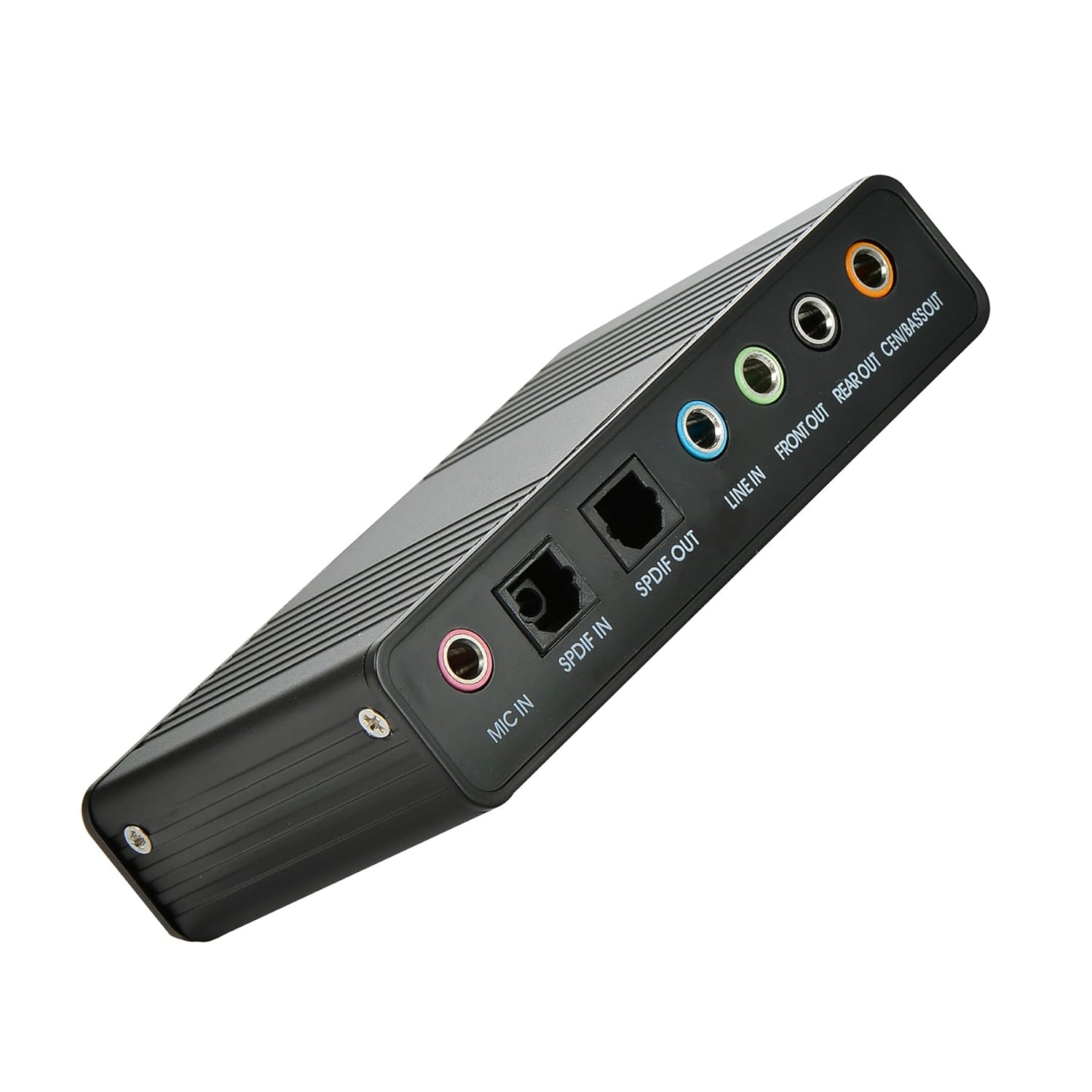
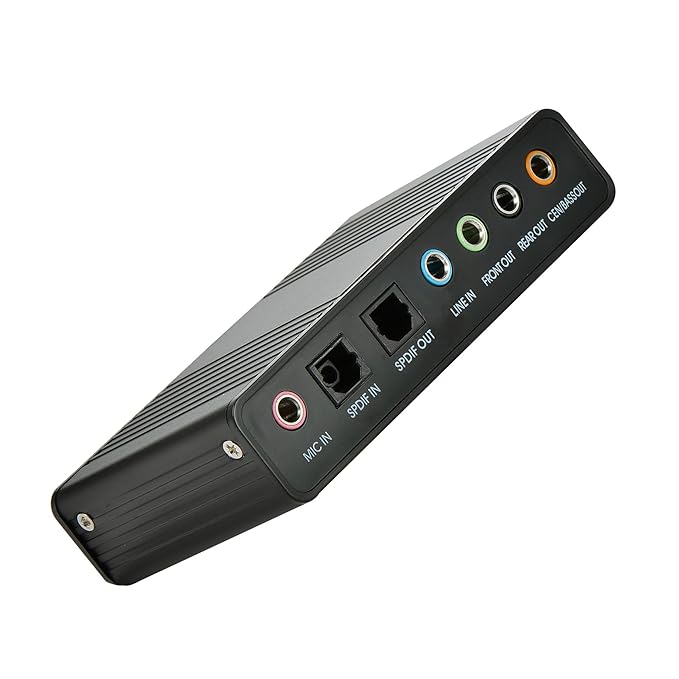
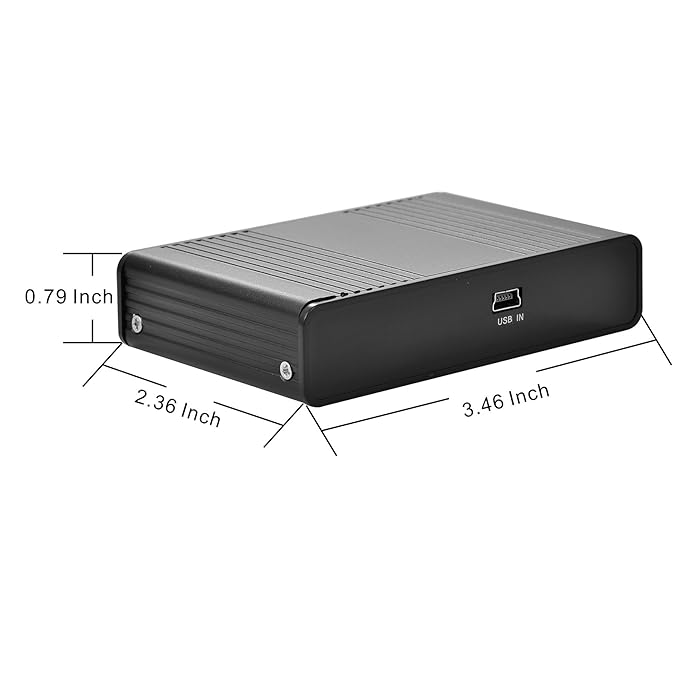

After the fiber output must be AC3 / DTS decoder, or built in AC3 / DTS decoder amplifier and the like: Use 1: computer connection 5.1 channel speaker. If the speaker audio input for the 3.5mm stereo interface, you need three 3.5mm stereo audio cable connection; such as audio and audio input for the RCA Lotus head, you need three 3.5mm to the Lot the sound cable access to the computer installed after the drive, then the audio cable can be connected. In terms of software, it is recommended to use the ultimate decoding or perfect decoding, as well as KMP and so on. Use 2: in the final decoding set to S / PDIF output, sound card settings to open the S / PDIF output, playback can be; (where the final decoding settings only use the normal settings, you can also choose according to different situations re encoding DD5.1 output and other Option.), In addition to this special reminder: fiber output for the source code directly to the external decoder, such as power amplifier decoding, regardless of channel output.Use 3: The above is the setting for watching movies. When you use it for K songs, only in the mixer tab check the input Stereo Mix option can also be selected in the corresponding software. (Note that you can not use the Microphone reverb function when using Stereo Mix stereo mix. Note: Please if you have any product questions Specifications: Supports analog recording function.Supports SCMS (serial copy management system) copy protection.Supports digital recording function with 32, 44, and 48 KHZ sampling rates.Supports USB full speed 12 Mbit serial data transmission.Supports Mulit channel audio code interface for 5.1 channel playback.Compatible with Windows 98 / XP / 2000 / Vista / Win7 / 8/10.3 Output and 3 Input Terminals.Plug and Play feature is enabled. Package Included: 1 x USB 5.1 Audio Sound Card.1 x CD driver.1 x USB Cable. Review: I plugged this external sound card into a free USB port and it just worked, without any 'looking for drivers' routine. The sound is great. This solved the problem of my refurbished 32 gig RAM 1 Terabyte SSD computer I just bought from desertcart for under $179, having only a stereo output plug instead of a surround sound output like my old slow computer. I had surround sound computer speakers I wanted to continue to use. What's really nice is how easy it is to output the sound to HDMI, for watching computer videos on the big screen television, and hearing the sound through our entertainment center's surround sound speakers. I wrote the following note to myself: "To Watch Computer Videos on TV: Set the AV receiver to "Computer". On the computer, at the Windows icon at the bottom left of the screen, search for and click on "Sound Settings". Find "Choose your output device" and click on the down arrow. Click on 'AMD HDMI Output (AMD High Definition Audio Device)' The sound will now go through the AV receiver to the AV center's surround sound speakers! When you want to go back to the computer sound coming from the computer's surround sound speakers, in 'Sound Settings', choose 'Speakers (2-USB Sound Device)'" That's what I do and so can switch the audio back and forth from the computer to the entertainment center. So amazingly, this product worked, it was quite inexpensive, and it did not have driver issues, so was any easy install. I'm quite pleased. EDIT: Don't look for obscure drivers on the enclosed mini cd. Just plug in the USB cord. Don't worry that you don't have the usual "searching for drivers" routine. Just play some music. If need be, check that the output is correct under 'Sound Settings' as I described above. Review: BUEN PRODUCTO, INCLUYE CD DE INSTALACIÓN DE CONTROLADORES.
| Brand | Optimal Shop |
| Model | 8541610153 |
| Product Dimensions | 8.79 x 5.99 x 2.01 cm; 111 g |
| Item model number | 8541610153 |
| Hardware Platform | laptop |
| Hardware Interface | USB |
| Compatible Devices | Personal Computer |
| Audio output mode | Surround |
| Speaker Surround Sound Channel Configuration | 5 1 |
| Batteries Included | No |
| Batteries Required | No |
| Signal-to-noise ratio (dB) | 120 dB |
| Item Weight | 111 g |
P**N
I plugged this external sound card into a free USB port and it just worked, without any 'looking for drivers' routine. The sound is great. This solved the problem of my refurbished 32 gig RAM 1 Terabyte SSD computer I just bought from Amazon for under $179, having only a stereo output plug instead of a surround sound output like my old slow computer. I had surround sound computer speakers I wanted to continue to use. What's really nice is how easy it is to output the sound to HDMI, for watching computer videos on the big screen television, and hearing the sound through our entertainment center's surround sound speakers. I wrote the following note to myself: "To Watch Computer Videos on TV: Set the AV receiver to "Computer". On the computer, at the Windows icon at the bottom left of the screen, search for and click on "Sound Settings". Find "Choose your output device" and click on the down arrow. Click on 'AMD HDMI Output (AMD High Definition Audio Device)' The sound will now go through the AV receiver to the AV center's surround sound speakers! When you want to go back to the computer sound coming from the computer's surround sound speakers, in 'Sound Settings', choose 'Speakers (2-USB Sound Device)'" That's what I do and so can switch the audio back and forth from the computer to the entertainment center. So amazingly, this product worked, it was quite inexpensive, and it did not have driver issues, so was any easy install. I'm quite pleased. EDIT: Don't look for obscure drivers on the enclosed mini cd. Just plug in the USB cord. Don't worry that you don't have the usual "searching for drivers" routine. Just play some music. If need be, check that the output is correct under 'Sound Settings' as I described above.
D**A
BUEN PRODUCTO, INCLUYE CD DE INSTALACIÓN DE CONTROLADORES.
J**R
Würde ich mir nicht nochmal kaufen, da im Hintergrund immer ein permanenter Pfeifton ist. Ansonsten geht es.
A**R
Excellent device. My sound card in my HP a6000n desktop cumpoohter bit the dust and I tried to reload old drivers and HP didnt have anything. This device was super easy to set up and worked flawlessly on my 18 year old poohter. Price is right and it provides a few more options. What a life saver.!! It even sounds better with no buzz or hum and more gain!!
C**R
For those that say "The SPDIF Out is just a screw...." or "I can't get the SPIF Out working...." all I can say is that it is NOT a screw (but sure, the SPDIF optical outs do look like one LOL) and works if you use the correct driver. The chip used on the device is the Cmedia CM6206-LX. A quick Googling will take you to a website that provides the Win-8 drivers and chipset datasheet. On driver install....a red light is shown from the SPDIF Output (see photo).....and I am very sure screws can't do this! Lol. Product works fine. Unfortunately some people need more help in getting it going, so the seller could help a bit more I suppose (minus 1-Star).
Trustpilot
3 days ago
2 weeks ago