
DOWNLOAD THE APP


Customer Services
Copyright © 2025 Desertcart Holdings Limited
DOWNLOAD THE APP

🚀 Elevate your home Wi-Fi game—stay connected, secure, and ahead of the curve!
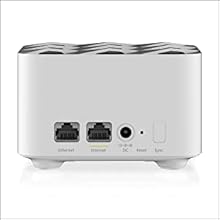
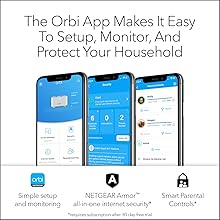
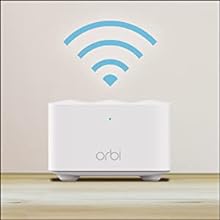
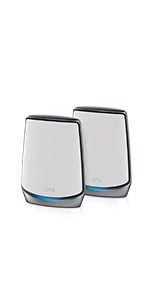
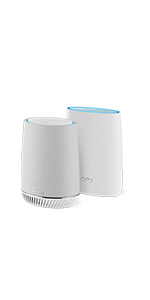
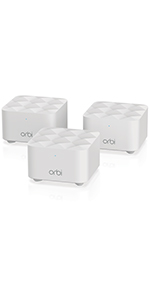
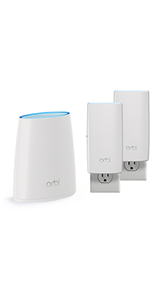
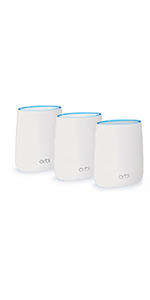
The RBK13 by NETGEAR is a powerful whole-home mesh Wi-Fi system offering up to 4,500 sq ft of seamless coverage and speeds up to 1.2 Gbps. Featuring a quad-core 710MHz processor and advanced beamforming technology, it ensures stable, high-speed connections throughout your home. Compatible with all internet providers and easy to set up via the Orbi app, it also includes robust security with NETGEAR Armor and parental controls to keep your network safe and family-friendly.



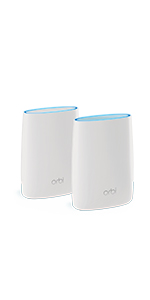
| ASIN | B07WTXG3XW |
| Batteries | 1 Lithium Ion batteries required. |
| Best Sellers Rank | #9,894 in Computers & Accessories ( See Top 100 in Computers & Accessories ) #194 in Whole Home & Mesh Wi-Fi Systems |
| Brand | NETGEAR |
| Color | White |
| Customer Reviews | 4.3 4.3 out of 5 stars (3,353) |
| Date First Available | October 14, 2019 |
| Item Dimensions LxWxH | 8.02 x 5.5 x 5.15 inches |
| Item Weight | 1 pounds |
| Item model number | RBK13-100NAS |
| Manufacturer | Netgear |
| Operating System | Netgear OS |
| Product Dimensions | 8.02 x 5.5 x 5.15 inches |
| Series | RBK13-100NAS |
| Voltage | 100240 Volts |
| Wireless Type | 802.11ac |
D**N
Easy setup and totally reliable
Connected my starlink to this and it works perfectly, super easy to setup as in DIY level easy. It's plug and play. the signal has been stable and i have zero complaints.
P**O
Great Product - Stablizied WiFi At Home!
Easy setup with the app, strong WiFi in the whole house now, cannot recommend it enough!
N**R
Works well
For a non tech person like me, this system was easy to set up, it works well and definitely increased our WiFi coverage throughout our home, especially in the basement
K**R
Netgear Orbi
To give you context for this review, I am an electrical engineer with 50 year experience with computers and other devices - designing them as well as using them. So... Once I got this up and running it seems to work very well. Definitely better than what I had before. However, getting it up and running was a royal pain. I had to run through their procedure many times to finally get it going. Basically did the same thing every time, following their directions each time. One time it started giving me notices that it had blocked the phone I was using to set it up with due to some malicious attack! Finally I was able to get through all the steps of the setup and have everything work properly - doing the same steps every time. Obviously the setup procedure needs work. Then there is the note in the directions that if one uses the same SSID and password other devices would automatically reconnect. WRONG! While they did try to connect to the same WiFi network I had to reenter the password on each and every device. Finally, don't believe the sped test. It is testing the connectivity speed/quality of the base station through the modem to your ISP. Usually, what you really want is to see what is happening at the device you are using. While my ORBI speed test on the phone app says 250M, my remote devices range anywhere from 45M to 100M - depending on how far each is from one of the base or satellites. I suppose the phone test is useful when determining what your network is capable of with multiple users, but beware if you think you will get that number anywhere in the house. Of course, as noted above, these speeds are much better than what I had with my previous router so I am not complaining about that - only that the app test can be misleading and the initial setup was a nightmare. I would have given this five stars if it had my experience was what the ad copy promised. The WiFi access lived up to that promise, but the other issues brought the rating down to a four.
D**E
Setup for Access Point mode poorly documented. confusing, and not working
Quick summary: Pretty disappointed. I purchased the product to act as a range extender for my AT&T Uverse modem/router, which Netgear claimed to be able to do in “access point” configuration. The actual setup instructions didn’t work, and the tech support was non-existent. I wouldn’t recommend this product for anyone without significant network experience, certainly not for a soccer mom, or even a DNA researcher. Not because it didn’t work (I eventually got it to work), but because the setup proceedure was vague, and incorrect leading to a tedius diagnostic process. Details below… I purchased this model because it was inexpensive, and allegedly suited my needs, which were to improve signal quality from my router (at one end of the house, as determined by where my TV is) to my home office, at the other end of the house, a floor up. I didn’t want a second network, or to change my network name (SSID for the cognoscenti) or password, which would have caused me to reset networking on multiple workstations, laptops, and printers. I would guess that this is one of two main reasons for purchasing this network mesh systems (the other being clean installs of a completely new network/computer system). I had also watched multiple third party Youtube video’s which gave the basics of how this system is supposed to be installed. The message is that in installing an Access Point configuration is different from a “router” configuration…because you have to deal with, in this case, ATT equipment. Basically, you have to turn off the ATT radio, and configure the Netgear equipment in “Access Point” mode. According to Netgear web additional info re Access Point configuration (Web page entitled “How do I set up my NETGEAR of Orbi router to work with AT&T U-vers?”) on the internet you have to: 1. Use a smart cell phone to use their setup wizard 2. Turn of the att radio by accessing internet address 192.168.1.254, then change settings in ATT’s router setup page, using a computer “connected to the network”. [What they really meant here was “hardwired via internet cable” to the network—there’s a big difference]. Step 2 has a lot of issues. First, since all the computers in my house are radio linked, turning off the radios immediately makes all computers unable to communicate with the internet, and thus unable to finish the setup—and unable to turn the radio’s back on. I was able to address the ATT web page, but the terms NETGEAR used didn’t actually exactly match the terms on the ATT page, so it was a little unclear what to turn off (the terms LAN and Wireless didn’t appear on ATT’s page in the order NETGEAR mentioned. The proper sequence was Settings, Lan, Wi-fi [not wireless])., Also, ATT demands an “Access code”, not either “user name” or “password” as NETGEAR’s documentation references). It would have been helpful if NETGEAR had pictures of ATT’s successive web pages and exactly what settings to change [do you turn off “guest”, too?] In words, the proper thing to change would be designated by “Under ‘User Network’, change ‘Enable’ to ‘Disable’. Ultimately I did turn off the radio’s, thinking that there would be some provision for the NETGEAR radio’s to take over. Wrong. Ultimately I realized that I must get a laptop with Ethernet port, and connect it with an additional Ethernet cable to the ATT equipment. THAT didn’t initially work because the laptop Ethernet had to be configured to use DHCP [dynamic addressing], which required going into the laptop’s Ethernet configuration menu, and changing the IPv4 mode to DHCP. This, then allowed me to access the internet, do do the next step 3. Access a website called Orbilogin.net to set the orbi device to Access Point mode. I was never able to access this address. I consulted another Netgear web page, which addresses the problem of what to do if I couldn’t access the page. They offered about 8 alternatives, all of which I tried, and none of which worked . Their last option was to reset the Orbi, and try the whole process again. Apparently, this isn’t a new problem. [I did, in the earlier setup, rename my Orbi router with my previous name and password. It is possible this somehow disabled Orbi’s ability to deal with my Orbi network—and made impossible to even get a web page at Orbilogin.net. I don’t know. But Orbi’s menu’s did offer me that alternative. Not being able to change the Orbi to Access Point mode, I was ready to give up. I looked for support. They had a phone number that didn’t work. Helpfully, they did prominently display an offer for support for a fee. OMDB. At this point, the internet wifi wasn’t working so I decided to return to my previous, pre NETGEAR configuration. The first step in this process was to (using the Ethernet cable from my laptop) reconfigure the ATT page to turn on the transmitters. Amazingly, this made the network work with much higher performance than my previous system, even though the NETGEAR hadn’t been configured to Access Point. It should have resulted in conflicting radios from the systems, which I’d imagine would make things not work. I suspect that the system is configured wrong, but since I’m only demanding 35Mbps (all that ATT provides here), it is possible that any conflict is being papered over. Bottom line: the system now works, but not without a LOT of hassle, mostly due to incorrect documentation, absent web sites, and unusable support. You definitely need a laptop with Ethernet port properly configured, an extra Ethernet cable, a smart phone, some network knowledge, and willingness to stick your fingers in normally untouchable parts of your computer settings.
C**S
Why is this item taking so long is it cause that its out stock
A**R
The product started out good for the first year or so.. but after the warranty period ended nothing but trouble. the product keeps asking to reset the password to remote in to see wifi status via the app constantly dropping.. I had to create a backup SSID on my main router due to this dropping issue (what's the point of doing this when you have a Mesh!!!! :( ) overall experience is not good... Going to try one of these others - Dlink, TP-Link or Linksys... buyer beware......
M**H
المنتج مقبول. يفصل بشكل دائم للنقاط البعيدة.
Trustpilot
4 days ago
3 weeks ago