
DOWNLOAD THE APP


Customer Services
Copyright © 2025 Desertcart Holdings Limited
DOWNLOAD THE APP

🚗 Unlock your car’s hidden data and drive like a pro!
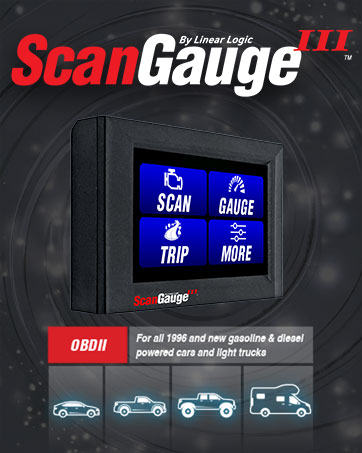
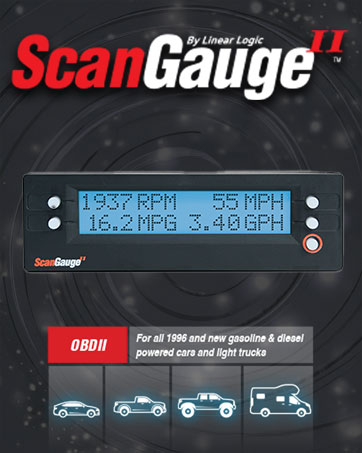
The ScanGauge SG2 is an ultra-compact 3-in-1 automotive computer that combines a programmable trip computer, diagnostic scan tool, and up to 37 customizable digital gauges. Compatible with all 1996 or newer OBD2 vehicles—including gas, diesel, propane, and hybrids—it provides real-time fuel economy, engine diagnostics, and customizable data displays. Its simple 5-button interface and plug-in design require no batteries, making it an essential tool for drivers seeking smarter, more efficient vehicle management.

| ASIN | B000AAMY86 |
| Best Sellers Rank | #23,712 in Automotive ( See Top 100 in Automotive ) #177 in Code Readers & Scan Tools |
| Brand | ScanGauge |
| Customer Reviews | 4.6 4.6 out of 5 stars (2,250) |
| Date First Available | January 28, 2005 |
| Is Discontinued By Manufacturer | No |
| Item Weight | 2.82 ounces |
| Item model number | SG2 |
| Manufacturer | Linear Logic |
| Manufacturer Part Number | SG2 |
| Model | SG2 |
| OEM Part Number | sgii |
| Position | Left Lower |
| Product Dimensions | 5 x 1 x 2 inches |
B**S
Valuable Tool to have!
I came to know about this tool when I was browsing the web for finding the details how to look for Hybrid Battery temperature on my recently acquired used 2006 Ford Escape Hybrid. The forum suggested to their members that ScanGauge II would be the ideal choice to monitor the Motor Electronics Coolant Temp (MeC) and HV Battery temperature (Traction Battery Temp). I am pleased to inform that this tool can be configured with Ford Specific XGauges (See comments) to achieve that feat pretty easily. Ford Escape Hybrid (With Navigation) does have host of other real-time display like HV battery SOC real-time MPG on the dash but FORD hides most of the stuff from user which are needed to troubleshoot common check engine light errors and in my case why my FORD escape Hybrid sometimes decides not to turn off the Internal combustion engine (ICE) and keeps running the Radiator FANs when it should not. It baffled me for couple of weeks and led me to investigate the issue further. After setting this tool up and monitoring it for several days I could see a pattern that there are two main reason why the ICE would not shut down at idle or at a stop light. They were primarily due to 'over-temp' condition of the Motor Electronics Coolant temperature caused by a weak MCE coolant pump in conjunction with the HV battery Traction battery temperature. Replacing the nearly failed original 2006 Motor electronics Coolant Pump at 98,XXX miles (FORD OEM PART number 5M6Z-8C419-A) It did help in cooling the Motor electronics coolant temperature a little bit however the traction battery FANS are still an issue which I am continuing to investigate using this Automotive computer Gauge. FYI, There is a disturbing trend in these line of 2005-2007 FORD Escape hybrid vehicles that calls for Air-Conditioning compressor to turn ON as soon as the HV battery temp reaches 95 to 96.8 F to cool the battery using the rear air-conditioning contraption by opening the blend door and what not but as your car ages the Internal two fans housed inside the HV battery tends to fail slowly (without actually flagging any DTC codes) and thereby no matter how much AC compressor works hard (Only with ICE running) it cannot cool the HV battery enough to go under 94F for the ICE to stop at idle or at a STOP sign. It is winter here in California and thanks for mother nature my HV battery rarely calls for cooling for most of the stop and go traffic and I still have not ventured to replace the two Internal HV battery FANs (FORD OEM PART 5M6Z-10C659-A) on my Ford Escape Hybrid but I do closely monitor the temperatures using this valuable tool. Bottom line: An excellent tool to have for any gasoline or diesel engines for real-time MPG and RPM readings as well as read understand and clear (Check Engine Light) DTC codes. Well worth the price as it pay for itself in less than a year if you come across a check engine light and could decode yourself and clear it. Or just by using this tool to carefully change your driving habits and improving the gas mileage. I am amazed how crazy some drivers are who accelerate hard cut in front of you, overtake you just to stop in front of you at a STOP Light. Did you know how much Gas you could save just by decelerating slowly and watch for the traffic pattern ahead of you? - You can save nearly 30% of your gas tank not to mention less wear and tear of you brakes and other stuff when you learn to drive less aggressively. Drive safe!, Drive intelligently and save on gas! Cheers!
B**P
Great little device
This is a great little device. I had been wanting one of the code-readers for my car for a while to debug problems when they come up and just never got around to it. I came across Scanguage, read up on it, and gave it a try. Basically you get the code-reading plus the extras of engine/vehicle information on the fly for just a little more than a normal handheld scanner/code-reader. Some of the info really doesn't matter unless you're specifically looking for it. Coolant temperature, for example - unless you've recently done some work on your radiator, thermostat, or water pump you probably won't care about it. Even then, you can pretty much tell what you need looking at the on-dash temperature guage. All you really care about is, "Is it in the red?" Still, it's kind of cool that the information is there and if that gauge is broke this could fill in. Outside of the engine status you do get trip information which can be useful when you're traveling down the road. The way that the Scanguage handles it really makes the most sense for most people. You get trip info based on: most recent trip, today's data, yesterday's data, or tank data. It resets this all of this automatically based on some pretty common-sense parameters. The only input you really need to provide is when you fillup your tank. You can easily take the trip data, which is normally shown as one-item-per-screen in the trip-section and show it listed in one of the 4-gauge-per-screen sections using XGauge. It's pretty easy to set it up. The worst part is trying to come up with 3-character codes to show the difference between them. For example, you already get real-time MPG. If you set up an extra gauge (XGauge) for MPG based on trip, today, yesterday, or tank, then you'll need to come up with a 3-character code to differentiate them (you don't have to, I think it'll take MPG all three times but then how would you, as the user, know which is which). The box isn't very big but if you velcro it to the front of your dash it's going to stick out a little. You could place it on the steering column up by the instrument panel or, if you do Google 'Blendmount' you'll find that you can attach it to your rear-view mirror which is what I did. Looks nice, out of the way, and doesn't interfere (get in the way/block) any of my normal gauges. As others have said, I'd recommend going through the settings for engine/tank size and doing that first tank-calibration just so that all of your data is accurate. You do it once and forget it. What it really boils down to is that it's a great trip-computer that has a bonus of being able to tell you some other information about your engine or service-engine codes (and reset them) and the install is minimal as you just plug it in and route the wire.
I**N
Works great without taking up too much space
I bought this to be able to see boost pressure and engine temp since my car didn't come with either of these gauges. I want to be able to monitor oil pressure too. The gauge supports this function but you have to try to figure out all the hex codes to enter to be able to monitor this. Good luck. I wish they had a list of known codes to make it easier for us. Really good gauge even despite the oil pressure shortcoming.
C**H
It's worth it. Been using the SG2 for 7+ years.
Great product. My first one lasted me for 7+ years, the heat from the sun got to it. It's a great tool for having all your car/truck's vitals at a glance. I like looking at RPM, Water Temp, Voltage, & Intake Temp. I love the ability to change display color. Easy to see daytime/nightime.
A**R
Awesome. Just as advertised.
Y**I
Apparecchio ricevuto tramite posta in una decina di giorni, è stato collegato a una Toyota Prius (NHW20), nonostante l'aspetto minimale presenta molte funzioni e possibilità di personalizzazione. Presente nella scatola: Scanguage II, cavo obd, strisce adesive di velcro, manuale in inglese, guida rapida in inglese. La configurazione di base è semplice e veloce, potete trovare il manuale in italiano a questo link [...] Tra le caratteristiche più interessanti: -L’apparecchio una volta collegato alla presa obd si ACCENDE e si SPEGNE assieme all’auto, pertanto può rimanere sempre collegato SENZA il rischio di scaricare la batteria. -Possibilità di collegare più Scangauge in cascata per aumentare i parametri visualizzabili in contemporanea. -Premendo il tasto SCAN si possono leggere e cancellare eventuali codici di errore (DTC) presenti nella centralina, inserendo il codice seguito da marca e modello della vettura su internet è possibile trovare informazioni dettagliate sull’errore. -Premendo il tasto TRIP si hanno informazioni e medie in merito ai viaggi effettuati (a scelta tra attuale, nella giornata, giorni precedenti, storico) su: velocità massima raggiunta, massima temperatura motore, regime massimo raggiunto, velocità media, consumo medio, distanza percorsa, durata del viaggio, carburante consumato, relativo costo. carburante rimanente, distanza percorsa dall'ultimo rifornimento, distanza percorribile con il carburante rimanente, durata del viaggio dall'ultimo rifornimento, tempo rimanente prima della fine del carburante. -Premendo il tasto GAUGE si possono visualizzare contemporaneamente 4 parametri a scelta tra una ventina (esempio giri motore, temperatura acqua, anticipo accensione, tensione alternatore, ecc) più la possibilità di aggiungere del visualizzatori personalizzati (x-gauge). -Funzione X-Gauge; a seconda dell’auto è possibile programmare lo Scangauge per “andare a leggere” e visualizzare particolari valori presenti nella centralina come, nel caso di una auto ibrida: tensione batteria HV, corrente da e per la batteria HV, percentuale di carica SOC, ecc) -Premendo il tasto MORE si possono impostare alcune caratteristiche dello strumento, come il colore e l’intensità della retroilluminazione del display, le unità di misura, il protocollo di comunicazione, la velocità di aggiornamento, le caratteristiche del veicolo (cilindrata, alimentazione, capacità serbatoio), effettuare il reset di fabbrica.
L**F
Fonctionne parfaitement avec une mazda RX8 R3.
A**E
Habe das Teil bei Youtube im Kanal von Rene Kreher gesehen. Habe schoo so ein Teil das man per Bluetooth mit dem Smartphone verbindet. Das Teil ist für mich aber besser. Habe es fest mit Klebstreifen in der Mittelkonsole in einer Ablage eingebaut. Nachteil ist das ich jetzt die Verkleidung die über den Sicherungskasten ist nicht mehr anbringen kann, was mich aber überhaupt nicht stört. Bedienung ist relativ einfach. Man kann damit auch Fehlercodes löschen. Leider kann ich bei meinem VW Caddy den Fehlercode für Airbag nicht löschen. Das Gerät zeigt keinen Fehler an. Das andere Teil das per Smartphone angeschlossen wird zeigt aber auch keine Fehler . Es gibt wohl Fehlercodes die sich mit solchen Geräte nicht löschen lassen und man zur Werkstatt muss. Ich bin aber kein Experte auf dem Gebiet Bisher gibt es nichts negatives zu sagen, deshalb volle Punktzahl.
D**G
This product has already paid for itself. I have diagnosed two problems, not serious, which puts my mind at rest, and this has made it possible to remedy them with no dealer costs involved. The engine lights are reset and this has saved at least £40. I have also helped friends with their engine light/ engine managment problems. The biggest problem, when using it on different cars is finding the OBD2 connectors, but a quick google search will generaly help find the location. I appreciate that there are apps on the market for a fraction of the cost, and these are no doubt useful for some users and will get identical results. However, anyone considering buying a smartphone app should bare a couple of points in mind. These are the reasons I opted for the ScanGauge:- I wanted the option of a hard wired Gauge. I use bluetooth hands free on my phone so did not want any conflict. The phone apps all use Bluetooth connection. Obviously this will also drain phone battery. I also use my phone on occasion as a sat nav, so there would be another conflict. One of the primary reasons for the Gauge is to help with driving economy. I usually get the best mpg out of my cars, but every little helps! So I want to be able to see at a glance exactly what I am doing at any point, and not have to worry about turning on an app every time I get in and out of the car. The next point probably relates to my phone, ( I have a Samsung Galaxy s3) If this is turned on with screen on, and on charge, it does not take long for it to start overheating. So again a good reason to use this above my phone. So, on the whole, this is a great device. The only way it could be made better is by building some sort of control into it that could allow fine tunning of the ECU, within set perameters, but that may be lost on many. It is every bit as good as expected. I would recommend anyone taking the above into consideration, to buy one of these!
Trustpilot
1 day ago
1 month ago