Desert Online General Trading LLC
Dubai, United Arab Emirates
Desert Online General Trading LLC
Dubai, United Arab Emirates


🚀 Elevate your home network to pro-level speed and reliability!
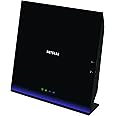
The Netgear R6250-100NAS AC1600 Dual Band Wi-Fi Gigabit Router delivers robust dual-band wireless speeds up to 1600 Mbps, powered by an 800 MHz dual-core processor. Designed for large homes with multiple devices, it features a USB 3.0 port for ultra-fast external drive access and supports both next-generation and legacy Wi-Fi standards, ensuring seamless connectivity and interference-free performance.


| RAM | 256 MB |
| Wireless Type | 2.4 GHz Radio Frequency, 802.11a/b/g/n |
| Number of USB 2.0 Ports | 1 |
| Number of USB 3.0 Ports | 1 |
| Brand | NETGEAR |
| Series | R6250 |
| Item model number | R6250-100NAS |
| Operating System | Windows 7, 8, Vista, XP, 2000; Mac OS, UNIX, or Linux |
| Item Weight | 0.071 ounces |
| Product Dimensions | 12.01 x 10.12 x 2.83 inches |
| Item Dimensions LxWxH | 12.01 x 10.12 x 2.83 inches |
| Color | Black |
| Flash Memory Size | 128 |
| Batteries | 2 AAA batteries required. |
| Manufacturer | Netgear Inc |
| Language | English |
| ASIN | B00BR3ZYIW |
| Is Discontinued By Manufacturer | No |
| Date First Available | March 8, 2013 |
H**O
Kudos after 2 1/2 years, and again after 4 1/2 years
This is a quick note to say that I purchased this router 2 1/2 years ago. Not many people come back to give a status update after so long. It has been running every day since I installed it in 2016 without a single day down. I found the instructions easy to follow and it was easy to set up. (Just remember to jot down all the IDs and passwords - not only the ID and password to access the router for the internet but also the ID and password to administer the router.) The iphone-based app also works like a charm. If and when this thing dies, or if the time comes where I need something faster or with newer features, I will absolutely buy the successor to this product.Update, April 2021: it is still going strong after 4 1/2 years with never a down day, and never even a call to tech support. It’s still able to stream video to 2 devices. I can’t say that many tech products are still functional after over 4 years. Unless I hear a compelling reason, I’m going to continue with this router.
N**I
Good and fast router - with dual core processor and 4 SSIDs
The router was easy to setup and use. It has four SSIDs. There are two regular at 300+1300 and then same at the Guest Network side. This way I can segregate the network.It was easy to change default SSID names and passwords. The configure process is straight forwardThe spead is good as it has a dual core processor. I dont have to keep on rebooting it every so often like it was the case with my Old Dlink N300 routrer. I have connected 10 devices to this router and they all work fine.It has a USB port for file sharing, while is very useful to share media files and etc.One thing I did NOT like is I can set the Guesst network NOT to broadcast the SSID.However for the regular side SSID I am unable to set NOT to broadcast.Another thing I did NOT like is that Netgear has limited the free phone support to 90 days from purchase. I know my DLINK had a 1 year phone support.Overall good value for the money.
T**R
Still the best Netgear router for me
After owning this router for over 4 years, I have tried two new models of Netgear routers, the R6700v3 and R7000P. Neither was as good as the R6250.The major problem with the R6700 is the SSID retriction. It does not allow the same SSID to be used for both 2.4 GHz and 5 GHz bands. It forces one to have multiple SSIDs on a single network. I do not wish to debate the pros and cons of multiple SSIDs but I would like to be given the choice to decide.The R7000P "solved" this problem by introducing the "Smart Connect" option. With Smart Connect enabled, the R7000P makes 2.4 GHz and 5 GHz bands as one with one SSID and one password. Under the cover, it controls which radio is the better one to be used. On the paper, this approach sounds good. But in reality, it creates incompatibility problems for devices. Some devices such as the Amazon Kindle, just cannot connect to the R7000P WiFi network with Smart Connect enabled. Other devices can drop out or cannot reconnect without rebooting the R7000P or disabling the Smart Connect option.In the end, this old router, R6250, is the best of all. I bought another one furbished as the backup.
N**W
My initial interest in this Netgear model came from an excellent review on thewirecutter (TWC) review site
Initial impressions:I had been meaning to replace my old Linksys WRT54G router for a couple of years. My initial interest in this Netgear model came from an excellent review on thewirecutter (TWC) review site. I had considered buying this router months ago, but I didn't want to spend 150 at the time. TWC has since posted a hold on this recommendation for a lower cost alternative, but I was able to grab this unit at 90 (same price as TWC value recommendation) during a lightning sale.Set-up:I have some basic networking experience and I've configured a number of routers over the years. I was able to quickly update the firmware and change SSIDs/Usernames/Passwords from the default. I haven't had time to activate the 'Guest' SSID but there is an inactive account set up out of the box. I found the menus much easier than the dated Linksys WRT menus, and the stronger hardware specs made a noticeable difference in menu load times as well as flashing the firmware. More to come...Range:Due to poor home wiring (coax for cable) I'm forced to place my modem (Motorola SurfBoard SB6141 DOCSIS 3.0 Cable Modem) in the front corner of my home opposed to a more central location. My old Linksys struggled with getting a strong signal to the back opposite corner of the house and we also have a child monitor that runs on the same 2.4 GHz band causing signal interference with the 802.11G resulting in loss/degradation of signal. Out of the box this unit is configured with two bands enabled with unique SSIDs ( re-named the SSID so I will use generic) `wireless network' (2.4/5 GHz band) and `wireless network-5G' (5GHz band). Both SSIDs gave me a strong to full signal in the most remote portions of the house through many interior walls. I'm not sure of the exact range at the time of writing but my upper floor is a roughly 1,100 sq/ft with a 600 sq/ft bonus room (furthest point from router).Speed- Internet speed test only run via most recent Chrome browser (laptop) xfinity's speed test site. And OOKLA Speedtest app on iphone5. I haven't had time to test internal network speeds on the 5G band.(before):I ran a speed test on both my laptop and iphone 5 in multiple locations throughout the house with my old G router. I was getting consistent speeds of 20Mbit/s down and 10Mbit/s up in areas with a strong signal and mid/upper teens (down) where the signal was weaker. The bonus room was hit or miss and connection was routinely dropped.(after):I ran tests on both the SSIDs on the new unit and my down speeds were consistent with the before results on the 2.4 GHz band. Then I ran them again on the 5GHz band. My wireless down speeds were now the same as wired (CAT 5e to GB port) 60Mbit/s down! I didn't even know Comcast had upped my speed. Some of my devices can't pick up the 5G SSID but most devices are N which can handle 5Ghz.More to come...
Trustpilot
3 weeks ago
2 months ago