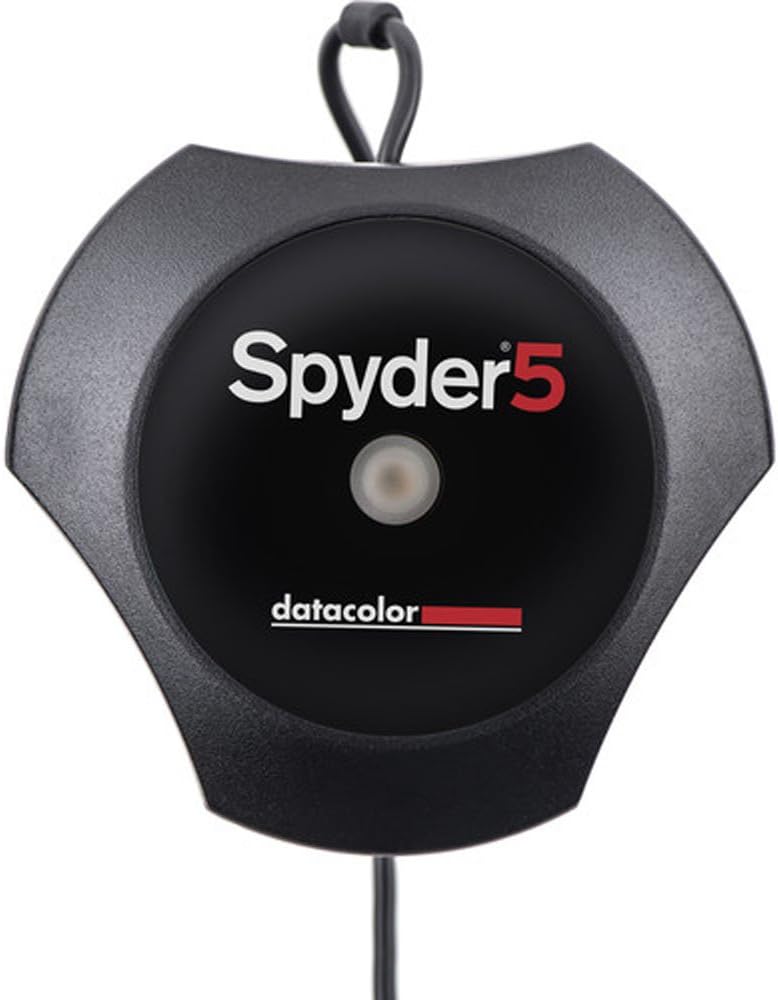


Spyder5 Pro Display Calibration System (Black)
Product ID: 77786245
Buy anything from 5,000+ international stores. One checkout price. No surprise fees. Join 2M+ shoppers on Desertcart.
Desertcart purchases this item on your behalf and handles shipping, customs, and support to Ecuador.
Datacolor Spyder5 Pro Display Calibration System (Black)


| Best Sellers Rank | #151,401 in Electronics ( See Top 100 in Electronics ) #542 in Motion Detectors (Electronics) |
| Customer Reviews | 4.4 out of 5 stars 1,575 Reviews |
A**R
Useful Product - Worth buying if you care about Color Fidelity
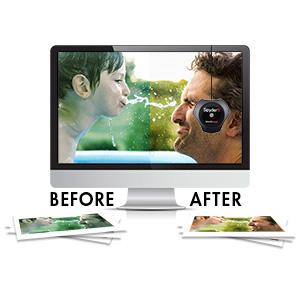
The product works great! At first you might think the monitor has become warmer with a yellow tint but that's probably because the monitor calibration done from the factory was on the cooler side. Once you get used to the Spyder5 calibrated monitor you will appreciate the product. I did however notice that not all monitors achieve the same result. But this is a known issue especially across monitors from different brands.Must buy if you are a photographer or designer!
R**R
10 on 10
Must needed for post processing, and having your mobile as Super Alomd or 4k panel it will match 90%. Easy to use. Too costly
A**A
Spyder5 Pro is very useful product for Photographers
Spyder5Pro Calibrated my monitor as true color. Now what I am seeing that print my colorlab
C**N
Value for money
Value for money
I**N
Go for it.
Must product for professionals who are very dedicated to their work.
S**N
Five Stars
Great Product
P**A
Five Stars
This is working fine. You can go for this.
A**R
Vignesh
Really good SRGB&ADOBE RGB monitor calibration
M**P
Gerät Top, Software Flop
Das Gerät tut was es soll. Jedoch ist die Software absolut nicht empfehlenswert! Unverständlich, teilweise schlecht übersetzt und nach jeder Kalibrierung ein anderes Ergebnis!Ob Express, Pro oder Elite, es ist immer das gleiche Sensor dabei nur die Software ändert sich wohl! Ich kann jedem empfehlen sich das Geld zu sparen, die Express Version kaufen und mit DisplayCAL (OpenSource, kostenlos) zu kalibrieren!
P**R
Spyder 5 Pro and limitations
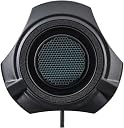
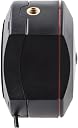
The reason I bought the Spyder 5 Pro, it was a Black Friday deal at £87.75 and was cheaper than the basic unit on the day.So what is it like..... The puck itself is very solid and I like how the sensor cap acts as a counter weight. Construction wise I can't fault it at all. As a calibration tool it's brilliant. After using this on 3 different monitor I can say with all honesty this is a brilliant calibration puck, It does exactly what its supposed to and I recommend this to anyone looking.Buy the basic model only as they are all the same. its the extra bits in software your paying for.. More on this aspect further on....I loaded the software which you have to download from the website and enter serial number which is inside the box.Once downloaded you click install and away you go. pretty simple really.Then it stays simple.. I use a BenQ PD2700Q monitor in Srgb mode powered by a Quadro P400 10bit card.So I set up for calibration, Did room ambient light test and then hung it on the monitor. You will need to tilt monitor back as far as you can go to get the puck to lay flat on the screen. So after a bit of settings changes ie Colour temp. I hit calibrate. Screen flashes a while then does a few tests of colour swatches then told me to reduce my Brightness to match a figure on a bar that pops up on screen. So I dropped to 28% brightness and to all intense and purposes and 20 minutes later that was it. Calibrated.Now I have the Pro version of the software and to be honest I was not impressed. I wonder what the basic software is like.So maybe I won the monitor lottery and my BenQ was almost perfect with factory calibration. maybe, but I had this feeling so I went online and did a search for calibrate my monitor etc.Pretty much every search I looked at said the same, Software is adequate but not ideal, Puck is brilliant. Which matches what reviews on Amazon say. So I downloaded Display Cal as this is recommended both on Amazon reviews and the internet reviews as The calibration software to use.So I did and what a difference its made. My gamma level was changed to 2 from 2.2It then proceeded to run a huge amount of tests of colour swatches. Recalibrated profile on the fly as it made more tests and improved whatever it was improving. ( Im not a techie ) So after 57 minutes.. You read right 57 minutes of calibration I was done. The difference is huge and I'm looking at a screen that feels reborn.Screen shots are from display calMy monitor displays 105% of Srgb 80% of Adobe as factory spec.In conclusion. Buy the basic Spyder 5 it is brilliant, Get Display Cal and use that, Also give them 20 euros donation its worth every cent.
L**E
Not 64bit...
In about a month's time, Apple will release Mojave which will limit the ability to run 32 bit applications, which Spyder5Pro sadly is. So I just bought a nice piece of colour calibration kit which is potentially obsolete in a month unless I want to be held back... If I had know before I would have stayed away from it.Addition: I have removed a further star based on Datacolor's response which I find to be pretty aloof.Further addition: just received an email from Datacolor that further development is stopped and I should upgrade and shell out another £90... I feel vindicated.
N**L
Is... Is this a joke? Not recommended.
I researched and deliberated for weeks before settling on this calibration tool. I watched others on Youtube go through the setup process etc. Really did my homework. But for the life of me, I CAN NOT get it to suggest anything but laughable and unusable results.I'm 35, pretty tech savvy, not a stranger to a bit of trouble shooting etc. I'm a full time photographer that has been using Apple iMacs and Macbooks for years. Both have well calibrated screens out of the box and represent the colour profiles I use nicely, but I often check images and video projects on the properly calibrated broadcast monitors at my companies editing suite and then on other screens in my office and home before delivering to clients just to be sure. I'm a pretty darn thorough.So anyway, I wanted this unit to be something I could use at home to keep my LG pc monitors in check. What a waste of time and money.I have set this this Datacolor Spyder5PRO up over 40 times now, on my machines, my wife's machine, my PC, my iMac, my work PC, my MacBook Pro. Etc etc etc. EVERY SINGLE TIME the 'custom profile' it kicks out for me to use is garbage. The colours are so off it's just a joke.At first I thought it was my eyes, but then I asked another few Protogs and they thought it looked awful too. I referenced different monitors. I changed the light and colour temp in the room. Blah blah blah. Nothing worked. I've already given it too much of my time.Very disappointed because the next tier of calibration device above this seem to be much, much more expensive. Weep.
G**O
PRO un buon compromesso
Conosco il tipo di sonda perchè da anni utilizzo lo spyder Express 2, questa volta ho acquistato la versione PRO. Le sonde sono identiche in tutte le versioni (express, pro ed elite) cambia solo il software, la versione PRO per 10€ in più offre una precisione del software più avanzata che ritengo più che sufficiente per le mie esigenze, mentre la versione Elite per quello che offre in più il solo software la ritengo troppo costosa.Ho letto del software compatibile con questa sonda, mi sono documentato su questo, il DisplayCAL è molto lento nella messa a punto ma preciso e performante, però io mi sono affidato al software in dotazione alla PRO, l'ho trovato ottimo e ideale per il mio utilizzo.Nella confezione non c'è il software datacolor ma un link per scaricarlo e il relativo seriale per la registrazione e l'attivazione. La procedura è molto semplice, il wizard per una calibrazione ti guida attraverso semplici passi, trovate anche un link con un ottimo e utile tutorial video. Prima dell'avvio della procedura occorre riportare tutte le regolazioni del monitor alle condizioni di fabbrica.Spero che la mia recensione vi sia stata utile.
Trustpilot
4 days ago
1 month ago