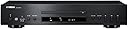
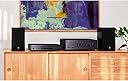
I got this CD player to replace a 6CD carousel player that started to have problems reading several discs. I am using the player connected to a Yamaha RX-A1060 receiver via digital optical connection and output through a pair of Klipsch RP-280 speakers. I am using the DAC of my receiver and can’t say how the sound would be using the player’s DAC and the analog connection, but the sound of the system is great running a digital signal from the CD player to my receiver. If you prefer to use the DAC in the CD player just use the analog connection to hook it up to your receiver. Really just depends on whether you prefer the sound of the DAC in your receiver or the one in the player. The CD player has a display that shows the track number and elapsed time, and if you push the display button it also cycles through the time remaining in the track, the time remaining on the disc, the name of the track, the name of the artist, and the name of the album if the CD includes that information. Only a few of the CD’s that I own have the title of the track, album, and artist, but I can verify that the player will display the information if it is present. The remote is fine, and the commonly used buttons are easy to locate. I’ve had this player for about three months at the time of this review, and it plays everything flawlessly. I have listened to a lot of different CDs on the player during that time, covering a wide range of music. When I first got it I tested the player using some discs that I knew previous CD players had difficulty reading, and initially, this player also had difficulty and would not play some of them. I checked the firmware (press and hold A/B on the remote and the display shows the current firmware version) and it was an older iteration. When I updated the firmware to the current version (1.53 at the time I got the player) it was able to play the same discs that had problems before the firmware update, and it has played everything flawlessly since, including commercially manufactured CDs, CDs that I burned on my laptop, and commercial manufactured on demand CDs, and the CDs that were unplayable on the previous 6CD player. When you do the update, switch the unit to USB mode, be sure that only the firmware update data file is on the USB drive that you are using, and that it is using the correct file format on the drive (fat 16 or fat 32) and no encryption. I used a 3.0 USB drive formatted on my laptop without issue once I only had the firmware update data file on the drive and nothing else. On my first attempt I extracted the update file to a folder on the USB drive and it would not work as the drive must contain only the update data file at the root directory of the drive. If there is anything else on the drive besides the update file it will not work. Note that when you connect the USB drive to the player the display reads UNSUPPORTED. This is not a problem, and once you push and hold the pause button on the remote for a few seconds it switches to UPGRADE (if I remember correctly) and after 20 seconds or so the machine reboots and when it restarts it says UNSUPPORTED on the display again. When you switch back to CD mode and check the firmware it should be updated. Turn off the player and remove the USB drive and it’s done. There is a guide on Yamaha’s website with instructions. If you are looking for a good quality, reliable CD player this is a good choice.