


Desertcart purchases this item on your behalf and handles shipping, customs, and support to Ecuador.
🚗✨ Upgrade your ride with wireless magic and endless streaming vibes!
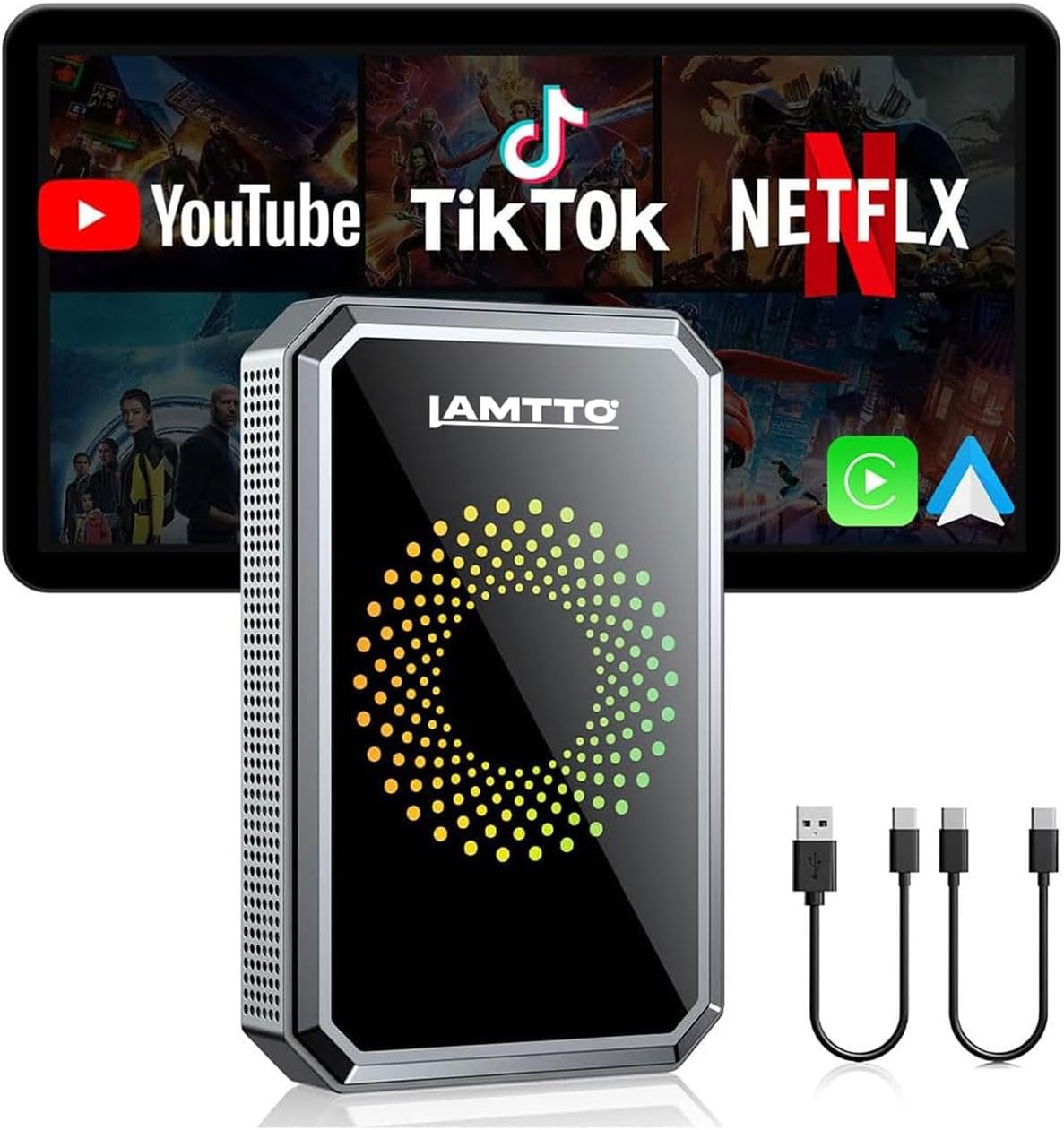
The LAMTTO 3-in-1 Magic Video AI Box is a compact wireless adapter that converts wired Apple CarPlay and Android Auto systems into cable-free setups. It supports dual-band WiFi for uninterrupted streaming of popular video apps like Netflix, YouTube, and TikTok directly on your car’s touchscreen. With simple plug-and-play USB installation, one-time Bluetooth and WiFi pairing, and USB drive support for offline media, it’s designed to elevate in-car entertainment and convenience for compatible vehicles (excluding BMW and Tesla).


| ASIN | B0DNFLM91K |
| Additional Features | Wireless Apple CarPlay and Android Auto Adapter |
| Audio Output Mode | Stereo, Surround |
| Audio Output Type | Speaker |
| Best Sellers Rank | #37,228 in Electronics ( See Top 100 in Electronics ) #217 in Car Audio & Video Input Adapters |
| Bluetooth support? | Yes |
| Brand | LAMTTO |
| Built-In Media | 1x Instruction manual, 1x Pin Tool, 1x TYPE-C to TYPE-C cable length 250MM, 1x TYPE-C to USB cable length 250MM, 1x Wireless Carplay Adapter |
| Color | black |
| Colour | black |
| Compatibility Options | Apple CarPlay, Android Auto, Netflix, YouTube, TikTok |
| Compatible Devices | 5V Car Port Only. Fast charge will cause damage., For Android 13+, For iPhone 6+ and IOS 10+, For wired CarPlay touchscreen 2016+ cars, this is not compatible with built-in wireless CarPlay or BMW/Tesla vehicles. |
| Connectivity Technology | USB |
| Connectivity technology | USB |
| Connector Type Used on Cable | HDMI, USB Type C |
| Control Method | Touch |
| Controller Type | Mechanical Knob |
| Customer Reviews | 3.5 out of 5 stars 789 Reviews |
| EU Spare Part Availability Duration | 1 Years |
| Hardware Interface | USB |
| Includes Remote | No |
| Installation Type | wireless |
| Item Weight | 0.11 Kilograms |
| Item weight | 0.11 Kilograms |
| Manufacturer | LAMTTO |
| Model Name | Magic AI Box Video Player for Streaming Netflix,YouTube,TikTok |
| Number of Ports | 3 |
| Special features | Wireless Apple CarPlay and Android Auto Adapter |
| Supported Application | Netflix, YouTube, TikTok |
| Supported Media Type | wifi |
| UPC | 765463556814 |
| Unit Count | 1 Count |
| Wireless Compability | Bluetooth |
| Wireless communication standard | Bluetooth |
P**A
So Small and Powerfull AI device
Everybody are talking about this new trend regarding car connected AI devices. This time very different from bulky wires carscreen. All opposite: small as a chewing gum pack and, after pairing with your car and phone that will recognize next time, a simple USB connections and, like me, you can even hide the device as it is so Small…. But so powerfull! In fact what it adding is the possibility to play everything stock on your phone, which was impossible before (example Netflix). You can set the neon colours and the template. Play your videos and music, make and answer calls, using Waze…etc.. Pairing using Bluetooth is simple. Than, updating took 5 minutes. Open you wifi for more possibilities and that’s it! Start with personnalizing and… ENJOY this fantastic AI device. Strongly recommanded
J**S
Wire-Free CarPlay & Android Auto + Netflix & YouTube = Road Trip Bliss!!!
Effortless setup & wireless convenience: Plugging it into your car’s USB port and pairing via Bluetooth/Wi‑Fi takes less than five minutes, seriously. After that, both Apple CarPlay and Android Auto launch on their own every time you start the car. No more looking for your charging cable that slid between the seat cushions. Seamless streaming of video apps: Beyond navigation and music, you also get Netflix, YouTube, TikTok, Disney+, and Prime Video, right through your car’s built-in screen. My family is going on vacation soon, and this will make our 5-hour ride a whole lot more tolerable. Connection is smooth, and playback feels completely lag-free. Compact, clever design Roughly the size of a deck of cards, it tucks cleanly into your console or wherever else you choose to store it. Out of sight, out of mind. A Few Caveats: Depending on your phone, you may need to tweak some Bluetooth settings (like deleting old CarPlay connections), but the on-screen setup guidance seemed responsive, and once I got it connected, it stayed connected. As expected, video playback is only available when your car is stopped, a smart safety-first design. The Extras: Dual-band Wi‑Fi: One channel for either CarPlay or Android Auto, and one for streaming, so your connections are never disrupted. USB‑drive playback: Great for road trips in the boonies where cell service might be limited or non-existent. Warranty & Support: Three-month return policy and one-year support with a 24-hour response commitment; the support is second to none. Final Take: If your car has wired Apple CarPlay or Android Auto, this little device is a smart, slick way to cut the cord and boost entertainment. Its plug‑and‑play simplicity, reliable connection, and built‑in video apps make it perfect for families that love to hit the road. Aside from fumbling around with the initial Bluetooth connection issues, it’s a perfect mix of convenience, performance, and compact design.
D**Y
Do your research before you buy!!!
Tbh I wanted to love this for obvious reasons but it honestly is crap. It’s laggy, slow, unresponsive a lot and loses WiFi connection constantly. It has a great variety of apps and features but that all is mute if it doesn’t perform as advertised. When you use certain apps and it loses WiFi connection, there’s literally no way to go back to the menu (weird I know) so I have to power cycle it to get back to the main menu. Also super frustrating is the time always shows 9:43 on the main screen even though it’s set to EST. But if I use app or apple CarPlay it shows the correct time. If I didn’t throw away the box for it, I would 10000% return it for a refund. And yes before you ask, I checked for updates to software and firmware but it shows as current version available. Hugh disappointment Update: This is a junk product from my experience that’s why I updated the review to 1 star. After multiple attempts and research, I found out that every time the car turns off, the system resets the date and time. You have to always be connected to WiFi in order for this issue to work correctly. And it won’t automatically connect to a phone hotspot without opening the hotspot menu on your phone. My car has built in WiFi but it doesn’t always connect to this so it’s basically pointless. There is a severe lag and delay in the menus responses. I wish I didn’t throw away the box bc I want nothing more than to return this POS. Do your research , there are better options available but will cost you slightly more money, but is worth it imo.
S**.
Big AI Power in a so Small device
I was doubting about all the Power advertised by this Small AI box. You have to understand it’s not a car screen like some tought. You must have yours. It’s more adding all you want and could not access by you Car Play. Plug in your USB car is very simple and Will automatically Power on the colour ring of the device. You Will than immediately been ask to update the device. You previously had open and Linked your Bluetooth. Updating is quiet long process. Dont disconnect!! About 3-4 min. After that your car screen Will show a lot of available softwares, settings and phone. But what I prefered was the mirroring with your phone. You can than access Waze or other favorites not included in device softwares. It’s kind of tricky because you Will have to find and allow the mirror function on your phone and link with your wifi. Good news because after that this ingenious box Will recognize on the spot for next times. You could than let plug in your box and as it so Small you Will find a place. After a few days I must admit there is plenty Power of AI in this so Small box and I am truly satisfied. I recommand without a doubt.
S**.
A lot of bang for you buck for Entertainment Options in your Vehicle
Purchased this LAMTTO CarPlay adapter to be able to 'stream' videos to the display in our SUV. ** if you need to use ANDROID AUTO, when you plug in the unit, you simply use the SIM Key that is included in the package and there is a small button on the side of the unit that you press in and hold for about 5 seconds to change the default boot-up to be Android Auto. After booting up, it will then show Android as that is the Op Sys. I am familiar with CarPlay adapters and have tried several different ones in our cars over the last couple of years. I say this as I am familar with all the different types of installs and connections that a person may have to go thru to get connected to your vehicle. This review is in regards to connecting up to our wired-only (does NOT have wireless) CarPlay in our 2022 KIA Telluride. Connecting the LAMTOO up and actually connecting to CarPlay was one of the easiest setups I have done! To use any of the CarPlay units, including this one, you have to connect your phone to both Bluetooth and WiFi in order to be able to use the device as a wireless unit. For the use of streaming, you WILL HAVE TO HAVE a mobile plan with a HOTSPOT. These units, like any other that can stream video, need to have a mobile connection and in order to do so, they need to be able to connect using your phone as the HotSpot. * make sure your plan has this if you intend to stream I did not have HotSpot already on my phone but I did sign up for it which was only $10 per month and then was able to connect to Amazon Prime and YouTube without any issues. Some pictures were taken at night and some during the day after which is when I activated my HotSpot; one pic even shows the No Internet Connection which is what made me realize what I needed to do to change that. You can literally watch music videos and movies thru your display in your vehicle now. :) I wouldn't advise you drive and watch them yourself (haha) but it is nice to have for others riding in your car to be able to watch something if on a road trip, especially if you dont have the super expensive headrest displays. The smoothness of the video (latency) will fully depend on your mobile internet connection so if you aren't getting 5G you may have a slight buffering or lower resolution video. As for the CarPlay side though, it is flawless and super smooth with no hiccups. I like that the main home screen allows you to select if you want to use CarPlay or just go right into using YouTube, NetFlix, Amazon or a slew of other video apps. You can also opt to play music from a USB Flash drive that is plugable into the back end of the LAMTTO unit. If going into CarPlay and then wanting to exit back out, there is a 'CAR' Icon showing in CarPlay that all you need to do is click and it will take your right back to the home screen. for the most reliable, non streaming unit that I could find, I paid $50-60 for it but for this unit which does it all its only about $20 more ! Not only does it allow you to stream but what I like, and because I have only 1 data comms USB in our vehicle, it allows you to plug in a USB flash drive into the LAMTTO itself and run music and video off of that! AWESOME!! For the money and the compact size, this unit is a Win Win Win! Any negative reviews are likely from people that either are not familiar with internet/ Bluetooth/ WiFi connections or how to navigate Android based systems. I did have to update my Prime app and when doing so it showed me that I signed in via Pixel 6. so, that tells me that the Android system on the LAMTOO unit is legit and not some hacked up version. Bottom Line, I am happy with my purchase and suggest it to others. *** please forgive any typos or grammar mistakes
Trustpilot
2 months ago
3 weeks ago