Desertcart purchases this item on your behalf and handles shipping, customs, and support to Ecuador.
🚀 Elevate your stream game—capture, play, and share like a pro!
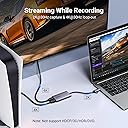
UGREEN’s HDMI to USB C Video Capture Card delivers ultra-smooth 2K@30Hz and 1080P@60fps recording with 4K@30Hz passthrough, supporting a wide range of devices including PS5, Xbox, Switch, DSLR cameras, and VR headsets. Featuring plug-and-play ease, ultra-low latency 5Gbps bandwidth, and an aluminum heat-dissipating shell, it’s engineered for professional-grade live streaming and game recording without lag or overheating.


| ASIN | B0DGXJS6BF |
| AV Output | HDMI |
| Antenna Location | Video Recording |
| Best Sellers Rank | 2,476 in Computers & Accessories ( See Top 100 in Computers & Accessories ) 3 in External TV Tuners & Video Capture Cards |
| Box Contents | 2 in 1 USB Cable, HDMI Loop-out Cable |
| Brand | UGREEN |
| Brand Name | UGREEN |
| Compatible Devices | Computers (Windows, Mac, Linux), Game Consoles (PS5, Xbox, Switch), VR Devices |
| Country of Origin | China |
| Customer Reviews | 4.3 out of 5 stars 1,267 Reviews |
| Hardware Interface | USB 3.0 |
| Hardware interface | USB 3.0 |
| Item Dimensions | 90 x 50 x 4 centimetres |
| Item Weight | 88.2 Grams |
| Manufacturer | Ugreen Group Limited |
| Manufacturer Part Number | 25773 |
| Minimum System Requirements | No specific hardware requirements; compatible with most modern systems and devices. |
| Model Name | 25773 |
| Model Number | 25773 |
| Operating System | Windows 10 |
| Operating system | Windows 10 |
| Other Special Features of the Product | 4K 30Hz loop-out, aluminium housing for heat dissipation |
| Platform | Windows |
| Product Warranty | 2 Year Limited Warranty |
| Recommended uses for product | Video Recording |
| Special feature | 4K 30Hz loop-out, aluminium housing for heat dissipation |
| Tuner Type | DVB-T |
| Unit Count | 1.0 count |
| Video Capture Resolution | 2K@30Hz, 1080p@60fps |
| Video capture resolution | 2K@30Hz, 1080p@60fps |
C**S
Great Piece Of Kit
This UGREEN capture card is absolutely great and provides a very good quality picture I personally use it to display my Xbox Series X on my meta quest 2 and play on a huge cinema like screen in VR! Bet you didnt realise that was possible! So much fun! But can also be used to capture gaming footage or video from any device with a hdmi output to a laptop or computer to save the footage/gameplay, very handy little device, I use this often with a digital microscope also Very low latency, offering great speed, connects within seconds and is simply plug and play! Compatible with pretty much any device that has a hdmi output, great video and audio quality and displays in the advertised resolutions without any lag whatsoever
A**H
Great quality capture card
Great value for money this allowed me to record my gameplay from my ps5 and also record my screen of my laptop for work. Zero lag and high quality display outputted. Very easy to use and very useful. Made of the same high quality metal ugreen always use and comes with usb 3.1 in usb A adapter and usb C
M**J
8/10 - Audio Cure Needed
Works fine overall, but it took an hour or two of trial and error with OBS to get fully working. The video feed in OBS worked out of the box, but I initially could not get the audio to pass through over USB, either via USB-C or USB-A. The audio worked flawlessly through the HDMI output regardless of the input device, so the issue seemed to be with the USB audio capture side. After digging around in the Linux terminal, I was able to confirm that the device was not outputting audio over USB. Trying different HDMI cables and ports did not resolve it. What eventually worked for me was setting the video format in OBS to MJPEG, with 1080p at 60fps giving the best results. Once the video was working, I then unplugged and reconnected the HDMI input once. After doing that, the audio started working. I’m not sure why, but each time I use this capture card, I seem to need to repeat that same little ritual: get the video working, unplug and reconnect the HDMI input, and then the audio works. I have only tested this on Linux with OBS, where it works well enough once set up. I have not tested it on any other operating system or setup. The quality is fine and acceptable for the price point. Video latency in the OBS preview window seems fairly high, so I would not recommend playing directly from the OBS preview. However, it has been compatible with every suitable USB port, HDMI input, and HDMI output combination I have tried. Overall, decent value for the price, but the USB audio behaviour is awkward and may require some troubleshooting.
A**N
As effective as hoped!
Well-performing product! Maintains true 1080p60 as advertised, although maintaining consistent 60fps is dependent on the power of the computer. Allows you to select 1440p30, although I had no 1440p device to test it on; when selecting 1440p for a 1080p device, it caused the image to be blurred/pixelated. Was compatible with my computer using VLC or OBS. No noticeable latency during use. Very effective at staying cool, with no heating issues at all.
K**R
Easy to use and works well
Really happy with the quality and so easy to use. Wanted this to be able to play jackbox.tv with friends on another country, so connect this from my switch to my laptop and hopped on to teams. Audio and video quality were grear
J**N
A great Capture Card for an amazing value.
A great Capture Card for an amazing value. Functions exactly as expected and is great for recording or streaming footage from consoles using a PC or laptop. It required no additional software on my device and is compatible with anything that supports plugging in a camera, I can even plug it in to the console I'm capturing. It has a great audio quality, but did take some time to make it come through.
K**H
Works but no sound/problem solved
Arrived on time set up was ok followed instructiona on the leaflet got it to show a picture of the switch but no sound even after trying everything it said still no sound weather it's a obs problem or a switch problem or something else no idea but for now it gets a star and that's just on delivery after few days of messing around with the laptop I finally got it working works as intended and for that now I have chAnged the one star to 3
K**N
HDCP compliant, which may cause issues with certain devices
I bought this item to allow me to stream games to Twitch from older game consoles which don't have Twitch functionality built-in. It works well for that most of the time. One issue I did run into was the fact that it doesn't strip HDCP protection from the HDMI signal, so if your game console has HDCP compatibility and no option of disabling this feature (PS3 console, for example) then you'll need to buy an extra device that strips HDCP protection or no picture will display at all. When the capture card works, which it does in a vast majority of cases, it works pretty well, the image, audio and signal quality seems to be decent to the average eyes and ears and there is no noticeable input lag. Ugreen doesn't have their own streaming software, but OBS works pretty well with this capture card. Another issue I've also encountered is the fact that the capture card doesn't seem to support interlaced signals. I found this out the hard way when I tried to run a GameCube game on my Wii, most of which display picture in 480i resolution and not 480p. You can get around this by attaching a device that converts interlaced signals to progressive. The capture card is pretty much plug-and-play with OBS Studio. It has a short built-in cable with a Type C connector and a detachable adapter that turns the Type C plug into a full size Type A plug. This device will be perfect for you in most cases if you're starting out with streaming or just want something cheap and cheerful that actually works, but there are better options out there that you'll probably want to consider in the future once you get a bit more advanced with your streaming.
K**N
Goede kwaliteit
Werkt met VLC Media Player.
H**H
Decent Capture card with decent output quality
Pros: - Audio and Video output works as expected without installing any drivers - Some say Audio doesn't work but the audio device does appear and can be listen to via OBS or enabling the "Listen to this device" within windows 11, very easy to setup. - Video and Audio is excellent at 1080p when I tested, minimal compression and no noisy artifacts - Latency is very minimal, it can be slightly more latency bound if the game being captured only runs at 30fps but at 60fps it's quiet minimal if using the capture to use as a monitor though ur pc with OBS ect. Cons: - Very minor con, the capture card needs power to view the HDMI signal on a monitor/pc, without it you can't view the signal. However if your pc does support power to devices while your pc is off or sleep the capture card can still work meaning u can just have hdmi cables connected to the capture card and forget abou it. Highly recommend for the price compared to other capture cards that support both input and output.
J**K
Spełnia funkcję
Działa i spełnia swoje zadanie. Jednak trochę traci jakość obrazu i opóźnienie mogłoby być mniejsze.
P**T
Ok basic
Basic capture card ,ok bit awkward to set up but does job as long as no protection
N**R
Better than expected, its recommended in this budget
I was actually scared after reading other reviews, but now I've tested it on my own, this one is doing a great job. Video quality is great as promised, observed a very little latency like in milliseconds but hey this is not elgato, video and audio output was actually great and in sync. You can easily expact 1080p at 60fps output. Price is on a little higher side but its better to invest in promising product instead or unreliable cheap ones. Happy with it so far.
Trustpilot
4 days ago
1 day ago