Desertcart purchases this item on your behalf and handles shipping, customs, and support to Ecuador.
🚀 Upgrade to WiFi 7 — Because your network deserves to be as ambitious as you are!
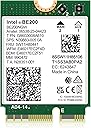
The GigaPlus BE200 NIC is a high-performance WiFi 7 wireless card featuring tri-band connectivity (2.4GHz, 5GHz, 6GHz) with speeds up to 5800Mbps on the 6GHz band. It supports Bluetooth 5.4 for stable device connections and leverages MU-MIMO technology for efficient multi-device networking. Designed exclusively for Intel 12th Gen and newer CPUs, it is compatible with Windows 10/11 (64-bit) and Linux, making it a future-ready upgrade for professionals demanding ultra-fast, reliable wireless performance.


| Asin | B0CSYJDJGP |
| Best Sellers Rank | 3,524 in Computers & Accessories (See Top 100 in Computers & Accessories) 9 in Network Cards |
| Box Contents | BE200 |
| Brand Name | GigaPlus |
| Compatible Devices | Desktop, Laptop, Server, Smartphone, Game Console, Tablet |
| Compatible Operating System Family | Linux, Windows |
| Country Of Origin | China |
| Customer Reviews | 4.6 4.6 out of 5 stars (636) 4.6 out of 5 stars |
| Data Link Protocol | IEEE 802.11be |
| Data Transfer Rate | 5800 Megabits Per Second |
| Hardware Interface | Bluetooth |
| Item Weight | 0.03 Kilograms |
| Manufacturer | GigaPlus |
| Manufacturer Part Number | BE200 NIC |
| Minimum Required Operating System Version | Ubuntu 20.04 Focal Fossa, Windows 10 |
| Model Number | BE200 NIC |
| Product Warranty | 1 year warranty |
| Upc | 790885293580 |
User
Great WiFi card!
Exactly what I expected from this WiFi card, amazing upgrade compared to the card I had before!Speeds (as shown in the photo) seem to go up to 788.7 Mbps on wireless, which is about right.The WiFi signal is perfect. As long as your router has good signal, then you should have no problems.Really easy to setup, as soon as you get the WiFi card installed, it’s just getting the latest drivers using Intel Driver and Support Assistant or using Windows Update.This comes with a screwdriver and two screws, which is useful if you don’t have a screwdriver, and it the screws on the old WiFi card have disappeared somewhere (or if you put this into a PC, you wouldn’t even have any screws to reuse anyway for the card).Functions exactly as it should, and also fits exactly as it should.Would buy again :)
User
Good upgrade!
Works without problems on Windows 10. Mind you, this is not compatible with Intel Wifi Killer piece of software but that makes no difference to the overall use.Installation is as easy as it gets and it's worth the investment.
User
This little thing cured all my audio problems in Windows 11 and has given me great wi-fi as a bonus.
After nearly 12 months of stuttering, glitchy audio on my Dell 3030 PC I was just about at the end of my tether and at a total loss as to what was causing it. I'd tried most of the latency work arounds floating around on the net and nothing seemed to improve matters.What I did know was that by disabling the wi-fi adapter the glitches were less but audio was basically still unlistenable. I use an ifi Uno USB DAC for audio which should be pretty good for not too much outlay.When using an app called Latency Monitor, it always reported that my system was not able to play real time audio due to excessive latency but with no real clue as to what was the real cause. Then I found an app called WTools and this had a DPC latency monitor built in, this reported that ndis.sys (Win 11) was excessively high. A bit of web searching suggested it might be being caused by the network adapter which seemed to tie into the fact that I had to disable the wi-fi element in Windows Device Manager to get any sort of audio out.After a bit more research I decided to try an Intel AX210 wi-fi adapter too see if it would make any difference. All I had to make sure was that the interface was for PCIe NGFF M2 2230 A/E key and not cnvio or cnvio v2, this adapter from GigaPlus fitted the bill exactly.The adapter arrived next day and I set about installing it, my god this thing is so small, especially the antenna connectors. Before doing anything I downloaded the Intel drivers for the card to a known directory on my PC, then I uninstalled the RealTek RTL 8852BE in device manager along with the Bluetooth adapter. After shutting the computer down I started the install, the worst part was reinstalling the PC antennas onto the new card, I'm a 70 year old with poor eyesight but if I can do it anyone can, just take your time and be gentle.With the card fitted and PC booted I ran the Intel driver installer and everything went sweet as a nut, card was immediately recognised. The only configuration left to do was set up the wi-fi, SSID and password and bingo everything sprung into life after disconnecting the Ethernet cable from the PC. I had to re-pair the Bluetooth mouse, I had used a USB mouse while doing the configuration in Windows.I can say that I'm extremely pleased with the performance of the adapter, I can get the full speed of my 300 fibre broadband across wi-fi now. without any instability or dropping of connection.Now back to the original audio issue, to say that I'm happy is an understatement, no more glitchy audio and all the Latency monitors report no issues, hooray!!!I can honestly recommend this adapter from GigaPlus, it comes in a little box with clear plastic packaging inside that contains the adapter, instructions (which I never bothered to read if I'm honest), a screwdriver and two fixing screws.A great purchase!!
User
All good in use - but doesn't quite deliver the speed increase I had hoped for
I bought this to upgrade the original Intel M.2 NIC in my Dell laptop. There was nothing wrong with it but I was frustrated that I couldn't use all the speed or our home Broadband as it was capped at ~250MbpsThis card was quite reduced on Prime Day so I took the opportunity to upgradeIn terms of fitting - it is easy for someone who has done this before albeit a bit fiddly especially putting the antenna cables back on> I had made a note of which cable when on what terminal on the original - the same names of the terminals were on this card but there were on the other side so I could have reconnected the wrong wat roundThe laptop powered back up fine but there was no WiFi - I had assumed that there would be drivers that Windows could load at least as a starter but - nothingReading the manual (there was one!) showed that you have to download the drivers - fortunately the link was to the Intel download site which built confidence. And more fortunately I have a USB->Ethernet adaptor so I could connect my laptop to the internet and get the 2 drivers needed - if I didn't have that I'd have had to reinstall the original network adaptor to get the drivers before swapping back again (although of course if I had read the manual I would have got the drivers in the first place!)The image in the manual was so small it was a guess to get the right drivers thoughThe drivers installed first time with no issues and no reboots neededInitial speed tests showed that I went from about 250Mbps to around 370-400Mbps - this is a bit disappointing as I was hoping to get at least doubleHowever whilst I am a bit disappointed with the speed it has been 100% stable in use (up and downloads), it doesn't impact sleeping the laptop and is ready for use within moments of awakening the laptop so all good thereI haven't used any Bluetooth devices so can't comment on thatFor the price - happy, but would have liked a bit more speed (which I know my router can deliver)
User
Saved my laptop – huge performance boost!
I was a bit skeptical at first, but this card saved my brand-new laptop. My original WiFi card had poorly soldered connectors, which caused constant connection drops. After installing the Intel AX210NGW, my speeds have doubled compared to when the old card was actually working. The connection is now rock-solid, and Bluetooth stability, especially with headphones, is flawless. Smashing bit of kit, highly recommended!
User
Great Linux compatibility and great speed
Easy to install in my Dell laptop. Hardest bit was attaching the tiny antenna (my eyesight up close is not what it was!) Works perfectly in both Windows 11 and Zorin 18 (which is why I bought it). In fact, Linux support for this is excellent working immediately without any additional messing about.Now I have gone from 10Mbit/s on Linux Zorin 18 OS with a Qualcomm card, to 800Mbit/s with this one. Excellent. Windows does the same speed.
User
Delivers!
Excellent way to upgrade a laptop or PC with fast Wifi and Bluetooth. I had an old HP which had a spare slot for a wifi card and I wanted to free up the USB slot I had my existing USB wifi adapter in. I also needed bluetooth so this card made sense as it does both. I had existing antenna cables on my motherboard so just popped the card in and plugged the two antenna cables on. The kit comes with a screwdriver and two screws (one spare) for keeping the M.2 card in place. Booted up and Intel drivers detected and installed immediately. Did a speed test - about 250mbit down and 100 up - pretty happy with that as my AP is not that new and expect this will got faster. Bluetooth worked fine too. This card doesn't need any special BIOS support, unlike some cheaper Intel models. Recommended.
User
Fast and as described
Arrived quickly, was well packaged and works perfectly.
User
Perfect and fast
Easy to install great instructions. Pushes my WiFi 7 to its limit up and down on 2500Mbps on my laptop, up from 1600Mbps with WiFi 6. but my WiFi router is limited to 2500Mbps per device. I believe it can go higher with a different router.Make sure you download driver before installing the card unless you have an Ethernet connection also.
User
Works perfectly
Works perfectly with my laptop. Was immediately detected under Linux and connects without issues.Speed went up from 300 to 750 Mb
User
works with linux and some lessor known operating systems
works perfectly, from a linux perspective it works well there also
User
Einfache Installation, sehr gute Funktion
Mein Lenovo Laptop hatte schon immer mit Audio-Übertragung über Bluetooth zu kämpfen (sehr schlechte Reichweite und generelle Verbindungsprobleme).Habe meine Karte durch diese ersetzt und nun habe ich Empfang in meiner gesamten (kleinen) Wohnung ohne Probleme und ohne Verzögerung (Kopfhörer abhängig).Die Treiber habe ich mit dem "Intel Treiber- und Support-Assistent" installiert. Das funktionierte ebenfalls sehr gut.PS: Mein Prozessor ist i7-9750H, also auch nicht der Neueste
User
Plug and Play for extra fast WiFI!
This card was fantastic to move our laptop into WiFi 6 territory. I have another one I bought with WiFi 7 but we currently only have a WiFi 6 mesh router, so the extra $10 we saved was a great value for the money. This card was plug and play with my windows 11 laptop and completely compatible with our WiFi 6 mesh system, but if you are using Windows 10 or just want to ensure it was installed correctly I recommend the drivers from Intel. Download Speeds are much faster than my original card and this one is very fast. Functions perfectly, and is an upgraded Bluetooth as well which is really nice for some newer devices.The only downside, other than making sure the drivers work, is if you're installing on a machine you've been using for a while you'll have to re-synch your Bluetooth devices entirely, so keep that in mind if you use a lot of devices you'll have to reinstall all of them. This also goes for any WiFi networks you've had programmed with your old card, you'll have to re-learn or re-connect to them. Could be a problem if you travel frequently and change WiFi sources a lot.Other than that, I'd highly recommend this device for anyone that wants to get the most out of their WiFi.
Trustpilot
2 months ago
3 weeks ago