Desertcart purchases this item on your behalf and handles shipping, customs, and support to Ecuador.
🎥 Elevate every moment — shoot smarter, share faster, and never miss the action!
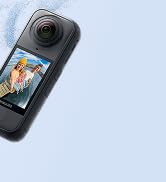
The Insta360 Ace Pro is a cutting-edge action camera featuring a large 1/1.3" Leica SUMMARIT sensor paired with a powerful 5nm AI chip for exceptional image quality day or night. It supports 8K video capture with 4K clarity zoom, a versatile 2.4" flip touchscreen, and advanced FlowState stabilization. Designed for professionals and enthusiasts alike, it’s waterproof up to 33ft and built to perform in extreme conditions, making it the ultimate tool for high-quality vlogging, adventure filming, and creative content creation.


| ASIN | B0CKML3W6R |
| Antenna Location | action sports filming, extreme weather conditions recording, time-lapse photography, high-quality vlogging, professional video production |
| Are Batteries Included? | Yes |
| Battery Average Life | 100 minutes |
| Best Sellers Rank | 17,518 in Electronics & Photo ( See Top 100 in Electronics & Photo ) 144 in Action Cameras |
| Box Contents | 1 x Insta360 Ace Pro, 1 x Standard Mount, 1 x Flexible Adhesive Mount, 1 x Battery, 1 x TypeC to C Cable |
| Brand | Insta360 |
| Brand Name | Insta360 |
| Camcorder Type | Action Camera |
| Colour | Midnight Black |
| Compatible Devices | Smartphone, Tablet, Laptop, Personal Computer, Desktop |
| Country of Origin | China |
| Customer Reviews | 4.6 out of 5 stars 1,537 Reviews |
| Effective Video Resolution | 2160 Pixels |
| Exposure Control Type | Program (P), Aperture Priority (Av or A), Shutter Priority (Tv or S), Manual (M), Automatic (Auto) |
| File Format | MP4 |
| Flash Memory Bus Interface Type | SD |
| Flash Memory Speed Class | UHS Class 1 |
| Flash Memory Type | SD |
| Flash Memory UHS Speed Class | 3 |
| Flash Memory Video Speed Class | V30 |
| Flash memory type | SD |
| Focus Type | Fixed Focus |
| Form Factor | Compact Handheld |
| Has Image Stabilization | Yes |
| Image Aspect Ratio | 16:9 |
| Image Capture Speed | 120 fps |
| Image Stabilization Type | Dynamic |
| Item Weight | 1.16 Pounds |
| Lens Type | Leica |
| Log Gamma Curve | True |
| Manufacturer | Insta360 |
| Maximum Aperture | 2.6 f |
| Maximum Display Resolution | UHD |
| Maximum Focal Length | 1000000 Millimeters |
| Maximum aperture | 2.6 f |
| Maximum focal length | 1000000 Millimeters |
| Minimum Aperture | 0.22 Millimetres |
| Minimum Focal Length | 16 |
| Model Name | CINSAAJA |
| Model Number | CINSAAJA |
| Network Connectivity Technology | USB |
| Number of Batteries | 1 AAA batteries required. (included) |
| Number of Speakers | 1 |
| Optical Sensor Size | 1/1.3-inch |
| Photo sensor technology | CMOS |
| Product Features | Action camera with 1/1.3" sensor and Leica lens |
| Product Warranty | 2 |
| Screen Size | 2.4 Inches |
| Sensor Type | CMOS |
| Shooting Modes | action,slow-motion,HDR,low-light,underwater,vlogging |
| Style Name | Standard Bundle |
| Supported Audio Format | AAC |
| Supported Image Format | JPEG |
| Unit Count | 1.0 count |
| Video Capture Format | MP4 |
| Video Capture Resolution | 3840 x 2160 or 4096 x 2160 |
| Video capture resolution | 3840 x 2160 or 4096 x 2160 |
| Water Resistance Level | Waterproof |
| White Balance Settings | Auto |
| Wireless Compability | Bluetooth |
| Zoom | Clarity Zoom |
P**.
What I think of the first use of my Ace Pro
I recently had the pleasure of using the Insta360 Ace Pro camera, and I must say I think this will change the way I shoot, and how I do things. It may even be a game-changer for both amateur enthusiasts and professional content creators alike. So, when the Insta360 Ace Pro was announced I thought great, this could be the solution, small, waterproof, 8K video, excellent low light shooting and this new-fangled AI feature and Leica Lens, so I decided to get one. The first thing you need to know is that if you shoot 8K this will allow you to zoom in on a video and still get 4K, the problem well not really a problem, is I use the Insta360 mobile App to edit and I soon found out that if shooting 8K you can only playback on the App, you can’t edit the video. So you will need to edit on your desktop Insta360 Studio which is free to download. The Same with AI if you shoot 8K, AI warp is not available for 8K so you will need to shoot 4K for this functionality. Shooting stills now allows for 48MP so that is a vast improvement in quality due to the larger sensor and the Leica Lens. As it shoots in Ultra-Wide you can get some curvature when shooting Buildings so the ‘Dewarp’ feature is a nice touch to straighten the lines and I found the quality of the images pretty good for a small action camera. Turning to portrait/vertical mode for shooting images and video for platforms like TikTok and Instagram Reels is also a nice touch. Note you should turn the camera to portrait before starting to record. You can also switch to ‘FreFrame’ and crop for landscape and portrait in edit if you wish. So Vlogging, yep, no problems. It is fixed focus, and its minimum focus distance is 11.5' / 350.0 cm, so you do need to make sure that you are aware of focus distance and the fact that with a DSLR you can make the background out of focus. That being said, this for me is about not having to carry 5K’s worth of DSLR around with me and getting high-quality video from something as small as the Insta360 Ace Pro and it certainly does that for me. The large screen also flips over so I can use this as a monitor to see myself when vlogging and it’s a decent 2.4” screen. Its touch screen and the software for camera settings is easy to navigate and similar to the Insta360 X3 so I found it easy to follow and get around. Speech and gesture control is also useful when you are filming yourself and have the camera at a distance. Battery Life, I will say that it seems to use a bit more battery, if I go out shooting for the day with the Insta360 X3 then I can normally get away with the battery for the day. I did find that on the Ace Pro, as the day was going on I was more conscious of the fact the battery life was dropping and was making sure to switch off more often to conserve battery life. So I would recommend a second battery or plugging into a powerpack to recharge in between shooting if the battery is getting low. 4K/8K – I can’t view 8K but shooting 8K will allow you to crop your video or use the built-in touch 2x zoom function and still get 4K so that is worthwhile. As I mentioned earlier you can only view 8K video on the App and not edit. I discovered this after I shot my test videos, the App is awesome, so I mostly use this and rarely use Insta360 Studio or Premiere Pro for these cameras. Pure Video – So one of the key new features is ‘Pure Video’ which is the new low light video function. As the camera has a larger sensor 1/1.3” sensor it can capture more information, particularly in low-light situations and it works great. I tried this out in London with the Christmas lights and found it to be pretty good, I did not manually adjust any settings so you can see how it captures just by selecting ‘Pure Shot’. Works a treat, I have not had a chance to try it in a concert situation as, yet which is what I really want this for. ‘AI Warp’, OK this is cool, a fad maybe, but as I have been playing with AI imagery for a while, I find this feature quite cool and it’s the start of things to come, the results are also cool and with all AI can be a bit hit and miss with results but to be honest better than most. I have tried them and I have tried both manual prompts and pre-determined effects and both are pretty good. Don’t do what I did and shoot in 8K as sadly you need to shoot in 4K to use the AI feature on the App. You can only do a set number per day. Also, there is a lot of processing involved so it can take about 10 minutes to create a video and these are only 4 seconds in length so unless you have a lot of patience you're not going to be making a movie. Also, I find that sometimes it fails and can take a few attempts to create a video as there are probably too many people accessing the server. It’s all early days and something that Insta360 need to get data on and see the usage to improve. It was only available on the Ace Pro but I see this has now been rolled out to the X3 and other cameras, you will need to update the App, the UK one is not updated yet, so downloading from Insta360 and updating the software on your phone that way can be done if you can’t wait. So to sum up. Navigating through the camera's settings and features is a breeze, thanks to its intuitive user interface. The touchscreen display is responsive and easy to use, allowing for quick adjustments on the go. Vlogging in vertical and horizontal format is great, and does the trick, just remember the minimum focus distance. In conclusion, the Insta360 Ace Pro camera has exceeded my expectations in every way. Its stunning 8K resolution, advanced stabilization, and user-friendly interface and low-light shooting make it a standout choice in the world of action cameras. Whether you're a vlogger, travel enthusiast, or someone who simply wants to capture life's moments in unparalleled detail, the Insta360 Ace Pro is a worthy investment that will undoubtedly elevate your content creation experience. Check out some of the images and video samples
J**S
Brilliant action camera
I haven’t been able to fully test this in the field yet but so far the shirt testing over done is it’s an amazing action camera at a good price, plenty of features to suit all needs, crisp detailed photos and videos and the flip screen is a brilliant addition to, I got mine mainly to fit to my FPV drone but not yet managed to get out with it but I’m sure it’ll work amazingly, definitely recommend
M**N
Great action Cam.
I've used other Action Cams and to date this is the best, I know its the Ace Pro not the Pro 2 but i have had great success with this. Whether strapped to the side of a vehicle or helmet mounted the footage is good, the stabilization works a treat and the stills depend really on the profile and settings you have. There's a great range of accessories out there from the manufacturer or third parties. I've had this strapped to a FPV drone and have to say for smaller less than 4in it'll struggle or take all your battery life but 5 and up great addition. Easy to use and operate straight out the box, connects to your phone through the app and allows more features. Overall well worth every penny. If your limited on space and want a camera that takes great video and decent stills this is for you.
C**H
Amazing Camera With Lots of Features!
I've used this action camera for almost a month now, and I love it! I have used it for underwater footage, biking, travel vlogging, and making YouTube videos. The video quality is incredible—up to 8K and 240fps! (not simultaneously). The ‘Clarity Zoom’ feature has been super useful. It's really easy to use, and the installation was very simple using the app. I love how many different recording modes there are, like timelapse, loop recording, Pre-recording, Slow Motion, and PureVideo (for low light). The app is great too, with wireless file transfers, awesome AI effects (like AI Warp), and clear tutorials for all use cases. The only downside is it keeps asking for full media access on my phone, which I have to deny each time I open the app but it still works fine without accepting. A really cool feature on the app is that I can start a GPS recording while doing an activity like biking, then when editing the video in the app, I can add a stats overlay. To record the GPS, I put my phone in my pocket, but you can also do this with some specific GPS trackers and fitness devices. (See video attached) Battery life is quite good - around 100 minutes at 4K 60fps, and it's never run out mid-recording. If this becomes a problem, I could get an Insta360 Portable charging case or charging hub with extra batteries. Using the camera underwater has been really fun, especially seeing the crisp footage of the fish ;) The camera can go up to 10m in water without a dive case, but make sure to clean it after use in sea water! So far I've bought a few accessories from Insta360. The floating hand grip (for only ~£5) which has already/and will come in handy when recording near/in water as if you drop the camera in water, it'll float. I also got the Insta360 3-prong to 1/4-inch adapter to make it more compatible with other accessories like tripods or selfie sticks. The camera is a bit heavy/bulky, but for my use-case, its perfect. And the flip up touch screen is really useful for things like vlogging or trying to get the perfect angle. I highly recommend this camera for anyone who wants amazing footage for content creation, vlogging, biking, and underwater videos (or anything else!)
M**K
Excellent action camera for Scuba Divers.
I bought this to replace a GoPro 4 that I've had for years and used, mostly for Scuba diving, many times. The GoPro never ceased to impress me, but it was old tech by the end of 2024 and I settled on an Insta360 Ace Pro after looking at the reviews of all the different action cameras. There are a lot of features that I'll never use, but the high res images, great colour and low light performance underwater and stabilisation are all features that have justified the upgrade over my old GoPro. The battery life doesn't seem that great compared to some reviewers (although I've mostly used it in very cold water so far, so that may be a factor) and my initial videos seemed rather grainy (not sure why, the next ones were excellent, despite the conditions being very similar). The high res images are very large, so get a big SD card and maybe a new PC to edit them on! These are small quibbles though, the battery charges very quickly and generally the video quality is excellent, with really impressive colour correction in murky green water. Overall, I'm extremely happy with my Insta360 AcePro
I**G
Capturing action like a pro
Capturing Action Like a Pro: I recently bought an insta 360 ace pro this cam looks small but it emerges as a powerhouse in the realm of action photography and videography. With its Precision AI capabilities and top-notch stabilization, it's more than just a camera; it's a creative tool that empowers users to capture stunning moments effortlessly and this alone truly sets the Ace Pro apart. This intelligent technology enables users to swiftly edit both pictures and videos directly on the camera itself. Whether you're adjusting exposure, tweaking colors, or adding filters, the intuitive interface makes the editing process a breeze. I have seen this as a game-changer for those who want to streamline their workflow and share their content instantly.With advanced stabilization algorithms, this camera ensures smooth footage even in the most dynamic environments. Whether you're skateboarding through city streets or mountain biking down rugged trails, the Ace Pro delivers footage that's remarkably steady and professional-looking. This level of stabilization not only enhances the visual appeal of your content but also minimizes post-production work, saving you time and effort. One of the most impressive aspects of the Insta360 Ace Pro is its versatility. It's not just for extreme sports enthusiasts; it's a tool that caters to a wide range of users, from adventure seekers to content creators and beyond. With its compact and lightweight design, the Ace Pro is easy to carry wherever your adventures take you be it hiking in the wilderness or exploring urban landscapes, this camera is always ready to capture the action. Furthermore, the Ace Pro excels in connectivity and sharing options. With built-in Wi-Fi and Bluetooth capabilities, it seamlessly syncs with your smartphone or tablet, allowing you to transfer and share your content with ease. Whether you're posting on social media or editing on the go, the Ace Pro ensures that you stay connected and productive. In conclusion, the Insta360 Ace Pro Action Camera is a true game-changer in the world of action photography and videography. With its Precision AI capabilities, exceptional stabilization, and versatile design, it empowers users to unleash their creativity and capture stunning moments with ease. Whether you're an adrenaline junkie or a creative professional, the Ace Pro is a must-have tool for anyone who wants to elevate their content to the next level.
T**N
Versatile Little Camera, Always with Me
I have had the camera now for 6 weeks and wanted to wait until at least a month after purchasing before I wrote a review so that I got a proper feel for it and not carried away by a shiny new purchase. To be honest, the last thing I really needed was another camera but I had seen various YouTube reviews from people I trusted and already have a few cameras from Insta360 that I love using so it piqued my interest. The thing I was mainly interested in was the camera’s low-light capability. I have struggled with capturing clear grain-free footage using my other cameras (Canon, Fuji) and hoped the Ace Pro would solve this problem…. And oh boy, did it! There are far cleverer people than I who can tell you the technical capabilities, sensor spec and intelligent noise reduction technology, I just know that it works. After years of experimenting with ISO, frame rates and shutter speeds, I just set the camera to Pure Video, press the button and I get the perfect low light footage! The only decision I need to make is whether to toggle the low-light stabilization on or off. I recently had an opportunity to try it out at night in London, one of the shots I have included with this review (albeit reduced in size/bitrate for upload). I am extremely pleased with the resulting footage but it also highlighted another very big plus for me. The Ace Pro is so compact that I can be very inconspicuous while I am shooting. I have a small flexible tripod (similar to a Gorilla Pod) attached to the magnetic mount which is very easy to detach when walking between locations so my equipment can go in my jacket pocket and is not on display. Plus when shooting you can be very discrete. I often place my camera for a timelapse and need it to be as hidden as possible to avoid attention. The small form factor of the Ace pro lets me do that. Talking about the magnetic mount, I should mention that the magnet is only used to help locate the mount in position on the base of the camera, it is physically locked in place using mechanical latches. The flipscreen was something I liked from their GO 3 camera and am very happy that it is used on the Ace Pro. I don’t use it for vlogging but being able to flip it at an angle for when I am doing a low shot is fantastic. You will need to buy a carrying case straight away to protect the lens and rear screen during transportation but hey are fairly cheap. I bought one from Amazon, as well as a separate lens cover. Coming soon (again from Amazon) is a filter adaptor so I can use my 49mm ND/CPL/Black Pro-Mist filters as well as my macro lenses to experiment with. This is such a universally useful little camera that I find myself always putting it in my jacket pocket or kitbag to take with me everywhere. Highly recommended!
R**E
Amazing 8k Action Camera!!! Watch out GoPro!
I can't say enough about how awesome this camera is! I am a longtime user of GoPro and other action cameras and I've honestly never seen footage as good as this. Most likely down to the Leica technology. The stabilisation is insanely good, never seen anything like it before. The 8k video is crisp and well balanced with great colours, and it doesn't suffer from the over-sharpening you get from a lot of action cameras. The features are fantastic, I was especially impressed with the face recognition. Used with the flip up screen it makes an ideal vlogging camera. The included accessories are built to a really high standard and work perfectly (see video) Overall I wouldn't hesitate to recommend the Ace Pro to anybody looking for an action camera that can do everything and with outstanding picture quality.
D**E
Weiteter Nachtrag: der Service von Insta ist großartig. Selten sowas erlebt, ehrlich
Ich habe mir die Insta360 ace pro nach langer und gründlicher Marktrecherche kürzlich gekauft und sie inzwischen hinreichend getestet. Mit empfohlener 128 SanDisk Extreme (V30) SD-Karte und als Zubehör die JJC Lenkerhalterung. Ich verwende die Kamera ausschließlich als Dashcam für Fahren mit meinem 125er-Motorroller, primär im Stadtverkehr, aber auch auf Landstraßen, dort selten schneller als 90 km/h. Um es vorweg zu sagen: all meine Erwartungen und Ansprüche sind bestens erfüllt. Die Kamera ist klein, handlich, und kommt hochwertig verpackt. Der Akku war bereits verbaut, der Slot für die USB-Buchse und die SD-Karte öffnet und schließt perfekt. Der Aufladevorgang dauerte bis zum Erlöschen der roten Systemleuchte etwa 30 Minuten und war dann bei etwa 80 %. Dann erlischt die Leuchte, die Kamera lädt aber weiter auf bis 100 %, also bis zur Voll-Ladung kann man 45 Minuten rechnen. Bitte beachtet: Ihr benötigt ein hochwertiges USB-C-Kabel, das mindestens 3 A unterstützt, also verwendet möglichst das mitgelieferte Teil. Bei aller Begeisterung muss ich sagen, dass die „Bedienungsanleitung“ einen solchen Namen nicht verdient. Insbesondere was die Einstellungen zum Praxiseinsatz betrifft habe ich mir eigentlich alles Nötige zusammengegoogelt oder mit KI anzeigen lassen. Ich fasse das mal wie folgt zusammen, was Euch Recherche ersparen dürfte (wiegesagt: aus Sicht eines Rollerfahrers): Einige Einstellunge bzw. Bezeichnungen sind zunächst verwirrend, z.B. der Begriff „Loop“. Folgt man look&feel, dann wird man als Looplänge vielleicht 3 Minuten einstellen, weil man denkt, dass die Aufnahme dann z.B. in drei-Minuten-Takte zerlegt wird. Aber das funktioniert so nicht, man muss als Loopdauer „unendlich“ einstellen, weil sonst jede Aufnahme nach 3 Minuten abbricht und nicht neu startet. Bei Einstellung „unendlich“ erfolgt die Fragmentierung automatisch in ein-Minuten-Sequenzen, was man gut sehen kann, wenn man die DCIM ausliest (die Kamera wird ajm PC direkt als externes Laufwerk erkannt, echt easy). Insofern ist der datenschutzrechtliche Anspruch gesichert, dass man nicht unendlich drauflosfilmen und alles auf alle Ewigkeit aufbewahren darf. Hier wird bei voller SD-Karte die älteste ein-Minuten-Sequenz überschrieben, also bleibt alles Aktuelle erhalten . Das ist der „echte Loopeffekt“, der wichtig ist, wenn es um die Beweistauglichkeit vor Gericht geht. Als Einstellung hatte ich zunächst 4K / 30 (3840 × 2160 Pixel = Ultra HD bei 30 Aufnahmen pro Sekunde. Die Videos waren allesamt brilliant. Mit dieser Einstellung hielt der Akku bei Daueraufnahme etwas über 70 Minuten (Displaybeleuchtung allerdings in den Systemeinstellungen deaktivieren, die frisst Akku). Dann habe ich dasselbe mit 2K / 30 gemacht, und man sieht fast keine Unterschiede, die Aufnahmen sind immer noch hervorragend. Ehrlich gesagt sehe ich kaum einen Unterschied. Probiert es selber aus. Ihr müsst immer einen individuellen Kompromiss finden zwischen Akkulaufzeit und Videoqualität. Was ganz hervorragend funktioniert und unbedingt in den Systemeinstellungen aktiviert sein sollte ist normale Bildstabilisierung und die Horizontstabilisierung! Egal, über welche Schotterstraße Ihr rattert: der Horizont erscheint total ausgeglichen, als gleitet Ihr auf Schienen; das Ganze ohne unnatürlichen Effekt, aber tatsächliche Ruckler im Straßenverkehr sind damit total eliminiert. Mein Tipp: Horizontalstabilisierung auf 45 Grad einstellen. Das A und O für mich ist nicht nur die Aufzeichnung, sondern die GPS-Daten, falls es doch mal krachen sollte und Ihr die Videos als Beweismaterial benötigt. Die Insta360 hat kein integriertes GPS-Modul. Aber das ist entbehrlich, denn Ihr ladet ohnehin (zwingend) die Insta-App herunter (wird benötigt zum Initialisieren der Kamera). GPS-Daten erhält die Kamera aus dem Handy. Durch Kombination von App und Kamera ist es ein Kinderspiel. Wenn man es einmal verstanden hat, und ich hätte mir dazu eine ausführliche Anleitung des Herstellers durchaus gewünscht. Deshalb kriegt Ihr es hier, am Beispiel des Iphones. In den Systemeinstellungen Handy und Kamera koppeln, das ist so ziemlich das einzige Selbsterklärende und funktioniert schnell und problemlos. Wenn Ihr es leicht haben wollt, googelt nicht los, denn da wird viel Falsches gesagt, was Frust erzeugt, weil es nicht funktioniert. Sondern geht wie folgt vor: In der App Menü (unten rechts) „Mein“ > darin „GPS-Aktivitätsstatistiken“ aktivieren, dann mittleres Menü (unten) die „Aufnahme“ starten (Achtung, das heißt nur GPS-Bereitschaft herstellen!), Damit stellt GPS aber nur statistische Daten zur Verfügung, die nach einer Fahrt vielleicht interessant sind wie zB Gesamtstrecke oder Höhenunterschiede, aber wen interessiert das vor Gericht? Die eigentliche Aufnahme startet Ihr über die Kamera selbst, roter Knopf oben. Dann und nur dann werden die aufgezeichneten GPS-Daten exakt mit Euren Bewegungsdaten verknüpft, sodass Ihr diese Infos später editieren, speichern und verwenden könnt. Faustregel: GPS-Start in der App starten, Videoaufzeichnung mit der Kamera starten und beenden. Ich empfehle die Videobearbeitung zunächst in der Kamera vorzunehmen. Album > Datei auswählen, (Wisch von links nach rechts), dann unten im Menü auf „editieren /stats“ gehen, dann erscheinen vorgeschlagene overlays. Bei denen kann man auswählen, welche Info man mit dem Video verbinden möchte, bei mir reichen Geschwindigkeit, Datum und Uhrzeit. Ganz wichtig: wenn man das Ganze speichern will, unbedingt direkt aus dem Bearbeitungsmenü heraus exportieren, z.B. in „Bilder“ auf Iphone. Speichert man die Videos anderweitig, sind die GPS-Einträge nicht dabei. Klingt alles etwas kompliziert, ist aber ganz einfach. Und die Ergebnisse können sich echt sehen lassen! Ein paar Worte noch zur Anbringung: das Klebeset für den Helm hält bombenfest. Ich habe die Kamera seitlich angebracht, und die Kamera mit einem lether gesichert, was eh allgemein empfohlen wird. Ist der Klebesetz (§M!) erstmal drauf, kriegt man ihn nur noch mit roher Gewalt ab, also überlegt genau, wo Ihr ihn anbringen wollt! Die Helmbefestigung macht ebenso stabile Aufnahmen wie Aufnahmen mit Lenkerbefestigung. Aber man kann den Kopf schwenken und das Aufnahmefeld erweitern, was teilweise auch für die Gesichtserkennung hilfreich sein dürfte. Ich bevorzuge allerdings die Anbringung am Lenker. Die Kamera rastet sehr gut ein und hält auch hier dank Magnetbindung und Einrastverschluss – auch bei langen höheren Geschwindigkeiten. Leider lässt sich die Kamera nicht mittels theser zusätzlich sichern, es findet sich bei ihr an keiner Stelle eine Befestigungsmöglichkeit. Deshalb bestelle ich mir noch den bestens bewerteten „SMALLRIG Urility Frame Cahe“, der derzeit um die 30 Euro kostet. Dann ist bei mir alles safe! So, ansonsten wünsche ich Euch allen viel Spaß mit Eurer Insta360. Ihr habt ein hervorragendes Produkt erworben, das ich echt zu 100 Prozent empfehlen kann. Sonst hätte ich nie eine so lange Bewertung geschrieben! Good luck everybody! Nachtrag vom 17.7.26: Die Bildqualität der Ace Pro ist hervorragend und ich bin mit der Kamera grundsätzlich sehr zufrieden. Wer sie jedoch als Motorrad-Dashcam nutzen möchte, sollte wissen, dass der Loop-Modus nicht wie bei einer klassischen Dashcam arbeitet. Nach Auskunft des Insta360-Supports wird jede neu gestartete Aufnahme als eigener Loop behandelt. Für längere oder häufige Fahrten sollte man das vor dem Kauf wissen.
O**S
Action Cam
Very good gadget
こ**こ
画質が綺麗!
バイクの動画を撮りたくて買いましたが正解でした!画質も音質も良く、スマホアプリとの連携も使いやすいです! セールの時に買えたのでラッキーでした!
N**T
Bra kamera helt enkelt!
Otroligt bra kamera, LEICA gör fantastik jobb!
M**D
worth to buy
excellent camera for scuba diving
Trustpilot
2 weeks ago
1 week ago