Desertcart purchases this item on your behalf and handles shipping, customs, and support to Ecuador.
๐ Plug in. Power up. Own your desk like a pro.
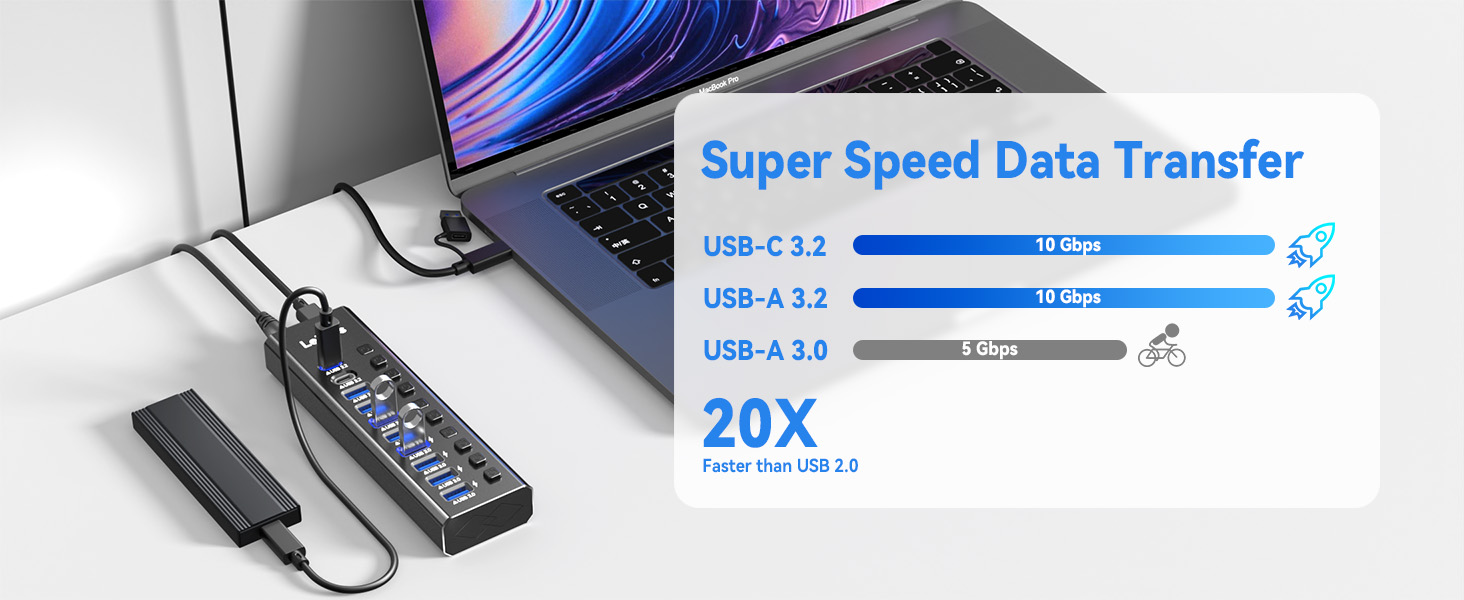
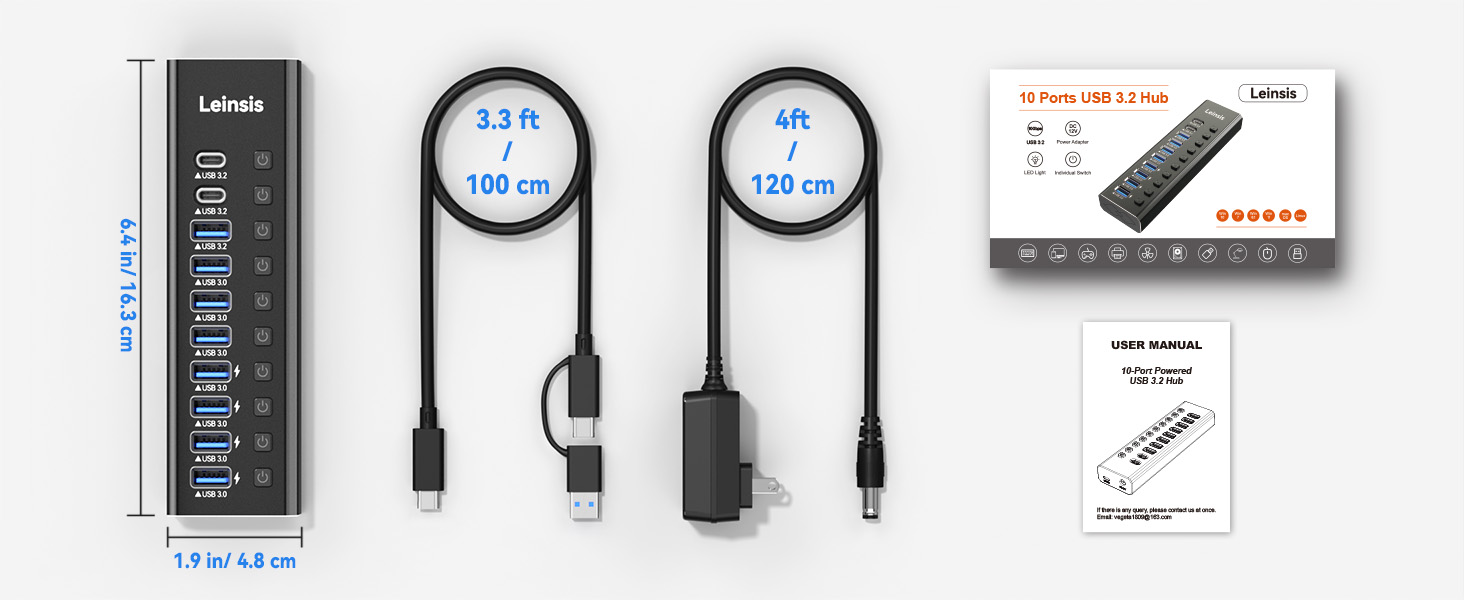
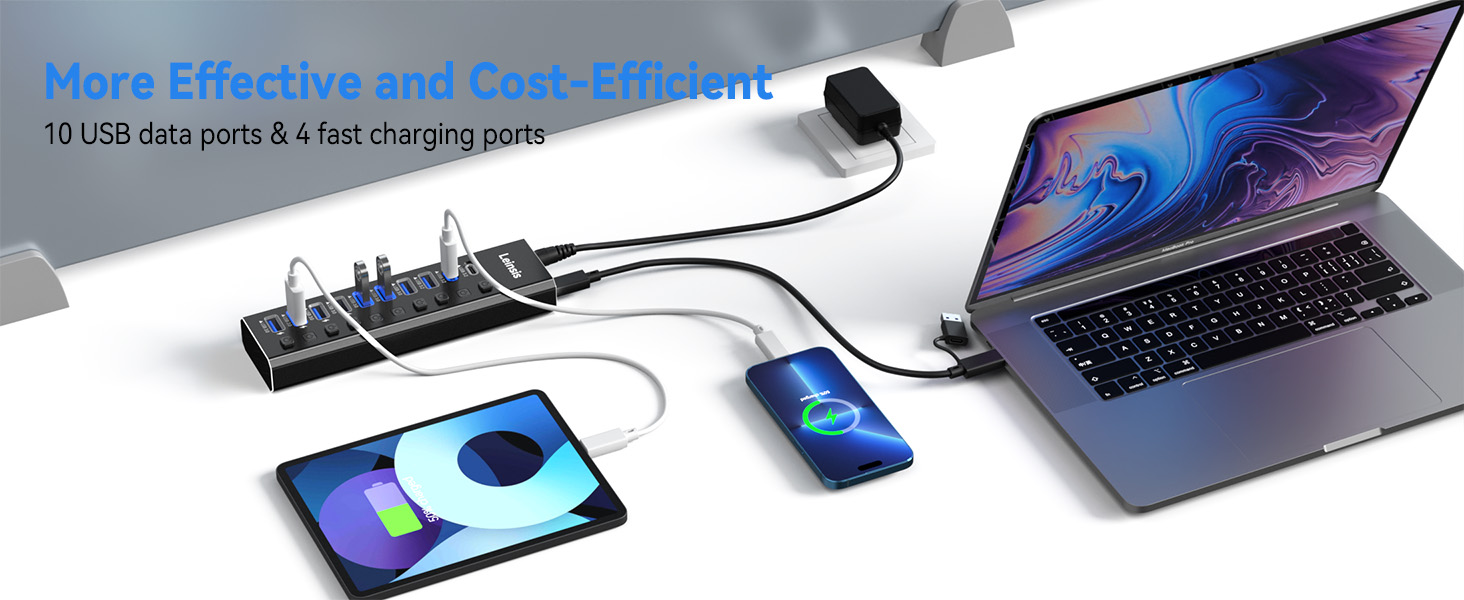
The LEINSIS Powered USB Hub 3.2 is a premium 10-port USB expansion solution featuring 2 USB-C 3.2 ports, 1 USB-A 3.2 port, and 7 USB 3.0 ports. It delivers ultra-fast 10Gbps data transfer speeds, individual port power control, and robust surge protection within a sleek aluminum chassis. Compatible across Windows, macOS, and Linux, itโs designed to elevate productivity for professionals needing reliable, high-speed connectivity and device management.


| ASIN | B0C84G7YJY |
| Additional Features | Powered |
| Best Sellers Rank | #133 in USB Hubs |
| Brand | Leinsis |
| Cable Length | 3.3 Feet |
| Color | light black |
| Compatible Devices | Various devices with USB ports |
| Customer Reviews | 4.2 out of 5 stars 1,149 Reviews |
| Data Transfer Rate | 1280 Megabytes Per Second |
| Enclosure Material | Aluminum |
| Hardware Interface | USB |
| Item Dimensions L x W x H | 6.4"L x 1.9"W x 0.9"H |
| Item Type Name | Powered USB Hub |
| Manufacturer | Leinsis |
| Mfr Part Number | KZW-U10217B |
| Minimum Required Operating System Version | Windows 7 |
| Model Number | KZW-U10217B |
| Number of Ports | 10 |
| Operating System | Windows XP / Vista / Win 7 / Win 8 / Win 10 / Win 11/ Mac OS/ Linux |
| Special Feature | Powered |
| Total USB Ports | 10 |
| Total Usb Ports | 10 |
A**I
Excellent Solution for Limited Laptop Ports
I purchased this LEINSIS Powered USB Hub because I realized that many newer laptops no longer come with enough USB ports for all of the accessories I use. Most of my devices connect through USB, so having additional ports is very helpful. What I especially like about this hub is that each port has its own individual power on/off switch. This makes it easy to control which devices are connected and powered without having to unplug them. The hub has worked well for my needs and has made managing multiple USB devices much more convenient.
J**N
Started out with problems, now very satisfied - VegetaZ Customer Service A++
The Hub itself I really like the design and solid feel of with the aluminum casing. The buttons are much more tactile than the other hub I have and I do use them to turn on and off devices. I also like the ability to disconnect the power supply cable and the USB cable so that the hub can be more conveniently stored if I need to travel. I also like that Crystal registered the replacement hub for their lifetime warranty. Overall I went from being dissatisfied to a very satisfied customer because Crystal at customer service took the time to listen to the issue, provide feedback, send out a new Hub and followed up to ensure the issues was resolved. I give Crystal @ VegetaZ Customer Service an A+ After my issue was resolved with the defective cable, I give the NIAO-CHAO hub an A+. I will update my review if there are any issues in the future with the hub. As for now, the NIAO-CHAO hub has replaced my other hub as my new go to hub for USB extension needs. The NIAO-CHAO 5 port powered USB hub sold by VegetaZ arrived on time. It was sufficiently boxed to ensure it would not be damaged during Amazon delivery. When the hub was unboxed it appeared to be just as nice quality as had been advertised. When the unit was plugged in everything appeared to be good to go. However after some testing with USB 1.0 and 2.0 devices none of the USB 1.0 or 2.0 devices worked. Only USB 3.0 devices worked which led me to believe that the hub was not really USB 2.0 compatible. I reached out to support to let them know what had happened. I received an email the following day from Crystal who asked me to tell her why I believed it wasn't working. I explained everything and sent pictures. It happened that I had another 5 port hub with smart charging which I compared it to. No dice. Only 3.0 was working. Crystal agreed to ship me another hub which arrived in 5 days. I immediately tested out the new hub and it worked for USB 3.0 and for USB 2.0 for a couple minutes before USB 2.0 stopped working. I was ready to give up when I realized that I had used the cable from the original Hub and not replaced the original cable with the new replacement hub cable. As soon as I swapped out the cable both USB 3.0, 2.0, and 1.0 devices were all working just fine. It turned out that the cable had a broken wire in the lower portion of the USB B connector so only USB 3.0 devices would work. Problem solved. Bad cables happen every once and a while. The cable itself seems to be a decent cable so it appears to have been a one off QC blip.
P**Y
See above
It works perfectly
S**.
Doesn't work on 2-lane USB Type-C ports TB3/4 or USB3/4. (update)
Kind of a bummer, this refuses to work on a USB 3.2 2x2 type-C 20Gbs port. It will only work on a 3.2 2x1 type-A 10Gbs port. This is fairly annoying, as my laptop doesn't have any type A ports and it's using the last one available on my main desktop. It's primarily used for my desktop, but this is a major hassle. I've tried 2 known good cables, one is a 3.2 2x2 20Gbs cable, the other is a USB4 40Gbs cable; neither work, nor does the cable supplied in the box. Super annoying. Maybe it's defective, all USB is (supposed to be) backwards compatible. Might have to return this. Update 12/5/23: Returned previous hub and received a replacement the next morning. Good job Amazon! This one does connect to Thunderbolt 3/USB3 gen 2x2 20Gbs type-C ports after unplugging the hub's power cable and plugging it back it, 2 or 3 times (sigh). Same issue with Thunderbolt 4/USB4 40Gbs ports. Resume from sleep does not work, though; the hub ports stay asleep, even with power cycling. The host USB ports are set to allow resume from sleep in the OS and BIOS, and function properly on all the other hubs I have laying around. Tried using known good 10Gbs, 20Gbs and 40Gbs cables, including the one they provide in the box, and my shiny, new Apple type-C cable that came with the 15 Pro Max. So, 5 cables, a Macbook Pro with Thunderbolt 3 and a X670E based PC with built in USB 3.2 gen 2x2 20Gps ports and a 40Gbs Thunderbolt4/USB4 card and another Z690 based PC with Thunderbolt4/USB4 ports. My Thunderbolt attached monitor and Kingston XS2000 external SSD work flawlessly on these ports, so I doubt it's on my end. I also retested an older USB 3.1 5Gbs hub with a Type-C host port using all these cables and it works fine with both PCs and the Macbook. Resume works, too. Strangely enough, plugging the hub into a Type-A USB 3.2 gen2 2x1 10Gpbs port (single lane), it has no problems with connectivity or resume. Also tried hosting my iPhone 15 Pro Max to the hub, which has a Type-C USB 3.2 Gen 2 10Gbs port (probably 2x1 single lane?), and it worked with a mouse, keyboard and various USB thumb drives. Serious weirdness with this hub; doesn't seem to play nice with 2 lane type C ports of any kind. Perhaps they had a bad batch of these things, or maybe it is not really a fully USB compliant device. I'm assuming it's the later. Either way, it's a disappointment. Their product description clearly states it should work: "ใ2-in-1 CableใThis powered USB c hub includes a 3.3-foot USB-A/USB-C cable, giving you plenty of length to position it wherever you need. The dual USB adapter is compatible with USB-A/USB-C/Thunderbolt 3 devices, such as M1 Mac mini, MacBook, iMac, XPS, Surface Pro and more. Additionally, the powered USB hub 3.0 with ac adapter works seamlessly with Windows 7 through 11, macOS, Linux and other operating systems" Thunderbolt 3 uses 2 lanes, so it should be compatible with 2 lane TB/USB ports. Reducing to 1 star and returning this for a refund. Too bad it's so hard to find a good quality 10Gbs hub that has Type-C upstream and downstream ports.
P**C
A solid hybrid USB hub with slightly questionable buttons
This is a typical example of the "hybrid" USB hub, meaning a hub where different ports have different shapes and capabilities. See below if you want details. The body is a firm (aluminum?) metal, with rubber-ish bottom strips to keep it from sliding. (The thing is not heavy, so you can still easily pick it up by a cable and sling it around by accident. There is no means for bolting it down, though obviously velcro and glue are options.) Each port has a button to turn it on or off, sitting right next to their port. These are purely mechanical buttons that stay down when they're "on". Unfortunately, this means these buttons are easy to turn off by barely pushing on them, and since they're right next to the plugs, the natural one-handed removal procedure (push down with one finger while pulling the plug out with two others) is liable to also turn the port off by accident. Each port has a bright blue ring-style light indicating it's powered on. I find it soothing, but the usual caveat about using this in a bedroom at night apply. Sadly, these lights do not indicate the port's status, just that it's powered on. The hub comes with a wall plug power adapter, but will work just fine with power from your computer as long as you don't need more than that computer is willing to give. In that case, plug in the adapter so you can charge everything at once whenever you want. The upstream cable (to your computer) is about three feet long, is USB-C to USB-C, and has a slip-on USB-A adapter for older computers. You can provide your own cable of whatever length you need. Four stars for a well functioning device with somewhat dubious push-button functionality. I don't find them all that useful, and these are kind of in the way. And now, about this "hybrid hub" thing: Most obviously, two of the ports are USB-C, the rest are the classic USB-A. More subtly, the USB-C ports and (just) one of the USB-A ports are 10 gigabits (double the normal USB 3 speed); the rest are "just" 5 gigabits (the new normal). But wait, there's more: four of those have "fast charging" capability (meaning they can push more charging power out when the device asks nicely); the rest don't. Actually, the USB-C ports do have high power capability, but different from the USB-A way of doing it. Isn't USB wonderful?
P**N
So far so good!
I bought this for my PlayStation 4 as the unpowered USB hub I have suddenly seemed to be causing my Sony Gold headset to drop the mic (randomly setting it to "Input: None") infuriatingly frequently. I had this set up for a while, and it worked fine, but then suddenly caused any bluetooth headset to drop mic or the connection entirely at what seemed to be entirely random intervals. The only way to fix this was to reconnect through the main settings menu, which was really not very feasible in the middle of a battle, sometimes several times a minute. I am really, really, really hoping this fixes that issues with a little power to even out the connection or what have you. I really like this little hub, it looks sleek, it has some substance, and feels well made. It sits nicer than my other bare bones hub, and the way the ports are lined up fit various dongles and other USB cords and devices a lot easier/neater than long ways. I've never had one this fancy before, but I really like the on/off buttons as well, as I have an additional USB dongle for another headset I want to keep plugged in but off unless needed so that it doesn't interfere with my other headset/peripherals, without having to fuss or worry with removing it frequently. The ports also light up when on, which is a very nice feature. The power cord is *just* long enough to reach my outlet strip, and the USB cord connected to the PS4 is nice and thick, and a little too long for my purposes as I keep it right next to the PS4, but the length is probably perfect for most applications. It's easy enough to wrap and tuck away so that the hub is more or less freestanding and looks nice. So far I am using three of the ports, two regular ones for the two headset dongles and the one quick charge port for the controller. I'm not sure if it really needs the QC port, but it's the only thing that needs a charge so I used it. I haven't tried the external hard drive in it. Usually the PS4 demands that the external HD be connected directly to the system, so I have that in the left USB port, and the hub in the right one. If it wasn't for the HD, I would not need the hub, but hopefully this is a good work around. This hub can be used powered or not, though some USB devices need that little extra juice to boost the transfer rate or other such issues. I would assume you would need the power supply if you intend on fully using the fast charging port as well, and possibly to charge anything through the hub (I believe you can normal charge with the other ports, but don't quote me on that!) Either way, one port for charging is perfect for my needs at this time, so I don't/won't notice if the others can charge at all or not. I have not tried this with a computer, but I assume with the data transfer USB cord that it would work very well. You may need more QC charging ports if you have it hooked up to a computer, but I know a lot of external HDs need a little extra juice to keep a good transfer connection, so the powered option would be great for that. I turned my headset on last night after connecting the hub, and it seemed to keep the mic connection all night. Granted, I was not using the mic and just had YouTube on, so there was no real tax on the system, and once a more heavily network draining game is in play it might cause the same issues as before. I will really get to test out the connection issue tomorrow night in my game where the mic is really used heavily, and will come back to report whether or not it fixed my headset issues with the PS4. So far this hub is perfect otherwise, and I really hope it can be 100% successful for what I need it to do.
Y**H
Fixes a common problem with USB hubs
With computers nowadays, we have an ever increasing demand for power and so many items use USB. The power that they draw is increasing more and more. We've reached a point where the USB ports on the computers simply don't provide enough power for some peripherals. When you use a USB hub, you are now splitting that already insufficient power down to 25% in the case of a four plug USB hub. Its to the point where many computer people and many instruction manuals for devices will tell you NOT to use a USB hub for certain devices. In order to keep up with demand, a USB hub really needs to provide it OWN power by having a separate power plug that plugs into the wall, not into another insufficient USB of the computer (of coarse this is speaking generally. Some of you PC builders have put in custom hard-core power supplies that are able to keep up better than most, but for the rest of us mortals, our computers are generally not sufficient). The nice thing about this USB hub is that it DOES come with a separate power supply and not a small power supply either. It comes with one that has enough juice to power today's electronics. What's more, it comes with USB 3 and all of its fast speed data transfers as well as USB C connections too. Overall, a great item to have, especially if you find yourself with not enough USB ports on your computer.
A**H
fast charger and good quality
I recently purchased the Leinsis Powered USB 3.0 hub with AC Adapter, and I must say, it has exceeded all of my expectations. This hub has become an essential addition to my setup, and I couldn't be happier with its performance. Here's why I believe it deserves a solid five-star rating: High-Speed Data Transfer: The USB 3.0 technology in this hub ensures lightning-fast data transfer speeds. Whether I'm transferring large files or backing up my data, this hub never disappoints. It has greatly improved my productivity and saved me precious time. Ample Ports: With multiple USB ports available, I no longer have to constantly unplug and plug in devices. This hub provides enough ports to connect all my peripherals simultaneously โ from external hard drives to my smartphone, printer, and more. Sturdy Build: The Leinsis Powered USB hub feels solid and well-built. It doesn't feel flimsy or cheap, which gives me confidence in its durability. The hub has been a reliable workhorse, even with daily use. AC Adapter: The inclusion of an AC adapter is a game-changer. It ensures a stable and consistent power supply to all connected devices, preventing any voltage drops or power-related issues. This is especially important for devices that require higher power, such as external hard drives. Compact Design: The hub's compact design makes it easy to integrate into my workspace. It doesn't take up much desk space and is easy to transport when I need to use it on the go. LED Indicators: The LED indicators for each port are a helpful feature. They provide visual confirmation of which ports are active, which is convenient for troubleshooting or identifying connected devices quickly. Plug-and-Play: Setting up this hub was a breeze. It's a true plug-and-play device, compatible with both Windows and Mac operating systems. I didn't need to install any drivers or software. Affordable Price: Considering the performance and features it offers, the Leinsis Powered USB hub is reasonably priced. It provides excellent value for the cost.
M**A
Mejor imposible.
Que es un producto excelente y que cubre con creces las caracterรญsticas que figuran en el anuncio. !!!Enhorabuena!!!
H**Y
Wie versprochen geliefert
Bin sehr zufrieden. Danke
A**R
Intelligent switch...works great.
Best thing I purchased recently.
M**O
ottimo prodotto!
Ottimo prodotto.Funziona perfettamente, Stuttura in alluminio molto bella
A**R
Feels like a quality product.
Its solid, doesn't feel cheap, and works well. Speed is amazing for large filw transfers. Reccomended.
Trustpilot
4 days ago
1 month ago