
DOWNLOAD THE APP


Customer Services
Copyright © 2025 Desertcart Holdings Limited
DOWNLOAD THE APP

🎨 Elevate your digital art game—create anywhere, anytime, effortlessly.
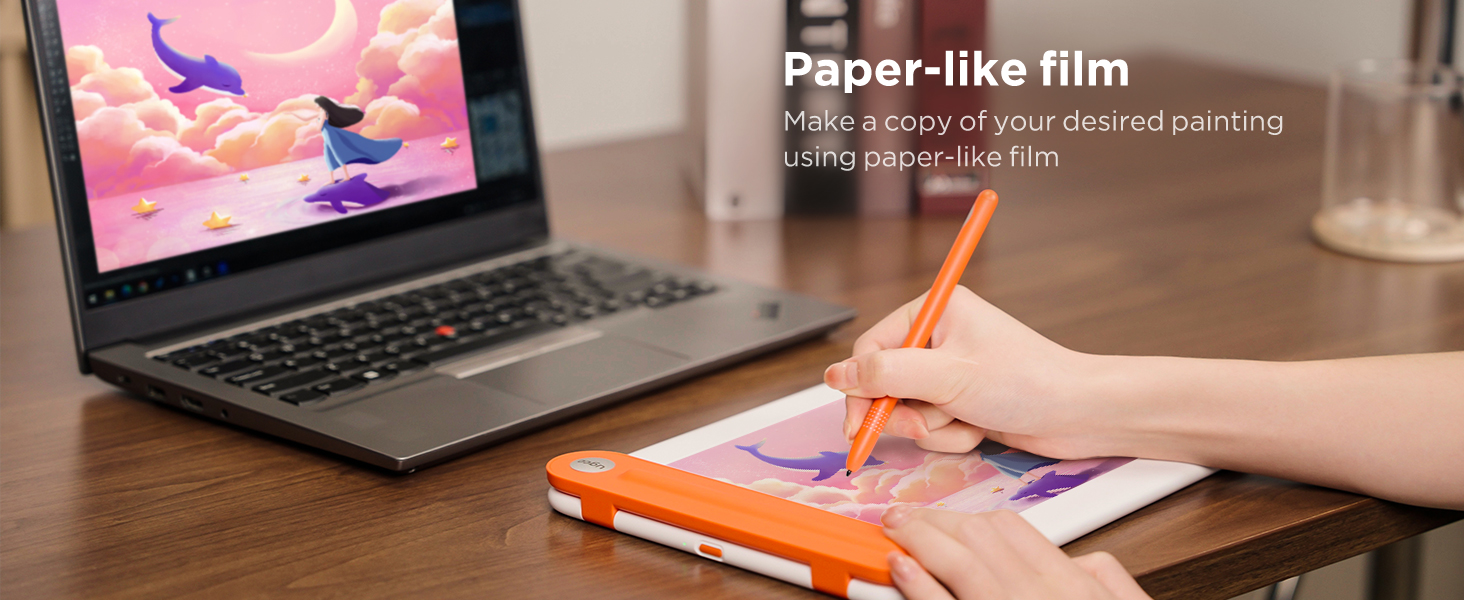
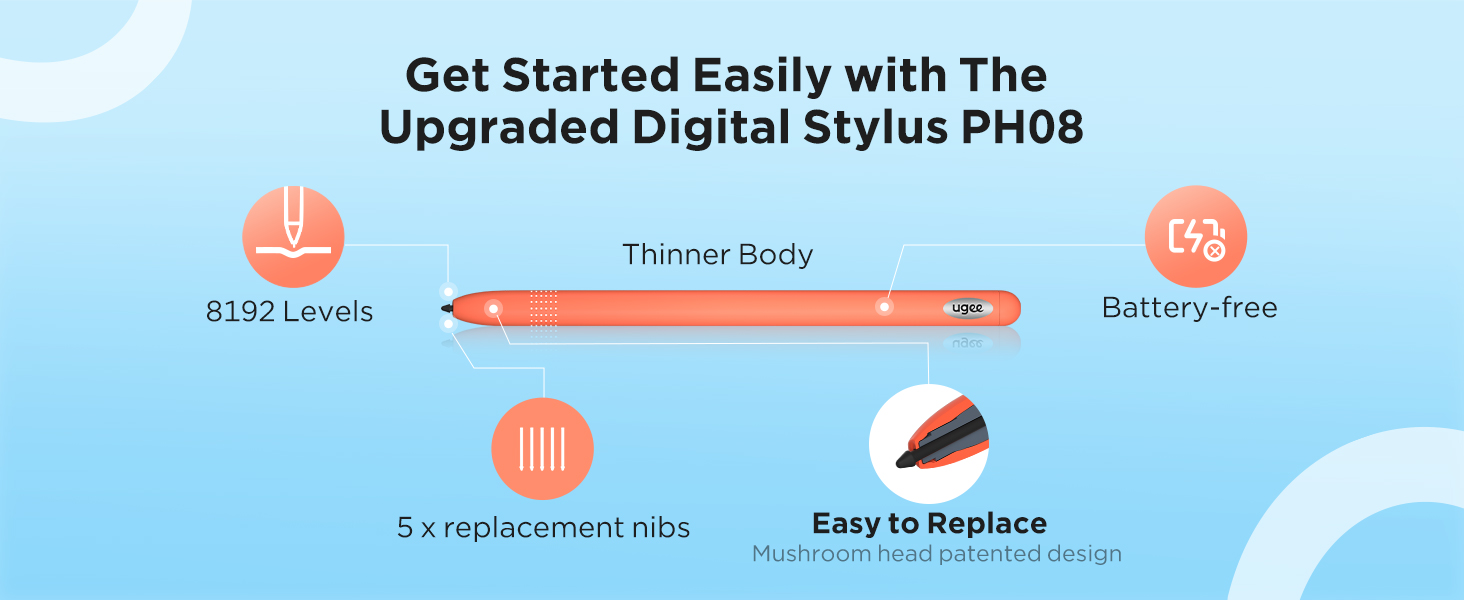
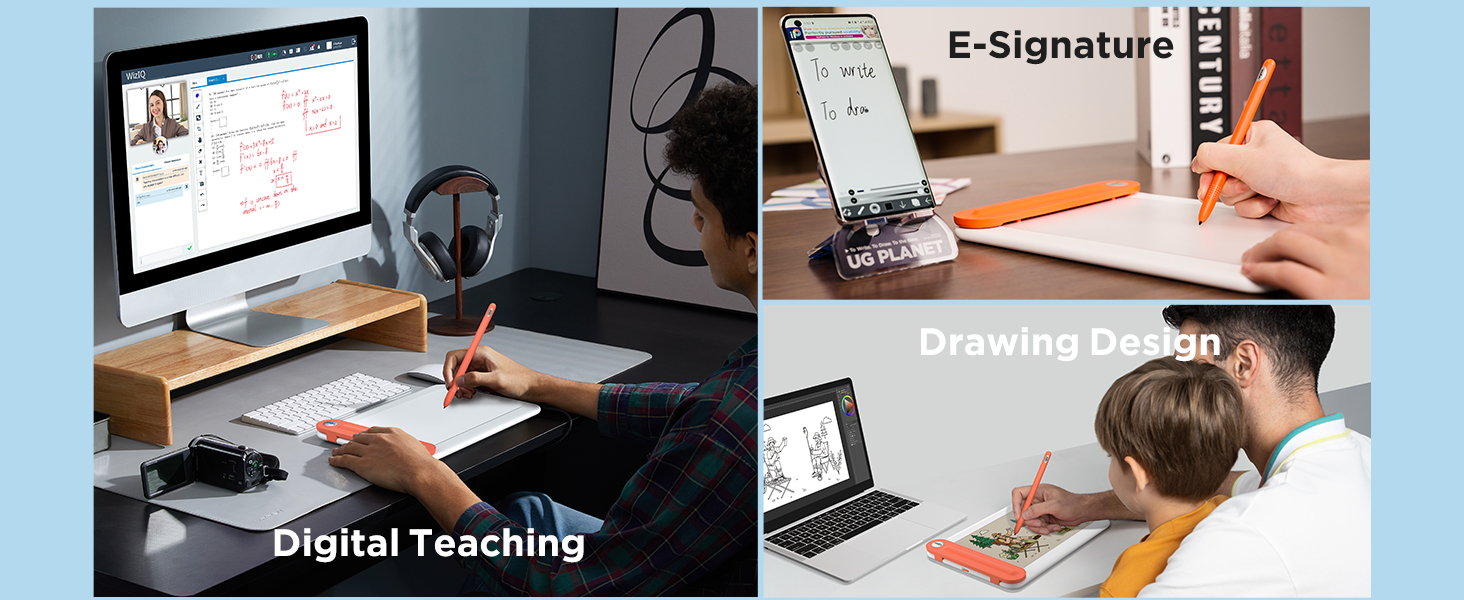
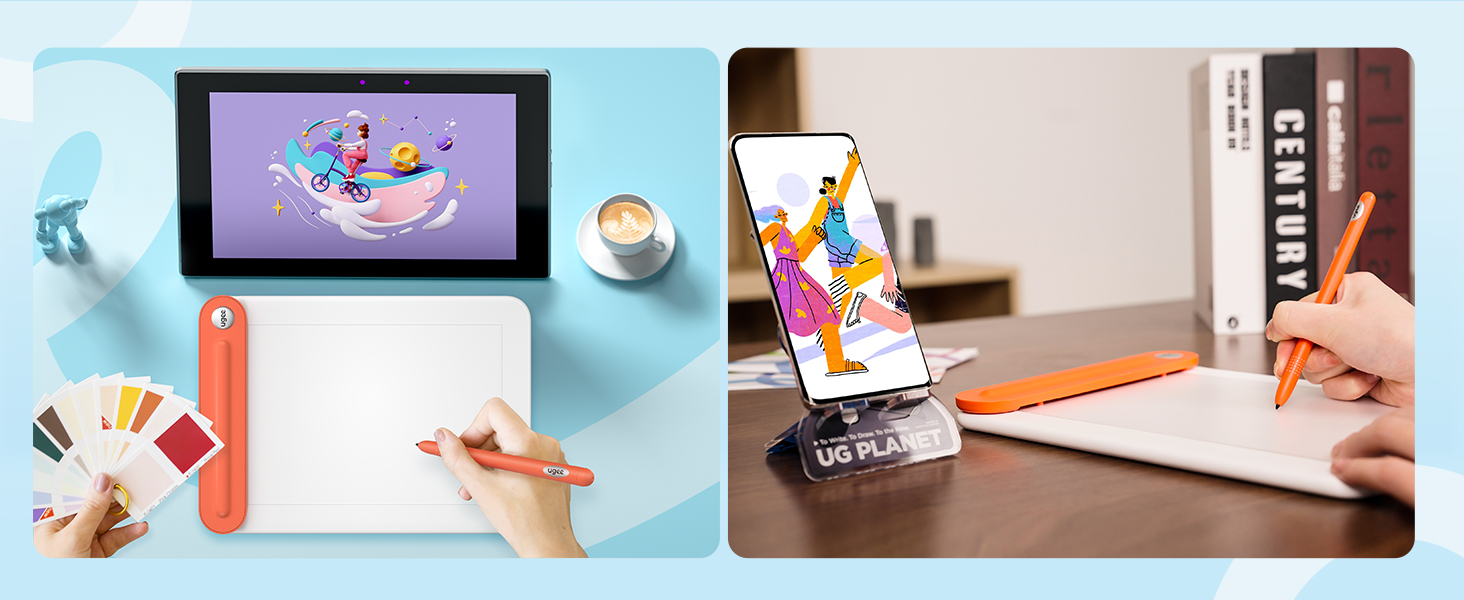
The UGEE Q8W is a sleek 8.5-inch drawing tablet featuring Bluetooth 5.0 for fast wireless connectivity, an 8192-level battery-free stylus for precise input, and broad compatibility with Windows, Mac, Chrome OS, and Android devices. Designed for both beginners and pros, it includes tracing paper for easy learning and offers a large active area with high resolution, making it ideal for remote work, digital art, and creative projects on the go.




| ASIN | B0C4YN7JS8 |
| Are Batteries Included | Yes |
| Batteries | 1 Lithium Polymer batteries required. (included) |
| Best Sellers Rank | 35,618 in Computers & Accessories ( See Top 100 in Computers & Accessories ) 75 in Graphic Tablets |
| Brand | Ugee |
| Colour | Orange |
| Customer Reviews | 4.0 4.0 out of 5 stars (2,239) |
| Date First Available | 12 May 2023 |
| Delivery information | We cannot deliver certain products outside mainland UK ( Details ). We will only be able to confirm if this product can be delivered to your chosen address when you enter your delivery address at checkout. |
| Guaranteed software updates until | unknown |
| Item Weight | 341 g |
| Item model number | Q8W |
| Lithium Battery Energy Content | 3.52 Watt Hours |
| Lithium Battery Packaging | Batteries packed with equipment |
| Lithium Battery Weight | 18.7 Grams |
| Manufacturer | Ugee |
| Number Of Lithium Ion Cells | 1 |
| Number of Lithium Metal Cells | 1 |
| Operating System | Windows 7 e versioni successive, Mac OS 10.10 e versioni successive, Chrome OS 88 e versioni successive, Android 6.0 o versioni successive |
| Product Dimensions | 28 x 20 x 0.1 cm; 341 g |
| Screen Resolution | 1920x1200 or 1600x1200 |
| Series | Q8W |
| Standing screen display size | 8.45 Inches |
G**L
Pretty colour, good tablet
Very good tablet, packaged nicely and looks very sleek. Fantastic price, the buttons are nice and easy to use. I like that it can connect to your phone. Surprisingly large considering the price, but still small enough to use in cramped spaces
S**E
Ugee 15.6 Graphics Tablet - Brilliant
I was amazed at how big a tablet you get for your money and how great the pen that comes with it. I can use it at my desk but also sat on the sofa (with the laptop beside me and tablet on my knee) It does need to attach to a computer and it attaches fine to my desktop. I use my old Windows 7 laptop with a VGA to HDMI converter as it doesn't have an HDMI port. (The USB C to C converter didn't work for me) Benefits of a big screen means I can clearly see all the tiny tool icons and it feels like I have a touch screen monitor on my knee. So pretty much doing all my computer work on it. To my joy I discovered Krita a completely free graphics package online (similar to photoshop but much easier to use. Great for drawing, painting and animation with plenty of free online tutorials to help you use it) So if you are just starting to use tablets or don't yet have a graphics package I definitely recommend Krita to use with this Ugee tablet as a match made in heaven. Having used this Tablet and software for less than a week I can only say that it is addictive. Its wonderful to draw directly onto the computer and so easily. I love the pen. It reacts well to the different pressure on the screen and the end works as a digital rubber/eraser. Now I've started using this size screen I'm totally spoilt and could never go back to a smaller screen. What a bargain compared with other brands.
N**M
Functional, cheap, not free of smaller problems.
Although I have only acquired this Graphics Tablet a good two weeks ago, I have made extensive use of it while preparing an image for a drawing competition, making me confident in giving it a preliminary review. To make matters short: This graphics tablet - as of yet - appears an ideal and cheap entry point for traditional drawers like me into digital art, that are searching for a graphics tablet (one with a screen). If you just want to draw digitally maybe a screenless table might be a much cheaper entry though. The long version. I have been drawing traditionally - with a pencil - for a great part of my short life now and - while employing GIMP for the colouring - have never drawn digitally. For the use of this Tablet, I haver switched to Krita, another free and open-source software better suited to the process of drawing. These are my Observations: Responsive: For my part I value seeing what and where I draw and lines appearing at the time I move my pen. This tablet does not perfectly replicate that feeling of traditional drawing but it sure comes close. Lines appear after a noticeable - yet non-distracting or disturbing - delay. The force needed to trigger the pen to actually cause the appearance of a line is surprisingly heavy, which is perfect for me and dispels my initial fear of damaging the screen. It might however be an issue for those used to very light drawing. Screen: First of all, the screen brightness is sufficient but not overwhelming. Further have I heard it might be susceptible to scratches over time with normal use. Another aspect of note should be its size that is smaller (in length) than the standard A4 paper. I have not had an issue with any of these - quit to the contrary do I love the ability to zoom in and out at my convenience at add useless detail - yet should these weaknesses not be discounted. The Screen does thankfully not react to the touch of anything but the provided pen (replacement tips are provided.) Technology: The biggest umph is the quality and functionality of the driver. While the buttons on the tablet can be freely bound to certain actions and keys, the pen buttons can only in theory, with some actions not working for whatever reason. This was only tested in Krita though and binding those actions that do to the pen and those that don’t to the tablet worked well enough, so take this both with a grain of salt and as non-impeding to the enjoyment of the tablet if you are one without prior digital drawing experience like me. What you should contrarily take seriously is that I have yet to find a way of using this tablet as anything but a mirror to the Computer screen (Meaning, I am unable to use this as a second screen with them displaying speperate images like reference and the drawing programm, without the tablet turing unresponsive.). Much worse, rarely the screen displays nothing, turns unresponsive or similarly unusable. This does not appear at random but as result to the Computer booting or waking from sleep. Simply reconnecting the usb-conector fixes this, but it remains an issue one might not expect to have on Windows 11 24H2 built. I blame the driver, but that’s really just a wild guess. Overall: You get what you are paying for. An alright but small display, that won’t last you forever, technical difficulties to a limited degree and other small inconveniences. In exchange you get a functional introduction into digital art for barely a hundred bucks, that enables the use of many convenient features of digital drawing without causing bankruptcy. I recommend it for those tight on money who are non-committal and inexperienced with digital art, yet thirsting for a drawing tablet with a screen.
G**E
Awful
The installation on a perfectly working Windows 11 laptop was a nightmare. I had to fiddle with Bluetooth settings to convince this device even to show up in order to pair the laptop with it. Having finally installed it, the behaviour was erratic. The tablet kept disconnecting and behaving unpredictably, while the manufacturer's instructions and website said nothing about what to do if something didn't correspond to the instructions supplied in the box. Either I received a faulty device or Ugee isn't a reputable company. Either way, I will think more than twice before I buy anything marked with that name again. As for the functionality/design of the tablet -- for those lucky enough to get it working, that is -- it's nice for people learning to draw because the tablet helps them trace drawings into the computer. But that's pretty much where the positives end. The thing is, whether you do digital drawing or just want to take course notes on a tablet like this, you need SOME buttons. I am not talking about overkill, with buttons everywhere, but things like changing brushes, zooming, etc. become really tedious if one has no buttons at all. And this tablet has NO buttons -- not on the tablet's body, not on the stylus. This makes me think that it's probably just a toy designed for children. It lacks the basic foresight any reasonable manufacturer of digital tablets would have designed into their product. Pity, though. The idea of Bluetooth connection, the compartment for the stylus and the convenient setup for tracing drawings could have been lovely features if the rest of the design wasn't so poorly thought out and limiting.
P**L
Fairly good for the price
the buttons on the pen and tablet are very nice, along with the customizability of all of them. However using the pen with the tablet does feel a little sluggish. The screen on the tablet has ALOT of ghosting with moving images and while moving the pen along the surface, the cursor does seem to lag behind making it feel not the best to use. The viewing angle are also not the best if using the tablet flat so i would suggest getting a stand. Considering other drawing tablets prices the ue12 is really good value but i would probably go with something else.
M**E
Fungerar bra, men hade gärna önskat att mjukvaran var litet smidigare. Det kanske har löst sig med uppdateringar. Kvaliteten känns också ok och förpackningen är exemplarisk. (Har tyvärr ingen annan platta att jämföra med och använder den ganska sällan än så länge )
R**M
Works great, no issues to report
M**7
Produit conforme à la description, fonctionne plutôt bien pour le moment. Idéal pour débuter. Contient tout les accessoires présentés et sont sans défaut. Colis emballé correctement cependant on vous envoi la boîte tel quel (avec la photo de la tablette dessus). Pas de carton d'emballage supplémentaire. Livraison rapide: arrivée 2 jours avant la date prévu.
A**O
Prodotto ottimo, meglio di quanto mi aspettassi visto il prezzo. Facile da installare e funziona benissimo con tutti i programmi per disegno digitale. Risposta ottima al passaggio della penna sullo schermo. Eccellente rapporto qualità/prezzo!! Arrivato in anticipo, venditore serio. Consigliato!
C**E
Muito bem embalado, comprei pra minha irmã ela ja está aprendendo a usar, muito fácil de usar
Trustpilot
2 months ago
1 month ago