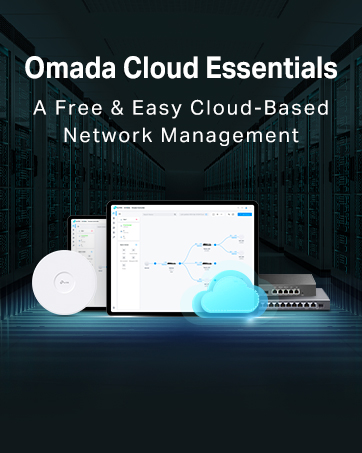
📡 Elevate your workspace WiFi with sleek, smart, and seamless connectivity!
The TP-Link EAP115-Wall is a compact, wall-mounted wireless access point designed for professional environments. It offers 300 Mbps speed on the 2.4 GHz band, supports 802.3af Power over Ethernet for easy installation, and integrates with TP-Link’s Omada cloud management platform for centralized control and intelligent monitoring. Its ultra-thin design fits standard wall boxes, blending discreetly into any office or home setting while providing secure guest network options and reliable coverage up to 300 square meters.


| ASIN | B01MY3YI6Y |
| Antenna Location | Heim |
| Antenna Type | Internal |
| Best Sellers Rank | 7,597 in Computers & Accessories ( See Top 100 in Computers & Accessories ) 14 in Wireless Access Points |
| Box Contents | EAP115-wall |
| Brand | TP-Link |
| Brand Name | TP-Link |
| Colour | White |
| Compatible Devices | Tablet |
| Compatible devices | Tablet |
| Connectivity Technology | Ethernet |
| Control Method | App |
| Controller Type | App |
| Country of Origin | China |
| Coverage | 100-300 square metres (inside) |
| Customer Reviews | 4.1 out of 5 stars 817 Reviews |
| EU Spare Part Availability Duration | 2 Years |
| Frequency | 2.4 GHz |
| Frequency Band Class | Single-Band |
| Frequency band class | Single-Band |
| Has Internet Connectivity | Yes |
| Is Electric | Yes |
| Is Modem Compatible | Yes |
| Item Dimensions L x W x H | 8.7L x 8.7W x 3H centimetres |
| Item Type Name | TP-LINK EAP115-Wall EAP115-Wall WLAN Access Point 300 Mbps 2.4 GHz |
| Item Weight | 6.7 Ounces |
| Item height | 3.02 centimetres |
| LAN Port Bandwidth | 300 mbps |
| Manufacturer | TP-Link |
| Maximum Upstream Data Transfer Rate | 300 Megabits Per Second |
| Model Name | EAP115-Wall |
| Model Number | EAP115-Wall |
| Model name | EAP115-Wall |
| Number of Antennas | 2 |
| Number of Ports | 1 |
| Operating System | Microsoft Windows XP, Vista, Windows 7, Windows 8, Windows10 |
| Other Special Features of the Product | Cable locking slot, Indicator lights, Maximum temperature 0 - 40 °C, QoS, Reset button |
| Product Warranty | 3 Years |
| RAM Memory Installed | 256 GB |
| Router Network Type | wifi |
| Security Protocol | WPA-PSK |
| Special feature | Cable locking slot, Indicator lights, Maximum temperature 0 - 40 °C, QoS , Reset button |
| UPC | 845973093457 |
| Unit Count | 1.0 Count |
| Voltage | 28 Volts |
| Wireless Compability | 802.11n |
| Wireless communication standard | 802.11n |
M**M
Easy, Fast, Discrete
I bought a large house ten years ago for a full gutting and renovation - which, as my wife regularly reminds me I'm still doing.... As part of that renovation I put in loads of Cat6 thankfully with a view to having access in all rooms. Of course WiFi has come a long way since then and most devices need it including my mobile phone which uses the internet to connect when at home due to poor local coverage. But... I introduced a problem. When I re-plastered my house I dry lined the walls using foil backed plasterboard and thus without thinking created a wonderful Faraday Cage, especially when combined with the numerous steel beams I used. WiFi cover was rubbish and became worse when I moved to BT Infinity high speed broadband as all the WiFi routers seemed to have lower ability to punch through my house. So, I moved to a BT Mesh system which, improved things but was still not ideal. I also fundamentally prefer the idea of a wired system for reliability. And then I came across the TP Link Omada system. Happy days. It is of course designed for work places, shops and offices and I did wonder if it would be some over complicated thing that needed an IT Administrator to set up. Nope. Easy as an easy thing. First off, I will say that I bought this along with a few other items. A TP Link POE 8 port switch, an outdoor AP and an indoor ceiling mounted unit as well as the controller module which, isn't necessary but does make things easier. So, assuming you have set up the controller first (not needed but better) and downloaded the app which, is needed then it's easy peasy. Using Cat5 or 6 plug into your POE switch and then use the Omada app to search for the unit. Once found give it a name and off it goes. Thing is that as part of the Omada system using the controller module you set up your own SSID and password and then as you add AP's they all work on the same system. That means you can cover your entire property including your garden with one login and because it's wired you don't have the weak repeater signal problems and lower speed that comes with a mesh system. The actual TP link device here is the same physical dimensions as a white plastic single gang plug and it fits into a standard deep pattress box. If you have the really shallow back boxes then they may need changing and the wall recess deepening to take the deep box. I made sure all my back boxes were the deepest available just in case. Overall, this is a superb bit of kit and part of a fantastic system.
M**R
Great little item, but requires power over Ethernet to work.
Great little device giving me WiFi to a garden room. One thing to note that could’ve been explained better, the unit needs power for it to work, and the power comes down the Ethernet cable that’s plugged in to the back of the unit. Some routers have Power Over Ethernet integrated in them, however most common isp routers do not support this, so a POE device is needed to power the tp link. They’re quite inexpensive, but another thing needed regardless. Set up is very straightforward once the POE device is attached. One other thing of note, in the item description it says a AAAA battery required, which is not correct.
S**R
Good AP but could be improved
Easily adopted into my existing setup of 2 other EAPs to give better coverage in the cellar. Really helps to manage the 3 APs together, instead of having to duplicate the settings across the devices. Dropped one star as the wall-mounted AP needs a deep box to mount it on the wall. Don't know why they couldn't have made the cable go in vertically, which would have made it all a bit slimmer. Doesn't really matter for my application but had to buy a 47mm deep box rather than use the 32mm one I had spare.
N**R
Brilliant unobtrusive access point.
Likes…slimline fitting on standard wall box. Looks good with no wires or power supplies Easy to connect up to ethernet cable - need to have the cable in the wall of course and with a connector rather than bare wires. Transfers full speed from my virgin hub > 200mbps Dislikes = could not connect via web browser “server not found”, but using iphone app method it worked no problem. Instructions could be clearer to point out that you need to change the SSD (network name and associated password) to same as your existing wifi. Notes: remember this needs power from the ethernet connection, so make sure you feed it from a PoE device. I bought a small 5 channel PoE+ switch that i daisy chained with existing switch. ( i need about 15 ethernet port to supply all the bits and bobs in my house!). Perhaps the daisy chaining was reason i could not set up from the browser. Anyway phone app worked just fine. Took about fifteen minutes. Definitely recommend and will buy again for another part of my house.
D**S
Great way of introducing wireless access points without losing a CAT port.
I have now bought a couple of these units as to replace dual CAT5/6 faceplate sockets in my house. The intention is ultimately to switch off the ISP provided wifi router thingy and install a "proper" router, and PoE switch. For the moment however I bought a couple of cheap power injectors and installed the injectors back at the switch end of the circuit. With the EAP provided controller software (which is free) you can manage all EAP APs simultaneously, but you can also manage the units through their inbuilt web interface. Anyway - I've set them all to the same Network Name (SSID) and now have solid coverage across the house for wireless. If you are so minded, you can configure guest networks, time of day access and device restrictions and so forth. To date I have not had any issues with these units, nor have I had to call for support. I especially like that the units have a passthrough LAN port on them too - so I haven't really lost a port either. Wireless performance wise - I'm getting pretty solid performance from the units, limited more by the connected devices. Build quality of the units is good, the button is back it and you can press the button to turn the wireless element on or off (configurable from the web interface or controller software). If you have a prewired CAT5/6 sockets/ cables to which you'd like to add relatively cheap wireless access point functionality, then these are perfect. Be warned, once you start I suspect that you'll start replacing other bits of your network to get best use of it! For me it's the start of another fun project! On that note - if you have a non wireless router that you'd recommend I'd be pleased to hear about it ! For the record - I paid for these units myself, my opinions my own etc.
P**1
Fast and very reliable are you recommended
Give me a good Wi-Fi signal and very fast and the ability to have poe through it, is very useful as you can connect up things like p o e cameras, and another plus is allegedly the Chinese government can spyit so if ever breaks hopefully they will send me to replacement straight away
D**Y
Unhappy - with service
I am unhappy with the service I received from Amazon. I ordered two of these devices and only received one. Nowhere on there website is there a way to communicate with anyone regarding these things, its all self help stuff that doesn't cover all situations. I would not recommend. The product I did recieve however is very good and performs well
D**H
Good product (TP-Link EAP115-WALL)
Good product in many respects. Works well for what it is and looks good. Only really issue is that it only uses fast ethernet and that's old tech. This would get 5 stars if it used gigabit ethernet, but without it's just a three as really, as these days, it needs to be faster and should be faster.
Trustpilot
3 weeks ago
1 month ago