🎶 Elevate your sound, wherever creativity strikes!
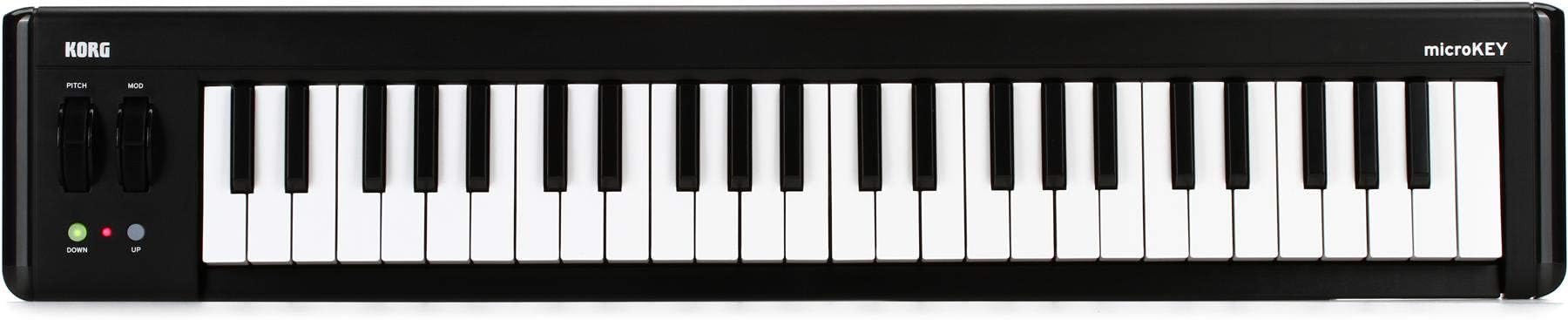
The Korg microKEY2-49 is a compact, velocity-sensitive 49-key USB MIDI controller designed for seamless integration with Mac, Windows, and iOS devices. Featuring pitch bend and modulation wheels, it offers expressive control in a portable form factor. Plug-and-play USB connectivity requires no drivers, and the included Korg software bundle jumpstarts your music production journey. Ideal for professionals and hobbyists alike, it balances performance and portability for modern music creators.


| ASIN | B017VQ6PPO |
| Batteries | 4 AA batteries required. (included) |
| Best Sellers Rank | 1,996 in Musical Instruments & DJ ( See Top 100 in Musical Instruments & DJ ) 19 in Portable & Arranger Keyboards |
| Colour | Black |
| Compatible Devices | Desktop, Laptop, Tablets (Windows, Mac, iOS), Smartphones (iOS) |
| Connector | USB |
| Customer Reviews | 4.3 4.3 out of 5 stars (3,238) |
| Date First Available | 21 Nov. 2015 |
| Hardware Interface | USB 2.0 |
| Hardware Platform | X86 |
| Instrument Key | Any |
| Item Weight | 1.4 kg |
| Item model number | MICROKEY249 |
| Material Type | Plastic |
| Musical Style | Electronic |
| Number of Keyboard Keys | 49 |
| Product Dimensions | 79.98 x 18.59 x 7.98 cm; 1.4 kg |
| Proficiency Level | All |
| Scale Length | inches |
| Size | 49 Key |
| Supported Software | FL Studio |
D**R
Excellent space saving 61 noter!
I bought this 61 noter as a supplementary USB connected keyboard to mount on my desk whilst using Ableton Live on my Mac Mini - you can never have enough midi keyboards!! :-) Now, just to clarify, for those that might not know, this keyboard does not make any sounds on its own. It relies on other devices to make the noises like computers etc running the right software to make your music happen. This keyboard generates signals called midi as you press the notes etc and these are understood by specific software running on the computer you've connected it to as musical notes to pass on to 'virtual instruments' running on the computer or perhaps other hardware 'synths' etc also connected to the computer. This keyboard does come with a download code for some music making software courtesy of Korg. Anyway, to have 61 keys in this footprint is really useful! The keys are, of course, mini (or micro) but you soon get used to their size and they are very playable with a nice feel. The pitch bend and mod wheel have a great feel too! The velocity sensitivity is excellent. You can tweak the velocity sensitivity 'curve' (amongst other things) using the excellent Korg Kontrol Editor app, available as a free download from Korg. I would advise getting this app anyway for this keyboard - there's all sorts of exciting settings that can be tweaked! It works natively out of the box without any additional drivers on Macs so I also use it as a convenient keyboard for my Mac Book Pro too. A nice midi keyboard at a great price!
G**G
Perfect companion to the iPad
I have a number of software synths on my iPad but until I bought this I had no real way of playing them properly (read, messing about with them!). This was designed to pair with iOS devices, and it does so perfectly. You'll hear and read about people going on about latency, and that's right, it's a thing. But, what most people with latency issues do is make the mistake of also having the speaker be wireless. That's too much. If you have this keyboard connected using Bluetooth LE, and then either use the speakers in the ipad or plug directly into the aux input on some speakers, you'll experience pretty much negligible latency. Is there any at all? Sure, a tiny bit, but I'm not a high-speed concert pianist, and for 99% of people it will be imperceptible. There are plenty of YouTube videos of people playing this fast and it keeping up. They keys themselves, while small, or perfectly playable, and the unit itself is sturdy enough, even on your lap. I got the 61 key version which is quite long, but also the best value for money in my opinion. Even then it's still good in the lap, but if you don't need or want that many octaves, you can save money and get less. You can still use the octave up and down buttons to go up and down the scales. Batteries on this last ages, but you can connect via USB to both power it and completely eliminate any latency whatsoever. Best of all worlds.
S**T
Excellent keyboard
I am impressed with this keyboard, having connected it to the Windows laptop on arrival and composing a soundtrack in minutes - It feels great. However I am having problems connecting it wirelessly to the iPad which is why I am giving this 4 stars instead of 5. Once I work out how to connect it to the iPad that would be awesome and I may change to 5 star depending on how easy it is - So far Im not having luck with that. However as keyboard for a windows pc or laptop, this is excellent and simple and gives you lots of nice software with it aswell.
D**N
Korg microKEY-25 USB MIDI Controller
I'm a guitarist and needed something compact but simple to add the odd synth or piano sound to my recordings, Having looked carefully at the competition I opted for this based on other reviews and the negative comments applied to other similar keyboards. For casual use the device does not disappoint. Plugged in via USB and was recognized in Windows instantly. Recocognized also by the Cakewalk software I use. The additional freeware is also extremely useful. Key touch and feel is very good indeed. It has enough controls for my use, but I suspect too few for users where the keyboard is the sole input. Small, compact, and very good build quality. All in all, well worth the money.
S**R
Fabulous desktop input
I've a digital piano for proper playing, but when it comes to entering simple tracks into sequencer or scoring software, nothing's better or more immediate than a little keyboard on your desktop. Whether using Sonar, Sibelius, or something else, multi-part orchestrations and synth tracks and vocal notes that don't need the full span of an 88 note piano are quickly and accurately executed on the microKEY. The keys are small but not painfully so (though I have small fingers!). The velocity sensitivity is good on the default and adjustable to 10 settings in software. The stick provides a valuable XY interface for many synths and instruments to get the most from them. Build quality is pretty robust. There's nothing I can fault it on. This little device is perfect for the job and at a very reasonable price, especially when you factor in the few quality audio packages it comes bundled with, including the Kork M1 virtual instrument, AAS Lounge Lizard Session Rhodes electric piano instrument, and AAS Strum Accoustic Session instrument that authentically recreates strummed and fingered guitar tracks on a keyboard. I read around a good few reviews of microkeyboards before I settled on this, and I continue the recommendations. If you're after a desktop keyboard, you'll not be at all sorry with this choice. (Used with Windows 7 32 bit, Sonar X1, and Notion 4)
T**N
great little keyboard
great little keyboard, i use it for travelling and a quick go to keyboard, only problem with it is yes its bluetooth but... there is a slight delay and that just makes it a completely useless feature. but other than that the keyboard is great quality, the pitch and modulation wheels are great feeing and are in a good position, the ability to plug a damper pedal in is a good feature. just the bluetooth problem really,
J**É
Realmente não existe um controlador de 61 teclas mais compacto. Sensibilidade das teclas me surpreendeu. Estou bem satisfeito
W**.
The instrument is quite good...but I am returning it as the keys are too small for me...
G**S
Produto de boa qualidade que me atendeu, conforme as minhas necessidades.
A**V
Très satisfait, les touches répondent bien à la dynamique qu'on lui donne.
K**S
This keyboard is small enough to keep by your computer desk, and yet large enough to get some decent usage. Would definitely recommend for the form factor alone. Simple in design, with no whistles or bells to distract, but most importantly - no more playing notes from my computer keyboard. EDIT: Depending on other USB instruments, the default Windows X driver may silently fail for the Korg Microkey, but is easily fixed with grabbing the latest driver from the Korg website and restarting your PC.
Trustpilot
2 weeks ago
3 weeks ago