Desertcart purchases this item on your behalf and handles shipping, customs, and support to Ecuador.
🚀 Elevate your workspace with lightning-fast, smart Wi-Fi that keeps you connected everywhere.
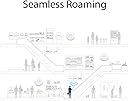
The TP-Link EAP225 is a high-performance AC1350 dual-band wireless access point featuring MU-MIMO technology for simultaneous multi-device connectivity. It supports flexible Power over Ethernet options (802.3af/at and Passive PoE) for easy deployment and offers centralized cloud management through the Omada platform. Designed for professional environments, it provides secure guest networks with multiple SSIDs and seamless roaming to ensure uninterrupted connectivity across offices or homes.


| ASIN | B01LRQW0GM |
| Antenna Location | Office, Public |
| Best Sellers Rank | 1,240 in Computers & Accessories ( See Top 100 in Computers & Accessories ) 2 in Wireless Access Points |
| Box Contents | AC1350 Wireless MU-MIMO Gigabit Ceiling Mount Access Point EAP225, Installation Guide, Mounting Kits, Passive PoE Adapter |
| Brand | TP-Link |
| Brand Name | TP-Link |
| Colour | red |
| Compatible Devices | Smartphone, Personal Computer, Smart TV, Tablet |
| Compatible devices | Smartphone, Personal Computer, Smart TV, Tablet |
| Connectivity Protocol | Wi-Fi |
| Connectivity Technology | Wi-Fi |
| Control Method | App |
| Controller Type | Switch |
| Coverage | Standard Office/Small Business Coverage |
| Customer Reviews | 4.6 out of 5 stars 1,017 Reviews |
| Data Transfer Rate | 1.3 Gigabits Per Second |
| Frequency | 5 GHz |
| Frequency Band Class | Dual-Band |
| Frequency band class | Dual-Band |
| Global Trade Identification Number | 06935364096922 |
| Has Internet Connectivity | Yes |
| Is Modem Compatible | No |
| Item Dimensions L x W x H | 18.1L x 20.5W x 3.7H centimetres |
| Item Weight | 16.23 Ounces |
| LAN Port Bandwidth | 1000 Mbps |
| Manufacturer | TP-Link |
| Manufacturer Part Number | EAP225 |
| Maximum Upstream Data Transfer Rate | 1300 Megabits Per Second |
| Model Name | EAP225 |
| Model Number | EAP225 |
| Model name | EAP225 |
| Number of Items | 1 |
| Number of Ports | 1 |
| Operating System | TP-Link OS |
| Other Special Features of the Product | Access Point Mode |
| Product Warranty | Lifetime Warranty |
| Router Network Type | Wireless |
| Security Protocol | WEP |
| Special feature | Access Point Mode |
| Voltage | 48 Volts (DC) |
| Wi-Fi Generation | Wi-Fi 5 |
| Wireless Compability | 802.11a, 802.11ac, 802.11b, 802.11g, 802.11n |
| Wireless communication standard | 802.11a, 802.11ac, 802.11b, 802.11g, 802.11n |
B**E
Perfect
I got this for home use (can be used in any office small and large. First off it arrived in the branded box shown i have used TP link products in the past and i have found these better working the Sky Router than other brands. TPLink AP is a very cost effective option and simple to install with basic DIY and network knowledge. So right out box your meet with the access point which is light weight yet strangely stronger than you think. In the box you get the 1 Access Point 1 PoE Power adapter 1 mounting bracket Instructions No cables provided so you will need to order two cat 6 or above Ethernet cables one from router to PoE and one from PoE to the Access point Fitting was really simple and it honestly tuck me all of 20 mins once i knew where i was fitting. Once fitted i go to running cables around and through trunking to where my access point was. (I would recommend trying it before you mount it to ensure its working) You have two options for accessing the Access Point, first is the App available on apple and google stores or the second through your web browser both solutions are easy even for someone with little IT experience (however if you struggle there is loads of advice on YouTube or google) instructions provided are pretty good also. Once up and running and you have accessed you access point you can clone your main channel or you can do what i have done i have set up several access points for the family and guests as sadly with sky routers you can’t have a guest channel so everyone is connected. The best thing about setting up access for my kids is that i can very quickly disable their access to the internet at certain times (for example bed times etc) i have also set up channel for smart home cctv/ bulbs etc. when setting up access i would strongly recommend you have 2.4Gz and 5Gz running together this easier and allows older devices and new devices to run on same access point without issue. Now the wifi coverage has massively increased i can now get access at bottom of garden also when i pull up where i park car my phone connects straight to the house wifi. At £61.98 at time of review its most definitely worth the price. I have recommended this to my sister who has same issues with wifi in her house and im fitting it next week Highly recommend
G**T
Wifi problems solved
Our house is quite long with internal stone walls which has meant problems in getting wifi to every room. Despite having ethernet cabling and sockets run to various rooms in the house when we had it rewired, I had continued to use powerline adaptors which increasingly suffered from dropouts. I purchased one of these access points along with a Netgear POE switch and two weeks later the difference is huge. The setup couldn't be more straightforward: ethernet cable from BT Hub4 to Netgear POE switch, ethernet cable from switch to wall socket and then ethernet cable from distant socket to the access point. Connect Netgear switch to mains and then download the TP-Link app onto iPad. Connect the iPad to the access point in iPad settings (as if connecting to a new wifi network) using SSID and password printed on the access point and the TP-Link app then finds the access point allowing the user to set first of all a user name and password and then the SSID and wireless key of the BT Hub. I could also have turned off the LED on the unit via the app but after all my previous problems with the powerline adaptors I left it on to glow reassuringly. After a week of flawless performance I bought a second unit which was just as easy to set up and which works just as well. We now have reliable dual band wifi throughout the house with seamless roaming between both access points and the BT Hub. If your house is cabled for ethernet (or if you can run ethernet cabling unobtrusively) this is by far the best way to bring wifi to all rooms in your house. Highly recommend. PS the access point comes with a mains adaptor so you don't have to use a POE switch but it looks much neater to have just the one cable going the access point so it's worth the small extra cost IMO.
R**W
Excellent Access Point - I've Bought Two
I wanted an access point to provide WiFi at the end of my garden. I had already run an ethernet cable there and was using an old internet hub as an access point. But that allowed access to my main LAN network, and I wanted guest WiFi as well, for security. This did that easily. Setup was a bit non-intuitive as the Omada app covers all sorts of industrial setups and kit, and I just wanted a simple Access Point. But when I found the right settings, it was simple. So after a week of solid performance, I bought another one to cover a different part of the garden (and reach a part of the house my main router doesn't). This was amazing - as soon as I added it to Omada, it acquired all the same settings as the first one without me having to do anything. So now I have very reliable WiFi throughout all of my house and garden and roaming from one area to another just hands-over the connection. This is for my main WiFi, and for my guest WiFi. I am delighted, this is exactly what I needed.
M**.
Great product, easy to set up, works very well...
After struggling to set up (and subsequently returning for a refund due to poor performance) a Ubiquiti WAP, I thought I'd give the TP-Link AC1200 a try. It's an absolute dream to set up; if all you need is an SSID and password, it takes about 2 minutes with their Auranet Controller software (you'll need to download this from TP-Link's website). The WiFi coverage is excellent (I have it wall-mounted downstairs in a large 2-story cottage and reception is good throughout the house.) The reason for only 4 stars is down to the design of the product; the network socket is right at the edge of the case, meaning that you're always going to see a couple of inches of cable, regardless of whether you mount it on a wall or a ceiling (especially if you use fairly inflexible Cat6 cable like I did). Secondly, some people in their reviews said that the unit came with a PoE injector. It doesn't. It comes with a standard plug-in adapter which needs to be plugged into a mains socket. So, I had to purchase a TP-Link TL-POE150S PoE injector (another £20) as the only power I had available was at the other end of the Cat6 cable in the upstairs loft! (This does work very well with the WAP, though.)
M**H
Fast, easy set up.
Decent features, easy set up, the roof/wall mount isn't the best as I a bit flimsy. POE injector is included as I've seen many people ask in previous reviews, overall for the price, great access point, I can max out my Virgin media connection with it (350 down 35 up) I've also disabled the WiFi on my virgin hub to just use this, my house is a 2 story semi detached with thick walls, I can get WiFi signal downstairs perfectly, kitchen perfectly and garden good enough to carry out normal stuff (YouTube, FB etc) My overall favourite feature is you can limit speed on any/all devices connected via WiFi and its works brilliantly, no messing with QOS set ups, literally type the max speed and it won't go over that, guess you could use this to (in a fashion) disabled the WiFi should you want kids etc in bed. Overall, 10/10 for me, zero issues, hasn't been rebooted or had any hiccups since the day it was mounted to the wall.
R**B
Great solution to poor wifi
Really pleased with this product. Bearing in mind it is a business (rather than consumer) targetted solution, it was not too difficult to set-up. the POE (power over ethernet) feature is really useful - as you will have your router near a power source, then you can use that socket as the power source for the access point. This means you have total flexibility to put your new access point limited only by where you can rune a singe Cat5e cable (with a 100m limit). I have now been able to place a super powerful AP dead-centre on a ceiling in my house and elminate dead spots, and with a bit of a creative cable path, no driling necessary (bar screwing-in the AP). Creating the same SSID as the existing network creates seamless roaming, and additional SSIDs allows a guest network and a dedicated network on the 5G band for the TV streaming - for the price, I am not sure you could do much better, and if you are in a suburban semi, I am not sure you will need much better!
F**Y
Virtually no IT skills required
So easy to fit, I'm pretty useless with IT and DIY but managed to install this very quickly and easily. The signal in my far way room is as strong as that in my router room.
L**S
Superb system, highly recommended.
Absolutely fabulous product, highly recommended. Came across this when looking for a solution for WiFi in our garden and initially bought the outdoor version. When I realised how good it was I switched out entire WiFi over to these TP-Link EAP products. Signal is amazing, I replaced our entire 4-hub Google WiFi mesh system (that still had issues) with ONE of these!!! There was a drop in signal at the extremes of the house so I’ve since added a second one, but not strictly necessary. MESH - beware! The mesh network is very easy to setup, but the only downside is that to get mesh system to work you need either an OC200 or OC300 TP-Link controller on your network. These aren’t expensive and do add an extra level of control too, so not a major issue, just something the be aware of as otherwise each access point has it’s own WiFi network. WiFi in our house is better than it’s ever been and with the outdoor access point we get the full 75Mbps fibre broadband speed right at the bottom of the garden over 60 metres away!! The signal does drop quickly inside the shed at the bottom of the garden so I’ve added a second outdoor unit to the shed to strengthen the signal inside, but overall I’m hugely impressed.
J**I
Buen equipo
He aumentado la cobertura y mejorado el control de los equipos clientes pudiendo conocer el nivel de señal con el que llegan para asegurar la calidad del servicio.
A**I
Working fine
I bought the product about 3 month ago. It is working fine and have given me no issue upto now. I am satisfied with it. I would recommend it.
O**T
Great solution
I have switched from multiple vendor access points to one solution from TP-Link. - Signal quality is gread - Range is great - Roaming from one access point to another is fine - One SSID all over the place - Software (Omada) is working great and has great features Unfortunately the wall or ceiling mount plate is different for the different models - i wish they would be the same for all models :-) I would like the option to have multiple WiFi networks. I am using the free Omada Software, but will buy the Hardware Omada controller - maybe there is the option to have multiple WiFi's Overall satisfaction is great and i can recommend it.
U**I
Nicht zufrieden
Habe es zurückgschickt. Es war einfach keine vernünftige Anleitung dabei, und als wir es endlich geschafft haben das W-lan zu erweitern, war es nicht passwort geschützt. Ich bin zwar nicht sehr technikafin, aber eine Anleitung -und wenns nur auf Englisch wäre- ist meiner meinung nicht zu viel verlangt.
P**R
Nice product
Nice product
Trustpilot
4 days ago
2 weeks ago