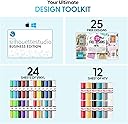
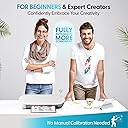
✂️ Craft smarter, not harder — your creative edge awaits!
The Silhouette Portrait Electronic Cutting Tool is a compact, lightweight cutting machine designed for precision crafting. Compatible with Mac and PC, it offers a 96 square inch cutting area and includes free software plus 50 exclusive digital designs. Ideal for cutting a variety of materials like cardstock, fabric, and vellum, it’s perfect for professionals and hobbyists seeking versatile, desktop-friendly creativity.


| ASIN | B009GZUPFA |
| Active Surface Area | 96 square inches |
| Active surface area | 96 square inches |
| Brand | Silhouette |
| Colour | White |
| Customer Reviews | 4.3 out of 5 stars 2,615 Reviews |
| Global Trade Identification Number | 00819177020434 |
| Included Components | 50 Exclusive Cutting Designs, 8-Inch Cutting Mat, Ac Adapter, Basic Instruction Guide, Download Card, Power Cable, Silhouette Portrait, Software Cd, Usb Cable |
| Item Dimensions D x W x H | 20.3D x 45.7W x 22.9H centimetres |
| Item Type Name | cutting machine |
| Item Weight | 1.6 Kilograms |
| Item height | 9 inches |
| Manufacturer | Silhouette |
| Material | Plastic |
| Operation Mode | Automatic,Manual |
| Operation mode | Automatic,Manual |
| Print media | Fabric |
| Product dimensions | 20.3D x 45.7W x 22.9H centimetres |
| UPC | 819177020434 |
| Unit Count | 1.0 Count |
E**Y
Great Scrapbooking Tool
Great, versatile machine. No problems setting up or connecting to my computer. It is very easy to change pens and blades. Just drop and click in. You can cut shapes from an image for free, no expensive die cutting things. All you need are blades (1 supplied), sketch pens (in my opinion) and paper/card! I would recommend also getting the sketch pens (see Baymax pattern paper design image below).
M**N
Brilliant machine
I purchased this machine after reading the reviews on it after looking for a lower priced machine to try and expand my crafting project and well its has certainly done that i havent been off it since, its amazing and the possibilities are endless i have basically made personalised everything for everyone for Christmas this year ive made stencils to decorate candle holder's and loads more thing's i dont know how i coped without it, the software is great and doesn't take too long to figure out and i went on youtube and watched tutorials which realy helped so i would recommend this to anyone starting out with these machines its perfect for the price
S**H
Brilliant Machine, love, love, love it!
I love this machine. Its faster than I thought it would be. The free software is a little basic but it will open files done in inkscape and gimp so that's not really a problem. The blades are holding up well. Ive only cut card, and stamp material so far but its handling everything nicely. Makes very accurante embossing folders too. Love it!
M**5
Excellent cutter for bespoke projects
Used currently for creating bespoke paper/card buildings for a model railway. Excellent device; and supported by a good software package. I design the buildings in a drawing package, then import them as a PNG file into the Silhouette software to add the cut lines. Using the Silhouette software I print the design (on a normal printer) with 'registration marks': then use the same software to cut the design on the Silhouette - it uses the registration marks to accurately cut the paper/card on the design. Only niggle is that the software doesn't always 'see' the Portrait - needing a reboot of my PC (I'm running Win8.1). I suspect that I have a conflict with another device (probably the printer), but it's a small price to pay.
J**C
Very versatile and incredibly useful!
I took a bit of a gamble with this product as I'd never owned or used a vinyl cutter before. However within an hour of receiving the product, I was up and running on my Mac. The software takes a bit of getting used to, but there are useful guides on youtube to help with tracing images etc. I purchased the cutter to cut some custom lettering out of vinyl wrap and the results were great. When it comes to applying the items you've cut, I highly recommend investing in some transfer paper as that help keeps everything in line, particularly when you're applying letting that need to line up nicely. So far there's no sign of the cutting blade becoming blunt, but replacements are easy to get and simple to install. I'm really happy with the Silhouette Portrait and it's incredibly versatile. I cannot comment on how well it cuts material as I've no reason to do so.
D**Y
it starts off fine then the whole design gets warped
I have double checked all settings, done exactly what Silhouette America has told me to do as far as fixing, but the machine just won't cut correctly, it starts off fine then the whole design gets warped. I have reset preferences using command prompt, also reset the motor, followed all instructions provided directly from the company and still this happens. I've barely even used it too, took it out of the box in Sept 17, used it a handful of times for basic things like designing cards but as soon as I try and do something worthwhile, it messes up. VERY dissatisfied, £140 wasted.
K**N
Not one to stay in the shadows...
Awesome piece of technology and I have only used it to cut vinyl shapes so far! Very easy to set up and use. Intuitive interface. USB cable included! NOTE: When ready to produce your cut out, choose "SEND TO..." not "PRINT". I soon learned from that! Easy to import images and adjust them for best effect. Many image types catered for. I used jpg, gif and bmp. The auto trace is a doddle to use. Highly recommended!
M**N
Great Product
This is a great product. I haven't used all the features yet as im sure this will take time to learn. It is loud when cutting but is not umbarable in my opinion. The bluetooth option is great as it means less cables. I did get sent an American plug instead of an english plug tho. However over all i am very pleased with this product.
Trustpilot
3 weeks ago
3 weeks ago