


Desertcart purchases this item on your behalf and handles shipping, customs, and support to Ecuador.
⌨️ Unlock Mac mastery at your fingertips — never miss a shortcut again!
This premium Mac Shortcut Sticker set features high-quality, water- and scratch-resistant vinyl designed for 13-16 inch MacBook Air and Pro models. It includes comprehensive Mac OS shortcuts compatible with all major versions, helping users boost productivity effortlessly. The easy-apply, residue-free stickers come in a convenient dual pack, perfect for professionals aiming to streamline their workflow with style and precision.


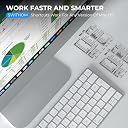


| Additional Features | Scratch Resistant |
| Age Range Description | Adult |
| Animal Theme | Cat |
| Asin | B0B7WGF5Z4 |
| Best Sellers Rank | #5,025 in Computers & Accessories (See Top 100 in Computers & Accessories) #1,920 in Laptop Decals |
| Brand Name | SWITHOM |
| Color | Mac Os |
| Customer Reviews | 4.5 4.5 out of 5 stars (890) 4.5 out of 5 stars |
| Embellishment Feature | Cut outs |
| Finish Type | Glossy |
| Indoor Outdoor Usage | Indoor |
| Item Dimensions | 3.25 x 3.25 x 0.01 inches |
| Item Dimensions L X W | 3.25"L x 3.25"W |
| Item Form | Sheet |
| Manufacturer | SWITHOM |
| Manufacturer Part Number | SW-1 |
| Material Type | Paper, Vinyl |
| Model Number | SW-1 |
| Number Of Items | 2 |
| Number Of Pieces | 2 |
| Pattern | Solid |
| Product Style | Minimalist |
| Recommended Uses For Product | Computer, Laptop |
| Reusability | Single Use |
| Seasons | All seasons |
| Set Name | 2pcs |
| Shape | Rectangular |
| Size | 3.25 x 3.25 x 0.04 inches |
| Subject Character | Cat |
| Surface Recommendation | Glass, Plastic, Wood |
| Target Audience | Tech-savvy Adults |
| Theme | Cat |
| Unit Count | 1 Count |
| Upc | 717981418099 |
| Water Resistance Level | Water Resistant |
User
Must need in office
I bought one of these before, and when I got my new computer, I knew I needed another one. It's become a must-have in my office. It's really handy to have nearby whenever I need to quickly check notes or keep important information in front of me while I work. If you spend a lot of time at a desk or work in an office, I definitely recommend picking one up.
User
Great cheat sheet!!
What would I do with out this? I would be so lost! This cheat sheet has taken the guess work out of "now how do I do that?" and having to YouTube everything! Great price and fits perfectly next to the mouse pad. I got the black lettering for a previous computer, and now have a dark grey computer, so the black lettering is kinda hard to see. White lettering would be better for the computer I have now...which is all on me. It is sticking well even after being removed from the old computer.
User
Useful item.
This is a very convenient sticker to have. It adheres very well, and the writing is clear. I did have a difficult time removing the backing, and I damaged it. But I am still happy with this purchase.In one photo, I show where the sticker was slightly damaged when I tried to peel the backing off. (SEE the red line at the top left.) It would be nice if they had some instructions about how to do that more efficiently. One photo was taken with it adhered to my MacBook Pro. The other picture shows the 2nd sticker with the backing still attached.
User
Much-needed Mac Shortkeys
A little to big for the Macbook Neo. Had to trim the header of the sticker. Ended up placing it over the mousepad due to my case cover. But very functional and useful
User
MacBook Guide is very helpful!
As someone who is new to MacBook interface it is very helpful. It sticks very well to the MacBook and looks nice since it’s see through. Definitely satisfied.
User
Extremely handy.
Wow. I've been using Macs for years and didn't know over half these shortcuts. Now, cleanly adhere by the Mac's touch pad all the references are right there. Nifty. Recommended.
User
Be sure when applying
Im brand new to Mac products and I use this shortcut everyday. It fits exactly where I want it. It’s actually useful. I like that it’s a sticker and it doesn’t budge ever.However. If you want to move it- don’t. It does not reapply at all. It didn’t have anything like a cleaning wipe, a sticker to pick up fuzz, or a smoothing applicator. I didn’t know once I put it on it wasn’t budging. I hate the bubbles but there’s no way for me to take it off and reapply it. As soon as it was on- it was stuck. Just consider that when applying.
User
Perfect shortcut
Good shortcut, specially if you work with both Microsoft and Apple in the same day
User
Difficult to apply
Separating the sticker from its backing is vet difficult. Otherwise, it contains all the necessary info.
User
Useful
Useful
User
Macに不慣れな方は、あったら良い!
Windows からMacBookに変更し、キーボードの違いがなかなか覚えられず購入。 特に一番下のOption 、Control 、shift の図が役に立てます!もっと早く買えばよかった。
Trustpilot
2 weeks ago
1 month ago