

Desertcart purchases this item on your behalf and handles shipping, customs, and support to Ecuador.
🎯 Stick with the best: flawless labels that mean business.
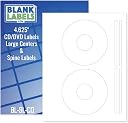
These premium CD/DVD full-face labels come in a pack of 20 disc and 40 spine labels on 10 sheets, featuring a permanent white matte finish that resists smudging. Compatible with both inkjet and laser printers, they deliver crisp, professional-quality prints every time. Proudly made in the USA, these labels are designed specifically for CD/DVD use but versatile enough for other surfaces, making them the go-to choice for professionals seeking reliable, customizable labeling solutions.


| ASIN | B017WN8MH0 |
| Best Sellers Rank | #27,436 in Office Products ( See Top 100 in Office Products ) #292 in Laser & Inkjet Printer Labels |
| Brand | Blank Labels |
| Brand Name | Blank Labels |
| Color | White |
| Customer Reviews | 4.5 out of 5 stars 2,007 Reviews |
| Finish Type | White Finish |
| Ink Color | White |
| Item Shape | Rectangular |
| Line Size | Standard |
| Manufacturer | Blank Labels |
| Manufacturer Part Number | BL-CD-10 |
| Material | Paper |
| Material Type | Paper |
| Model Number | BL-CD-10 |
| Number of Items | 20 |
| Number of Labels | 10 |
| Shape | Rectangular |
| Size | 10 Sheets |
| Unit Count | 10 Count |
C**D
These Are Great Labels For A Great Price
These CD/DVD labels are a great deal for the price. My printer is an older HP Clolor LaserJet and these labels worked flawlessly with it, no jams, no alignment problems, just perfectly printed labels. I am using a free label printing program from my Linux Mint repository in case anyone is using Linux. As you can see in the picture, they fit perfectly and stick very good to the CD. I've gotten lots of compliments on my CD labels so I'm very pleased with these!
S**K
good value OL9985 labels
Good quality labels that work in my inkjet printer. For a template, I recommend searching for OL9985 at onlinelabels dot com. The template PDF is linked at the bottom of the product page. Good value for the quantity, thank you!
J**H
A couple issues that can be easily lived with. Still the best "bang for the buck" on adhesive CD labels. See my template specs.
There are a couple issues with these labels: 1) The Avery 5824 template is NOT the right one for these labels. (And the template the seller sent me in response to a question doesn't fit correctly either...see image that I'm uploading.) 2) It's difficult to tell which side of these should be facing up in your printer. With that said...I will be buying more of these. They are a good quality label that, with just a little bit of tweaking in a Word template, work in both inkjet and laser printers, black & white or color. They stick on well and cover the entire printable area of the disk. The template the seller provided to me has the correct dimensions for the outer edge of the label, but the inner "cut out" isn't the same as the circle in the template, so if you crowd that inner circle, you'll lose some of your print when you peel the label off the backing. I used a ruler to tweak the document, then saved it as a Word template so I can go back and reuse it later. I suggest you do the same. I had a couple requests (and honestly, I should have thought of it myself earlier) so here is how I designed the template: Make sure you are using Letter paper and not A4 or any of the other sizes a lot of the Avery templates come it (i.e., I suggest starting from scratch). Use "Insert - Shapes - Basic Shapes" and select circle (with no fill) --- You'll need four circles. You'll be using "Drawing Tools" with "Position - More Layout Options" to size and position the circles. Circle 1: 4.5" diameter; Horizontal, Absolute position 1.95" to the right of Page; Vertical, Absolute position 0.49" below Page Circle 2: 1.62" diameter; Horizontal, Absolute position 3.39" to the right of Page; Vertical, Absolute position 1.93" below Page Circle 3: 4.5" diameter; Horizontal, Absolute position 1.96" to the right of Page; Vertical, Absolute position 6.01" below Page Circle 4: 1.62" diameter; Horizontal, Absolute position 3.39" to the right of Page; Vertical, Absolute position 7.47" below Page That layout perfectly aligns with the cutouts on the sheets I have...so I hope this will work properly for you. There is so much area on these sheets that isn't part of the labels, it would be nice for there to be a, "this side up" or "print this side" comment on the label side of the sheet. The cut lines are so fine and the front and back are exactly the same kind of paper, so you really have to check closely to make sure you're not printing on the back of the sheet. (Of course, if you do, you haven't ruined anything, just flip it over and send it through the printer again...but it's a nuisance.) Finally, I posted a question about the product and had an answer within an hour...I've also seen several comments to people on their reviews. I really like seeing a seller who takes the time to read and respond to the questions and comments.
M**)
Great Labels for the Memorex Template.
Very nice labels! Worked perfect with a Memorex 2-up template. No smudging once in has dried. Easy to remove once printed, easy to handle, put on the applicator and adhere to the CD. Looks nice! Will definitely buy again.
C**.
Unbelievable value!
This may be a bit of a premature review, since I've just ordered these and haven't actually used them yet, but after reading the high customer ratings here I figured I'd give them a try. In fact, I went the small amount of extra money and bought 200 of them. Compared to the equivalent Avery product, that's over quadruple the amount of labels, for a lower price. If they're as good as the reviews indicate, that's an unbelievable value. One thing I wanted to mention was, some folks seem to be concerned with the print quality not being very vivid on these labels. I've noticed this using other types of matte paper as well, since they always absorb a lot of ink. Hopefully, this simple solution will help you out: - Don't overlook your print options as a lot of people do, just accepting the defaults. - Be sure to select the correct type of paper ("Matte" in this case, of course). - Most importantly, use the "Best" print quality option, which will result in greater saturation to make up for matte paper absorbing more ink. So, don't blame the labels. Taking these steps which can be configured in just a few seconds will result in a huge print quality improvement. Also, I always feed these types of "thicker than normal" paper into my printer one sheet at a time. This avoids a double feed, where the printer will pull in two sheets at once and overlap the print across them, rendering them unusable. UPDATE 2018-04-05: Just tried these out, and they seem to be just as good as the Avery equivalent. Just a couple of observations, neither of which is a showstopper: - The matte paper is just a bit rougher but, using the print options I described above, the print quality was fine. - The center hole is a bit tight on the Avery applicator, but when the CD is pushed down they apply and center perfectly, so no issue there. As always with CD labels, the key is ensuring they're well-adhered once the disc is removed from the applicator. I simply lay a soft cloth on the table, place the CD label-up on it, and use another soft cloth on the label in a circular motion starting on the middle ring and continuing all the way to the outside of the disc. When this is done, I've never seen one peel up or bubble. I'll stand with my 5 stars rating, great overall quality, especially for the cost. * Note: I strive to write concise reviews with honest opinions to assist you as a potential buyer, and receive no monetary compensation for doing so. If you've found this information useful, I'd appreciate a click on the “Helpful” button below. Thanks!
J**T
Easy to Use White DVD Labels
I was making DVDs for a group I'm in and I ran out of labels. I ordered these and they fit the bill perfectly. I didn't need the spine part of the label, just the DVD face part. These printed really nicely. The format is standard, so I could use the same template I had been using even though these are a different brand. The ink stayed on without smearing and they adhered well to the disk. The labels make my DVDs look much more professional. The labels are easy to remove from the backing sheet and easy to put on the DVD. They are white so they cover any writing on the disk itself. The labels I ran out of were clear (which I'm not sure are even made still) so the manufacturer's labeling on the disk itself appeared through the label. These white labels make the disk look much nicer. I recommend this product.
B**W
Blank Labels BL-CD2 (100 Sheets)
The positive side of these CD/DVD labels is their price. If you are accustomed to purchasing big name brand disc labels (Memorex, Stomper, etc,) you will remember you could get a pack of 100 sheets for $15-20. Sticker shock reveals these brands now cost as much as $80 for 100 sheets. What happened? They were neatly packed in a cardboard packet adorned with nice graphics. The packet served as a convenient storage container until you used the last sheet. You got 100 sheets that ran through a printing press with the manufacturer's instructions and indicators printed on every sheet. Therefor several processes added to the cost. They may or may not have been on heavier paper stock than these blank labels. (I owned a quality printing company for a number of years.) For personal use I bought many of the Memorex and Stomper brands in the past. But I am not willing to pay the prices being asked today. As for quality of the Blank Labels, I see no difference in the end use of the product. What I have used so far have presented no problem in my color laser printer. The price is very reasonable. My order was shipped by Amazon, so I had no contact with the seller. As for the Avery compatibility, the pack I received were not compatible with the Avery template. But one can easily make a template with any "publishing" program, which I did.
M**.
Works but needs a lot more effort than expected
There’s basically zero info about how to properly line up the template with your printer so the labels always print off-center, so there’s a lot of post processing (cutting out by hand and such). Otherwise fine though, nice print quality and very VERY strong adhesive
A**T
LA DIFFÉRENCE DE PRIX
TRES SATISFAIT ET TRES BON SERVICE.MERCI
S**Y
Easy to use ......
The product works perfectly and is sold at a very competitive price.
Trustpilot
1 month ago
2 weeks ago