

Desertcart purchases this item on your behalf and handles shipping, customs, and support to Ecuador.
🚀 Upgrade your speed, storage, and style — don’t get left behind!
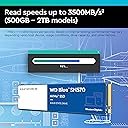
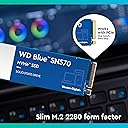
The Western Digital Blue SN570 2TB M.2 PCIe NVMe SSD delivers up to 3500 MB/s read and write speeds in a compact M.2 2280 form factor. Designed for professionals and power users, it combines massive storage capacity with reliable performance and advanced monitoring tools, making it an essential upgrade for any high-performance PC build.


| ASIN | B09JM8DJNS |
| Best Sellers Rank | #17,835 in Computers ( See Top 100 in Computers ) #149 in Internal Solid State Drives |
| Customer reviews | 4.7 4.7 out of 5 stars (9,027) |
| Item model number | WDS200T3B0C |
| Language | English, English, English, English, English |
| Manufacturer | WD - SSD CONSUMER |
| Product Dimensions | 8 x 2.21 x 0.24 cm; 6.35 g |
| amazon.ae Return Policy | Regardless of your statutory right of withdrawal, you enjoy a 15-30 day right of return for most products. For exceptions and conditions, see Return details . |
M**A
Impressive Speed and Reliable Performance
The WD Blue SN570 NVMe SSD delivers blazing-fast speeds and consistent performance. With its generous 500GB storage capacity, it's perfect for quick boot times, rapid file transfers, and smooth multitasking. A reliable and affordable choice for upgrading your storage solution.
A**S
1 year review
Solid and still working. Getting the advertised read and write speeds .
D**N
Good SSD for Intel NUC12
Installed in Intel NUC12WSHi5, for operating system. Work as listed parameters. Western Digital Dashboard can be downloaded from WD site, to check for parameters, temperature, etc. Happy with my purchase.
S**N
Good product
Good product and happy to use
W**.
منتجات ويسترن ديجيتال لا تسخن للدرجة التي تبطئ سرعة النقل ، بل تحافظ على سرعة النقل البيانات عالية .
أعتبرها أفضل ماركة إذا أردت شراء وسيط تخزين سريع ولا يتأثر بدرجة الحرارة ويظل يعمل بنفس السرعة لوقت متصل دون تباطئ في السرعة .
N**H
Nice Product
WD products are always a name of confidence.
J**U
PURCHASED FOR HP 14-CF1000NE
WORKS WELL WITH MY SYSTEM AND PERFORMANCE INCREASED TO THE NEXT LEVEL.
A**D
Fast performance
Great ssd and very fast
Y**N
muy bueno
despues de usarlo ya bastante tiempo funciona bien un disco ssd como otro cualquiera no he tenido fallos
D**F
Affidabile, Veloce e Durevole: La mia esperienza con il WD Blue SN570 500GB NVMe SSD
Dopo due anni di utilizzo intensivo del WD Blue SN570 500GB NVMe SSD, posso dire con sicurezza che si tratta di un prodotto eccellente che ha superato le mie aspettative in termini di prestazioni e affidabilità. Le velocità di lettura fino a 3500 MB/s dichiarate dal produttore non sono affatto esagerate. Sin dal primo giorno, ho notato un netto miglioramento nelle prestazioni del mio sistema, con tempi di avvio rapidissimi e un'esperienza generale di utilizzo più fluida e reattiva. La solidità costruttiva di questo SSD è impressionante. Nonostante sia stato sottoposto a un uso intensivo quotidiano, non ho mai riscontrato alcun problema di surriscaldamento o degrado delle prestazioni nel corso del tempo. La sua resistenza è un punto a favore soprattutto per coloro che utilizzano il proprio PC per attività che richiedono molte letture/scritture, come gaming o editing video. Inoltre, devo sottolineare l'affidabilità di questo SSD. Non ho mai perso dati o riscontrato errori di funzionamento durante il mio utilizzo. La compatibilità con il mio sistema è stata perfetta, e l'installazione è stata semplice e veloce. Un altro aspetto positivo è il rapporto qualità-prezzo. Considerando le prestazioni offerte da questo SSD e la sua durabilità nel tempo, ritengo che il suo costo sia assolutamente giustificato. In conclusione, il WD Blue SN570 500GB NVMe SSD è una scelta eccellente per chiunque cerchi prestazioni elevate, affidabilità e durata nel tempo. Dopo due anni di utilizzo, posso affermare con certezza che è uno dei migliori investimenti che ho fatto per il mio sistema. Consiglio vivamente questo prodotto a chiunque cerchi un upgrade significativo per il proprio PC.
R**A
Bom
Bom
A**M
Great performance
Last year I got a poorly designed Dell laptop, the drive (C) for the OS was only 128MB, after installing a few apps the disk was full and the laptop was getting sluggish. I got this drive and was very easy to clone the drive C using Macrium Reflect, no issues with the cloning or installation process, it worked at the first try and now I have plenty of space on the drive C, the laptop is performing very well. I recommend this drive, I'll buy it again.
T**Y
Best performance upgrade for laptop
I bought this for my Lenovo laptop and i must say this is one of the best and cheapest upgrades that can be done on a laptop or desktop. I know a lot of people will have questions about SSD's. So i will try to explain things a bit. There are basically 3 types of SSD - 2.5 inch SATA (SATA Interface) - M2 - MSATA - M2 - NVME But what's the difference ? Now you might have noticed i have written M2 type two times. That's the catch. They look similar but perform entirely differently. MSATA sticks uses the same communication channels as the 2.5 inch SATA drive. The maximum speeds that can be attained on MSATA is around 550 MBPS. But in NVME you can get close to 2000MBPS or even as high as 3000 MBPS. Many people are unaware of this factor and end up buying M2 MSATA or 2.5" Sata SSDs. You should always go for a NVME based one, if your Motherboard supports it. NVME works on actual PCIE bus and not SATA lines. WD Blue series also comes in 3 variants mentioned above. The MSATA and NVME sticks looks very similar, except that MSATA has 2 cuts (M key) and NVME has only 1(b key). So before you buy just check your M2 slot how it looks. If it has only 1 cut, it must support NVME, go for the NVME variant. Performance and disk size I bought the 500 GB variant and what i get is 3500 MBPS Read and 2400 MBPS Write for Sequential read. How SSDs make the system fast? Many people follow the logic that upgrading RAM is the best way to upgrade your system. But No. If you replace your hard disk, it can actually act as RAM (Page file or SWAP) as well as your internal memory. A lot of new laptops with SSD come nowadays with just 4GB RAM. Still they are fast. Now, how it works ? SSD comes with a considerable amount of transfer speed, especially for small files. Hard disks are really really slow when it comes to small tiny files, average 4K read speeds of hard disks are 3 or 4 MBPS, whole for SSD its 200 to 300 MBPS.Which is like a 100 times faster. Most of the system operations read/write small files, which makes harddisks sluggish. Forget about the 1800 MBPS Sequential speed for large files. That's yet another factor. Which size to choose ? I would highly recommend you to go for 512 or 1 TB as it has double Write speeds of 250 GB version. How to install ? It's very easy. But be careful, use a rubber gloves to prevent ESD. Slide in the Stick to the slot. It will rest at a 30 degree angle to the board. Now you need to insert the screws to fix it in right position. Before you buy .. Make sure that your board supports NVME. Check the user manual. Also check the slot and see it has only 1 cut. Not two How much is the real world results ? I use this on my Lenovo laptop. My Windows OS which used to take 2 minute to boot now takes 10 seconds. This much boost is obtained because my Desktop is i7 and can process too much data. So if you have a good processor you also can obtain similar results. I know my review was bit lengthy, but i hope you found it helpful!!
Trustpilot
3 weeks ago
1 month ago