Desertcart purchases this item on your behalf and handles shipping, customs, and support to Ecuador.
🔗 Bolt into flawless wireless freedom—ditch lag, keep control.
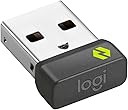
The Logitech Bolt USB Receiver (956-000007) is a compact, USB 2.0 dongle designed to deliver secure, high-performance wireless connections for Logitech Bolt-compatible mice, keyboards, and combos on PCs. With a graphite finish and ultra-lightweight form factor, it ensures stable, low-latency input free from Bluetooth interference. Highly rated by thousands, it’s the go-to solution for professionals seeking reliable, plug-and-play wireless productivity.
| ASIN | B09JL9Y1WS |
| Best Sellers Rank | #5,282 in Computers ( See Top 100 in Computers ) #43 in USB Computer Network Adapters |
| Brand | Logitech |
| Built-In Media | Logi Bolt USB-A Receiver |
| Color | Graphite |
| Colour | Graphite |
| Compatible Devices | Desktop, Headphone, Keyboard, Laptop, Mouse |
| Compatible devices | Desktop, Headphone, Keyboard, Laptop, Mouse |
| Connector Type | USB 2.0 |
| Connector type | USB 2.0 |
| Customer Reviews | 4.5 out of 5 stars 2,487 Reviews |
| External Testing Certification | Não aplicável |
| Global Trade Identification Number | 00097855168283 |
| Item Dimensions | 27 x 17 x 9 millimeters |
| Item Length | 0.73 Inches |
| Item Weight | 2 Grams |
| Item dimensions L x W x H | 27 x 17 x 9 millimeters |
| Manufacturer | Logitech |
| Mfr Part Number | 956-000007 |
| Model Number | 956-000007 |
| Number of Items | 1 |
| Number of Ports | 6 |
| Package Quantity | 1 |
| Power Plug Type | No Plug |
| Smart Home Compatibility | Not Smart Home Compatible |
| Specific Uses For Product | PC |
| Specific uses for product | PC |
| UPC | 097855168283 |
| Unit Count | 1 Count |
T**P
I decided to change my mouse from Bluetooth to USB for better stability. Be prepared. :)
Once this little Bolt USB receiver is actually paired, it works flawlessly. I switched my MX Master from Bluetooth to the Bolt dongle, and the difference was immediate—way smoother, way more stable, and none of the random lag spikes I’d been quietly tolerating. Five stars for performance. Now… the pairing process. This part felt like Logitech accidentally sent me on a time-travel mission back to 1997. I’ve dealt with IRQ conflicts and jumper pins that made more sense than what happened here. When you switch your MX mouse from Bluetooth to Bolt (Easy-Switch Slot 2 → Slot 1 in my case), Windows pops up a tiny “Click to Pair” window. Cute idea, except the moment you put the mouse in pairing mode… the Bluetooth connection drops. And since you haven’t paired with Bolt yet, you now have no mouse to click the button that pairs the mouse. Beautiful little Catch-22. If you have a wired mouse lying around, that’s by far the easiest route. Just plug it in, click the pairing prompt, and you’re done. But if you don’t… welcome to the workaround. Pro tip before you begin: Before switching your MX mouse into Bolt pairing mode, place your cursor as close to the bottom-right corner of the screen as possible. The pairing popup appears there, and once Bluetooth disconnects you’ll be using Windows’ numeric keypad “mouse,” which moves at the speed of a tranquilized turtle. Here’s how I escaped the loop: Press Left Alt + Left Shift + Num Lock → this turns on Windows Mouse Keys. Your numeric keypad now becomes your temporary mouse. 2/4/6/8 to move 5 to click Use the numpad to crawl your way to that tiny pairing prompt and hit 5. Once paired, turn Mouse Keys off the same way. After that? Smooth sailing. The receiver works exactly as advertised and completely fixes the Bluetooth quirks. Bottom line: The device is excellent. Logitech just designed a pairing method that assumes your mouse is already paired… while you’re trying to pair it. Once you get past that paradox, everything works perfectly. If you’re switching from Bluetooth to the Bolt dongle, don’t give up—just use the secret Windows mouse hack (or a wired mouse if you have one) and you’re golden.
S**N
Buen producto
Funciona muy bien, además es fácil de configurar.
Ö**K
Logitech kalitesi
Ürün kaliteli ancak çok geç geldi.
C**N
Fonctionne parfaitement
J'ai acheté une souris Logitech sans avoir bien lu ce qu'il y avait sur la boîte... J'ai dû acheter cet accessoire en plus, ce qui a augmenté le coût... de ma souris... Mais c'est du matériel Logitech, donc d'excellente qualité. Et on peut y connecter plusieurs dispositifs, si j'ai bien compris... Ca ne me servira à rien car je n'ai qu'un seule souris à connecter mais c'est ainsi...
A**I
كما بالوصف
يعمل بشكل جيد جدا
Trustpilot
2 weeks ago
1 month ago