Buy anything from 5,000+ international stores. One checkout price. No surprise fees. Join 2M+ shoppers on Desertcart.
Desertcart purchases this item on your behalf and handles shipping, customs, and support to Ecuador.
๐ก๏ธ Elevate your Surface Pro experienceโprotection thatโs barely there but always there.
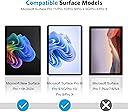
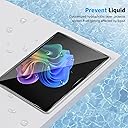
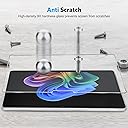
The OMOTON 3 Pack Screen Protector is engineered for Microsoft Surface Pro models 11, 10, 9, 8, and X (13-inch). Crafted from ultra-thin 0.25mm tempered glass with 9H hardness, it delivers robust scratch resistance while maintaining high touch sensitivity and full Surface Pen compatibility. Its oleophobic plasma coating minimizes fingerprints and smudges, ensuring a crystal-clear display. The package includes an upgraded adhesive and installation tools for bubble-free application, making it the perfect blend of durability and ease for professionals who demand flawless screen protection.


| ASIN | B09H6F15VY |
| Best Sellers Rank | #126 in Tablet Screen Protectors |
| Brand | OMOTON |
| Brand Name | OMOTON |
| Clarity | 5 |
| Color | Transparent |
| Compatible Cellular Phone Models | Microsoft Surface |
| Compatible Devices | Surface Pro 9/Surface Pro 9 5G/Surface Pro 10/Surface Pro 8 /Surface Pro X |
| Compatible Phone Models | compatible_tablet_models |
| Compatible Tablet Computer Models | Microsoft Surface Pro 10, Microsoft Surface Pro 11, Microsoft Surface Pro 8, Microsoft Surface Pro 9, Microsoft Surface Pro X |
| Customer Package Type | FFP |
| Customer Reviews | 4.5 out of 5 stars 3,936 Reviews |
| Item Dimensions L x W | 13"L x 10.23"W |
| Item Hardness | 9H |
| Manufacturer | OMOTON |
| Material | Tempered Glass |
| Model Name | OMOTON 3 Pack Screen Protector |
| Number of Items | 3 |
| Product Dimensions | 13"L x 10.23"W |
| Screen Size | 13 Inches |
| Screen Surface Description | Glossy |
| Special Features | 9 H Surface Hardness, Rounded Edge |
| Unit Count | 1 Count |
| Water Resistance Level | Water Repellent |
A**R
Fits Surface pro 9 very well
This is a good quality Tempered glass screen protector for Surface pro 9. Pros: 1. Covers most of the screen and cut accurately so does not block speakers or cameras. 2. Like any other tempered glass protector it is perfectly clear, without any effect on touch input. Pen also works well with one caveat (see cons) 3. Installation is easy and it comes with large dusting stickers/wipes and a cloth. Cons: There is only one con and this is true for all of the tempered glass protectors for Surface pro AND Ipad pro. While pen input mostly is unaffected the diagonal lines become jittery. Surface and Ipad has some kind of screen enhancement to make diagonals straight and tempered glass protectors seem to interfere wit it. Other than that pen works as it is. I would suggest this to almost everyone expect artists who are sensitive to diagonal line jitter.
A**O
Worth the buy
Good product is good quality and easy to apply it comes with everything you need
J**A
Nice feeling and very thick. I used them on a MS Surface Pro 3 & 7+ with no issues!
These tempered glass protectors are very thick and even have slightly beveled edges. They are case friendly in that they are slightly smaller than the screen to allow a lip of a case to grab onto the outside edge of the tablet without interference. I thought they went on just fine, it's not my first rodeo applying tablet screen protectors, and I thought the touch quality was excellent as well. I can't speak to longevity from usage as I don't use these tablet very often so they still feel very new to me. But it was great to get a three pack to cover multiple units and it was great that there hasn't been much of a change in several years so they actually fit several different models that I owned. Overall I like them and the price point is such that if you mess up on one at least you have a few others to keep trying. Personally I did not have any problems at all and it's nice to have a spare or two in the box that you could just reach up and replace when the need arrives.
S**N
Once it's on, you better hope it doesn't get adjusted
It doesn't fit the Surface Go perfectly. I'd say there's maybe about a mm under on all edges, which is quite good, but not perfect. It applied well, but with a few air bubbles. Needless to say they were easily rendered out with a card and some elbow grease. After that it was perfectly fine. Touch screen worked fine, pen works. Then, I got a case to go with my Go. I put the case on and due to the way it wrapped around, it pushed the screen protector inwards, causing it to bend and lose adhesion along the edges. I thought okay, no problem. Just take the case off and get rid of the bubbles and re-adhere it. Nope, doesn't re-adhere. Some screen protectors I've tried in the past still adhere quite well when it gets taken off, but this one, nope. There were also some really odd spots where no matter what I tried, I could not bubble out. It wasn't a clear air bubble, but it was this circular rainbow-y glare air bubble kind of thing, as if there were some particulate oil or something; this was only present after I took it off to try to reapply it. tl;dr - when you apply it, do not remove it or re-adjust it. be wary of cases that might mess with the screen protector
B**S
We Now Have a Winner...
Looks to be a decent screen protector and it's a good thing two are included in the box. Followed the instructions but they leave a few things to your imagination. I had one dust spot in top left corner after installing. I had to lift the protective screen and very carefully remove the dust with the tip of a pocket knife blade. The dust speck was in the bezel area about half way - 1/4" from edge near the speaker. With the knife point, I coaxed the dust spec away from the adhesive on the screen protector. Instructions say you can lift the screen multiple times and reapply. My experience is different. Lifted the corner just enough to slide the tip of the blade under to get the dust and then put the screen down and worked the air bubbles to the edge. I now have 3 air bubbles that are about 1/4" in diameter in the corner that I can't remove. Lifted the corner of the screen a second time and pressed down using the edge of a credit card to move the air bubbles. Can't get the bubbles out no matter how much I tried. They state small bubbles will work their way out in 1 to 2 days. So now we wait but I don't consider 1/4" diameter air bubbles small. Some observations from limited testing: 1. Fingerprints are gone! The coating they use really works in comparison to just the Gorilla 3 glass used on the Surface Go. 2. Tablet mode and using your finger to scroll the screen now creates a slight gray ghost track that I didn't notice before I applied the screen protector. Not a deal breaker nor a real hindrance to operation - just an observation. 3. This is a HD screen not a matte finish so you will still have glare. So be sure that is what you want. I will rarely use this outdoors so it doesn't really matter to me. The protector does not appear to diffuse the screen. 4. Fit. I aligned the screen to the bottom edge of the black bezel and applied the two tape hinges. That leaves about an 1/8" at the top and 1/16" space on the side edges. I didn't want to lift the whole screen off to adjust is 1/16" upwards and risk it not adhering as I'm experiencing on the corner with air bubbles. Gorilla glass really doesn't need protection but it shows fingerprints like crazy. So that's the reason I purchased this product and it does greatly reduce if not eliminate fingerprints. We'll see how long that lasts... Update 08/17/2018 The seller (Tessmall) sent me an email which stated they would send me a another shipment of two screens at their cost because of the problem I experienced as noted above. That certainly shows they care about their customers. No need to take them up on their offer though. They sent me a search phrase ( omoton 02 tempered glass screen protector installation for tablets ) that provides a YouTube link for installation instructions. It's not rocket science but I would encourage you to view it. I installed the 2nd screen protector as the video instructs but as you will note in the video, it takes time and a good steady hand to get the screen protector aligned to your tablet screen. They provide 3 alignment tabs on the card but the instructions and video only show using two. I highly advise using 3 of the sticky tabs. Turn your tablet over and place the 3 tabs along the long edge (I used the bottom edge). Now flip it over and position the screen protector on the tablet with the adhesive sheet still attached and so it mates with the tablet screen. Carefully position the screen protector so that you have an approximate 1/16" gap on all 4 sides. This is the tricky part - holding the protector so it doesn't slide around while you grab the center sticky tab. That is difficult so I added a setp and put a 3" piece of scotch tape on each side with about 1" fastened to the protector screen and the rest hanging off the edge. Now use those two scotch tape tabs to align the screen to the tablet and when you have exactly where you want it, simply push down on both of those tape pieces and fasten them to the surface the tablet is laying on. Now you have two anchors holding the screen while you fold the other 3 tabs (center one first). With the center tab attached to the screen check the alignment. If still good, fold up the other two tabs. If not, you can realign easily by lifting and re-positioning the tape anchors. Now remove the scotch tape tabs, fold the now hinged screen out of the way and clean the tablet screen as shown in the video. Remove the adhesive protector and fold the screen protector back over onto the tablet. If you secured (pressed down) the hinge tabs to the sides of the tablet when installing them, there will be no slop in the hinge joints and the protector screen will land perfectly on the tablet. Took me longer to type this than actually do it. This second attempt came out perfect, no dust no bubbles. I can't blame the seller for anything other than not including the instruction video link in their advertising which would have cleared up the instructions about "... then clear the left liquid with microfiber cloth." The product and customer service are worthy of the upgraded rating of 5 stars - no more fingerprints! The instructions need some work.
P**T
Great screen protector for the Surface Go!
This is the 2nd set of screen protectors I purchased for my Surface Go, after trying another brand that had not so great results. I'm happy to report that these Omoton protectors worked like a charm! The first one went on very easily with no muss or fuss, and I had no issues with the adhesive - meaning it stuck well on all sides as it should. Touch sensitivity (with finger and pen) are fine - and overall it's a nice screen. The only thing I think could be improved would be some tabs or guides to help put on a screen this big, but it's a very minor thing -- and was easy enough either way. Overall - if you are looking for a great screen protector at a fair price for your Surface Go - can't go wrong with these! Pros: - Adhesive sticks all around properly - Touch sensitivity is good - Comes with 2 Cons/Improvements: - Guides on the application piece would be nice, but not a must. Still easy enough to apply.
C**T
Easy to install
Installation was a breeze (takes about 10 minutes, including cleaning the fingerprints.) Some tips: 1) Follow the how-to VDO exactly. 2) Carefully check for any dust/debris before the final step. 3) Find another person to fold and affix the 'hinge' sticker pieces while you hold the protector in the exact alignment. I guess you can hold it with one hand and fold the stickers with the other too. I tested the touch and the pen after the sticker is in and those functions seem intact. I can't say anything about durability of the protector yet.
T**G
Omotion screen protectors are great products
Second Omotion protector for a Microsoft Surface tablet. (Surface Go-v1 and now Surface Pro 8). Still a great product. Success on the first try. Just like the first time, I have 2 'extra' protectors in reserve should the first one be damaged. You MUST ensure an absolutely clean surface to begin with AND ensure you use some 'canned' air to blow away any/all dust from your work area. Even then you may get 1 or 2 dust motes under the protector. No problem. Gently lift up the protector and use the 'dust cleaner' tape to pick up the dust and then lay it down again. Do not remove the 'hinge' tape until you are completely sure you have no bubbles. I then use a small rubber squeege wrapped in cloth to go back & forth across the screen to complete the seal/seating of the protector. My device was gently used with a couple of very minor scratches on the screen and while they do show through the protector if you really look for them, they did not create any bubbles. Anyone complaining of bubbles did not take the time to properly clean up before applying the protector....
M**D
Go for it
Everything is amazing except price and shipping time. It is really costly and takes almost a month to arrive from US to India. But the product is really good and high quality. Idk why I would need 2 of these but I suppose if you screw up the first one you have got a backup. Fortunately for me I got it right the first time and now I have one extra tempered glass in perfectly good condition. Maybe I'll need it in the future though I doubt it. So, if you have got a surface go, you don't really have any other option. At least when I bought these, this was the only seller selling tempered glass for surface go. Ps. Surface go 2 has the same design as surface go 1 so I am pretty sure this will work for that as well.
J**S
Fits Perfectly
Fits perfectly if you use the guide stickers according to the instructions. It fell into place with no problems. I messed up the first time so make sure to do this in a steamy bathroom to keep the air born fuzz down.
P**V
Perfect fitting and strong glass
Perfect product. Good fit and clear screen. Must buy.
G**G
does the job
no issues, clear instructions, easy to apply, does what its supposed to do
M**A
Easy to apply.
Looks to be a excellent product.
Trustpilot
1 week ago
1 month ago