Desertcart purchases this item on your behalf and handles shipping, customs, and support to Ecuador.
🚀 Upgrade your home network to pro-level speed and coverage—no compromises!
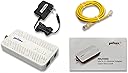
The goCoax MoCA 2.5 Adapter (MA2500D) delivers up to 2.5Gbps real-world throughput by utilizing your existing coaxial cables, enabling ultra-fast Ethernet connectivity without rewiring. Designed for easy installation with wall or desk mounting, it supports up to 16 devices on a single network, perfect for streaming 4K video, online gaming, and VR. Equipped with a 2.5GbE port and MoCA 2.5 technology, this adapter transforms your home’s coax infrastructure into a powerful, reliable network backbone.


| ASIN | B08XP8MMFG |
| Best Sellers Rank | #50,502 in Computers ( See Top 100 in Computers ) #84 in Powerline Network Adapters |
| Brand | goCoax |
| Color | White |
| Colour | White |
| Compatible Devices | Desktop |
| Compatible devices | Desktop |
| Customer Reviews | 4.6 out of 5 stars 834 Reviews |
| Data Link Protocol | MoCA |
| Data Transfer Rate | 2500 Megabits Per Second |
| Data link protocol | MoCA |
| Hardware Interface | Ethernet |
| Hardware interface | Ethernet |
| Item Dimensions L x W x H | 13.9L x 7W x 1.8H centimeters |
| Item Weight | 320 Grams |
| Manufacturer | goCoax |
| Mfr Part Number | MA01-0001 |
| Model Number | MA2500D |
| Product dimensions | 13.9L x 7W x 1.8H centimeters |
| UPC | 860006283209 |
| Unit Count | 1.0 Count |
G**K
Works great, compatible with other brands like TP-Link.
These are an excellent alternative to Powerline Ethernet, which works reliably only 20% of the time. MoCA works a 100% of the time. Make sure that your coax splitters are capable of more than 1GHz. 3-way splitters often have one -3dB port and two -7dB ports. -7dB works better - it's higher attenuation, but wider band. Make sure you terminate unused ports with a 75Ohm terminators. Also keep in mind that they have a slightly higher latency - I'm seeing a 4ms ping round trip time on these.
N**G
Set up was easy once I fixed my router…
Works perfect. Only needed one because I have a MOCA enabled router. Set up was a pain, only because my router wasn’t enabled for MOCA even though CS told me the default setting was enabled. And then I couldn’t access admin portal so I had to factory reset my Gateway, access admin portal and what do you know - MOCA was disabled. I have a cable box in the closet right next to my office and a wall port right next to my desk. Bought a splitter on Amazon, have the unit set up on my desk, no wires all over and I’m hardwired for work.
S**E
Meglio di quanto mi aspettassi
Premetto che utilizzo i powerline da anni e non ero nemmeno a conoscenza della tecnologia MoCA fino a pochi giorni fa. Mi sono documentato brevemente online e ho deciso di provare con questi goCoax poiché, tramite i powerline, riuscivo a portare soltanto 100 Mbps in down/up al mio pc fisso (che non posso connettere direttamente al modem) pur avendo la fibra da 2,5 Gbps a casa. Nel mio caso è andata anche meglio di quanto pensassi, lo speed test mi restituisce circa 950 Mbps in down e up (a causa della mobo sul fisso che supporta LAN fino a 1 Gbps) con 7 di ping. Se rimane stabile così anche nei prossimi giorni, sostituisco definitivamente i powerline. La configurazione è molto semplice, vi servono ALMENO due goCoax, uno lo connettete tramite LAN al modem e tramite cavo coassiale a una porta coassiale, così da fornire la connessione internet al cavo nel muro; l’altro goCoax lo connettete tramite LAN al dispositivo che volete (nel mio caso pc) e tramite cavo coassiale a un’altra uscita coassiale. In teoria andrebbe anche messo un filtro per le interferenze, che ho acquistato ma non ancora installato, se ne avrò la necessità lo farò. Nella confezione del goCoax trovate sia un cavo lan sia uno coassiale, ma quest’ultimo è abbastanza corto e vi consiglio di comprarne uno a parte. In definitiva, se avete la possibilità e il giusto impianto di cavi coassiali a casa vostra, vi consiglio sicuramente di sostituire i powerline con i MoCA
L**.
Amazing solution for my situation
I live in an apartment building and the powerline solution I was hoping to use dropped me from about 280Mbps of bandwidth (the full bandwidth of my internet subscription), 20ms ping and very solid reliability on wired ethernet, to about 25Mbps of bandwidth and about 100ms ping, and very frequent dropouts where there is no connection at all for minutes at a time. I live in a pretty modern building so I was not expecting issues but I guess there are many other individual powerline users in the building that run on similar frequencies or maybe another device or appliance is causing trouble. I really didn't feel like testing many different powerline solutions, and running a long ethernet cable would be a huge hassle here (I will only live here for about a year and my housemate is the homeowner, so they were not too keen on me drilling holes either) But I found my saving grace in this GoCoax MoCa solution. There was an existing coax cable running through the walls from a distribution box near the modem to the room where I need the wired connection, intended for a tv in this room. I was able to disconnect the coax cable from the main distribution box and hook up these GoCoax adapters directly, using an adapter on the other end from the "tv" plug in the wall. This way they are not on the main coax connection of the building but wired directly to each other. The result is an extremely stable connection, with no dropouts (even doing long uploads/downloads of hundreds of GBs that take multiple days at a time and which would fail if the connection would drop). I'm getting virtually the same bandwidth as far as I can tell, and no noticeable latency increase (probably a couple ms, but I can't tell the difference for normal daily use). I have not tested the total bandwidth I could get from an internal connection, but I suspect with this setup I would be able to saturate my gigabit devices as it all seems rock solid. The adapters are a bit more expensive than your average powerline solution and definitely more expensive than normal ethernet cable, and powerline is obviously more versatile (who knows if the next place I live will have a similar coax setup), but I am very happy with my purchase.
D**E
Un excellent compromis entre performance et praticité, parfait pour le jeu en ligne
J’ai longtemps cherché une solution fiable pour m'affranchir du câble Ethernet qui traversait mon salon (en passant sous ma porte) vers ma chambre. Même si cette installation, un peu bricolée, me permettait d'avoir une connexion ultra stable, elle n’était : ni esthétique, ni pratique. J’ai alors essayé de trouver une autre solution. J'ai commencé par tester les prises murales RJ45 déjà installées dans mon appartement, mais le câblage semblait conçu uniquement pour la téléphonie, pas pour internet. Ensuite, j’ai envisagé l'achat de boîtiers CPL. Mais même avec les modèles les plus récents en G.hn2400, la perte de débit et la latence n'étaient pas satisfaisantes pour mon utilisation (pour du gaming). Pour jouer en ligne, un bon ping et une connexion stable sont essentiels. Ma carte mère ASUS disposant d’un port 2.5Gbit, je voulais vraiment exploiter ce potentiel sans compromettre la réactivité en jeu. C’est en creusant que j’ai découvert la technologie MoCA, peu connue en France mais apparemment bien plus répandue aux États-Unis. J’avais quelques craintes au départ, notamment sur la compatibilité avec les installations coaxiales françaises, mais j’ai tenté le coup… et j’ai été bluffé. Les boîtiers sont arrivés prêts à l’emploi. En consultant la fiche produit, je pensais que seuls 1 câble Ethernet et 1 adaptateur secteur étaient fournis. Mais j'ai été agréablement surpris de découvrir dans la boîte, en plus, 1 câble coaxial ainsi qu’1 adaptateur type F vers TV (mâle/femelle). L’adaptateur secteur est bien au format européen (fiche à deux broches de type C, utilisée en France). Par contre, personnellement, j’ai utilisé mes propres câbles coaxiaux car j'avais besoin de câbles beaucoup plus longs (2m) et coudés. Mais pour une installation standard, tout est clé en main. Vous n'aurez rien d'autre à acheter. Voici les points positifs et axes d’amélioration que j'ai relevé. Les points positifs : - Une connexion d'une stabilité remarquable dès la mise en route - Un excellent ping en jeu (latence très basse et constante) - Débits quasiment identiques à une liaison Ethernet directe - Je frôle les débits max de mon offre fibre : environ 2 Gb/s en téléchargement et 900 Mb/s en envoi - Présence d’un manuel fourni, pratique même pour un novice Quelques petits axes d’amélioration : - Il n’y a pas de mode éco ou de gestion automatique de la consommation électrique en cas d’inactivité, ce qui aurait été appréciable - Le connecteur coaxial est situé d’un côté du boîtier, tandis que les ports Ethernet et d'alimentation sont placés à l’opposé, ce qui complique un peu la gestion des câbles - Le manuel fourni est uniquement en anglais - L’accès à l’interface nécessite un petit réglage de l’adresse IP, elle doit être locale (voir plus bas pour la procédure détaillée). Le manuel mentionne qu’il faut une IP fixe, mais sans expliquer comment faire - L’activation du chiffrement MoCA (LED “SEC”) n’est pas très bien expliquée. Le bouton MPS est mentionné mais son utilisation manque de clarté. Cette étape reste optionnelle, mais elle est tout de même recommandée - Le firmware installé (2.0.16.0) est plus récent que celui proposé sur le site officiel (2.0.14), ce qui peut déstabiliser au moment de vérifier ou mettre à jour - L’interface web d’administration est assez basique, pas très ergonomique. Je peux proposer au fabricant une refonte gracieuse de leur site internet lol si ils veulent (appelons ça un geste solidaire) En résumé, la liste des points d’amélioration peut sembler longue, mais dans les faits, les bénéfices prennent largement le dessus. Ce boîtier représente une solution idéale pour toute personne cherchant une alternative sérieuse à l’Ethernet sans en subir les contraintes physiques. C’est fiable, performant, stable dès la première utilisation et compatible avec le câblage français, ce qui était mon inquiétude initiale. Même sans toucher aux paramètres avancés, tout fonctionne très bien dès la sortie de boîte. Certaines configurations supplémentaires comme le chiffrement MoCA sont possibles mais pas indispensables au fonctionnement. Petit bémol, un peu cher pour s’affranchir d’un simple câble, mais pour ceux qui ont une grande maison ou un réseau complexe à couvrir, c’est clairement LA solution. Je recommande sans hésitation. --- Bonus : précisions pour définir une IP fixe afin d'accéder à l’interface d’administration Pour accéder à l’interface web du boîtier, il faut attribuer manuellement une adresse IP à l’ordinateur. Le manuel indique qu’une IP fixe est nécessaire, mais sans détailler les étapes. Voici la procédure sous Windows 11 : 1. Aller dans Paramètres > Réseau et internet > Ethernet 2. Cliquer sur Modifier à droite de la ligne Attribution adresse IP 3. Passer de Automatique (DHCP) à Manuel 4. Activer IPv4 5. Saisir les valeurs suivantes : - Adresse IP : 192.168.254.10 - Masque de sous-réseau : 255.255.255.0 6. Enregistrer les paramètres 7. Ouvrir un navigateur et entrer l’adresse suivante dans la barre : 192.168.254.254 8. Pour se connecter : l'identifiant par défaut est "admin" et le mot de passe "gocoax"
Trustpilot
1 month ago
3 weeks ago