Desertcart purchases this item on your behalf and handles shipping, customs, and support to Ecuador.
🔒 Elevate your indoor security game with pro-grade clarity and control!
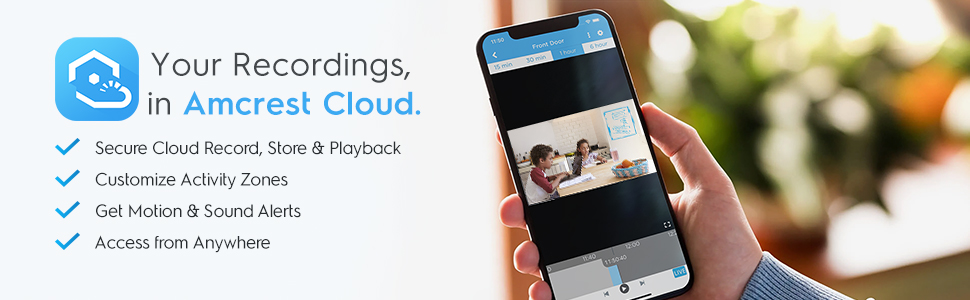
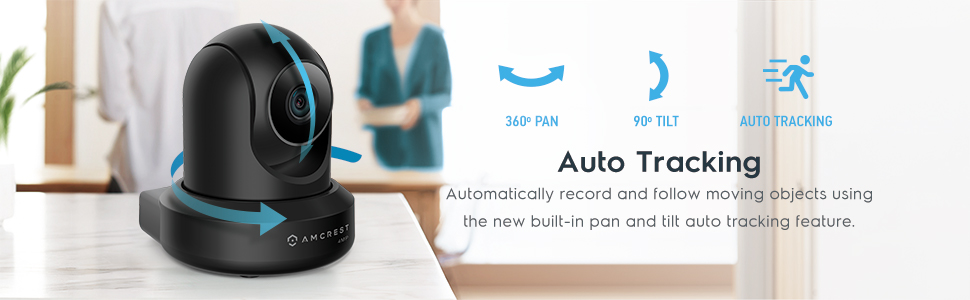
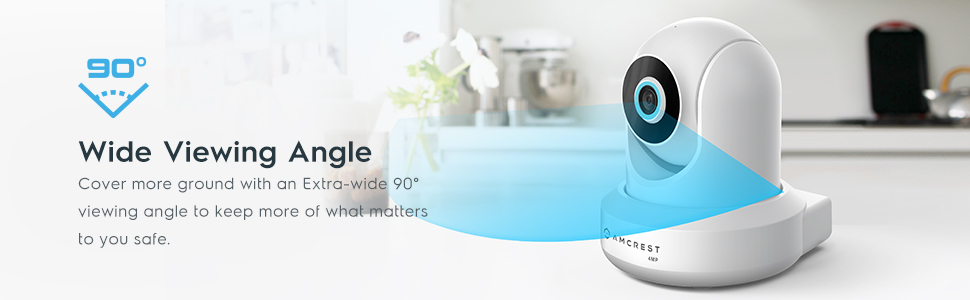
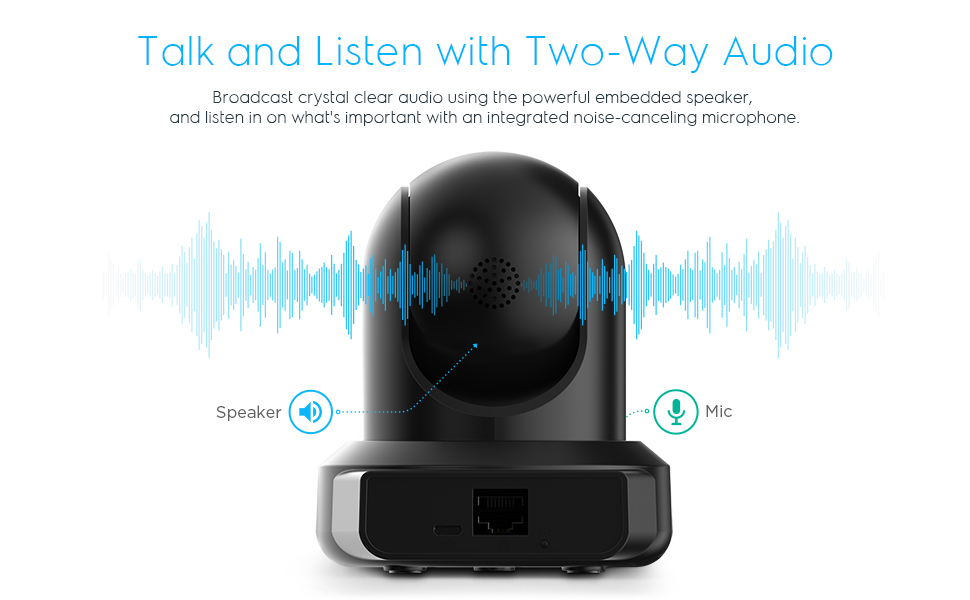
The Amcrest 4MP ProHD Indoor WiFi Security Camera combines ultra-high-definition 4MP video at 30fps with advanced pan/tilt functionality and night vision up to 32 feet. Featuring two-way audio and seamless remote viewing via the Amcrest app, it supports secure cloud and local storage options. Designed for professional-grade indoor surveillance, it offers a wide 90° field of view, H.265 compression for efficient bandwidth use, and robust encryption protocols to keep your home or office safe and connected.


| ASIN | B095XD17K5 |
| Alert Type | Motion Only |
| Antenna Location | Indoor Security |
| Best Sellers Rank | #101 in Dome Surveillance Cameras |
| Brand | Amcrest |
| Built-In Media | 1 x 5V Power Supply, 1 x Ethernet Cable, 1 x Mounting Bracket |
| Color | White |
| Compatible Devices | Smartphone |
| Connectivity Protocol | Wi-Fi |
| Connectivity Technology | Wireless |
| Controller Type | Amazon Alexa |
| Customer Reviews | 4.0 out of 5 stars 2,175 Reviews |
| Effective Still Resolution | 4 mp |
| Enclosure Material | Plastic |
| Form Factor | Dome |
| Frame Rate | 30 fps |
| Global Trade Identification Number | 00850011990025 |
| Indoor Outdoor Usage | Indoor |
| Indoor/Outdoor Usage | Indoor |
| Item Dimensions | 4 x 4 x 5 inches |
| Item Weight | 16 ounces |
| Light Source | Infrared |
| Manufacturer | Amcrest |
| Manufacturer Warranty Description | 1 Year Warranty |
| Memory Storage Capacity | 256 GB |
| Mfr Part Number | IP4M-1041W |
| Model Number | IP4M-1041W |
| Mount Type | Protruding |
| Night Vision | Night Color |
| Night Vision Range | 32 feet |
| Number of Channels | 4 |
| Number of IR LEDs | 1 |
| Number of Items | 1 |
| Other Special Features of the Product | PTZ Technology |
| Photo Sensor Resolution | 4 mp |
| Photo Sensor Technology | CMOS |
| Power Source | Corded Electric |
| Recommended Uses For Product | Indoor Security |
| Room Type | Bedroom, Kitchen, Living Room, Nursery, Office |
| Special Feature | PTZ Technology |
| Specific Uses For Product | Surveillance |
| UPC | 850011990025 |
| Unit Count | 1 Count |
| Upper Temperature Rating | 45 °C |
| Video Capture Format | H.264 |
| Video Capture Resolution | 4 MP |
| Viewing Angle | 90 degrees |
| Voltage | 5 volts |
| Waterproof Rating | IP4M 1041W |
| Wattage | 1041 watts |
| Wireless Technology | Wi-Fi |
| Zoom Type | Digital Zoom |
C**O
Mounted inside my windows looking out via ethernet
I will update if things change as far as failing over time, only had them for a month so far. I'll quickly cover all the things I wanted know and couldn't find a difinitive answer to before I purchased. Yes these can be wired or use wifi. I have mine hard wired with ethernet cables (initial set up requires ethernet). The cameras can be viewed on either phone through their phone App or desktop via Amcrest Surveillance Pro that you download for free from their site. I have my cameras mounted on the inside top of my windows looking outside (image flipped), so they can be set to fulltime "daytime" so the IR camera never turns on and causes window glare that blinds the image. You can turn off all the indicator lights on the back so no one can notices you have cameras in your window at night. These can be difficult to set up if you don't have some basic computer knowledge. Each camera gets it's own IP address so you have use the phone app to intially set up and give it a new password and then after enter the camera via desktop/laptop internet browser using the IP address to really dig into all the features. And there are quite a bit of features to fine tune. Good news, if you go to Google AI type the model number and ask whatever question, AI will explain how to find anything within the camera you're looking for and explain. Each camera records two simultaneous vids, a hi and low res that you can switch between when veiwing. The purpose is to make it easier for your computer to show multiple cameras at the same time in low res (4-16 cameras at once etc.) and not stress the computer or your internet speed. When I have all the vids showing hi res my computer runs hot and I have to turn on all my fans. I have SD cards in each so the cameras record both hi and low to the cards at the same time as well as records seperate "motion detection" events, you can set each camera to record to other sources like a central DVR or cloud. Playback is easy once you play with it. You can set the cameras to record 24/7 7 days or specific days and times. General playback and Motion Events are seperated by color so you can quickly find and look at the "events" and not have to search through the normal feed to find the events. Sensitivity of the motion needs to be turned up to catch vehicles and clothing that are close in color to the background. Again, when you dig into all the features and you see options you aren't sure of, ask Google AI, it clearly explains every minute detail and tells u what 2 choose based on your situation (explain ur situation first i.e. they're in the widow looking outside or ur trying to catch your wife sneaking snacks at 3am, it'll tell u exactly how to catch her). These are much better than the cheap MIPC cameras, they come with brackets that allow you mount upside down at the top of the widow. Unfort. the Samsung PRO Endurance 256GB microSDXC Memory Cards I'm using cost almost twice the price of each camera (256 is the max and gives you about a week before it overwrites). Image quality is good enough for me, zoom works but really looses quality after zooming 1/2 way. I don't think the camera itself has any zoom like your phone, it just enlarges the area ur trying to zoom in on, so it pixelates quick. I purchased the white, since I didn't want the IR lights to come on (that's the black outer ring) I covered the camera lens with painters tape and spraypainted with black IR ring and the Amcrest logo with Rustoleum Prof. 3 quick coates-15 min between coates and let dry for 24 hours and now you can't see anything from outside unless you're really trying to find them.
A**R
Great indoor security camera
I previously purchased another brand advertised as an indoor/outdoor camera, but had multiple issues after setup and wasn’t able to get reliable support from the manufacturer. My wife has been pushing me to get a replacement and since I’ve had positive experiences with other Amcrest products I own, I decided to give this one a shot. I was hesitant at first because the overall rating isn’t great (4* at the time of my review), but I am so glad I decided to get this one. This review will probably get a bit lengthily, so I’ll add a tldr at the end if you want to skip to it. Before I break everything down READ THIS IF YOU PLAN TO USE WIFI: You will need the included Ethernet cable and your router before you can connect to WiFi. Had I read the instructions before I started setting this camera up, I would have saved time by not installing it in the wall first, rooms away from my router. I read dozens of reviews before making this purchase, and one consistent complaint was the lack of instructions. I can’t say that I agree with most users here; I found the instructions very thorough in terms of actually turning the camera on and setting it up for the first time. I connected via WiFi, but there are detailed instructions for mobile and Ethernet as well. The back of the quick start guide also has links to alternative access methods and physical installation guides. Is absolutely every manual for each setup/installation method included in the box? No, but links to everything are provided in the Quick Start Guide and we’re all ordering this from a computer or mobile device anyway, so why not save the paper and use the links? But I digress… First off, everything came packaged nicely and was well organized. This isn’t something that will necessarily increase my rating, but would definitely count against it if I received a box with a jumbled mess. I found the physical installation itself to be very straight forward, but as mentioned, there is a link in the included guide to help with setup if needed. I ultimately installed the camera on my wall, as you can see in the picture, but there are also rubber feet on the bottom if you just want to set it on a different surface in your home. Note that this device cannot be set up level on vaulted ceilings without purchasing a separate bracket or mounting plate due to the angle of the ceiling. If you have flat ceilings, or choose to install on the wall like I did, it will install just fine with the included hardware. The included USB to micro SD cable is very long and had no problem reaching my wall outlet from the mounting position just under my ceiling, so that was also a plus. I mounted the camera before I connected it to WiFi, which was a mistake, but it was easy to unscrew from the bracket and take into my office where my router is to connect with the included Ethernet cable. The Quick Start Guide does a great job of walking you through the steps to get the camera connected, and once I had the app downloaded and entered my WiFi credentials, I was able to bring the camera back into my living room and operate it with no problems. When it comes to using the camera and app, I recommend going through the tutorial that pops up when you first log in. If you skipped it by mistake (like I did), you can access it again from the main menu. There are A LOT of features, and even after going through the tutorial and playing around with them, it’s easy to get lost or forget what function is “hidden” behind another icon menu. That said, all the functions and features seem to work exactly as they should. I did find the tracking feature a bit quirky at first, but this was my fault and not an inherent issue with the device. When I first tried tracking with the camera, it kept wanting to pan up to my ceiling fan (which was on at the time). Even when waving to the camera and walking around, it would start to follow me, then immediately go back to the fan. As soon as I turned the blades off, it tracked me perfectly. There’s also an option to set the tracking sensitivity, but the standard settings worked well once the fan was off, so I didn’t play around with them. Another thing I really like is HD mode. I attached pictures to my review of Standard Definition “SD” and High Definition “HD.” I only pictured a small section of the room the camera captured for privacy reasons, but there is still a big difference. Accessing, operating, and recoding the camera from the phone app works really well, even if the menu options themselves are a bit clunky. The privacy mode is also nice to have when it’s just my wife and I at home and we don’t want to feel like we’re being watched or recorded. I did not test desktop access because I don’t plan to use it. If there’s one negative I could give the device itself, it’s that it’s pretty big and conspicuous. I didn’t purchase this to be a hidden camera or anything, but it would be nice if it was a bit smaller, or was at least all white and didn’t have the black “Amcrest” logo printed across the front. tldr; I am very impressed with this camera, both from a function standpoint and the price point. Having mobile access and control, as well as the ability to record, were must haves for me, and this device delivers. The camera could be a bit more discreet, and navigating the app can be a bit unintuitive in some instances, but this thing is packed with features and everything works exactly as advertised. Overall, this was a great purchase for an indoor security camera.
M**X
good camera, hit or miss on reliability
Good camera, works for a self hosted, non cloud solution. I did put in firewall rules to prevent them from calling home. 2/3 survived the three years that I've had them, so I do wish it had better reliability.
P**D
Compatibility with their own software is nonexistent
Does not work with Amcrest Surveillance Pro software. Does not work with Amcrest View Pro software. Is not compatible with QNAP NAS with surveillance software. Can only record to Amcrest Cloud or SD card (Read someone else's computer or additional purchase of SD media) Forces account creation to setup. I returned this and purchased a camera that actually functions without Amcrest getting into my business and selling my data.
J**D
Excellent Camera and Great Support
I’ve been using this Amcrest camera for a few weeks and it has performed very well. The video quality is sharp, the motion detection works reliably, and the app is easy to navigate. Setup was straightforward and only took a few minutes. I contacted customer support for assistance, and Luke R was extremely helpful and professional. He guided me through the process and ensured everything was working as expected.
W**.
Great for my use case.
So. My goal with buying two of these cameras was to create a locally hosted, private, CCTV system. Mostly for monitoring my front yard and kennel area for the dogs. I don't want any of the cloud backup solutions or access to my cameras from an app that inevitably will leak my information. To put it simply: I. Do. Not. Trust. Corporations. With. My. Data. So, after looking around, I settled on these cameras because its fairly easy to navigate around the cloud solutions. I DID need to download the AMCREST View application to get it initialized. It was functional but limiting and outdated aethetically, but its not a big deal. After the setup has been done you can remove the application. The next step is to go to your router and block the AMCREST phone home pings for a truly offline system. I hooked them up with Shinobi on a Linux machine I have on network. Absolutely worth it. The camera features themselves are great; Two way audio, PTZ, and the option of wither WiFi or hardwire is awesome. The picture quality is better than I need for this function honestly. Setup was a little annoying, but didnt take longer than an hour or so. Please please please everyone who's reading this, take the plunge, get rid of your Ring camera, and take data protection seriously.
E**H
Great cameras , App needs work
I really liked these cameras for a long time . But then came the time I needed to start using a lot more features that it provides (see below) . The camera quality is good, it’s durable and hardware seems to keep up with the latest innovations. Installation is pretty easy the wall mounts come with your typical drywall anchor and screws. The outdoor camera has withstood extreme cold temperature and weather so I’m impressed with the manufacturing and engineering build of these cameras . There are still some features I have yet to use but will update later . If security is a top issue I’d probably go with a hardwired connection . I have had Amcrest for like 8 years . Have had problems with finding compatible SD cards some work with older models that don’t with new models so make sure you buy the correct ones and stick with that specific card you know works . Like other comments the app needs a lot of work. Issues I’ve had, push notifications not properly turning off after getting home. It would continue to send notifications even after turning them off in the app. I would have to turn off all notifications for the entire app on my phone . (With just one specific camera) . If you don’t have the View Pro 2 , download it, it’s quite a bit better . Now I’m having issues setting a recording schedule the app just crashes and freezes up. The home page with camera views are a static image and aren’t in real time till you click on the specific one. Not too big of a deal just something to know. A lot of issues with WiFi connectivity lag that can’t be directly blamed on the camera , it’s too be expected without a hardwire connection. That being said it’s still acceptable for my needs going to continue working with the support team to resolve issues.
W**W
not bad but could be better
I have a bunch of these spread across multiple properties. The hardware is reasonably reliable, particularly for consumer-grade Pan/Tilt/Zoom (PTZ) cameras. My biggest challenge is the user interface (UI). If I recall correctly, the most recent update is several years old now (August of 2023). I suspect that the lack of recent patches leaves these cameras may result in vulnerabilities. Therefore, I recommend against having these devices directly accessible from the Internet, password-protected or otherwise. The remote storage functionality of these devices is tricky to get setup. I was unsuccessful at getting FTP access (not SFTP / SCP -- that's not supported) but I was able to get NFS/NAS connectivity setup. There is no ACME support (e.g., LetsEncrypt), nor is there remote management via an API, so you've to manually install SSL/TLS certificates and keys. Therefore, certificate management is one of the least-fun aspects of managing these devices. Moreover, if you're trying to consolidate multiple camera feeds (e.g., with Home Assistant), beware when using self-signed certificates unless you can configure the library calls not to verify SSL certificates. There are security-related consequences to making that choice. If you're using wireless to connect the cameras to a network, be sure the connection to the access point is strong and stable and the access point is reliable. If the access point is flaky, these cameras tend to get weird and randomly reboot, disconnect, etc. resulting in the camera rotating and tilting as if someone else was controlling it. It can be disquieting. If you use the cameras inside on a window (e.g., sitting on a window sill pointing outside), the IR / nightvision functionality can be suboptimal, especially if you've a film / tint on the windows as the light tends to reflect back in on the camera resulting in very poor image quality. This isn't a problem with the device -- just be aware of how / where you deploy them. Lastly, these devices do NOT support PoE. It may be possible to use a PoE splitter (the camera has a USB-C connector) but I haven't tried it. My workaround to the management interface was to pull RTSP feeds from the cameras and consolidate them in one place (e.g., via MotionEye) where motion detection, storage, feed proxying, etc. is simplified. Each camera gets its own subnet on a physical (i.e., Ethernet) infrastructure network that has no direct access to the Internet. All of that said, I'm pleased with the way the cameras work and with their price-point.
Trustpilot
1 week ago
4 days ago