Desertcart purchases this item on your behalf and handles shipping, customs, and support to Ecuador.
💡 Light up your life smartly—because your space deserves the future now!
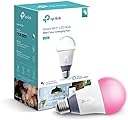
The TP-Link Kasa Smart Wi-Fi LED Light Bulb (LB130) is a versatile, multicolor A19 bulb that connects directly to your 2.4 GHz Wi-Fi network without a hub. Compatible with Alexa, Google Assistant, and Cortana, it offers remote control via the Kasa app, customizable schedules, and vibrant color options. With 1000 lumens brightness, 11W power consumption, and a 25,000-hour lifespan, it’s designed for energy-efficient, smart home lighting tailored to your lifestyle.


| ASIN | B01HXM8X88 |
| Accepted Voltage Frequency | 100 to 120 Volts and 60 Hertz |
| Additional Features | color |
| Best Sellers Rank | #420,913 in Industrial & Scientific ( See Top 100 in Industrial & Scientific ) #13,584 in LED Bulbs |
| Brand | TP-Link |
| Brand Name | TP-Link |
| Bulb Base | E26 |
| Bulb Shape Size | A19 |
| Color | Dynamic - Multiple Color Options |
| Color Rendering Index | 16 |
| Color Temperature | 9000 Kelvin |
| Connectivity Protocol | Wi-Fi |
| Connectivity Technology | Wi-Fi |
| Control Method | Voice |
| Controller Type | Amazon Alexa, Android, Google Assistant, Vera, iOS |
| Customer Reviews | 4.3 out of 5 stars 1,151 Reviews |
| Global Trade Identification Number | 00845973096038 |
| Incandescent Equivalent Wattage | 60 watts |
| Included Components | Smart Wi-Fi LED Bulb LB130, Quick Installation Guide |
| Indoor Outdoor Usage | Indoor |
| Item Dimensions W x H | 3.11"W x 6.73"H |
| Item Weight | 7 ounces |
| Light Color | multicolor |
| Light Source Operating Life | 25000 hours |
| Light Source Type | LED |
| Light Source Wattage | 11 watts |
| Light Type | LED |
| Manufacturer | TP-Link |
| Manufacturer Part Number | LB130 |
| Manufacturer Warranty Description | 2 years. |
| Material Type | Plastic |
| Model Name | Dimmable LED WiFi Smart Bulb |
| Model Number | LB130 |
| Number of Items | 1 |
| Package Quantity | 1 |
| Power Consumption | 60 watts |
| Power Source | AC |
| Shape | A19, E26 Fitting |
| Special Feature | color |
| Specific Uses For Product | Lamp |
| Style Name | California Unavailable |
| UPC | 845973096038 |
| Unit Count | 1 Count |
| Voltage | 120 volts |
| Wattage | 60 watts |
| White Brightness | 1000 lumens |
A**Y
doing some research and assesing my needs I settled on TP-Link because of the variety of Smart products they offered
I made the jump to a "Smart Home" a little over a month ago after Alexa joined our family. After talking to some friends, doing some research and assesing my needs I settled on TP-Link because of the variety of Smart products they offered, no requirements for a Hub, the lower cost and the ability to control everything from one simple app on my Smart phone and Amazon"s Alexa. I have not been disappointed. After a very short learning curve, I surprisingly found the installation and set-up of all the TP-Link Smart devices extremely easy and intuitive. I have installed several different Smart devices including three different bulbs (LB-100, 120 & 130) depending on the area, as well as, Smart Switches (HB-200) and Smart Plugs. All of it has installed, programed and worked with few problems. The only criticism I have is the Kasa App. I have found it to be a bit bugy at times, but since I use it primarily for programming and setting up new devices and scenes, rather than operationally, it has not been an issue since Alexa handels most of that work. So far, in the six weeks my Smart Home has been in operation I have only had one problem where Alexa and the Kasa app lost communication with most of (but not all) of my TP-Link devices. But after a bit of head scratching I was able to restore communication. So here's a tip to remember: I first tried rebooting the devices by cycling the power breaker, but that didn't work. Probably due to multiple devices signaling simultaneously and overloading Kasa. But, powering each device down for a few seconds then back up, and testing it before moving on ro the next one worked without a problem. I also recommend using a different control application. I only have experience with Amazon Alexa, but it also interfaces with Google Home among others. I have found that controlling scenes from Kasa not to be reluable for some reason, while issuing the scene commands to Alexa works 90% of the time, with repeating the command becoming necessary about 10% of the time. But even with an occasional repeated command being necessary, TP-Link devices respond extremely well through Alexa's control. Plus Alexa is able to easily "group" multiple devices so you can control areas with a single command, or program macro activities that Alexa can perform with a single command. Capabilities Kasa does not have. This is another deficiency of the Kasa app. Without the ability to group devices or run macro routines, it relies on programmed scenes which are very limiting for operational control. So another controlling app like Alexa or Home is essential to the TP-Link Smart Home system. For me, because I have Alexa for operational control, both at home and away, these short comings in the Kasa app are non-issues. But if I didnt have this capability I think I would look to a different Hub controlled platform for my Smart Home lighting and device control. LB-130 Smart Bulb: I first bought the multicolored Smart bulb for my porch light to enhance my Holiday decorations, but I liked it so much I got 4 more for lamps in my living room to set mood and night light scenes for parties, movie/TV watching and minimal light settings for overnight guests. I love the lighting effects you can create with these Smart bulbs so easily with just a few commands, or program a complex scene in minutes that is ready to execute with a single command to Alexa or a single touch of the Alexa app remotely.
S**A
Great great product!
These bulbs are excellent. They work exactly as designed and are a load of fun to play with. I have 5 of them and I use a network of echo devices in my house (3 Echos, 4 dots, 2 taps, 2 Fire tablets) for voice control of everything. It's great to say "Alexa, turn on the fire" and the fireplace kicks on (gas) and the 3 bulbs in the nook chandelier and the 2 hanging island lights in the kitchen turn on in a matching orange. The orange matches the fire color perfectly causing the entire kitchen, nook area and family room to have a warm orange glow creating an awesome ambience in that whole open section of the first floor. The colors are fully controllable by voice with Alexa, you can set scenes with one voice command to control numerous TP bulbs, TP switches, and other things all at once, and there's even a circadian mode where the lighting changes throughout the day and night automatically to match the sun and our circadian rhythm. They are also fully tunable in white mode, from very very soft, warm white, almost yellowish, to very cool and bright white, 9000K I think. Only caveat is that they are a little expensive, and you have to keep the light switches on. Inevitably you forget now and then and turn one off. When that happens, it takes anywhere from 1 to 10 minutes for them to sync up with your Alexa network again. You can speed that up with a manual resync but I usually just wait. They will work fine with the free companion Kasa app right away though. Now if only they would add a black light mode to it 😉
R**A
Uses with Alexa - Has it's pros and cons. Can't gradually fade on lights.
This light has a lot of great things going for it, but a couple of cons. Pros The light is extremely bright. I can change it into so many colors with the app or ask Alexa to make it different shades of a color (if you want a very specific color though, you'll want to do that in the app). And you can use a circadian rhythm mode that mimics the sun to help you wake up. In the settings I chose a timezone an hour earlier so it'd mimic a brighter sun sooner. Plus, if you're comfortable with technology this is pretty easy to figure out and set up. Just follow the instructions and play with the app for a few minutes. Cons Every now and again, even with strong wifi it doesn't accept a command. This isn't too common, and most the time simply giving it again will get you the results you want. If you change your wifi network you'll have to connect your devices individually (which isn't too bad for me, but I imagine a hassle for someone with a whole smart home). The carcadian rhythm mode rotates between a blue white to get you up and a yellow white to wind down. While this makes sense to me since blue light keeps people up, it looks hideous and makes everything around it look worse. This wouldn't be a problem if I could customize how I'd like my lights to fade on. You can't make them fade on or off or cycle through colors. The only way to do that would be to give it commands every minute for the exact thing you want like at 5:30AM 1% white light, 5:31AM 2% white light, etc. So if you want the light to fade on over 10 minutes you'd need to put in ten commands. Then if you wanted to change that time, you'd need to change it for each of the 10 commands. And the light still isn't fading on smoothly, it's inching up in brightness pretty obviously. I even checked apps like IFTTT for enhanced capabilities and while there are some I like (turning devices on or off when you leave) you still can't fade on or off the lights. If you tell it to change to say a yellow white that's 5% brightness for a movie mode then you turn it off, it'll turn back on to the last on setting. You can't just have a default setting, anytime you change it you'll have to tell it to go back to the specific setting you like. With Alexa I can dim the lights to very specific percentages like 1%, 3%, etc. But in the app it's just a bar that slides and doesn't go below 5%. Since I primarily ask Alexa to change it, that's no big deal to me but if I couldn't that would really be a dampener since 1% is perfect when you're getting ready to sleep or you need the light but don't want to risk waking your partner up. Conclusion If I could set the lights to gradually fade on, even with only one color (but especially if I could cycle through colors) this would be a five star product. It's definitely not perfect, but it's reasonably priced, doesn't require a hub, and it's easy to use. I don't mind a little more effort to get exactly what I'd like, I'm just bummed that when it comes to smoothly fading a light on and off that's basically impossible and the work around is tedious. Having millions of colors available is cool, not being able to program it to seamlessly fade on and off? That's kind of ridiculous. Note: You'll need the box to register your warranty. Lightbulbs don't have serial numbers on them, the box does so don't throw away your boxes, at least before registering any warantees. It only takes a couple of minutes and can give you some piece of mind if your lightbulb stops working too soon.
A**N
Love these bulbs!
These smart bulbs have been a game-changer in our house. I initially bought a few for lights that my hubby would often leave on after getting into bed. It was so nice to be able to turn them off, from my bed, using the friendly Kasa app or through Alexa voice control. We also love being able to set our lights on soothing colors at night when watching tv, or resting before going to sleep. I now have these bulbs throughout the house and have spent some time getting things set up with groups, special scenes and schedules. I love that certain lights will now go on at dusk and auto turn off at my desired time, and also have a few bulbs that are on all night on very dim, soft colors — they don’t bother me when I’m sleeping but provide just enough light if I need to get up to use the bathroom. My husband even began playing with IFTTT and has set certain lights to turn on automatically when he enters our neighborhood, which I can see being extremely useful for people who live alone. One thing that made a huge difference in how useful these bulbs were for me was discovering the default state setting. I always set up the bulbs so that if I turn on a light from the switch (instead of via app or voice), the light will be white and at 100% brightness. This is also useful when we have guests as the lights will work in ways they are expecting and used to. I recently bought another less expensive smart bulb and there is no capability to set a default setting — I couldn’t believe it because that is such an important feature. I’ve now had the TP Link bulbs in our home for two years (or more) and haven’t had any failures. Every once in a while a bulb may become disconnected from the network (easy to fix), but it hardly happens anymore. Possibly firmware updates have addressed that. All in all, this is a great product, especially if you take the time to really set it up! Just make sure that if you buy another brand, you get one that does have the ability to set a default for when the light is turned on at the switch!
A**L
This bulb is the cat's pajamas
My summary is for the Multicolor bulb specifically, but my PROS and CONS touch on all of the models. SUMMARY To start, this bulb is pretty much amazing. I originally bought it because I wanted to have festive colors over my porch, but when I tested the bulb inside, we had to keep it. We have young children, and setup the bulb to turn different colors so the kids would know what phase of our bedtime routine we should be going to. We then expanded it to getting ready for school and church. I never imagined how effective this bulb would be! Now I have to get a second so I can still put one outside. PROS * No hub required! This connected great to our Wi-Fi network. We have two dimmable variants outside, and they're able to connect to our Wi-Fi in an area my phone has trouble connecting to. * You can program on and off times, and control brightness or color (for those with color options). * App clearly shows if a light bulb was manually turned off. * The app works really well, and is easy to navigate. CONS * The multicolor light is pretty expensive! That being said, I'm getting another one. * These lights lack "cool" features, like strobe, flickering, etc. You can turn them on, set the brightness and color, but that's it. * You can't pick a color using a specific number value. However, you can set multiple lights to have the same color by using a scene. * As with most LED multicolor lights, certain white colors look a little rainbowy. Soft white looks great though.
C**1
Awesome lights, great company, pick your own white, dimmable!
I HIGHLY recommend these bulbs (and TP-Link/Kasa in general). The best part of this bulb is not that it can be any color you want it to be or that it is Wi-Fi enabled, it's the ability to "choose your white" that is most useful. It allows you to set your white anywhere from 2500K to 9000K.. giving you the ability to chose the color that most suits you and your environment.. no more living with trying to pick a color up front which, in my case, I usually just find out I don't like it. Colors vary so much from manufacturer to manufacturer, it's impossible to see what a company's interpretation of, say 3000K is going to look like. Some push more the orange while others push more towards the blue. With these bulbs, you can find EXACTLY the color you want.. VERY easily! These lights are great for lamps because they don't seem to make dimmable plug-in Wi-Fi adapters and are excellent at dimming to just a few percent.. something wall controllers can have problems with when you use LEDs. It does require the Kasa app loaded for setup but then is fully compatible with the Echo running the Kasa skills.. making it very robust when running more than one at a time. Echo is NOT required to control these lights.. they will run completely with the Kasa app or with Google Home.. plus many more. TP-Link has been making great products for decades.. mostly in the computer world until now. I have relied on their products for years and have been disappointed.. and these bulbs are no exception! The fact that they can be any color is just a bonus to me. Theses bulbs are well worth the price.. they will outperform more expensive bulbs! NOTE TO ECHO USERS: Sometimes you will see it stated that you have to tell Alexa to tell Kasa to turn the light on. This is NOT true. Once you set the light up (or group, in my case), it appears to the Echo like any other device. You do not have to use the word Kasa in your commands..
T**H
This is a great idea but in implementation
This is a great idea but in implementation, it's not quite there, at least as far as the integration with Alexa. The Kasa app (required) works pretty well, but Alexa has twice already lost connectivity with the bulb (even as Kasa continues to work on my Android phone). I have had to reset the bulb twice now to factory defaults, reconnect to my WiFi, and add it back to Alexa as a new device to get it to work. Also (minor beef) the Kasa auto-discover does not work and so each time I have had to specifically connect to the bulb's WiFi, manually enter my home WiFi credentials, and only then was it found. Finally, Alexa does not recognize the color change commands that are shown in the instructions, although it works fine with Kasa. Maybe a firmware update will fix some of these issues, but until then I will probably not order another one. Update 9/26/20: Not long after I wrote the last review one of the colors inside the bulb quit working- so I would ask for green, but get red. A few months ago the bulb quit responding to Alexa commands. I finally had time to play with it, and the Wifi connection has failed completely, and although I can connect to it, the Kasa App cannot find it, even after multiple factory resets. So while this is a cool idea, it is poorly implemented and was a complete waste of money. TPlink- you owe me $55!
A**.
Excellent Product! Super cool! Great gift! I want more!
I got these two lightbulbs for my birthday from my husband for use with another birthday gift, the Google Home Mini. The bulbs arrived yesterday. Set up was a bit of a pain because I couldn't remember my Wi-Fi password... but once I found it the bulbs connected well. I love that I don't need a hub and the price is MUCH more affordable. I could buy 4 of these lights for the cost of two of another brand plus a hub. I have not mastered the Kasa app itself because it is not so user friendly in the way that, say, the Nest app is, but once it is connected on Google Home the lights are super simple to control together with voice. We will probably purchase more of these for bedrooms. I am able to change colors by saying "Hey Google, make my lights Aqua" or "Hey Google, dim my lights by 25%". I have not figured out how to sync with music. Installed the Kasa app on Android Galaxy S7, with Android 7.0 nougat. My house has both WiFi 2.4 and 5G. You CANNOT use the 5G internet. The package instructions say "The smart bulbs ONLY support the 2.4GHz WiFi networks". Photos attached are taken at a super dim light level. At full brightness these lights are wonderful as well, but I especially love that I can simulate the soft orange/yellow glow of "old school" light bulbs at a dimmed level. Not a bad gateway product to the smart home world!
D**Z
excelente equipo
facil de instalar y compatible con Alexa, son focos que trabajan de manera independiente sin depender de un Hub como los de philips, la calidad es de lo mejor, el precio es un poco elevado pero creo que lo vale llego ya más de 6 meses en uso el ahorro se ve reflejado en mi recibo de luz, recomendable!!
E**.
Excelente producto!
Es un foco muy versátil, pues en primera instancia cumple con iluminar tu hogar con el tipo de luz de tu preferencia (luz cálida a fría), se agrega la opción de poder cambiar el tono y color, lo tengo en mi comedor que es donde principalmente está encendida la luz la mayor parte del tiempo y sin problema alguno, se pueden configurar horarios( en mi caso se enciende y se apaga todos los días a la misma hora, si se llega a ir la energía no se borran los ajustes (eso si al regresar la luz se queda encendido hasta que lo apagues, espero con alguna futura actualización se corrija eso, puedes crear distintos horarios y salir de tu casa y la gente pensará que hay alguien debido a los horarios que programes, muy útil la verdad, valió cada peso!
N**R
Bien
Buen producto, ha funcionado muy bien, lo único malo es que cada vez que se va la luz se prende automáticamente cuando regresa la luz, pero independientemente a eso hace bien su función
E**R
Excelente Compra
Tengo varios focos de estos en mi casa y han sido excelentes, me sorprendió lo fácil que ha sido sincronizar y utilizar con la app. Los utilizó junto con Alexa y puedo prender y apagar los incluso cuando no estoy en mi domicilio. La calidad de la Luz es excelente, en lo personal me gusta más la luz cálida y creo que e un poco más amarill que un foco convencional y la luz fría es demasiado blanca opaca que otros focos, pero con el ajuste he encontrado la tonalidad e intensidad que más me gusta.
F**O
Well done
El precio un poco elevado, he probado otras marcas de luces inteligentes y me quedo con tplink. Fácil de instalar, su app es super sencilla y fácil de usar. Cero problemas para configurar con alexa
Trustpilot
2 weeks ago
2 months ago