๐ธ Unlock Pro-Level Creativity with Every Click
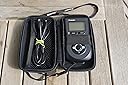
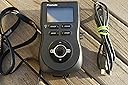
Promote Control is a versatile remote control designed for serious photographers using digital SLR cameras. It supports extended bulb exposures over 30 seconds, advanced HDR bracketing with variable steps, and a sophisticated time-lapse mode with customizable delays. Its universal compatibility replaces multiple manufacturer remotes, while user-definable mirror-up timeouts and an intuitive interface provide precise control to elevate your photography workflow.
| ASIN | B002CTLJFC |
| Additional Features | Ergonomic |
| Brand | Promote Systems |
| Compatible Devices | Camera |
| Connectivity Technology | interface |
| Controller Type | Button Control |
| Customer Reviews | 4.0 out of 5 stars 35 Reviews |
| Manufacturer | Promote Systems |
| Maximum Range | 10 Meters |
| Mfr Part Number | P-CTRL-1 |
| Model Number | P-CTRL-1 |
| Number of Batteries | 2 AA batteries required. (included) |
| Special Feature | Ergonomic |
| UPC | 827912088908 |
B**D
Promote Control
Intervalometers are a dime a dozen and that's about how many I have. But this is the only one that will do bulb ramping. The real reason that I bought this was for the HDR capabilities. Hooked up to my Canon 7D, it makes for a really nice HDR robot. I'm able to bypass Canon's 3 shot limit and get 5, 7, 9, or even 11 bracketed shots if I want. The remote is fairly easy to setup and use. There is a small learning curve. The large manual is straight forward and explains the steps well. I like that the battery is a standard size and easily replaceable.
A**R
Must have for HDR Photography if Your Camera supports only 3 Exposures
I use the Promote Control together with my Canon 5D MII primarily to get around the camera's limitation which is to only support 3 exposures while taking multiple shots for HDR photography. I have this unit now for more than two weeks and I am totally happy with it. The usability (firmware) for my taste could be little bit more intuitive. Adjusting the shutter speed for example is kind of the opposite from what I think it should be. I often find myself dialing up instead of dialing down or the other way around. I also find it confusing that the low shutter speed on the unit is expressed in a different notation than on my camera. Where the unit reads 1/4, 1/3, 1/2.5, 1/1.5, 1/1.3, 1s my camera shows 1/4. 0"3, 0"5, 0"6, 0"8, 1". It would be certainly helpful if the unit could be configured to use a certain camera notation. But those are minor details. The price is a bit steep but if you are serious into HDR you might find it worth the money. I am glad I ordered the additional remote shutter cable together with the unit which decreases the delay between single shots. The unit works without it just fine but I think it is a must have for the sake of speed.
B**L
Works Great For Macro and More!
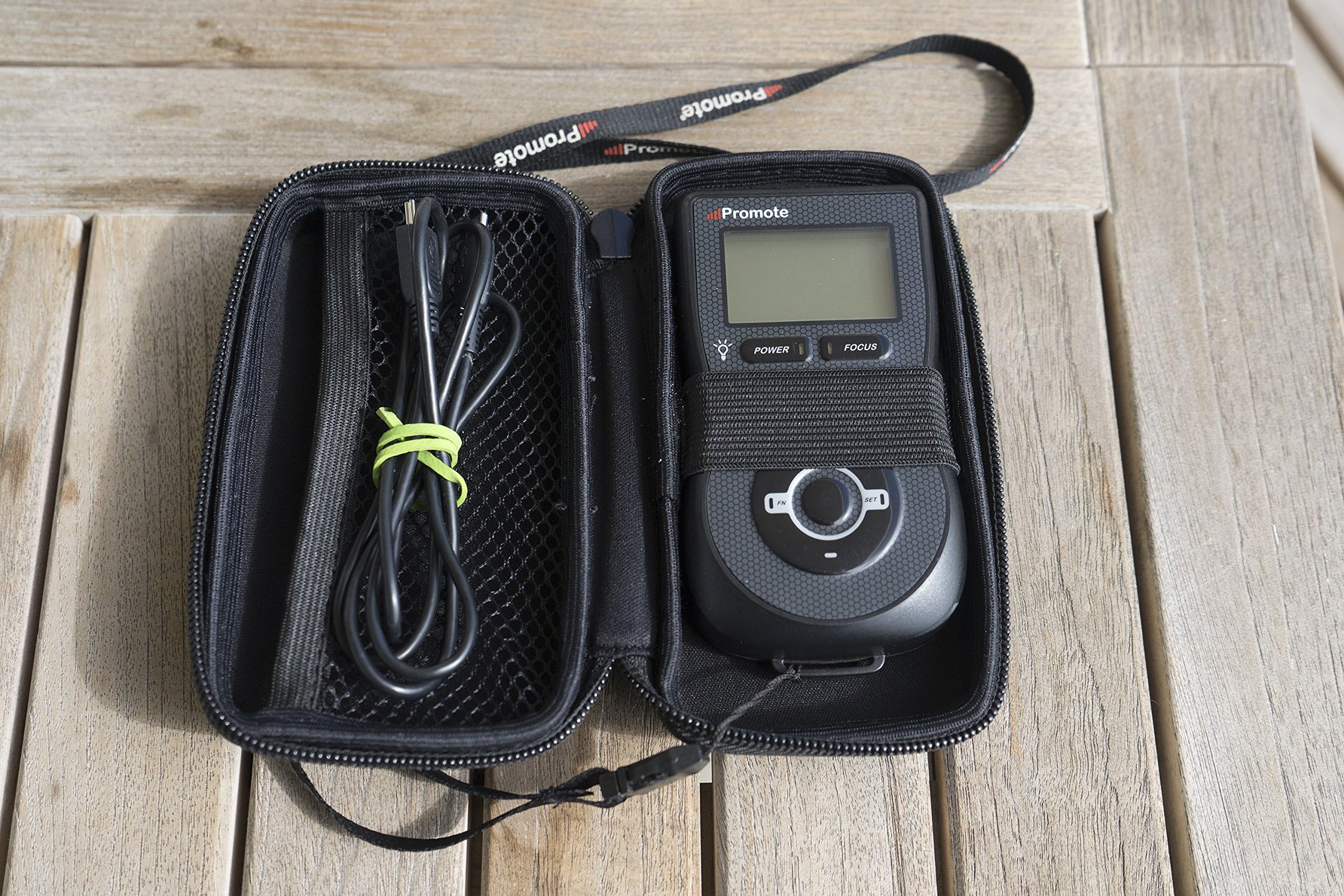
An absolute Necessity for use with my Canon 5D mkII as I'm no longer confined to a string of three bracketed exposures for HDR photography. I purchased the "Promote Sys. Promote Control, Remote Control" years ago, with version 2.0, and never got around to using it. Anyway, it was where I had kept it and in the original case w/manual, a USB cord for attaching to PC and another for attaching to the camera. I put batteries into it and went to the promote systems website to download a firmware update, along with drivers and connected it to my camera and voila! I encountered absolutely no difficulty and am now shooting with 5, 7, 9, etc. brackets and focus stacking macro shots, too This remote works great and opens up a whole new spectrum of photographic opportunity.
M**T
Poor integration for HDR Bracketing
I've played around with the Promote for a bit with my Canon and done some research online and I have concluded that it will not work for our needs. The way to set your middle "exposure" is actually through shutter speed, not the exposure settings. It seems the Promote isn't intelligent enough to actually work with the camera and read its light meter/exposure. What this means is before every (or almost every) shot you would need to check the camera's light meter to see what your shutter speed should be for an exposure of 0 (or -1, or whatever you wanted the center of the bracketing to be). Then you need to set that in the Promote. From there it will shoot at whatever EV separation you want. It's an inefficient process and unfortunate that they didn't think it through. Perhaps it is too much to ask for one remote to work with every type of camera on the market so they had to come up with a "good enough" solution that just is not good enough for us. This is only compounded by their lack of phone support for the product. I can't recommend this for anyone shooting HDR and having discovered their lack of support I can't recommend it for any other uses either.
A**R
Very flexible but difficult to set up for Canon
I'm keen on realistic HDR images, and one of the restrictions in Canon firmware (at least in the 5D Mark 2) is that you can only take three exposures automatically, which normally means that I take one normal one, one at -2 stops and one at +2 stops. While this captures most of the information, it is recommended to take 7 images separated at 1 stop intervals for best quality output. I also miss being able to set up time lapse shots - for example, if I am trying to take pictures of myself for a stock photo, I often resort to the use of a small wireless remote, which either means that I have to clone it out of the shot, or end up looking as if I have a severely disabled hand as I struggle to hide the remote from the camera! A solution to this is the Promote Remote, which uses a USB cable (and optional shutter release cable) to control the camera in ways that you can only dream of! You can use it for: A manual shutter release to avoid camera shake A fully featured HDR exposure controller allowing any number of exposures starting at any shutter speed, and locking up the mirror if needed A fully featured time lapse controller taking a defined set of images at various times, including a setting to delay the sequence A combination of time lapse and HDR to take a series of HDR images at pre-defined times A "bulb" shutter release where the shutter stays open for as long as the button is pressed I'll update this review when I have more experience of the remote for real-life, but the handbook is so complex, and there are some real quirks that I had to work through, that I decided to post a "how to use it" explanation first. The main complexity is that most people buy the optional shutter control cord as that allows you to use the most functionality in the device, but when I received mine, plugged in both cords (as you do...), I just could not get the thing to work! Eventually, much later in the handbook I discovered that you need to visit the setup screens to tell the unit to use the shutter release cord. But wait, there is more - the device works differently depending on which cord is in use. This may be because of issues with Canon functionality, but after several reads through the handbook I decided to create a small table to remind myself of what works and why! I don't think I can put the table into this review but you can see it at BackyardSilver.com. The first thing to note is that you generally only need one cable for most of the normal functions. For instance, the shutter release cable works fine if you only want to use the time lapse controls. The USB cable works for HDR images as long as you don't want mirror lock-up (and you can get round that by using Live View first and then triggering the HDR sequence) or exposures greater than 30 seconds. Only if you want those long exposures do you need to use both cables. I also found that with both cables, HDR only worked if the lens was set to Manual focus - which is a good approach, but it is really confusing when you are testing the device as no errors are reported. Having worked for several hours to go through all the combinations with my camera, I am 100% sure that I can do everything I wanted to do with the remote. The HDR exposures work great and are very flexible. The timelapse covers every eventuality I can think of, and using it as a simple remote control is easy as well. Now that I have my "Cheat-sheet" about what works with each of the cables, I think I am ready to move to stage 2 - using it for real. I am pretty sure that in use, this will be a 5 star item, but I downgraded it a bit because of that steep learning curve and the likelihood that you will come across combinations where it just does not work (as one of the previous reviewers found.
S**N
Bulb Ramping mode is not supported for the GH4 at this time.
I only got this to do Bulb Ramping mode for my Panasonic GH4 and it is not compatible at this time with the GH4 (as of 02-02-14). Currently only HDR, Time Lapse and One Shot modes are fully supported, and Bulb Ramping is not officially supported. Promote techs suggested I reach out to Panasonic on my own and request Bulb ramping on GH4. "This may help expedite implementation." In HDR mode it worked fine, but the GH4 can do 7 exposures, which is plenty for me. I also bought the bulb ramping assist kit, not needed on the GH4.
O**M
Good Product but drains camera batteries
I bought the Promote Control as an alternative to using Helicon Remote, which gives you the same functions for Stacking and HDR. The problem with Helicon Remote is that you are tethered to your laptop which makes it awkward in the field. For studio work Helicon Remote works great and it is free if you use Helicon Focus for your stacking software. The biggest advantage for Helicon Remote is that you can focus with your laptop screen versus the Live View on your camera when you use Promote Control. I need to go into the field as I shoot panoramas with stacking and sometimes HDR, so I purchased the Promote Control. It works seamlessly with my Canon 7D and my GigaPan Pro as others have said although there is a lot to setup using you camera, the Promote Control and a GigaPan. The problem with the Promote Control is that you use Live View not just to set up your focus parameters; it uses Live View throughout your shoot. You can't turn it off once you begin shooting. For numerous stacked images and for panoramas you may shoot hundreds of photos as part of your workflow to get to your final pre-processed image. On my Canon 7D it drops the number of photos I can shoot on one battery to 240 shots if I am using Live View. I can get over 1,000 without Live View on. It is generally recommended that you not touch anything once you start shooting so switching out the camera battery mid-way is an impractical solution. An improvement which I suggested to the people at Promote Systems would be an option to turn Live View off once your shooting begins. You don't need it other than once when you are setting up your stacking and other parameters. As far as reviewing what you are shooting as you progress, your camera LCD monitor can do that more efficiently without sucking your battery dry. As a partial solution I will know have to buy a battery grip and extra batteries to double my battery life on my 7D. Not what I was counting on when I bought the Promote Control.
K**Y
Great Accessory for HDR Photography
I have been doing HDR manually for a couple of years and getting frustrated. Except for the top-of-the-line cameras, Canon only allows three bracketed exposures. Not enough for a good HDR image. The Promote lets me set up a sequence of shots, using just about any f-stop interval I want, over a wide range of shots, push the button and let it rip. HDR is so much more rewarding now. In addition, the Promote allows gives you the ability to do some other things that most cameras don't have built-in; Timed intervals and focus stacking. And it's very easy to use. Money well-spent.
Trustpilot
3 weeks ago
1 month ago