


Desertcart purchases this item on your behalf and handles shipping, customs, and support to Ecuador.
🚀 Elevate your office game with speed, style, and seamless control!
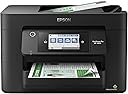
The Epson Workforce Pro WF-4820 is a high-speed, wireless all-in-one inkjet printer designed for busy professionals. It delivers up to 25 black and 12 color pages per minute using PrecisionCore Heat-Free Technology and DURABrite Ultra inks for crisp, instant-dry prints. Featuring a 4.3" color touchscreen, Epson Smart Panel app integration, a 250-sheet capacity with auto duplex, and versatile connectivity options including Wi-Fi, Bluetooth, and Ethernet, it streamlines high-volume workflows with reliability and professional quality.


| ASIN | B08DXK91SX |
| Additional Printer Functions | Scan |
| B&W Pages per Minute | 25 pages_per_minute |
| Best Sellers Rank | #7,782 in Office Products ( See Top 100 in Office Products ) #21 in Ink Tank Printers |
| Brand | Epson |
| Built-In Media | WorkForce Pro WF-4820 printer, quick setup guide, CD-ROM with drivers, power cord, 4x DURABrite Ultra Ink cartridges (1x Black ink cartridge and 3x color ink cartridges: 1x Cyan, 1x Magenta, 1x Yellow) |
| Color | Black |
| Color Depth | 24 bits_per_pixel |
| Color Pages per Minute | 12 pages_per_minute |
| Compatible Devices | PC, Smartphones |
| Connectivity Technology | Bluetooth, Ethernet, USB, Wi-Fi |
| Control Method | App |
| Controller Type | Android |
| Customer Reviews | 3.9 out of 5 stars 1,752 Reviews |
| Display Type | LCD |
| Duplex | Automatic |
| Global Trade Identification Number | 00010343940260, 00010343941915 |
| Hardware Interface | Ethernet, USB |
| Ink Color | Black |
| Item Dimensions D x W x H | 16.7"D x 17.1"W x 10.9"H |
| Item Type Name | Inkjet Printer |
| Item Weight | 22.5 pounds |
| Manufacturer | Epson |
| Maximum Copy Resolution Black and White | 4800 dpi |
| Maximum Copy Resolution Color | 2400 dpi |
| Maximum Copy Speed Black and White | 25 pages_per_minute |
| Maximum Media Size | 8.5 x 14 inch |
| Maximum Print Resolution Black and White | 4800 x 2400 dpi |
| Maximum Sheet Capacity | 250 |
| Maximum print Resolution Color | 4800 x 2400 dpi |
| Model Name | Workforce Pro |
| Model Number | WF-4820 |
| Model Series | WorkForce Pro |
| Number of Drivers | 1 |
| Number of Trays | 1 |
| Other Special Features of the Product | Auto-Duplex |
| Output sheet capacity | 250 |
| Paper Size | 8.5 x 14 inch |
| Print media | Paper (plain) |
| Printer Connectivity Type | Bluetooth, Ethernet, USB, Wi-Fi |
| Printer Output Type | Color |
| Printer Type | Inkjet |
| Printing Technology | Inkjet |
| Processor Count | 1 |
| Resolution | 4800 x 2400 |
| Scanner Type | Image Scanner |
| Series Number | 1 |
| Special Feature | Auto-Duplex |
| Specific Uses For Product | Office |
| Total Usb Ports | 1 |
| UPC | 010343940260 010343941915 010343954410 |
| Unit Count | 1 Count |
| Warranty Description | 1-Year Limited |
| Warranty Type | limited warranty |
| Wattage | 18 watts |
R**0
Excellent All-in-One Printer and Outstanding Value
The Epson Workforce Pro WF-4820 has been an excellent all-in-one printer for my home office. Print quality is great, and it handles printing, scanning, and copying quickly and efficiently. The print speed is impressive and keeps up well with my daily workload. I also appreciate how easy Epson makes software and firmware updates through its software tools. Setup and maintenance have been straightforward and hassle-free. This is my second Epson printer after spending decades using HP printers, and I've been extremely happy with the switch. The WF-4820 has proven to be a reliable workhorse that consistently delivers. One of the biggest improvements over my previous Epson printer has been the wireless connectivity. My older Epson was about eight years old, and while it served me well, its wireless hardware was clearly from an earlier generation. With the WF-4820, wireless printing has been completely trouble-free. It stays connected, responds quickly, and has integrated seamlessly into my home network. What really stands out is the value. When comparing its functionality, print quality, and speed to competing models, the price was more than fair. Overall, it's a dependable, feature-rich printer that offers excellent performance for the money. Highly recommended.
6**2
Great printer...I thought
This unit has really great reviews and many from small biz owners who say it works great and lasts. I've had it for a month and I'm really happy with it. It's much better than my last one. If it lasts as so many other reviews say, it's a great purchase. **UPDATE** Loved this printer. Only used it a few times. On the 3rd month, I pushed the button to turn on the printer and there was no response at all. I tried everything. Checked all connections and the outlets. It would not turn on at all. I was out of the return window with Amazon, so I called Epson. They told me they are sending a unit to me and to return mine with the box and label in the shipment. But they said they are NOT SENDING A NEW UNIT, BUT A REFURBISHED UNIT! I am not at all happy about this! I purchased a new printer, not a refurbished printer, and I want a new one! So, I'm really unhappy with Epson right now.
N**K
Punt it
After 3.5 years of using this printer I can say that I cannot stand this thing! This is a long overdue review. For about the 1st year it did pretty good and didn’t have too many issues. After that almost every time it would be some kind of problem ie: connection to my computer or phone not working, or when using on WiFi it constantly loses connection so I needed to hardwire it, need to clean the printer heads, quality of the prints suck, paper jams, out of ink (because it uses so much ink). Then there is the fact that it constantly wants you to update, so Epson can update the printer so it knows what ink cartridges are not their brand. Their branded ink is extremely overpriced. When they say in the advertising that it is designed to work with Epson brand ink they mean it only works with their brand. It is really loud (like hear it 2 rooms away loud). Just know that you’re gonna want to punt this thing out your back door.
S**V
Easy set up on USB cable. Works as expected on my Windows 11 computer
I got this Epson All-In-One printer for my work. I had been using HP printers for years. I started having problems with paper handling on them. Things like getting a paper jam error when there was not paper jammed in it. I decided to try an Epson for a change. I have had the printer now for three weeks. So far it has worked great. Easy to set up on my Windws 11 computer. Works great for printing and for scanning. I have it set up by USB cable because I don't have reliable wireless internet in that part of the building. No issues with the USB configuration. Ink usage seems good so far. Ink on any printer is expensive, but that was expected. I would recommend this printer.
J**.
short dependable lifespan.
It jammed, grabbed extra sheets when printing and sent them out in a bunch . At 13 months of use, it expired, as did it's 2 predecessors. If you buy one , Mine have been good for about 8 months and became less reliable after that.
F**E
Reliable All-in-One Wireless Printer for Home and Office
I’m very happy with this Epson printer. It is easy to set up and very convenient for everyday use. The print quality is excellent, and I really like having the ability to print, scan, copy, and fax from one device. The wireless connection is also very helpful, especially when printing from different devices. It’s a great option for a home office or small business. Highly recommended!
J**F
Very difficult to set up on a Mac
I searched on Amazon for All-in-One printer/scanner/fax that works with a Mac. I then spent a lot of time comparing the results. Of the choices, the Epson WF-4820 seemed to be the best. I was very excited to get rid of my old Brother All-in-One. Sadly, the excitement turned to extreme disappointment when I tried to set the WF-4820 up on the network. The WF-4820 connected to the network relatively easily, and I could find the WF-4820 when I used the iPhone app, EpsonSmartPanel. However, part of installing the printer driver on the iMac requires the iMac to find the printer on the network, and that simply would not work whether I tried an Ethernet cable connection or WiFi connection. I even used a USB cable, and it did not work. I called Tech Support, and the advice was ridiculous. The technician wanted me to run an ethernet cable directly from the router to the printer, which would not be feasible on a daily basis, or reconfigure my WiFi system specifically for the printer even though it would make other operations more difficult. (I actually did move the WF-4820 to a position where I could connect it directly to the router, and that solution did not work so basically the advice from Tech Support was terrible. And it was frustrating because the technician had the stereotypical attitude of the problem cannot be their device. It must be a user problem.) I was about to send the WF-4820 back and write a more scathing review when I decided to look online for the software necessary to run the printer and scanner instead of using the installation software provided by Epson. It turns out that the software installer provided by Epson is almost 2 years old and designed for Apple iOS 10.4. Most of the Apple world is on iOS 12.4 so the Epson software installer is very out of date. Sure enough, when I located more recent software and drivers for the individual functions of printing and scanning, everything worked fine. And the printing quality and scanning software is far above my old Brother unit. I would not recommend this All-in-One unless Epson updates its installation software. It was not easy doing what I eventually had to do to get the WF-4820 to work.
C**N
It's a great printer!
Up front, I will tell you I don't print daily. This printer for me is personal use. Having said that, the quality is great, the versatility is perfect for me. I love that it is wireless and easy. The paper capacity is enough for me.
T**S
Super rápida
Ótima impressora.
D**.
Epson Workforce Pro printer
Fantastic printer scanner. Easy to use. Wireless function is seamless with
M**R
Buen producto
Funciona muy bien y rápida Buena calidad de impresión en papel normal y opalinas
A**A
A impressora é boa, mas é díficil encontrar os suprimentos
Não encontro suprimentos no Brasil, já fiz importação dos suprimentos, mas a impressora não reconhece.
R**N
They must have for somebody with the home office
Works perfectly.
Trustpilot
1 week ago
4 days ago