Desertcart purchases this item on your behalf and handles shipping, customs, and support to Ecuador.
💡 Light up your life smarter, not harder.
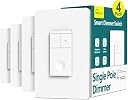
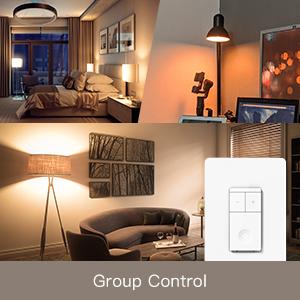
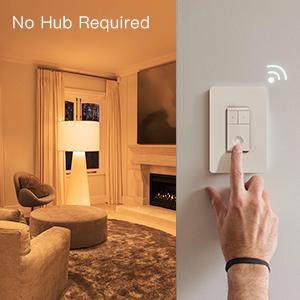
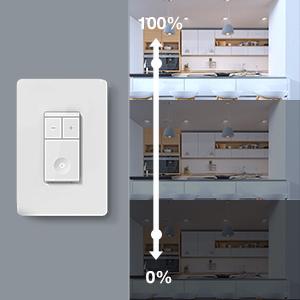
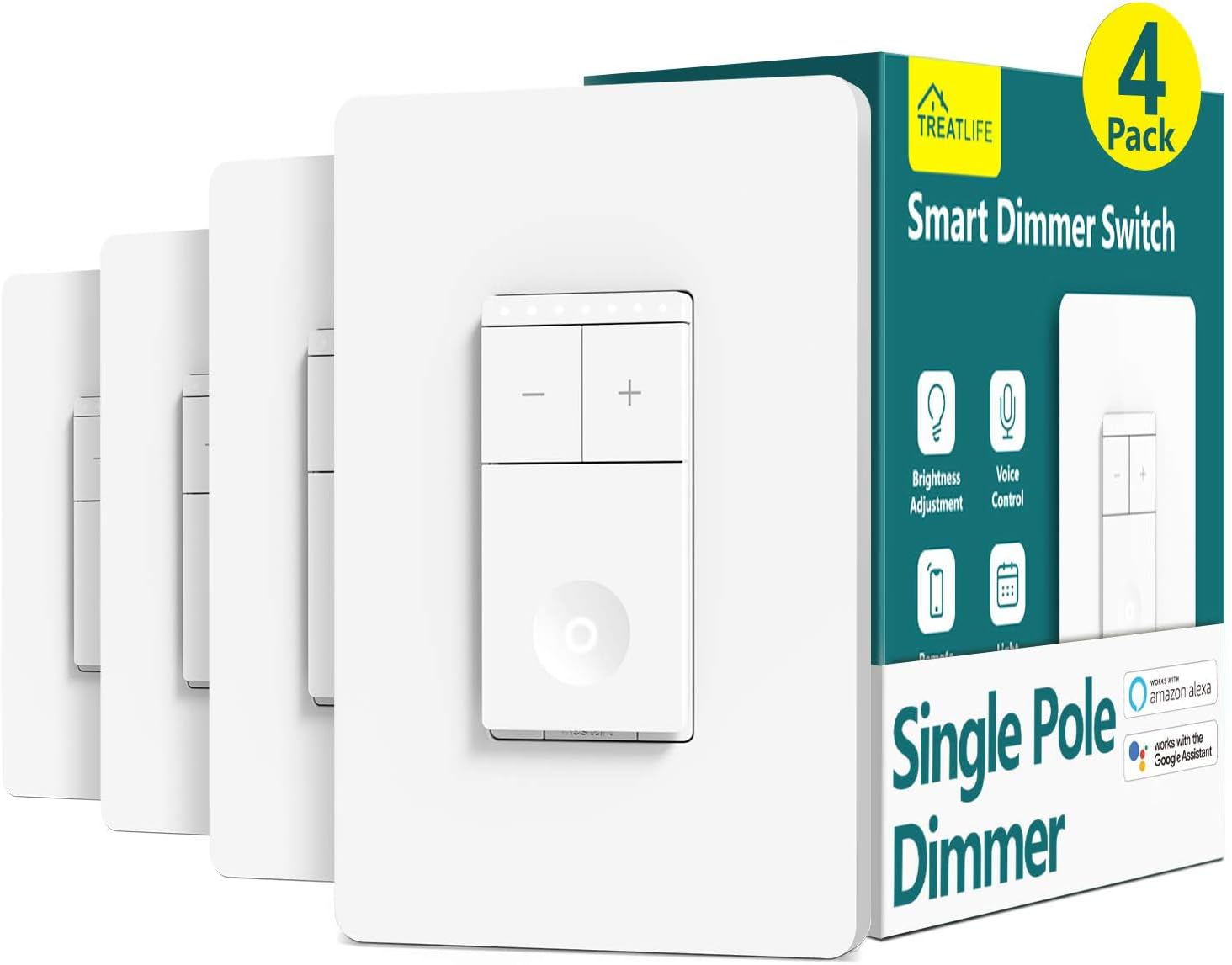
The TREATLIFE Smart Dimmer Switch 4 Pack offers single-pole, 2.4GHz Wi-Fi-enabled dimming control compatible with Alexa and Google Assistant. Designed for homes with neutral wiring, it supports dimmable LED, CFL, and incandescent bulbs up to 400W. With adjustable brightness from 1% to 100%, scheduling, remote app control, and family sharing, it delivers customizable ambiance and smart home convenience without the need for a hub. FCC certified for safety and reliability.


| ASIN | B07YKFSWJN |
| Actuator Type | Push Button |
| Best Sellers Rank | #92,000 in Tools & Home Improvement ( See Top 100 in Tools & Home Improvement ) #191 in Dimmer Switches |
| Brand | TREATLIFE |
| Brand Name | TREATLIFE |
| Circuit Type | 1-way |
| Color | White |
| Compatible Devices | Amazon Alexa, Google Assistant |
| Connectivity Protocol | Wi-Fi |
| Connector Type | Screw |
| Contact Material | Plastic |
| Contact Type | Normally Closed |
| Control Method | App, Push Button, Touch, Voice |
| Control Type | Full |
| Controller Type | Amazon Alexa, Android/iOS, Google Assistant |
| Current Rating | 3.3 A |
| Customer Reviews | 4.4 out of 5 stars 2,392 Reviews |
| Included Components | Smart Dimmer Switch 4Pack |
| International Protection Rating | IP54 |
| Item Dimensions | 3.3 x 4.84 x 1.57 inches |
| Lower Temperature Rating | 1 °C |
| Manufacturer | TREATLIFE |
| Material Type | Acrylonitrile Butadiene Styrene, Plastic |
| Model | A-USB Fan-0325-5 |
| Mounting Type | Wall Mount |
| Number of Items | 4 |
| Number of Positions | 1 |
| Operating Voltage | 120 volts |
| Operation Mode | ON-OFF-ON |
| Part Number | A-USB Fan-0325-5 |
| Switch Type | Slide |
| Terminal | Spst |
| UPC | 756171583261 |
| Unit Count | 4 Count |
| Upper Temperature Rating | 50 °C |
| Warranty Description | 2 years |
| Wattage | 400 watts |
S**S
Treatlife, a real treat!
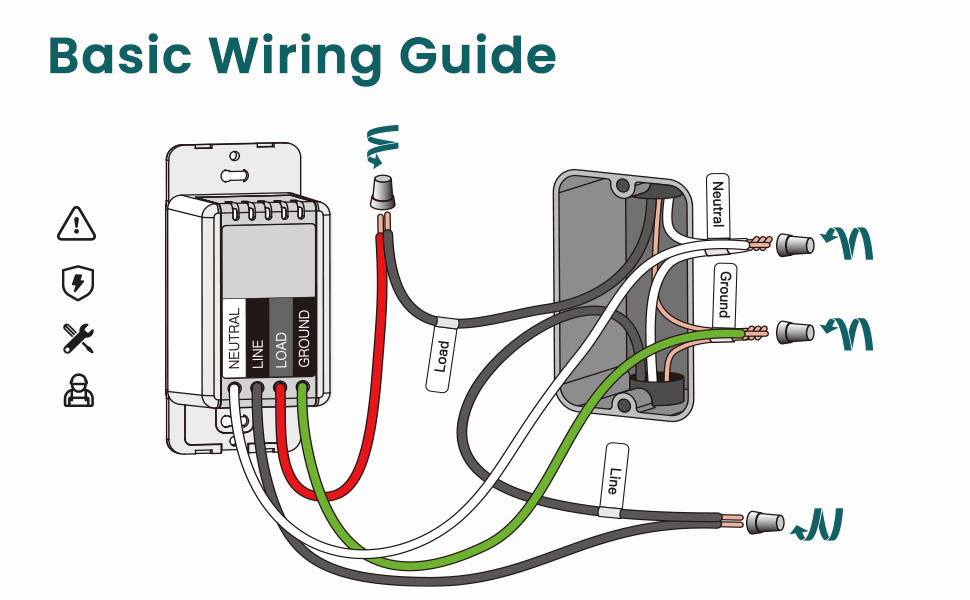
It’s been about a year since we installed 28 smart light switches throughout our home (26 being the Treatlife brand). I delayed providing a review to get some runtime in and now feel fully qualified to provide meaningful feedback. Currently, Treatlife offers three types of smart switches: normal single pole switches, 3-way switches, and these dimmer switches. They also offer different models, which I presume operate the same, but this review does not cover them (I don’t know which are the newer styles). Installation for all three of the switch styles we purchased is very similar and well documented instructions are provided. The 3-way switches can be installed as either 3-way switches (two switches operate the same light) or standard, single pole switches. This flexibility helps when planning the number & type of switches to purchase (they are cheaper when purchased in packs of four). What Treatlife does not offer is a combination 3-way dimmer switch. Physical installation is not difficult; a neutral (usually white) wire is required to provide current for the smart circuitry. Most of the “dumb” switches you replace are unlikely to have neutral wire connections, but unless your home is 40+ years old you are likely to find a neutral wire in the switch box. If you do have an older home, it would be wise to check for those neutral wires prior to ordering these Treatlife switches. Once installed with the power restored, the Smart Life – Smart Living App will walk you through connecting your smart switch to your home Wi-Fi network. I found that some of the switches were automatically found and added by the Smart Life app, but others I had to follow the in-app step by step instructions. In any case, connecting these switches to the network was not difficult. More on the originally recommended Smart Life – Smart Living app later (apparently Treatlife has their own app now). One word of caution regarding installation. These switches are very bulky, and the exteriors are of all plastic construction. One needs to neatly tuck in wiring to manage space within the electrical box. Because of the plastic construction, overtightening can cause binding. I found that if I overtightened the bottom screw, especially, the switch often wouldn’t operate correctly (i.e., pressing the switch may not turn the light on/off). So, manage the wiring in your electrical box and avoid overtightening to prevent binding and ensure proper operation. I was pleased to find out that for a pair of 3-way switches, only one switch must be replaced with a Treatlife 3-way smart switch for full functionality. I verified that it does not matter which of the two 3-way switches are replaced (in a 3-way switch circuit, one 3-way switch is connected to the line, or power, and one switch is connected to the load, or light, while the 3-way switches have two parallel lines running between them). Anyway, one doesn’t need familiarity with a 3-way light circuit to follow the provided smart switch installation instructions and only one of the 3-way switches needs to be replaced. All three smart switches have a discrete, circular indicator light. The color of the light tells you if the switch is connected to the network (red is not connected, white is). The indicator light will blink fast while connecting to the network, but the best feature is that they glow softly in the dark when the light is off. Indicator lights are also provided at the top of dimmer switches to indicate the brightness setting. Only on two occasions has one of our smart switches disconnected from the network. It hasn’t happened in months and I don’t know why it happened (two different switches on different days). The switches were not visible from the app when disconnected from the network. The switches can still be operated manually when disconnected from a network. The fix was as easy as pressing the reset button on the switch (see included instructions – easily accessible). Upon resetting, they auto connected to the network and were again visible in the app (all settings were retained and automatically re-applied). I have noticed that upon rebooting the Wi-Fi router or upon return of power after a power outage all the switches quickly reconnect to the network. A nice feature of the dimmer switch model is that lights gradually ramp up and down when being turned on and off. The lights dim/brighten at the perfect rate and it’s easy on the eyes! I wish, now, that I had purchased more dimmer switches – for as many as have bulbs that are dimmable – instead of single pole switches. The dimmer switches can be set to a preferred brightness level for a double-click shortcut to immediately achieve the desire brightness. See the accompanying video regarding this. I have noticed that when the power goes out the stored brightness level defaults back to slightly under half. This means that upon a power outage you have to re-establish the preferred quick setting on each of your dimmer switches (it doesn’t take long, but it would be nice if the setting was retained through a power outage). The Smart Life – Smart Living app on the Google play store was the Treatlife recommended companion app when I purchased these switches. It has worked remarkably well, not just for these switches, but for nearly all subsequent smart home devices (the exceptions being ecobee Smart Thermostat and Kwikset Halo deadbolt, which each have their own proprietary smart apps). Since my purchase and setup, Treatlife has come out with their own companion smart app. My comments on the app address only the Smart Life – Smart Living app by Volcano Technology Limited (which I believe is or was affiliated with Tuya Inc.). I’ve had good success with this app and don’t intend to change to the Treatlife app. Since these Treatlife smart Wi-Fi switches were my first smart home devices, my only control option initially was through the recommended Smart Life – Smart Living app. The app is easy to obtain (Google Play Store – look for the one by Volcano Technology) and walks you through initial setup. As I recall, your first step is to create & name a “home” within the App. Then you add smart devices that you want to control and there are a TON of categories (i.e., Electrical, Lighting, Sensors, Large Home Appliances, Small Home Appliances, Kitchen Appliances, Exercise & Health, Security & Video Surveillance, Gateway Control, Energy, Entertainment, Industry & Agriculture, and “Others”). Each category has many device types. You want the Electrical category and either the Dimmer Switch device for this product or the Switch (Wi-Fi) device for the other Treatlife switches. Once your Treatlife switch is installed and the power is restored, just open the App, click on the plus (+) icon at the top, select the category & device as mentioned, and follow the on-screen step-by-step instructions to connect. It’s all very easy. You’ll add the device to your home in the App, choose a room (optional) and rename the device as desired. Organizing your home, rooms and devices in the app is all part of the fun! All your smart devices are listed upon opening the app and they are controlled from there. You may arrange the devices in any preferred order, and you may view devices by room. One of the best features is the Automation. Have a closet light that is left on habitually? Set up an automation to turn it off after a time delay. Tired of coming home from a long day at work only to see that nobody turned off the porch light and it’s been on needlessly during daylight hours? Simply set up an automation that turns it off every morning at sunrise. A few automations are shown in the pictures. I will say there are no app instructions that I could find, but playing around will yield results without too much difficulty. The most complex automation I’ve created so far (a lot of trial & error for this one) was auto dimming the Master Bath lights within a specific time period, with the additional conditions that the light could be brightened once turned on, but they would dim again upon turning them off. No more fumbling with the dimmer while groggy during nighttime business – just turn on the light with no worries of being blinded! Tap-to-Run is another type of automation feature I have only recently played around with in the app. Once set up, a single tap will operate multiple devices. We have a Tap-to-Run established that turns off all but one light in the common areas to establish “Movie Lighting.” Thus, the normal Automations run whenever the conditions are met and Tap-to-Run actions require user activation. However, when it comes to operation, whether single devices or multiple devices via Tap-to-Run, Alexa via a smart echo speaker is Queen! Alexa integrates seamlessly with the Smart Life – Smart Living app! Honestly, my opinion is that without a smart speaker a smart home isn’t all that smart. Alexa is the perfect choice for a home assistant. “Alexa, turn off the Family Room Light.” “Alexa, turn on Movie Lighting.” The Smart Life – Smart Living app is required to create Automations or add smart devices (Alexa recognizes the new devices the instant they are added). But once you have a smart speaker, the app will rarely be used to operate the Treatlife switches. Alexa adds additional functionality in another way: establishing device grouping. With groups established within the Alex app (not the Smart Life app) additional commands are available. “Alexa, turn off all the lights.” “Alexa, turn off the downstairs lights.” “Alexa, turn off the lights in the Living Room.” I set up Google Home and the Google Assistant just to try it out. It does integrate with the Smart Life – Smart Living app, but frankly, Alexa is superior to Google (however I won’t explain why here since it has nothing to do with these Treatlife switches). I highly recommend these Treatlife switches as a start to anyone’s smart home project. The convenience of having remote operation of all lights in the home cannot be overstated. Alexa, Treatlife and the Smart Life – Smart living app; a terrific trio!
E**E
Switches worth investing in
These are great switches, and the SmartLife app is pretty easy to use. I originally had the switches installed by an electrician in 2021, and most of them have lasted until 2026. It’s been easy to replace them myself as it becomes necessary. The app immediately detects the new ones and will configure them for me. The new switches have better firmware and take updates to ensure they stay secure.
S**.
For the price it's great!
Getting smart switches was a spur of the moment idea. Originally I was looking for new ceiling lights and came across an LED dimmable one I liked. There were no dimmer switches in my house so I looked at those and saw smart switches. After a little research I opted to try the Treatlife SS02 series. They have not dissappointed, though I should add the caveat that I was not looking for top of the line. Here's a quick breakdown of what I think. Pros: 1.) Price - for 4 dimmer switches per box the price is very reasonable, there was also a coupon that made it that much better. 2.) Installation - the switches were very easy to install for there part. My condo is from '81 so I lucked out on having the correct wiring. However the wall box was a very tight fit because the wires in my home are very thick and difficult to position. That being the case the switch still went in like a champ. It was even easy to flip it around since I installed it upside down the first time. 3.) Design - the +/- dimmer portion is very simple and responsiveness is great. Not sure why they chose 7 lights when there are in-betweens but it does the job. The main switch is just a on/off pressure switch but the light in the middle is great for finding the switch at night and its not so bright it keeps you awake. 4.) Alexa - I have not used the app that the lights are designed to work with other than to setup Alexa. The Alexa integration is fairly flawless and once I actually read the setup instructions it was easy to do. The response time is slightly slower than using the switch directly, but that should be expected. Cons: 1.) Delay - the delay between on/off is noticeable, which can be quite jarring if you are used to normal switches. The dimmer portion also has a delay but from what I've read that is true with most smart switches. This is only really a con because I feel people should be prepared for it so they don't think something is wrong with the switch, like I did. 2.) Setup - the instructions are clear and vague at the same time. To setup the wifi you need to make sure the light in the on/off button is flashing RAPIDLY. It seems to start with a lazy flash which caused me to despair until I read over the instructions again. After that you need to set it up in the default app and then give Alexa access through the Alexa app. I feel some steps could be explained better but after doing it once the rest are simple. 3.) Color - this is me being a little petty but all my trim is off-white and I really wanted some color options other than glaringly bright white for the switches. I'm not removing rating for this, but if any other manufacturer had this same item in bone or antique white for a little more money I would have bought them instead. Overall I think these switches are great. I went in expecting middle of the line and got above that. At less that $20 a switch this purchase was definitely worth the money. If you're looking for a smart dimmer that functions well and wont break thr bank I think this is definitely worth a try.
R**K
Effective, but not necessarily reliable.
I wired all of the lights in our home with the TreatLife system five years ago because of an inaccessible light switch. In those five years, we have been able to do some awesome things with smart lighting, not to mention the quality-of-life convenience of having scheduled routines; I am certainly glad that we did it. However, in those five years, I have had to resync every switch in the house with the app no less than four times. Server outages, while not common, still happen often enough that they are not surprising. Three switches across the house physically burned out over the span of two weeks just after the 5-year mark of their installation. The physical dimensions of the switches compared to the dimensions of the electrical boxes in my early industrial home made most of them difficult to install (ironically, only one of the three switches that died this month is in a cramped box), but this should not be a problem in any home with the wiring done past 1980. Treatlife switches are great when they work, and a minor nuisance when they don’t. Even with the downsides, I have found them to be a worthwhile investment. As such I give them a full - if tempered - recommendation.
G**I
Excellent Dimmer Switch for the money
Pros - Good deal when bought in bulk - Two modes of smart app installation in-case one fails. - Alexa Integration works well - LEDs show dimmer level Cons - Larger profile make it hard to fit multiple of them a multi-switch gang box - EZ Connect mode doesn't work all the time - Screws are not strong enough - Would prefer push-in connectors I have recently installed all kinds of smart switches throughout the house. Products by Tessen, C by Ge, Enbrighten, and now the Treatlife products. This newer dimmer switches have worked well when you can fit them into your gang boxes. Single gang boxes will be the easiest install, but trying to fit multiple of these into 2/3/4 wide gang boxes can prove really difficult. There can be a lot of cabling, a lot of twist on connectors, plus these larger profile of these devices when compared to typical dumb switches and you are looking at brute forcing a lot into the gang boxes. Because of the pressure I was forcing, the screws that come with these do not hold up, they broke in half in the gang box. I used the screws from the original dumb switches which were stronger. You might have to convert to push-in connectors, or remove as much of the extraneous cabling as possible. As far as installation goes I prefer the Enbrighten devices which come with push-in connections and have a smaller profile. I was able to install the dimmer into most locations except one, where it kept tripping the GFI. Next was the Smart Life installation. That goes smoothly most of the time with their "EZ Connect" mode, if the EZ Connect mode doesn't work the "AP Mode" worked reliably. Alexa integration works well and adds the devices right away. Easy to move the devices around if necessary. Overall very happy with them, but took a good amount of time to install them properly.
N**E
Smart Dimmer Switch
I purchased the pack of smart dimmer light switches to replace my standard light switches, during the renovation of my house following a house fire. I had been buying things for my house in anticipation of the renovation, as I found items on sale, long before my house was stated for construction. I had probably made my purchase for these light switches a year before they were actually installed, and before I was able to move back into my house. The install was very easy, after creating an account on the Treatlife app. One of my light switches however, failed to go into pairing mode, for me to connect it to the app, or Alexa. I contacted customer support, through the Amazon help page, and explained that my light switch was not going into pairing mode. It was very quick and easy to get a customer service representative on the phone. He walked me through some troubleshooting steps, and concluded that the light switch was faulty. He took some information from me, and a replacement switch arrived within a day or two. The new switch was installed, and paired seamlessly. I have 6 of the dimmer smart switches on the recessed lights throughout my house... I love them. They were easy to set up, and connect to the Treatlife app... easy for me to enable voice control through both Alexa and Google. I just walk in and out of rooms, and have my lights controlled through voice activation. Love this option when walking into a dark room, or when my hands are full. You can even control for the lights to be set to turn on/off on a schedule. Thanks for much for excellent quality control. You made my experience a pleasure choosing your brand... and thank you for standing behind your product. I would highly recommend this brand of dimmer smart switch because of the convenience of voice activation, the ease of set up, the ease of using the app, and most importantly the ease of customer service, in the event you have questions or concern about your product.
A**R
If you want matching switches for your 3-way lights, STAY AWAY FROM TREATLIFE!
I recently embarked on a large home renovation project and decided to install smart switches for all my lights, ordering 20 TreatLife switches, along with multiple 2-gang and 3-gang wall plates. Unfortunately, this decision turned into the biggest headache of the project. During installation, my electricians discovered that the TreatLife smart 3-way switches didn’t work with the other TreatLife 3-way switches and would need to be paired with non-smart switches. The lights would randomly go to the dimmest setting. Worse, I had no choice in which side the smart switch went on due to existing wiring, leading to awkward placements where smart switches were alone, and non-smart switches were grouped with others—resulting in a messy, unattractive look (see images). I contacted TreatLife, and while each response took a day or more, they finally confirmed that their 3-way smart switches only work with 3-way non-smart switches, WHICH THEY DON’T EVEN MAKE! Not very smart for a ‘smart’ switch company. They offered no solution for the mismatched look, and to top it off, refused to accept returns on the unopened switches that would not work with their other switches as it had been over 30 days. I ultimately found a solution with Lutron Caseta switches, which allow two matching switches on either side of the 3-way configuration through an innovative remote that can be installed to look just like the hard-wired switch while allowing way more flexibility with installation locations since no wiring is needed for the remote side. The result? A seamless, functional setup I love. While it required an additional investment and another electrician visit, the new system is worth every penny. If you want matching switches for your 3-way lights, STAY AWAY FROM TREATLIFE!
A**T
New design, very elegant and high quality wi-fi dimmer switch
This new design dimmer wi-fi switch from Treatlife installs very easily, connects to the wi-fi house network fast and seamlessly in less than a minute, and works flawlessly. Replacing all the switches around the house by using these latest version dimmer (with -/+ buttons on top, and large on/off lighted button at the bottom) for light control. We do not use the Alexa integration, assuming it is working just as good as the wifi integration. Works well with SmartLife app, providing flicker-free dimming action, with various modes and settings you can customize for the bulbs that you have. Unique and useful feature from Treatlife dimmer since there are many different LED bulbs out there work slightly different with various dimmers. This dimmer is customizable for the bulbs to eliminate flicker. It has a very subtle white light locator/indicator on the switch, and also an elegant small indicator showing the dimming level; looks great and easy to find at night. Excellent quality, very stylish, highly recommended! The faceplate is also great looking. If you have difficulty and get frustrated with attaching the faceplate to the switch, depending your drywall opening is not perfect, try attaching the bottom notches first and then push the top notches firmly. I found out that it snaps to the switch easier that way and attaches to the wall flush. You need to have enough support around the electrical box, drywall and switch so the switch does not move inwards as you press the faceplate. Very good packaging, top quality items. Will buy more wifi switches and dimmers from Treatlife.
R**T
Quality and details
This is by far the best light switch I’ve had as far as the quality of materials and thoughtfulness put into the design. Small details like the screw holder, tinned leads, illumination level, find-me light when it’s off. I’ve had them installed for two weeks now and they’ve been more reliable than my Mue and Phillips Hue bulbs. If you have a chandelier, ceiling pot lights, this is what you need! Installation I have a 3-switch box controlling a chandelier, kitchen ceiling pot lights, and the lights above the kitchen island, with all the wires and the size of the switches it was a challenge making it fit to be sure, but everything worked out and looks great. If I needed I could have cut down some of the extra length in all of the neutral wires, but somehow everything still fit much to my surprise. Make sure your electrical box is big enough since the dimmer is not only large but also has wires coming out the back of it and you need to use wire end caps to make the connection. The wires are braided, flexible, and tinned, this made for a very good connection. Don’t forget to tape the end caps for safety. Take time to neatly pack as much of the wiring as possible in the box before even attempting to screw the dimmer in. The screw slots are genius! Drop the screw in and slide over, it’ll hold on to it. This was invaluable in making it all fit nicely without breaking anything, the screw holes are plastic for better and worse. To make it fit to get both screws started and slide the switch to where you can push the box in a bit then slide it back to where it holds the screw in place, screw it in some more, repeat until the box is in. I’ve had bent screw plates on old dimmers and whatnot, this made it easy and seated perfectly. Three-way All of mine are three-way switches, but I never used the non-dimmer switches so on the manual switch box, I joined the live and both traveler wires with an end cap. Doing this on the manual side so the power doesn’t get cut at any time as you would if you only joined both traveler wires at the dimmer switch. It is possible to use a Treatlife single-pole or three-way switch using automation with the dimmer on the live side and switch on the light side, however, when you turn the switch off at the dimmer the automation will have to turn it back on long enough for the on/off switch to reconnect to wifi to be turned off. Basically, the dimmer is always on and the on/off switch controls power to the light. Min power for bulbs My chandelier light bulbs would not illuminate below 10%, but I often use 1% in my voice commands. In the Smart Life application set automation to detect when the chandelier is 1 to 9% to set it to 10%. PROS: Screw slots that hold the screw and help to make everything fit Tinned leads is above what I’d expected, commitment to quality Everything about it is very good quality With wires coming out and secured with endcaps there is nothing that could short Works with Smart Life like everything else I have Easy to see the illumination setting, I like the pushbuttons to adjust When the light is off, the switch has a dim light to help find it in the dark if you can’t voice command it CONS: Wires coming out the back means more space required for the endcaps It is not 3-way compatible, but it’s a smart switch so who cares!
A**R
Good dimmer, good value.
This unit fits nicely into a multi-gang box, and what I like most about it is the feel of the buttons. I have another style of wifi dimmer in the house as well that is just a rocker switch up and down. The wifi control of that switch is fine, but the physical use of the switch is troublesome, as it often doesn't register the tap and you have to click multiple times. This switch is great. The buttons click nicely, I like the lights that indicate the last brightness setting so you know what brightness the lights will come on to once you click the power button, and you can set the brightness before turning on the light. It has a light on the power button that comes on when the switch is off, and one of the brightness LEDs stays on all the time, so this switch never goes dark. That said, these lights are at a pleasant level and are not a nuisance in a dark room. From an installation perspective, this switch comes with wires sticking out of it that you use to connect to the wires in the switch box using marettes (wire nuts). The issue with this (as opposed to screws that you connect the wires to) is that it takes up more space in the switch box, and these smart dimmers are also quite a bit deeper than regular switches, so it can get tight. It's easy enough to install in a multi-gang box where you can shove some of the wires behind the other (non-smart) switches. But in a single-gang box I can see it being a tight fit with the existing length of wire in the box, the wires coming out of this device, and the marettes. I have it flashed with ESPHome so cannot comment on the Smartlife app, but if that is up your alley, it is easy to flash with the OTA method and works great with my Home Assistant setup. The only issue (and this is particular to using alternative firmware) is that there are two different fnIDs to set the dimming level and get feedback on the dimming level from the physical buttons unlike other dimmers. So in my case, I can set the dimming level over Wifi just fine, but when I adjust the dimming using the physical buttons, it doesn't update in home assistant. The workaround that I will be attempting is setting up a sensor for the dimming level feedback (I've done this part already and it works well), and setting up an automation to make the dimmer level equal to the feedback sensor when it varies and the light is on.
C**N
1 year of peace and now it’s garbage
Bought 4 of them. Installation was easy. Unfortunately it started doing freestyle after one year. It would interfere with one another! Open one switch, dim the lights and next thing you know the other set of lights turn on by themselves, start flickering. The only way to turn off the other set of lights it’s to dim down the one that are open…Tried everything from uninstalling the app to resetting the switches and the problem still persists. I sent the company an email but never got an answer. Tried calling them and left a message, same result. Don’t waste your energy and money and that product. It will work good but once the interference starts, theirs nothing you can do about it besides removing all the switches and buying something else.
N**I
Great Product - Smart Dimmer Switches 4Pack
First Impressions: After Installing and using all four Dimmer Switches for 3 days - Great product, well built and easy to install / use. Delivery: Satisfactory - Arrived on Time Packing: Exceptional - Packaging design was both pleasing and functinally secure Product on arrival: Great - Safe and brand new with Manual and warnings and a great welcome message ;) Installation: Easy - Very easy to install. The wire nuts are right size and the wires do not get easily stranded or break off. The wires are colour coded as standard. The switch module size is wider and taller compared to ordinary ones - which may be normal. This caused a fit issue with my old tiny volume electric box so had to organise well. The screwless wallplates are nice and install easy - they look great - Although I purchased 2-gang screwless wallplates separately for my setup. Integration: Fast - The Smart Life App is easy to use and add the switch [just make sure the WiFi is 2.4GHz and is not limited devices]. The Google home integration is almost instant since I already integrated my Smartlife account with Google home. Device was available to use from my Home devices instantly. Use and Aesthetics: Easy - Click to turn on or off. +/- to change dimmer level - the LED indicator for current level is aesthetically pleasing and useful. App / Home usage is just as quick. Overall: Exceptional - Very Happy with the product and would recommend. Product Life: 3 Days with no issues - will update if problems arise.
A**R
Best deal for dimmable smart switch
Very easy to install and connect with great life app/Google home. The dimmer has wide range of dimming. Great product!
Trustpilot
3 days ago
2 weeks ago