Desertcart purchases this item on your behalf and handles shipping, customs, and support to Ecuador.
๐ Elevate your memories with pro-level drone tech โ no pilot license required!
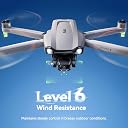
The Ruko F11PRO 2 is a beginner-friendly drone designed for adults, featuring a 6K camera with 3-axis gimbal stabilization for ultra-clear photos and smooth 4K/30fps video. It offers a long 70-minute flight time via two intelligent batteries, a 10,000-foot transmission range, and smart GPS flight modes including auto return, making it perfect for capturing family moments, travel, and outdoor adventures with ease and confidence.


| ASIN | B0DHG4G5L2 |
| Age Range (Description) | Adult |
| Age Range Description | Adult |
| Battery Capacity | 3200 milliamp_hours |
| Battery Cell Composition | Lithium Ion |
| Best Sellers Rank | #16,555 in Toys & Games ( See Top 100 in Toys & Games ) #38 in Hobby RC Quadcopters & Multirotors |
| Brand | Ruko |
| Brand Name | Ruko |
| Color | Grey |
| Connectivity Technology | Digital Transmission |
| Control Type | Remote Control |
| Customer Reviews | 4.4 out of 5 stars 9,116 Reviews |
| Effective Still Resolution | 19 mp |
| Included Components | 1 x Carrying Shell Case, 1 x Rechargeable Remote Control, 1 x Ruko F11PRO 2 Drone, 2 x Battery, Complete Set of Accessories (Charging Cable, Extra Propeller Blades, Screwds, Screwdriver, Gimbal Protective Cover, User Manual) (Charger not included) |
| Item Dimensions L x W x H | 15.16"L x 13.78"W x 2.56"H |
| Item Highlight | 3-Axis Gimbal Stabilizer, 2 Batteries for 70-Min Flight Time, Long-Range Transmission, Auto Return & Beginner-Friendly, Grey |
| Item Weight | 357 g |
| Manufacturer | Ruko |
| Material | Plastic |
| Maximum Range | 10000 feet |
| Media Type | 4K, 6K |
| Model Name | F11PRO 2 |
| Optical Sensor Technology | CMOS |
| Part Number | F11PRO 2 |
| Remote Control Technology | Remote Control |
| Skill Level | Beginner - Advanced |
| Special Feature | 2 Batteries for 70 mins Long Battery Life, 3-axis Gimbal Stabilization, Beginner-Friendly (One-touch takeoff and landing, GPS auto-return, Smart GPS mode), Solid Aerial Photography, Supports Portrait Shooting, TOF, GPS Follow, Circle Fly, Cruise Control, Waypoint Fly; FAA Compliance Special Feature 2 Batteries for 70 mins Long Battery Life, 3-axis Gimbal Stabilization, Beginner-Friendly (One-touch takeoff and landing, GPS auto-return, Smart GPS mode), Solid Aerial Photography, Supports Portrait Shooting, TOF, GPS Follow, Circle Fly, Cruise Control, Waypoint Fly; FAA Compliance See more |
| Special Features | 2 Batteries for 70 mins Long Battery Life, 3-axis Gimbal Stabilization, Beginner-Friendly (One-touch takeoff and landing, GPS auto-return, Smart GPS mode), Solid Aerial Photography, Supports Portrait Shooting, TOF, GPS Follow, Circle Fly, Cruise Control, Waypoint Fly; FAA Compliance |
| Supported Image Format | JPEG |
| Unit Count | 1 Count |
| Video Capture Format | MP4 |
| Video Capture Resolution | 4K@30fps |
| Video Output Resolution | 4K |
| Wireless Communication Technology | Wi-Fi, RF |
U**C
Learning Curve For Beginners, BUT WORTH IT!!!
This is my first drone and jumped in head first. Long story short as I can...pairing with the GPS can be DIFFICULT, but once learned, it's easy. You NEED to register it with the FAA and take a FREE safety test online. Using google search type registering your drone with the FAA and the rest is not that hard to follow. You do need to pay a $5 fee for three years registration. You also MUST dl the air aware app along with the Ruko Pro app. Reason for the air aware app, is that when you are ready to fly your drone, opening the app, will lyk if the area that you're in has been cleared by the FAA in REAL time. I also recommend that you order FREE stickers (no cc or ANY info like that) to put your registration number on your drone (through pilotinstitute), which is REQUIRED by the FAA. I am waiting for mine and used a label maker in the meantime to get this accomplished. After all of this, pairing and setup was the next step. Turn the drone on, then the controller. move the L stick up and then then down and 2 tones, along with a white light on your controller, will lyk it's paired. Immed AFTER this step, is where I got confused and it took me a while to figure this out. You then need to pick up the drone and rotate it litterally in a circle 2 times horizontally (till the back lights become solid, then place it down), then pick it back up again, with the camera facing the ground (vertically) and again rotate it 2x in a cirlce until the front lights turn solid, then place it back on a flat surface again. At that point, you MUST connect it through your phones wifi. Go to your phones wifi list, find ruko in there and connect it. Once you do that, open the app. It will NOT finish the GPS pairing UNTIL you open the app and click on controls towards the upper right corner of the app. You will then see the view from the drone camera itself and you then know that you're gtg!! After that, move BOTH thumb sticks at the SAME time towards one another (the left goes bottom R, 5 o'clock position and the R stick goes bottom L 7 o'clock position) which starts up the props and your FINALLY ready for flight. My personal opinion for the drone itself is FANTASTIC!! First time flyer I thought I could easily use it in my SMALL back yard in my residential neighborhood. Big miscaluation on my part. Learn from my error and go to a empty parking lot or field UNTIL you get the hang of it. I CRASHED my drone 3 times in a matter of 15 min and almost hit numerous trees and power lines!! I thought for sure that my drone was toast!! Especially AFTER I HIT my own lamp post in my back yard. While there are a few nicks and dings (not too bad), to my surprise, it STARTED RIGHT BACK UP EVERY TIME AND CONTINUES TO WORK PERFECTLY!!! I was SHOCKED to say the least!! What a STURDY/WELL MADE piece of equiptment!!! My complimence to Ruko for making such a well built drone with SOLID electronics and pieces. After realising that I should not press my luck any further, I headed out to a baseball field and learned how to operate it properly. It took about and hour or so, but I got so competent with it, that I can NOW fly it in my small back yard with ZERO issues. I even know how to take pics and adjust the camera in flight. It has an auto follow feaure and auto land, which is why going through the difficultuy to pair it with the GPS is SSSOOO important. I crashed in my yard those times because I got frustrated, not being able to figure out the GPS pairing and flew it at that time, bypassibg this important step. Other than that, the camera is excellent, the drone itself is obv solid, and it's feaures are plentiful. This also includes being remote ID compliant with the FAA, by having a built in transmitter that constantly broadcasts your drones ID, speed, heading and so on. It comes wtih TWO batteries that provide 30 mins flight time each and are recharged via USB-C and the remote controller is charged the same way. My advice, is to buy the extra landing gear with the extra caps in the package and buy extra props as well. I also recommend buying an extra RC controller that you can find on Ebay (new) for half the cost, especially since it is sold out from Ruko. I am so impressed by this drone, I am going to buy the same exact one to have as a backup. It's nice to see a company (esp from China) put out a solid product of this QUALITY. Worth EVERY penny!!
R**T
Great Drone, Unmatched Support.
Great Drone, Unmatched Support. When I got this drone I was nervous. I did not want to started, then see it fly off into the sunset never to be seen again, or stuck high in a tree. Also, when saw the options/buttons on the controller and App, I was concerned about a steep learning curve. Of course it is important to go over the getting started documentation and videos, even easily accessed within the app that controls the drone. There is even an easy to see clickable button on the screen of the app to call for supportโฆ Right there on the controller. But flying the drone is very easy. IT was very fun and easy to control and learn from the moment I started it. Within maybe 30 minutes, I was teasing my Golden Retriever so she was, chasing it back and forth wishing she could jump higher, and walking across the street to show my neighbors with the drone in flight hovering, around me. Took it real high and a good distance away a few times on that maiden flight as a testโฆ Never even close to losing control. This is in beginner mode. This drone has tons of capability that will make it very effective for doing the more serious and fun things I bought if for. Extremely solid, obvious very good engineering. No need to go too much into the technical abilities or functionality of the drone, I am sure other reviews will cover that well. The important reason for the review is the amazing customer support. IT feels like a solid focus on process engineering, both for learning how to use and for support. Very thorough and fast. Real people, real devoted to a great customer experience, not some automated AI robot someplace or endless holds and selecting options on a phone. I can only think of one situation in recent years that came close. I ordered the drone late one night. A couple of hours later a special promotion went into effect. The drone hadnโt been delivered yet. The next morning I saw the change and sent a customer support question about if I could be credited w/the difference. It was a Sunday morning. Just after the workday started on Monday, I got an answer from the company, zero questions, just a note telling me the refund was being processed. But the important partโฆ It was an email from a real person, w/their name and contact info in case followup was needed. The second customer service event. I am not real experienced at using those QR(QA?) codes w/camera. When I started trying to get the app installed, I began getting malware things popping up. Diffferent apps not for the droneโฆ. Paid subscriptions, etc. I thought at first it was maybe their fault. I sent another customer support question. Almost instantly, I got an in depth response from the company, w/a personsโ name, with very specific instructions, including a strong warning that I should never run apps that could contain malwareโฆ Just solid information, not even associated directly w/the drone. At the same time, I asked my daughter for help. It was my fault the malware was popping in. I had downloaded a third party code reader that inserted the malware. The moment I uninstalled that software, the process was flawless. Throughout the support process I got very thorough, very fast assistance. I even got a follow-up email before the second was done, apparently from management, checking to ensure it was being resolved. If it wasnโt , please contact them so they could work it. The support was so good that while a phone number was provided to talk to them, I never needed to use it. I had been getting some recommendations other than this company when I made my purchase. I am super glad I went the way I did.
V**7
5 Stars for product and customer service
5 Star Review for the Rukotoy company, F11PRO 2 Mini Drone and customer support I recently purchased the Ruko F11PRO 2 Mini Drone and opened it yesterday on Saturday . Everything was fine except that the 6 inch USB-C to USB-C data cable that connects the controller to my iPhone was defective. I was able to connect with a much longer data cable I have that did not fit in the controller properly but worked well enough for me to test the drone. This drone far exceeded my expectations in every aspect. It is easy to fly, control and land, extremely stable on a very windy day, and has excellent picture quality. A terrific value and a lot of fun. The next day, Sunday, I emailed customer service to request another data cable hoping for a response that week. To my amazement shortly afterwards (on Sunday) I received a reply from Katherine in customer support that said a new data cable would be sent. 5 Stars!! Dave T.
C**.
Good buy.
Great starter drone. Easy to fly, good camera. I do wish there was a way to use ND filters. Also, make sure you register it, as the weight is greater than 249g. I had a problem with my camera when I first got it, but Ruko support was great and promptly responded and helped to find a solution... so far at least.
J**S
great handling and maneuver capabilities
I've been really impressed with the ROKU F11PRO2. It is easy to fly, feels solid and is stable even in light winds, the picture and video quality is quite amazing. The battery life is good enough for enjoyable flights. I rate this drone as a solid beginner drone with easy handling capability and excellent value.
M**Y
FAA registration cost me $50.
I spent two days trying to get it to work with my Samsung galaxy s20 and then I tried it with a $50.00 Alcatel which worked but the video feed lagged so much, like 5 minutes behind , that it would be impossible to use any further than directly over my head. So I got to thinking about how the Samsung phone acted, and the first thing was the slow charging warning on connection to the controller, so last night I took a new c to c high speed data cable out and used it to connect my phone to the remote and bam! No slow charging warning and then the correct dialog was displayed with the video feed suddenly working. It's been raining today so I haven't had a chance to try flying it with the new data cable but judging by the test last night in my living room I do have some confidence that it's going to work. The jury is still out on whether I regret not going with DJI instead but we'll soon find out as the rain is about to stop. I will update my review after I actually fly the thing. UPDATE: The data cable did work. I do wish it had at least one 90vdegree connector so I could properly mount my phone but honestly I'm just happy that I can use my phone which keeps up with the gorgeous video feed perfectly. Now that I've flown several flights with this drone I can say that I am very happy with my purchase and have no regrets about choosing this one over a DJI. The only thing the DJI did better was the range, and that really isn't a problem for me. The Ruko F11 pro still has around a mile and a half, which is well beyond my eyes' line of sight. This drone flies every bit as good a the DJI Mini SE. It is a pure pleasure to operate and it has follow mode which the Mini SE did not. So yeah, This is a top notch drone by a top notch company with excellent customer support. I changed my rating to 5 stars and if the supplied C to C cable worked for my phone would be worth a 6th star in my opinion. So if you're on the fence about it, just go ahead and pull that trigger. You'll be glad you did.
G**T
Three year review with four year update
Rather than repeat the many very thorough five star reviews, I will just say I agree with them. I had wanted a recreational-use drone for years prior to 2020, but I waited as the quality and technology rapidly improved and prices went down. When the F11 Pro became available for under $300 in 2020 I took the plunge. As the reviews of the F11 said back then, it was (and still is) a great drone with some amazing features for the price. I had never owned or even flown someone else's drone at that point and in reading stories of lost and/or crashed drones over the years I was a little apprehensive at first. I had read so many stories of people spending hundreds of dollars for a drone, taking it out for a flight, it flies away and they never see it again. However, by 2020 drone technology had progressed by leaps and bounds. and the tech contained in the F11 including the Return To Home (RTH) feature makes it almost foolproof. After a quick reading of the instructions and watching a couple of demo videos I took mine out and started flying it right away with zero issues. The closest thing to a problem I've ever had was on one occasion it stopped responding to my commands and began hovering over a fenced-in field just at the far edge of my line of sight. Assuming there was something interfering with my signal, I moved as close as I could to the drone, which was the fence at the edge of the field about 100 yards from where it was hovering, and at that point It responded to my RTH command and did just what it was supposed to do - it flew back to where I had launched it and safely landed itself. I was reassured by that experience. Even though it temporarily lost my signal, it didn't fly away or crash, it executed the RTH function appropriately. In fact, I liked mine so much I bought another one for my son in 2020, and we have sometimes flown them together (the app auto separates the signals). Four year (Aug '24) update: I recently returned from a multi week cross country road trip to visit family. I took the F11 and flew it several times on the trip. The drone itself still performs as new, however the four year old original batteries were starting to get tight going in and out of the compartment (swelling) and not holding a charge nearly as long as they used to. In other words, typical issues with aging rechargeable batteries. I shopped around online and considered ordering one of the non Ruko replacements but ended up spending the few dollars more for the Ruko branded replacement and received it the next day. The new battery works well and the copter is back to full range. While shopping for the new battery here on Amazon I noticed some inexpensive accessories compatible with the F11, such as snap-on rotor blade guards and landing gear skids. It had always bothered me a little that the copter had to land directly on the ground, so I ordered the skids and rotor guards. For the little bit of money they cost it was worth taking a chance on them not fitting well, but both work well with the F11. They snap on and off easily and so far have no problem staying connected in flight, although of course they do have to be popped off prior to stowing the copter in its case. Another issue I encountered on this trip for the first time was the app not holding a connection to the copter at all, or losing only the camera feed. I did some online reading including reviews here on Amazon and discovered the auto connect feature in my phone's wifi menu was activated. I turned that off as is recommended in the comments, and poof, the connection problems went away.
R**N
Great drone. Great customer service.
Update 11/17/2025 - Ruko has the best customer service ever. While emailing with them it was determined that my problem was the cable that connects the controller to my cellphone. Within a few short days I got a package with a new cable. I fired everything up and now I have a video feed from the drone to the controller and the controller to my cellphone. Ruko has the best customer service. Even though I had an initial problem they promptly resolved it so I'm giving them 5 stars. I've worked with computers for over 30 years. I've lots of defective cables before. It just happens sometimes so I can't complain it happened this time especially when they quickly resolved the problem. ------------ This is my 2nd Ruko drone. I bought a F11 GIM a few years ago. I haven't flown that one much but when I did I really enjoyed that. When I saw that the cameras had improved to take 6k images, I decided that I would get the F11 Pro 2. That way both me and my wife can fly a drone at the same time. I have had nothing but problems getting it to work with my cell phone. My wife actually has flown the drone once but the camera both for taking pictures and videos and just seeing what the drone sees didn't work. When we got home I spent two evenings (after work) trying everything I could think of to get the camera working. It was like my cellphone wasn't even connected. The Ruko Mini app would come up but it would tell me device not connected if I tapped on one of video settings. It first told me that my SD card wasn't formatted and then after several attempts at changing settings it said that I didn't have an SD card in the slot. I did. Finally I contacted support. They responded very quick and gave me a lot of suggestions. Most of them I had already tried. One suggestion they gave me was to try it on another cellphone. My wife and I have the same manufacturer and brand of cellphone and it didn't work on either of our phones. So then I dug out an old cell phone from a different manufacturer that had a different type of connection. It has a Micro USB (the D shaped connector) while my wife and I have a cell phone that has a USB-C connector. Everything just worked on the old cell phone. I didn't have to jump through any hoops other than being asked for permission to use the camera, the location and file storage and also to use the USB connector. It also told me my SD card was not formatted and it did it for me. It was then that I began to suspect it might be a bad USB-C to USB-C cable that connects the cellphone to the controller. Ruko's support agreed with me and is sending me a new cable. Hopefully that is solution to the problem. Their customer service was very prompt. It was all done by e-mail after I went to their website and entered my information in their chat. I am only giving this drone 4 stars because my problem hasn't been resolved just yet. When the cable arrives I will update this response. Regardless the drone does fly and it flies well and is very responsive to the controls. It is a well built drone. But I mostly knew what I was getting because of my previous drone, the F11 GIM. The first time I flew that drone I didn't do all of the setup steps correctly and when I got it in the air it decided it wanted to crash into my house every time. I thought I had ruined it. The next time I tried to fly it it flew perfectly and the camera worked just like it was supposed to. I haven't had any problems with that drone since. I figured if my first drone could take a beating like that and keep working then I would stick with the brand.
D**R
Easy To Use, Fast, Stable and FUN!!
I love this drone! I tried 2 of the holy stone models years ago, and they were so complicated to set up and they controlled horrible in any wind. The Ruko F11 Pro is amazing! Handels great! Even in the wind itโs able to maintain stability and speed! Takes me less than 30 seconds to set up and fly each use. Itโs so cold outside so I keep running back to the car to warm up then right back at it! The 3rd speed setting is so Fast! Love how easy it is to control and how smooth the video recording is! Canโt stop using it! Overall, good buy! Best drone for the price other than the DJIโs. Buy this for your first drone, 100% Recommended. If you want top of the line camera, expect to pay much more. Iโm happy with this quality for now. Donโt even care about not having a gyro. Love the movement for sport flying!
J**R
Awesome customer service
Amazing drone. Super easy to use. Very responsive. Excellent video quality. I've owned many drones, and this is by far the best. Nice carying case too. I had a minor issue and the customer service people helped me out right away. Would 110% buy this again , and definitely recommend this drone to anyone!!!
B**R
Works well
I got this as a gift for my husband to use on our farm. Controls are easy to use, camera seems to work well. Had a good experience with the service about additional/spare battery that was shipped quickly. My husband hasnโt been able to use a lot yet due to winter but we are looking forward to using this spring/summer.
C**O
Really great experience
Fantastic drone for first time learner. Smooth take off and landing, excellent response to controls. Return to base is a key feature and the video is great quality. Had an issue with communication failure and the service was 5 star. Highly recommend.
R**O
Good drone and best support
Excellent Drone and a top of the line customer support! Drone flew really well and video, pictures were taken really well!! We contacted the customer support for couple of questions and the resolution and support was just so amazing! The even helped me out on the Christmas day - which is not expected at all!! Best customer support experience I ever had and it comes with 2 batteries that sets this model apart from other drones.
Trustpilot
2 days ago
3 weeks ago