


๐ Print smarter, ship faster, and never miss a deadline with Zingยฎ!
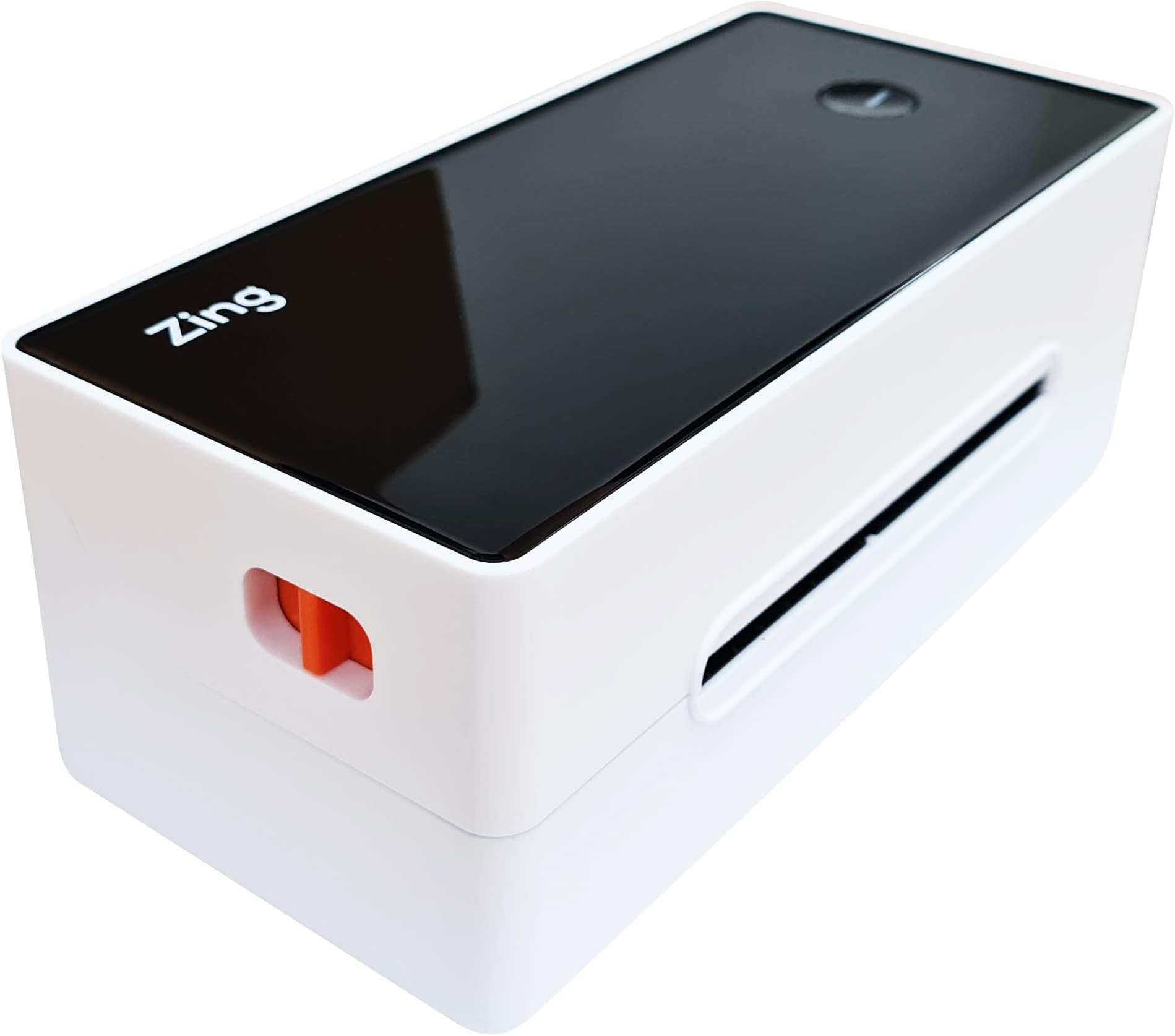
The Zingยฎ Direct Thermal Label Printer delivers ultra-fast 150 mm/s printing with crisp 200 dpi quality, supporting adjustable label widths up to 4.1". Compatible with all major e-commerce and shipping platforms, it eliminates ink costs through advanced direct thermal technology. Lightweight and easy to set up, it includes a free starter roll and offers 1-year warranty and technical support, making it the ultimate tool for professional sellers and managers aiming to streamline their shipping workflow.






| ASIN | B07T23VSJ2 |
| Additional Printer Functions | Print Only |
| Best Sellers Rank | 80,340 in Business, Industry & Science ( See Top 100 in Business, Industry & Science ) 446 in Label Makers 795 in Labels & Labelling Equipment |
| Box Contents | Labels |
| Brand | Zing Technology |
| Brand Name | Zing Technology |
| Colour | Grey |
| Compatible Devices | PC |
| Connectivity technology | USB |
| Control Method | App |
| Controller Type | iOS |
| Customer Reviews | 4.2 out of 5 stars 230 Reviews |
| Dual-sided printing | No |
| Duplex | Automatic |
| Hardware Interface | USB |
| Item Dimensions D x W x H | 0.6D x 15W x 0.4H centimetres |
| Item Weight | 1 Kilograms |
| Manufacturer | Zing Technology |
| Maximum Copy Resolution Black and White | 300 dpi |
| Maximum Copy Resolution Color | 200 dpi |
| Maximum Print Resolution Black and White | 200 dpi |
| Maximum Sheet Capacity | 6 |
| Maximum Supported Paper Size | 150 mm x 6 mm |
| Maximum print Resolution Color | 200 dpi |
| Model Name | Zing-203 |
| Model Number | Zing-203 |
| Model Series | 200er Serie |
| Model name | Zing-203 |
| Network Connectivity Technology | USB |
| Number of Trays | 1 |
| Other Special Features of the Product | Portable |
| Output sheet capacity | 6 |
| Paper Size | 4 inches |
| Print media | Labels |
| Printer Output Type | Monochrome |
| Printer Type | Thermal |
| Printing technology | Thermal |
| Processor Count | 1 |
| Resolution | 300 x 300 |
| Scanner Type | Photo |
| Series Number | 200 |
| Special feature | Portable |
| Specific Uses For Product | shipping, labeling |
| Total USB Ports | 1 |
| Unit Count | 1.0 count |
| Warranty Type | Limited Warranty |
C**S
Excellent bit of kit!
This printer is perfect for the price, I use it for printing address labels for my ebay store but, be warned, do not use the labels generated by ebay, they are low resolution and leave you thinking this awesome little printer is poor! Once I linked my account to the royal mail drop and go service and printed my labels directly through there instead they have been top quality simply due to the improved quality of label generated by the site. Set up takes less than 5 minutes, I downloaded the latest Rollo drivers rather than the disc that came with it and these worked perfectly, the machine itself is sturdy and actually feels well made. The labels print very quickly and my workflow has improved immensely since using this over aver labels and importing the images etc.. Long term reliability remains to be seen but I have no concerns from what I've experienced so far, this really is an excellent piece of kit and a bargain for the price!
S**A
Prints 4" by 6" labels fast
This printer is exactly the same as the Rollo thermal printers, but with a small badge saying "Zing" glued on the top. The unlabelled DVD containing drivers that was packed with the printer reinforced the Del-Boy impression - it does look as though a bunch of Rollo printers have been located in a warehouse somewhere and resold. The above notwithstanding, the printer itself has been excellent. You can download the Rollo drivers to your computer (I have a Mac Mini running 10.15) and then select the printer as an option in the normal printing menu. The printer arrived with a big stack of 4" by 6" labels and a tray to stand behind the printer to hold them. The tray is a little large - especially for spooled labels - but does its job. The printer works out the size of label by pulling a series through the machine when first turned on (and pressing the button on top). This was a bit confusing at first (I've not had a thermal printer before) as I was trying to print an individual label. Once I understood that the printer wanted the connected labels fed into it from the supply all worked well. Sometimes it didn't quite work out the edge, but once it had been found it remained and place and could be turned on to print a sequence of labels with no problem. However, because of this you might want to keep the printer and feed tray in the same place between prints, or you will need to re-calibrate the labels after moving it. Every labels - for the few weeks I've had it - has printed without a problem, very quickly and clearly. I was looking for a 4x6 label printer and I think this is the cheapest way to get one.
P**๏ฟฝ
Great little printer.
Works really well, cant imagine needing to buy or use anything better than this. It's a rebranded rollo printer, so much so that I downloaded the drivers from the rollo website and used them instead as I dont have a CD drive in my laptop. Initially the darkness of the writing or barcode on the label was a bit weak- quick tip, when you open the label to print it, open it in Adobe reader or similar and print from there, when I opened the labels before it was opening on a browser and the quality wasnt great, it's perfect now I open it in Adobe.
J**E
Does the job. But not great
Does the job. Easy to setup. Easy to use. It's a small and compact design great for little desks. But the print quality isn't very good. Better spending a few extra bucks and go for a different one , that prints thicker and has a mobile app and Bluetooth. But this is good don't get me wrong
F**L
No support or download instructions
Excited to start using this product. Having started a business on Etsy last November and was beyond busy for Christmas I knew I needed a better system to make my chocolate stirrers, box and print labels. However when I got the Zing, there was no instructions on how to install. Finally got that sorted but print quality was so faint, and wouldnโt print on continuing reel. It would print the same label over and over when new labels was Inserted. Returned for a refund and so happy with the other make I received
S**1
Easy to set up, easy to use with Ebay and Etsy labels
Perfect size for Royal Mail, and Parcel2go/Hermes labels. Easy to set up and install, simple driver download from Zing website and then treat it like a normal printer by selecting it. Just make sure the labels are set at 150 as sometimes it defaults to 180 and they look a bit squashed! (that could be my computer though). No wirelss but thats fine, i like USB as you know its actually going to work. Simple to load labels and aligning it pretty much does it itself, watch the videos on Zing website if you are unsure as they make it a lot easier and once you have got to grips with it a few times its easy. Never had a jam, only ever had failed prints through my own stupidity, saves paper and sticky tape and most importantly time putting the labels on. Looks a bit more professional too! Hopefully this will last a lifetime being thermal and saves so much money on inkjet cartridges, so if you are printing a decent amount of labels then this is the device for you.
C**X
Great printer, just the job.
I previously had a Dymo labels printer to print my 4x6" postage labels but it had become a problem for Windows 10, it kept disconnecting and locking up. I bought this printer to replace it and am very pleased. Unlike the Dymo, this printer does not need special labels with markings on the back. You can use generic labels and it just senses the label start and end points. This is good becuase I have a Royal Mail franking account and can now use the FREE 4x6" labels they supply, meaning this is way cheaper to use than the Dymo. This printer is a clone/re-badged Rollo printer and can use the latest drivers from Rollo. It needs no special software to run, you can use Word etc... You can print labels directly from the Royal Mail online postage, and also the PDF files you get when using sites like Parcel2Go or Parcel Monkey, or even from Ebay etc...
L**S
Probably the fastest printer around!
This little Thermal Printer is one of the best items I've bought so far this year. Prints within a second so saves me time to do other things. This is so good that when i showed my brother he bought one too! The time saved with printing labels, the savings on not having to buy ink, and the small amount of room that this Zing Thermal Printers takes up should be the 3 main reasons why you should get one now! These are also ยฃ40 cheaper than elsewhere too!... That is now 4 reasons to get one from Amazon. **updates after using for over 7 months** Printer still going strong. Do not use cellotape over the address label from these thermal printers. The chemical that creates the address from heat will fade and be unreadable when cellotape is in contact with the address label. You don't want parcels having a blank label during it's journey! Do not use thermal printers within ebay postage label screens due to ebay using very poor resolution labels that are very faint when used with thermal printers. Use Royal Mail click and drop website instead.
Trustpilot
1 month ago
3 weeks ago