


Desertcart purchases this item on your behalf and handles shipping, customs, and support to Ecuador.
🚀 Upgrade your workflow with speed and space that means business.
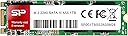
The Silicon Power 1TB A55 M.2 SATA SSD delivers reliable 560 MB/s read speeds using high-quality 3D NAND flash memory. Designed for desktops and laptops with M+B Key M.2 SATA slots, it offers a spacious 1TB capacity ideal for professional workloads. Backed by a 3-year warranty and U.S.-based tech support, this SSD combines performance, durability, and peace of mind for the modern manager on the go.
| ASIN | B07PHJCCY3 |
| Additional Features | TRIM Support |
| Best Sellers Rank | #113 in Internal Solid State Drives |
| Brand | SP Silicon Power |
| Built-In Media | Free-download SSD Health Monitor Tool - SP Toolbox Software, 3-year warranty |
| Cache Memory Installed Size | 1 |
| Color | 1TB |
| Compatible Devices | Desktop, Laptop |
| Connectivity Technology | M.2 SATA B+M Key |
| Customer Package Type | Standard Packaging |
| Customer Reviews | 4.5 out of 5 stars 2,888 Reviews |
| Data Transfer Rate | 560 megabits_per_second |
| Digital Storage Capacity | 1 TB |
| Enclosure Material | 3D Nand Flash |
| Form Factor | M2 |
| Global Trade Identification Number | 00886576044569 |
| Hard Disk Description | Solid State Drive |
| Hard Disk Interface | Solid State |
| Hard-Drive Size | 1 TB |
| Hardware Connectivity | SATA 6.0 Gb/s |
| Hardware Platform | PC, laptop |
| Installation Type | Internal Hard Drive |
| Item Dimensions L x W x Thickness | 3.15"L x 0.87"W x 0.14"Th |
| Item Weight | 0.02 kg |
| Manufacturer | SP Silicon Power |
| Media Speed | 500, 530, 560 |
| Mfr Part Number | FBA-SU001TBSS3A55M28AB |
| Model Name | A55 |
| Model Number | FBA-SU001TBSS3A55M28AB |
| Number of Items | 1 |
| Read Speed | 560 |
| Special Feature | TRIM Support |
| Specific Uses For Product | storage |
| UPC | 886576044569 |
J**E
Silicon Power SSDs are always a great price!
The Silicon Power 512GB M.2 SSD is a fantastic storage solution that offers excellent performance and reliability. Having used this SSD for a considerable period of time, I can confidently say that it is a worthwhile investment for anyone looking to upgrade their system's storage capabilities. First and foremost, the performance of the Silicon Power M.2 SSD is outstanding. With its NVMe PCIe Gen3 x4 interface, it delivers lightning-fast read and write speeds, significantly enhancing the overall speed and responsiveness of your system. Whether you're gaming, editing videos, or performing intensive tasks, this SSD ensures quick data transfer and reduced loading times, providing a smooth and efficient user experience. In terms of reliability, the Silicon Power M.2 SSD excels. Built with high-quality components and utilizing advanced technologies, it offers robust endurance and stability. With a mean time between failures (MTBF) rating and various error correction mechanisms, you can trust this SSD to keep your data safe and secure. Additionally, the SSD operates with low power consumption, minimizing heat generation and prolonging the lifespan of your system. Furthermore, the Silicon Power 512GB M.2 SSD is incredibly easy to install. Its compact M.2 form factor makes it suitable for a wide range of laptops and desktops, ensuring compatibility with various systems. The included migration software simplifies the data transfer process, allowing you to effortlessly clone your existing drive to the new SSD. This convenience saves time and effort, making the upgrade process a breeze for users of all technical levels.
A**R
Dell Latitude 3190 SSD Repl w/256
256 SSD worked very well with clean install of W11 on my Dell Latitude 3190. Documentation from Dell and other sources was iffy about increasing the SSD size to 256. Existing SSD died...great to have my Dell 3190 back in action. Silicon Power was great accepting my return of the SP128 which I purchased if pc was incompatible with 256 SSD Thank you, Silicon Power and Amazon!
S**R
Worth it ! 100%
Awesome value for extending my MAC MINI storage. Easy to install and use. Cheapest 1TB SSD SATA M.2 on Amazon from the current search. Please note: Mac shows it as uninitialized when you attach it. You have to initialize it by using the following commands please follow these steps on a Mac: Disk Utility > Select SSD from List > Click Erase > Name the drive > Select APFS or Mac OS Extended as the format and then Erase the drive. if you plan on using this SSD on a PC in the future, you will need to format your drive as "EXFAT" so both Windows OS and mac OS can read the drive upon connection. Thanks for reading.
P**I
Great Budget SSD for Everyday Use
This SSD installed easily and worked right away without any issues. It’s a solid upgrade from a hard drive, with noticeably faster boot times and smoother performance overall. For a SATA M.2 drive, speeds are good and it runs cool. Great option for basic use, older systems, or as a reliable boot drive at a very good price.
H**Y
Slower shipping but good product
Shipping was a little slower then I would have liked for this ssd card but it did come and I couldn’t find it anywhere else giving 4 stars because of the slower shipping and the higher price then I would have liked to pay it was super easy to install just plug and play and now my laptop works again so I’m thankful for that
J**R
Seems to be very good value, more trouble to find what would work than to install.
Silicon Power M.2 2280 SATA 1TB SSD. Installed in Dell Inspiron 3470 Small Form Factor Desktop built in 2019. Biggest issue was determining what SSD card to get. NVMe will not work in this machine, and most offerings for a 1TB card are NVMe, so I settled on the SP brand. I needed to match the existing 1TB HDD to be able to clone without partitioning, then use the SSD as a Boot Drive and the HDD as a backup drive. Within 2 hours after UPS delivered it, I was up and running without any problems. I used Macrium Reflect 7 (Home Edition that I purchased during the Black Friday sale) to clone the SSD from the HDD, about 30 minutes. Watched a YouTube video for instructions to change the designation from E to C drive and rebooted and everything worked as hoped and wow, what a difference. Downloaded DiskMark 64 to test the read/write speed and got the following results. HDD Read (MB/s) 184.76 Write (MB/s) 171.61 (Top line results) SSD Read (MB/s) 552.85 Write (MB/s) 439.23 (Top line results) This is my 3rd upgrade from HDD to SSD as boot and retaining HDD as backup. One Windows HDD to 2.5 inch SSD, one Apple MacBook Pro from HDD to SSD (replaced HDD) and this one. All are well worth the effort and expense. All my parts are from Amazon, no issues just ordered the mounts with the 2.5 inch and didn't need anything for the M.2 slot. Since I wanted to retain the old HDD, I didn't have the option to just add a 2.5 inch SSD because the drive bay was not big enough to mount a SSD and HDD. I did not rate the Longevity because only time will tell. Since I kept the old HDD as a backup and will schedule monthly backups, failure will not be fatal.
F**R
IT review here!
Alright so I'm A+ certified and have other certs and getting more. I bought this personally for myself. I've replaced thousands of drives and a maybe hundreds of M.2. THIS ONE was a peace of cake. Not only was the packaging nice for me to open but the drive works flawlessly. I got this drive on sale. For the price I paid for this drive, worth it! The actual price? Probably worth it, if I didn't have a budget. It works great and runs very nicely for me. Oh, be the way. This is an mSATA drive not an NVME drive, meaning it only has one notch in it instead of two. So the speed are technically slower but honestly I haven't seen a difference. KEEP READING IF YOU NEED PROGRAMS TO CLONE/FORMAT DRIVE. If you are look to clone a smaller drive to this one(like what I did) let me save you some trouble. Here are two programs your gonna want to download to use, and yes they are free! EaseUS Todo Backup Home 11.5 - for cloning and or backing up. EaseUS Partition Master 13.0 - for extending and moving the partitions around. (windows partition manager is crap). You can use the two programs above(they are free btw) to clone and fix up the drive for use. HOWEVER I will state if you DON'T know what you are doing get a professional or someone who DOES know what they are doing. You can destroy all your data if you aren't careful. However it works if you know how to do it. Pretty simple too!
J**A
.M2 Silicon Power storage failed with NAS cache' use
I have purchased Silicon Power 2.5" SSDs in the past. They are a cheap storage solution that allows me to compare different Linux distros - no issues of its failures. Comparable size storage from other brands are upto 20% more. That said, this particular storage, the M.2 SSD has been a failure. I purchased two of these to create an onboard read/write cache' as RAID 1 to complement the RAID 5 HDDs in my Synology 1517+ NAS device. Initially, the read/write cache' configured successfully. However, after 30 mins, the read/write cache became degraded, reverting to only read only. I spent close to four hours troubleshooting every possible option that included removing the storage, formatting it in linux and windows platforms, hoping to kickstart and make them usable. No luck. The part that bothered was that each time I started from scratch the issue would alternate. The NAS would point to one or the other as a failed resource. With frustrations and lost time, I have returned both and purchased a different brand (Transcend). It has been working - no issues after the initial setup. I do not recommend this product if anyone is planning to install them in a similar use case scenario as mine. Also, at this point, I will not be purchasing other Silicon Power products. The reliability is now in question. thanks for reading.
A**T
This seller & product can be trusted
Delivery service was good. 1st delivery was not successful as I was out, I was called and the 2nd delivery the next day was ok. Product works and the seller's published details were accurate. I didn't do any technical performance comparison since mine is an old PC, but the SSD worked as expected and the C: drive migration was seamless.
S**I
Fantastic
fast and cheap 1 week delivery
D**C
Good product
Good product for a price.
A**R
No pierdan su dinero e informacion con este producto
Dos veces lo compré y dos veces falló. Lo barato sale caro, de repente murió y ya no pude recuperar valiosa informacion. Nadie lo compre
M**Y
Compatible with my ASAS ROG Strix GL753VE
My laptop is an ASUS ROG Strix GL753VE and has one M.2 SATA slot and one 2.5" storage slot. I used an M.2 SATA to 2.5" adapter to put the Silicon Power 1TB A55 M.2 SSD in the storage slot where I previously had an HDD. After installing this internal drive, don't forget to set the partitions so the laptop detects it as storage! Everything working fine thus far. Speed of programs and games installed on to this drive improved immensely!
Trustpilot
1 month ago
3 weeks ago