

Desertcart purchases this item on your behalf and handles shipping, customs, and support to Ecuador.
๐ Upgrade your wireless game โ faster, smarter, and more secure than ever!
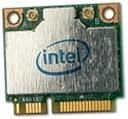
The Intel Dual Band Wireless-AC 7260 adapter delivers cutting-edge 802.11ac Wi-Fi speeds up to 867 Mbps with dual-band 2x2 MIMO technology, combined with Bluetooth connectivity. Designed for professionals who demand reliable, secure, and high-performance wireless networking, it supports Intel vPro for advanced security and remote management. Compatible with Windows 7/8 and Linux, this adapter enhances your productivity and entertainment experience with broader coverage, improved battery life, and seamless device integration.
| ASIN | B00DMCVKMU |
| Best Sellers Rank | #1,869 in Computer Network Adapters |
| Brand | Intel |
| Color | Assorted |
| Compatible Devices | Desktop |
| Compatible Operating System Family | Linux, Windows |
| Customer Reviews | 4.4 out of 5 stars 742 Reviews |
| Data Link Protocol | Bluetooth |
| Data Transfer Rate | 867 megabits_per_second |
| Hardware Interface | 3.5-Inch Floppy |
| Item Weight | 9.07 g |
| Manufacturer | Intel |
| Mfr Part Number | 7260HMWG |
| Minimum Required Operating System Version | Windows 7, Windows 8 |
| Model Number | 7260.HMWG |
| UPC | 735858262392 |
| Unit Count | 1 Count |
M**W
Intel did not Dissapoint- Neither did AMAZON Customer Service
I've had a Asus RTAC66U for a while now and have used the following (Netgear, Belkin, D-Link) all with mixed results. The bottom line for me is that I wanted a component that did what it was supposed to do and utilize the AC signal coming from the Router. I live in a second floor apt btw with Optimum Online Ultra 101 as my only choice. So the wiring is Cable Modem, Cat 7 Cable to Router. As soon as I heard this product was out and it was by Intel, I bought it thinking...eh, hopefully this will work with the windows 7 64bit drivers just being released. One part I really enjoy about this card is that it eliminates the third antenne that I would have to stick into the computer somewhere not optimal for reception. I was using a Intel Ultimate N 6300 and the only "advantage" I would say that has over this is that its 3x3 whereas this is 2x2 and my router is 3x3. That issue is really kind of moot though. Connecting was a snap. MAKE SURE YOU DOWNLOAD THE DRIVERS FOR YOUR MACHINE FIRST BEFORE INSTALLING THIS CARD. 2.4ghz cruises at 300-450 Mbps and 5ghz shot up too 866.7 depending where I am in the apt. Even if it does drop , its still super fast no doubt about it, configure your router and card correctly and you shouldn't have an issue. I usually use testmy.net to make sure my speed is where it should be but after speaking with Optimum Reps they said " we only use speedtest.net"- which i personally consider to be inaccurate. However on the 5ghz side I am getting 113Mbps Down and 34 Up. 2.4ghz is closer to 76 Down and 32 Up. Not too shabby. I am using a Asus K55vm Laptop with 16gigs of RAM and a 256 SSD. And of course... this 7260 wifi card. I like it. You might like it too. As an aside. I wanted this item overnighted, but the UPS in Clifton NJ didnt recognize the address-- I called Amazon Cust Support and they were SO SUPER HELPFUL. I couldnt get it the same day but was able to order it again, receive it the next day, and they were kind enough to waive the Next Day Air Charge. : D Update 9/5/13 Noticing occasional dropouts on the 2.4ghz side. I will keep an eye on this as it could prove annoying. No real reason to switch over from the 5ghz side though as the lowest it drops is still above the 450Mbps 2.4ghz side.
T**T
Works fine in Toshiba Qosmio X775
This was a great upgrade for my Qosmio laptop. I purchased the card on Amazon from A4-TRADE and had a disappointing experience with them on two fronts - first they apparently sent electronic shipping info but never actually shipped the product (so I had to contact them after several days to get them to actually ship it). When the item arrived it was in a standard (rather than an anti-static) plastic bag - an item like this should ALWAYS be shipped in anti-static packaging. I'd suggest checking with your chosen supplier before purchase that they will ship it in an anti-static bag. However, a supplier who doesn't use anti-static bags is also unlikely to use anti-static precautions when handling the board for shipping. No gripes at all with the device itself, speeds are fast and so far I haven't noticed any of the disconnection type issues some reviewers have complained about. I suspect their disconnection issues may actually be more to do with their routers rather than the device (reviews of some recent AC routers have many users complaining about daily or frequent disconnects). Anyway, worth getting the latest firmware for the router! To install in the Qosmio laptop was relatively easy, remove the subset of F6 screws from the underside that secure the keyboard (I forget if you have to remove the three screws from within the RAM / Hard drive compartment), slide out the DVD, pop out the keyboard (finger access to pop it out is from within the DVD space) to reveal the WiFi card slot. Take a lot of care with the ribbon cables and connectors - never pull or push the ribbon with force). It's worthwhile blowing out the dust from the CPU fans while you're at it - full details of removing the case can be found in various forums - recommend perhaps getting some experienced help if you're not familiar with flat ribbon connectors and micro-coax connectors. I did have a little trouble with the Intel driver installation (Windows 7 64-bit). When I installed the "software with drivers" the card did not appear in the Windows Device list, only after installing the "drivers only" then reinstalling "software with drivers" did the card appear but after that I have had no problems at all and I'm very happy with the upgrade.
D**H
Confirmed that the APTx codec works with this adapter
I bought this adapter because it had a chance to use the high quality APTx bluetooth codec, and I was happy when it worked. I installed it in an Asus V551LB laptop, and after installing the Intel drivers, the wifi and bluetooth were working perfectly. I had a chat with Intel support, and they said that technically, APTx is not supported on on devices that didn't come with this adapter installed (and they're right: the APTx logo is supposed to appear when a device that supports it connects, but nothing happened when I paired my APTx headphones,) but there is definitely some high quality streaming going on here. I compared several songs, listening through my APTx headset, on both my laptop and my phone (which does NOT have the APTx codec,) and the difference is audibly clear. On the phone, the compression is noticeable, with the high frequencies all scratchy and warble-y. The same song on my laptop (with this adapter) has no issues like that (since the APTx codec ups the bitrate to 192kbps, which for most people, is practically to lossless quality.) As far as the wifi features are concerned, they are d just as good as any other adapter. I can see both signals from my dual-band router, and can connect to each easily. I am getting connection drops occasionally, but I'll be going to check the broadcast channels soon to see if there is any interference. I also like the Intel Smart Connect program that is available (when you put the laptop to sleep it wakes it up every 15, 30, or 60 minutes to update your email and social media programs, then put the computer back to sleep,) it makes it so I always know if I have any updates after putting the laptop to rest for a while.
P**D
Bluetooth Headset Issues might be easy fix
I had the same problems attaching the antennae pins as others, wish there was a better solution, but the compact nature of the card and its mounting area forces them I guess (once upon a time the only people that even Saw them were constructing your laptop, so no one cared how hard it was to mount the antenna pins). The wifi performance for me has been outstanding, but this is also my first AC unit, so the improvement was expected. I do not experience any dropouts and That was my primary reason for buying This card, as well as offering Bluetooth in a neat package for my NUC 5x. On to the Bluetooth, whenever it goes out of range, and re-establishes, my HX550 headset would not produce sound any longer, though it was still working fine with my Samsung Note2, also consistently connected. If you go to the (Win7) toolbar, click open 'hidden icons' and dbl-clik the Bluetooth Devices icon, you -should- see your headset there in the window that opens (I am presuming you have already paired it and that it Has worked, but stopped working because of sleep or distance-disconnect). dbl-clik on your headset's icon and you will get a new window showing "Play Music" with a green check mark, meaning that Your AC 7260 thinks that your headset is an iPod. This needs to be 'disconnect' and after waiting a moment, clik/choose "Listen to Music". I usually make sure that there is Nothing playing when I do this, but it has performed ok when something Was playing. Until Intel allows us to choose a 'default action' for our bluetooth headsets, you will need to do this every time, but you get used to it. I tried to tell Intel of the fix, but their login server didn't like me.. Still highly recommended card, but No way of knowing if it'll play nice with your headset until you try. Hope this helps someone, I know I was ready to return the card or the headset and found No answers out in google-land (but I -am- search-challenged, lol)
J**T
Great product from Intel
I purchased this card in combination with the new ASUS RT-AC66U where I installed DD-WRT. I installed this card on my Lenovo V570 after removing the BIOS blacklist. The Lenovo V570 has two antennas so that worked well with this card. I downloaded the drivers from Intel and installed them on a Windows 7 x64. It works very well, so far I have not experienced any disconnects as other users have, maybe because I used the latest Intel driver. I have not tested bluetooth. I have configured my router for 80Mhz of bandwidth at 5Ghz 802.11ac and 40Mhz for 2.4Ghz. I have also checked the settings for the Intel AC 7260 and changed the following: - 802.11n Channel Width for 2.4Ghz: Auto - 802.11n Channel Width for 5.2Ghz: Auto - Preferred Band: 3. Prefer 5.2Ghz band I also checked multiple channels for the 5Ghz interface. Some channels were pretty bad with connection speeds of 70mbit/sec. I have my router upstairs and use the laptop downstairs. The connection speed at 5GHz shows in DD-WRT and Windows at 585 mbit/sec. My old 802.11n card was connecting at 144 mbit/sec. After testing some file transfers, the effective bandwidth was around 15MB/sec, which is effectively around 120mbit/sec, 10 times the 1MB/sec that I was getting with the 802.11n. In theory I should be seeing transfers of 60-70 MB/sec but I am happy with my 10x improvement. Now if you are testing this card by transferring some files, your storage needs to be able to handle these transfer speeds. I have a 10TB storage array connected to my server via 4Gigabit Fibrechannel that can do more than 300MB/sec (limited by the 1gbit/sec network connection of the router to 120MB/sec) and I use an Intel last generation flash SLC drive on my laptop that will easily do 100MB/sec, so my backend storage can support true 1 gigabit/sec. One last thing, be aware that the seller SPICY BOMB is selling fake cards. These cards are Atheros AR9462/AR5BWB222 with a photocopied sticker from an Intel card. These are not even AC wireless cards. If you purchased this card from SPICY BOMB, please look at the sticker and see if you have WFM: 0C8BFD2C745A and BDM: 0C8BFD2C745E. If you do, you have the fake card. You can also identify the fake because the antenna connectors are marked CH0 and CH1 instead of 1 and 2 like the Intel.
M**Y
Good Wi-Fi, bad Bluetooth issues
I feel like I should provide some information on this item. I bought this card in order to replace the original Intel 2200 card that my Toshiba Satellite P845t-S4310 came with. I wanted to be able to use the 5 ghz band from my router as the 2.4 was becoming a little congested and I was beginning to notice my speeds were dropping. I had read the other reviews that the drivers would have to be downloaded in order for the card to work. I found the cards Wi-Fi to basically be plug and play and I was able to access both bands of my router. The only thing I was not able to use was the bluetooth. I went to Intel's website and downloaded their automatic driver installer software and in using that, I was still not able to get the bluetooth to be noticed by my laptop. I stumbled upon a trick that some people had to do to get it recognized, which was to use tape to cover up pin 51 and plug it back in. I did this and the laptop found the bluetooth and I was able to access the bluetooth menu in windows 10. This still was not working. I was able to get a passkey to display on the laptop and phone only when trying to connect from the laptop. I was unable to get the phone to display a passkey to the laptop. I had seen others device managers via screen shots and saw that theirs had said it was Intel Bluetooth 4.0 so I Googled it and found that it was a Dell driver. I downloaded and installed this driver and following a reboot, was FINALLY able to connect the phone to the laptop in working order. This whole situation of mine took 2 days for me to figure out. Hopefully this will help anyone else who is having a similar issue. The speeds are working good and the Bluetooth has no issues now, however I personally cannot give it anymore than a 3 star rating due to the fact that I was not able to fully use the card until I took many more steps than necessary to get full functionality out of it.
P**J
Great upgrade for my Dell XPS 17!
My Dell XPS 17 (Model L1702X) was having problems with it's built-in Intel 6230N wireless card, so I finally decided to replace it. After studying on new cards i wanted to get a card that could use the full potential of my new Router ( NETGEAR Wireless Router - AC1750 Dual Band Gigabit (R6300) - Manufacturer Refurbished . Mine was purchased from Mobile Computing Solutions and shows up as the Intel Dual Band Wireless-AC 7260. It connects at 866.7 Mbps to my netgear R6300 version 1 router using the Wireless AC standard which is amazingly fast, it's almost like connecting with a cable. Installation: I downloaded the latest windows 7 drivers previously. You need to first download the Bluetooth drivers which for windows 7 64bit is BT_3.1.1311_s64. Then I had to find the windows drivers. I used the drivers only which is Wireless_16.6.0_Ds64. There is also a newer Wireless_16.7.0_Ds64 that is out as well. I looked up dissassembly instructions online for my Dell XPS 17 Laptop (L1702X). I took apart my case and removed my Wireless card, which had two wires connected but three available (one was wrapped and not used). It replaced an Intel 6230N. I then put in the new card and used the previous screw to screw it in. The antenna wires were popped back on the same sides. I then put my laptop back together which was hard since I had to remove the keyboard and several small screws from throughout the system. I then booted the laptop and installed the bluetooth drivers and network drivers again. I then connected to my wireless network using the new card. Troubleshooting: I was only connecting at 54Mbps at first and I was having connection issues. Here is how I fixed it... For those with wireless-n and wireless-ac routers you may have to troubleshoot your windows settings if you have "upgraded" your card. In the control panel, go to the Device manager, go to network section, and double-click on the Intel Dual Band Wireless-AC 7260. Now clicked on Advance. Under Ad-hoc choose WMM Enabled, under HT mode choose VHT, under preferred band choose 5.2ghz, under transmit power choose 5 highest, and under wireless mode choose 6: 802.11 a/b/g. Press okay to save changes. Inside your router go to the QOS section (in my netgear router it can be found in advanced>Setup>QOS Setup). Make sure WMM is enabled. Save changes. Another thought is to use a program like DNS Bench to find the best DNS server for you. I added my provider's DNS to the generated list and it turned out that Charter's DNS (one of the two provided) was the fastest and a level 3 dns server was second fastest for me. I added both as static dns server's to my router. Final Thoughts: I love this wireless card. You'll have to ignore the Windows 7 bug that claims you are connecting to a Wireless N network and the driver bug that states you only connect to a/b/g networks. The one device bug right now is that your router needs WMM enabled. This does not make sense since my wireless AC usb adapters such as the Edimax AC adapter, did not have this problem. Overall the Intel 7260 connects faster than the Edimax EW-7811UTC AC600 Dual-Band USB Adapter, Mini Size Easy to Carry, Supports Both 11AC ( 5GHz Band ) and 11n ( 2.4GHz Band ) Wi-Fi Connectivity, Upgrades your PC / Laptop for Exceeding Streaming and Faster Download . It actually is twice as fast since its 866.7 Mbps compared to 430Mbps , not to mention it fits inside my laptop so I can't break it. Overall if you don't mind opening your laptop this is a great deal for Wireless AC router owners! If this review was helpful then please click the button! Thanks!
N**N
Fantastic Upgrade
I highly recommend this card. I, like most people, don't really think about wireless until it doesn't work. I was suffering through mediocre reception and speed with an Atheros 802.11n card in my Dell XPS 8500. I typically prefer wired networks, but that wasn't an option, so I needed to improve my reception in order to keep my sanity and productivity. After some research, I found this card. It has 802.11ac and is compatible with 5ghz networks (Atheros was not) and has Bluetooth too. The difference between the old card and this Intel card is night and day. My Speedtest.net tests improved immediately from 40ms Ping with 20-25mbs down and 9-10mbs up to 22ms ping and 55-57mbs down and 10-11mbs up. Full bars of reception too (old card only registered 2-3). I downloaded the drivers for Win 7 64-bit from Intel and they worked without any trouble (did not install the ProWireless software from Intel, no need, using Windows network management). Pros: Cost, performance, ease of use and installation. Cons: None of note yet, will update if needed. Recommend this card to anyone looking to improve their 802.11n network and want to future proof for 802.11ac down the road.
D**S
Five Stars
As expected.. It's Intel.. what can I say..
E**L
Amazing, my laptop WiFi actually works now.
I installed it into my laptop to replace the old WiFi adaptor that just didn't cut it, the old adaptor was extremely slow and the range wasn't as good, when I replacoit with this one it's a night and day difference, in speed and range.
Trustpilot
1 month ago
1 month ago