Buy anything from 5,000+ international stores. One checkout price. No surprise fees. Join 2M+ shoppers on Desertcart.
Desertcart purchases this item on your behalf and handles shipping, customs, and support to Ecuador.
⌨️ Elevate your desk game with the keyboard that means business — type smarter, connect faster, and control effortlessly.
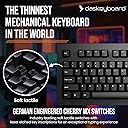
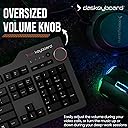
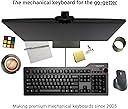
The Das Keyboard 4 Professional is a premium wired mechanical keyboard featuring Cherry MX Brown tactile switches rated for 50 million keystrokes, a durable anodized aluminum top, and laser-etched keycaps. It includes a 2-port USB 3.0 hub for high-speed data transfer and charging, dedicated media controls with a large volume knob, and an ergonomic magnetic footbar. Designed for professionals seeking a refined typing experience and seamless connectivity, it supports full N-key rollover and offers a sleek, minimalist aesthetic.


| ASIN | B00JG01QTY |
| Additional Features | USB Hub |
| Antenna Location | Gaming, Programming |
| Best Sellers Rank | #446 in Computer Keyboards |
| Brand | Das Keyboard |
| Built-In Media | USB Cable |
| Button Quantity | 104 |
| Color | Soft Tactile - Cherry MX Brown Switches |
| Compatible Devices | Laptop, PC |
| Compatible Operating System Family | Linux, Windows |
| Connectivity Technology | USB, USB 2.0, USB 3.0 |
| Customer Reviews | 4.3 out of 5 stars 1,044 Reviews |
| Enclosure Material | Aluminum |
| Generation | 1st Generation |
| Global Trade Identification Number | 00855800001432 |
| Hand Orientation | Ambidextrous |
| Item Dimensions L x W x H | 18"L x 6.8"W x 1.3"H |
| Item Type Name | Das Keyboard 4 Professional Soft Tactile MX Brown Mechanical Keyboard (DASK4MKPROSIL) |
| Item Weight | 2.87 Pounds |
| Keyboard Backlighting Color Support | Single Color |
| Keyboard Description | Mechanical, QWERTY |
| Keyboard Layout | QWERTY |
| Manufacturer | Das Keyboard |
| Mechanical Keyboard Switch Model | Cherry MX Brown |
| Mfr Part Number | DASK4ULTMBRN |
| Model Name | 4 Professional Cherry MX Brown |
| Model Number | DASK4MKPROSIL |
| Number of Keys | 104 |
| Number of Sections | 3 |
| Power Source | USB powered |
| Recommended Uses For Product | Gaming, Programming |
| Series Number | 4 |
| Special Feature | USB Hub |
| Style Name | Professional w/ USB 3 Hub |
| Switch Type | Tactile |
| Theme | Technology, Gaming, Programming |
| Total USB 2.0 Ports | 2 |
| UPC | 855800001494 855800001432 |
| Unit Count | 1.0 Count |
| Warranty Description | 1 year limited manufacturer warranty |
D**Y
Premium Mechanical Keyboard Built for Serious Work
Premium Mechanical Keyboard Built for Serious Work Das Keyboard lives up to its reputation as a no‑nonsense, productivity‑focused mechanical keyboard. From the moment you start typing, the build quality and key feel stand out. The keys are responsive, consistent, and incredibly satisfying for long typing sessions: perfect for work, writing, or coding. The USB ports on the keyboard for additional devices is great! The keyboard feels solid and well‑constructed, with a sturdy frame that doesn’t flex or slide around on the desk. It’s clearly designed for people who value a great typing experience over flashy gimmicks. Everything about it feels intentional and durable, like a tool meant to last for years. If you spend hours a day at your computer and care about accuracy, comfort, and reliability, this keyboard is absolutely worth it. It’s not a cheap keyboard-but it’s a high‑quality one, and you can feel the difference every time you type. Highly recommended for professionals, developers, writers, and anyone who wants a premium typing experience.
S**R
Yes, it's worth it. I think you'll love it. If you've got the spare change for it, buy one.
Ok, so it's weird to be writing a review on a computer keyboard, but this one is worth mentioning. Yes, it's a huge splurge well beyond what you need to spend for a keyboard, but if you spend your days working on a computer, it's worth it. Accuracy is better I read all about how mechanical keyboards help increase your typing accuracy but this claim seems to be true in my experience in the first week I've owned this keyboard. There IS a satisfaction to a more audible, substantial key press This is also something I read all about - enough so that I was curious enough to try one. Honestly, I had every intention of returning this keyboard within a week if it just seemed "ok". Well, obviously I'm impressed - enough so that I'm writing a review about it. And yes, there is a satisfying feeling to typing on this keyboard. I can't explain it; and I'm sure most people will have different feelings about the deeper key presses and the clacky sound of the keys. I got the keyboard with the less clicky keys and I'm glad I did. It's plenty noisy but not at all in a bad way. High end minimalist design is a win They didn't try to do a bells and whistles thing with this keyboard, which I like. A keyboard like the SteelSeries Apex looks awesome but I don't really need a keyboard with a range of backlit colors or tons of macro capabilities that I would need to actually learn how to use. The Das Keyboard 4 Pro has all the necessities, and they are perfectly positioned. The volume wheel is brilliant, and the media keys are perfect the way they are implemented. ~ It's built very well; it will last. ~ The USB 3 support is excellent and works perfectly. I now have additional USB 3 ports that I didn't have before. If you can spare it, buy it.
T**K
Good keyboard with some flaws after years of using
UPDATE ON 08/02/2018: I have been using Das Keyboard for a couple of years now both at my office and home. No matter what other keyboards I have tried for fun, I always came back to my Das Keyboard 4 Professional. It is professional looking simple design is attracting me back to this keyboard. However, I do have some complaints. First of all, you may have to return a couple of them to find the one that has no flaws. Most of the keyboards that were shipped to me have either of these until I found the ones that are perfect: 1. Stuck keys: When you press the keys from the sides, they get stuck. It usually happens with the bigger keys such as Caps Lock, Shift, and Enter. I don't press these keys right at the middle all the time. A flaw like this ruins the whole keyboard experience for an expensive product. 2. Bad key switches: Some of the key switches make really bad noise when pressed. They are smooth and have problems with the spring in them. You know what I am talking about when you hear them yourself. Another problem, I don't care that much is that keys like A, S, D are becoming shiner and the printed letters started fading away. I personally don't care about this much since I like ABS keycaps. They are softer and dampen the sound of the key presses more than PBT keycaps. I like the smooth surface better than hard grainy surface PBT keycaps offer. But Das Keyboard no longer sells replacement keycaps on their store anymore. They are all sold out for years. Obviously, they more focus on their new Das Keyboard 5Q keyboard. Therefore, I am keeping my 4-star rating. One star is taken due to not enough quality control on the keyboards. ORIGINAL REVIEW: When you started using Das Keyboard, there is not a way go back to your old keyboard. It is expensive. I know. Therefore, I dropped one star from a 5-star keyboard. It works perfectly. Its design is well suited for typing. I do not play games on my computer. Therefore, I cannot judge this keyboard from a gamer's perspective. However, for software engineers, this is a great keyboard and a good asset. We are making money from thinking solutions for problems and typing them to realize the solution. Therefore, the keyboard is a big part of your professional and personal life. A good keyboard changes a lot in your life. Cons 1. The keycaps are not high quality. 2. Expensive. However, if you are earning money with your keyboard, it may enjoy the quality feeling of this keyboard as well as typing on a mechanical keyboard. 3. No backlighting. Pros 1. Very well built keyboard expect for the keycaps. 2. Nicely designed media keys and knob. 3. Good looking and finger-print resistant aluminum surface. 4. Great Cherry MX brown switches. 5. USB 3.0 ports. If you are a daily typer, this is a sound investment. For gamers, I think you can look for a cheaper alternative with shiny backlighting options.
P**T
Very high quality keyboard with nice features and clicky-tactile feel
I am a big fan of the classic clicky-tactile keyboards such as those found on the old IBM PC keyboards. My main computer at home still has a Unicomp "buckling spring" keyboard, which is my favorite to type on, but unacceptable if other people are around (those key switches are too noisy for crowded office environments). At my work office, I hated the feel of the generic rubber dome keyboards of the sort that come with practically every computer. I bought a Matias Quiet Pro keyboard, which had the tactile feel and excellent response, but was quiet enough to avoid complaints from coworkers. But the key switches used by Matias seem to have a high failure rate, and I had the first keyboard replaced under warranty, then the second one started to have increasing problems with switches that would not reliable register when pressed, or which would double or triple register when pressed once. Matias seemed unconcerned and actually told me on the phone that these keyboard could only be expected to last about one year! So I dropped the Matias keyboard and looked for a high quality keyboard with mechanical key switches yet a fairly quiet sound level. I settled on this "Das Keyboard 4 Professional Soft Tactile MX Brown" keyboard. It uses the Cherry brand MX Brown series key switches, which are the quieter of the two MX models that have the clicky tactile feel and response ('brown' is the designator of this switch version, and the key switch top and stem are colored brown). At the advice of Das Keyboard (a company in Texas), I also ordered an additional quieting kit from Mechanicalkeyboards.com, which consisted of a bag of clear/white rubber O-rings and a key cap pulling tool. I inserted the O-rings under every key cap, and this cuts the noise of a keystroke by perhaps half, making the overall keyboard even quieter. It is still noisier than the typical generic rubber dome computer keyboard, but it is within reason. This is a very expensive keyboard, so there needs to be performance and physical quality. This is a heavy and solid keyboard, and feels like it is glued down to the desktop when I try to pick it up. The top plate is a heavy thick metal plate with a frosted/matte black anodized finish. The key caps have white lettering, which Das Keyboards says are laser etched; so they are not decals like the cheap keyboards use, and there should be no problem with key cap lettering wearing off. All of the wider keys have mechanical 'bails' underneath, so no matter where you press the kay cap, if moves down smoothly as if you had pressed it dead center. The keyboard also has a very nice 'media center' control panel at it upper right. One key puts the computer to sleep if you press it for a few seconds. Another key toggles sound 'mute' on and off. Three keys act for return-to-start (of a sound file or other sound media), go to end of file, and play/pause toggle. A large volume control knob can be turned from the top or 'rubbed' along its right edge. The keyboard connected to the computer over a USB cable, and the keyboard has two USB pass-through ports on its rear edge just behind the Das Keyboard logo (near the media controls). My one real complaint is that instead of using the traditional legs to tip the rear of the keyboard up to a higher level, this keyboard has a red plastic bar that attaches to the bottom rear of the keyboard using magnets. This just seems kind of dumb, and not an advantage over the conventional way of doing it. Worse, the keyboard actually seems to tilt backwards slightly when the bar is not installed, and is only flat when the bar is installed. To raise the rear for a slight forward slope, as most people are probably used to, you need to put a couple shims of some sort under that bar to make it taller.
G**T
Decent Keyboard - But Not Sure I'm Sold Yet
First, I'm coming from a Unicomp Model "M" buckling switch keyboard based on the IBM original from way back. I've been very happy with the experience of using the Unicomp but I have gone through several so far. I use my keyboards in my daily work and write code as a significant part of that work, so having a key that doesn't work isn't just an annoyance, it's actually a show stopper - to the point that I always have a spare keyboard on hand just in case. Nothing worse than a looming 5 pm deadline and not being able to submit code changes because of a keyboard malfunction. Anyway, this is the "brown" version of the cherry switches. Frankly, they seem soft to me and don't have the tactile sensation I'm accustomed to. This keyboard also seems very slightly smaller, though this seems to be a "tactile illusion" because they measure the same - I have large hands that take up a lot of real estate and using a mini-keyboard is a no-go for me, I need the space for these big mitts and fat fingers. Something weird about this one... it makes a sound. I don't mean the click-clack of the keys but rather a subtle but unmistakable tone of some kind (resonance?) while typing, that becomes louder as one builds up a respectable typing speed. It's a high-pitched sound that reminds me of someone playing the water-filled glasses (as is sometimes done as a novelty demonstration) by running a dampened finger around the rim. At first I hardly noticed this noise, but now I can't help but hear it and frankly I am finding it quite annoying. Just push one key, you hardly notice, but type a couple of paragraphs at about 35 wpm (my admittedly modest top speed) and it comes out in full force. It's not the volume I find annoying, but rather it's the pitch of the tone that makes me want to stab myself with a Q-tip. This noise is likely not enough to bother someone in an adjacent cubicle, and over-all the keyboard is quieter than my Unicomp, significantly. So if over-all noise is your top concern, this keyboard is not "noisy" in the way we typically think of with regard to a mechanical keyboard. My Unicomp sounds like a four horse team galloping down the cobblestones... fortunately, I'm a remote worker and the noise does not bother me in the slightest. The keyboard works exactly as advertised, and the volume knob is a nice touch. However, for daily use, I think I will be sticking to my Unicomp and reserve the Das Keyboard as my emergency backup.
A**I
An incredibly well-built keyboard and well worth the investment!
For the last few years, I had mistakenly thought I understood the joys of the mechanical keyboard. I had been using a Razer Black Widow Ultimate. It's not that there's anything "wrong" with that keyboard. I do have my issues with Razer and their products, but this isn't a Razer review, so I'll just stop there. I found it important to bring up because that keyboard uses Cherry MX Blacks and for the longest while, this was the only switch that I knew. Enter the Das Keyboard 4 Professional Soft Tactile (the one with MX Browns). I think half the reason I am even writing this review is because I was looking for an excuse to use this keyboard. It is an absolute joy to use-- both for typing and for gaming. I am a software engineer by day and a gamer by night, so I have recently been putting a lot more emphasis on a good keyboard given how much I use them every day. I am really glad that I did. The Das 4 is not a cheap keyboard. That fact was a little off-putting at first and I wondered if I would feel like it was worth the purchase when it finally got here. Spoiler alert: it ABSOLUTELY does. I want to start with build quality. This is something that deserves a lot of attention especially if you want to consider the value that you're going to get in the long-run with this purchase. The Das 4 is outstanding. It's a very solid keyboard. It doesn't flex at all, despite me giving a reasonable amount of effort. The keys are laser-etched (of course), so you needn't worry about the caps fading or anything like that. Not that you ever should with a keyboard of this caliber. Next I want to talk about the keys and the layout. The keyboard feels just a tad more compact than usual. It took me all of about an hour to get used to typing on it. The spacebar length is just perfect. It has a standard numpad. The overall layout in general is no-frills, and that's exactly what I wanted in my keyboard. I also find it pretty cool that there is no "Windows" key. There is a key in lieu of the Windows key, and that key functions exactly the same as the Windows key, but I like that there's not a Windows logo etched onto my keyboard. There are media controls. A big knob for quick access to volume controls. Prev, play/pause, next, and mute. All of the essentials and none of the fluss. There's also a button for putting the system to sleep. That's literally all of the "extra" keys on this keyboard. I love that. The keyboard comes with a footbar that doubles as a ruler. It props the keyboard up just enough to be at a nice angle for me, personally. It's magnetic and pops right off if there's ever an emergency need to measure something. We are all thinking the same thing about the ruler, trust me. I haven't tried the MX Blue version of the keyboard, but I imagine it's quite similar to the MX Brown version but with the added clicks. I have fallen in love with the MX Brown switch, so I am quite happy where I'm at now. After using hundreds of keyboards over the last 20+ years, I am happy to recommend the Das 4 and am confident in saying it's my all-time favorite so far. When I'm done with this one (which might be 10 years from now because of build quality) I will immediately look back to Das for a replacement. Cons: I tried to find some. I thought I would miss backlighting but I don't. I find backlighting distractive and non-helpful. I got nothing. Buy this keyboard. Edit: April 2019: I have heard that since my review ~5 years ago, the quality of this keyboard has taken a serious hit. I can't speak to it personally, but it's worth mentioning. I've since moved on from Das.
5**S
Update after about 14 months of use
[edit FEB 28, 2020] The USB ports no longer work. They cause repeated 'connect / disconnect' errors in Windows. I have disabled the USB switch in Device Manager as a workaround. Contact tech support, but they say the unit is past its warranty period. I complained that this was not a wear and tear issue, but a defect in workmanship. They offered me a 30% discount on a full-priced keyboard which I refused. Why buy another expensive keyboard when the existing one is defective? ALSO - key cap labels are wearing off. See picture. Compare rarely used keys such as Q and B to others and you'll see the difference. [Original review below] My primary home keyboard is a Unicomp UB4044A. The thing is a BEAST and I highly recommend it. I doubt I'll ever leave it. As a matter of fact, I've reached out to UNICOMP to inquire about cleaning/reconditioning services. Not that the keys feel bad at all (they don't) but rather that dust and crumbs are a fact of life. I LOVE this keyboard. The Das Keyboard 4 is quite good. It has a very high quality feel and I'm happy to have it in my office at work. They key feel is good, and not quite as "clackickity" as my UNICOMP keyboard, but that is ok. It has good key feel and good acoustic feedback and it won't annoy my office mates too much, I hope. I definitely type better with it than the provided desktop Lenovo keyboard (shame on you, Lenovo - such great laptop keyboards and cheaping out on desktop keyboards!). Really like the top-right mounted media controls. A big part of my reason for buying the keyboard and its is spot on. Media keys are recessed so no accidental nonsense. If I want mute or fast forward or the volume to go up or down (the knob has gentle detents you can feel) it works exactly as promised. The USB3 hub doesn't seem to supply power and sometimes my phone says "this device will work faster over a USB 3.0 port". Not sure why it works sometimes and not others, but it could be my Galaxy S8. Though the keyboard's wire is very thick and can take a tiny bit of effort to dress neatly if you're a wiring nerd like I can be sometimes. Recommended.
S**E
It's a heavy duty keyboard with heavy amounts of awesomeness
I was looking for a new keyboard when my old Microsoft Ergonomic 4000 began to fail with sticky keys. I did a bunch of research regarding different types of keyboards and was constantly coming up with how much better mechanical keyboards were than their membrane counterparts. I tried several diffrent keyboards with mechancial keys, and while I did like them, there was always something just off about them. I had been spoiled with having a split keyboard, or at least a keyboard where the two halves were separated by at least some distance, so getting used to typing on a keyboard again that had keys jammed close together was somewhat discouraging. Finally, I tried the Das 4 Professional Keyboard after hearing nothing but great reviews on it. I went with brown switches, because I had already tried blue and red switches, but neither of them felt just right to me. As soon as I started typing on this keyboard, I knew that this was going to be one of the ones I would be using for a long period of time. I am typing better and faster on this keyboard than I have been able to, and the keys, while a bit clicky, don't sound nearly as loud as the blue keys. The red keys, even though they are quieter than the browns, are not as comfortable to type on, and they don't give the quick responsiveness that the brown keys do either. Das also includes just enough extra features to make the keyboard well worth the price tag. Having a tactile volume knob on the top right corner is excellent, and the few media keys that have previous, play/pause, and next really work well with programs on my Windows 10 machine. The Sleep button is also a great thing to be able to use. It is near the other buttons but separated enough that you shouldn't have to worry about accidentally putting your machine to sleep. All in all, the only thing that could make this a better board is if the halves were separated a bit with a palm rest. Still, this keyboard is extremely comfortable to type on and I hope to be using it for many years to come.
E**A
Eccellente
Ho usato questa tastiera per un mese circa e posso confermare che la qualità dei materiali e della costruzione è ottima. Il feedback è quello che ci si aspetta dagli switch cherry mx brown, morbidi con un leggero feedback all'attivazione. La tastiera è silenziosa ma come ogni altra tastiera si sente quando i tasti vengono premuti fino in fondo (praticamente sempre) ma anche in questo caso il rumore è paragonabile a quello di una tastiera a membrana (decisamente più sommesso rispetto agli switch blu). Come è stato fatto notare da altri utenti anche la mia è arrivata leggermente storta (giusto un paio di millimetri) e dopo avere contattato il supporto mi è stato detto semplicemente di piegarla. Inizialmente avevo paura di romperla poi ho provato a piegarla e sono riuscito a fatica. La placca in alluminio che fa da superficie non è solo per stile, rende la tastiera incredibilmente robusta. All'acquisto la tastiera ha il layout standard di windows ma i tasti ai lati della barra spaziatrice sono tutti delle stesse dimensioni quindi io li ho scambiati per rendere più semplice l'utilizzo con mac (è consigliato l'utilizzo dello strumento apposito per rimuovere i cap ma volendo con un po' di attenzione si può fare anche senza). Conclusioni: La tastiera è probabilmente una delle migliori tastiere meccaniche disponibili (non retroilluminata), è comunque un prodotto premium. Come rapporto qualità prezzo non la consiglio, 180 euro circa per una tastiera sono troppi e normalmente non giustificabili. Ma se quello che cercate è un prodotto premium nella cotruzione, feeling e prezzo, allora questa è la tasiera giusta! P.S. Non ho preso la versione Ultimate perché la uso in ufficio e potrebbe essere un ostacolo in caso dovesse usarla qualcun'altro ma anche per quella valgono tutti i punti sopra.
D**Y
Excellent keyboard for gaming and work
I had it for a couple of years typing all days long 8h a day. It does what it says - gives you premium feel, pleasant and accurate typing experience. SOLID. The quality is excellent. I love laptop keyboards with a short travel distance and it toom me some time to get used to it - not a deal-breaker. The things a love ❤ about it: 1. Heavy. It sits tight on you desk. 2. Super-premium look 😎 and feel 3. Build-in USB 3.0 ports 4. Mute button is super-handy when it comes to listen to some one. Easy to reach - one light click and you are listening to a person who is talking to you. 5. Toggle when - extremely pleasant to use. It have a nice feedback when you scroll it. Excellent location. Easy to reach whatever your hand is on mouse or a keyboard. 6. Ruler - there is red magnetic ruler on the back or the keyboard which is used as a stend. Nice little feature. It's plastic but feels as a solid piece. 7. Anti-ghost. No interference with any keys. Things I don't really like 😤: 1. After a couple of years surface of the most used keys weared our and become smooth instead of having the same "gripping" texture. 2. Ruler don't have slipping pad and keyboard moves some times (not a deal-breaker). 3. I had to buy wrist pad to make my wrist comfortable and level it up with they keyboard. 4. No O-rings in complect. Without it keyboard sounds to me too plasticky. With O-ring the sound is deeper, more quiet and more suitable for the office. No complains sound level is ok. 5. No RGB or any other backlight. Overall it's a great keyboard which is a bit overpriced. However this is a solid piece of professional equipment suitable for day-to-day work and decent gaming. Worth its money.
C**N
Exelente artículo
Con respecto al producto solo puedo decir que es excelente. Personalmente me gustan las dimensiones, la sensación de las teclas. El acabado denota mucha calidad, ya lo he estado usando por un par de semanas al momento de escribir el review y de verdad no tengo ninguna queja al respecto. Se siente algo pesado lo cual ayuda a que no se mueva por accidente en la mesa, no es muy ruidoso, de hecho se escucha bastante al tipear porque tengo la mala costumbre de presionar las teclas hasta el fondo y se escucha el impacto. Con respecto al envío: El envío fue sin contratiempos, el producto era el que esperaba, bien embalado y sin detalles.
P**T
Excellent
Tout simplement excellent. Je l’ai pris en clavier US pour diverses tâches dont le clavier ne peut être autre que US, et ne le connaissant pas, j’ai donc choisi la version imprimée. Pour ce qui est de l’objet, il n’y a rien à redire. C’est beau, propre, solide grâce à sa plaque en alu, le bouton de volume est un petit plaisir de gadget, la barre d’inclinaison est tout simplement indispensable de par son fonctionnement : c’est une barre, pas des bouts de plastiques amovibles qui se cassent en un rien de temps. Comme je m’y attendais, les touches font un peu de bruit, mais je m’attendais à ce qu’elles fassent plus de bruit. Et c’est finalement très acceptable (Cherry MX Brown pour le "Soft Clicky") et j’ai tout de suite adoré. Entre les claviers de PC portables dont la qualité est très aléatoire selon les modèles et fabricants, les claviers de bureau classique "fins" qui sont suffisamment mal fabriqués pour se coincer ou ne pas répondre de façon très limpide, les touches mécaniques sont vraiment super confortables et sûres. De plus, ce genre de clavier est un investissement mais le fait de pouvoir changer sois-même les touches en fait un objet qui durera longtemps. Le retour aux objets démontables et réparable a un coût plus élevé à l’achat, mais un coût bien moindre sur le temps. Bref, ce clavier est parfait. Il répond en tout cas à mes attentes : travaillant activement avec un clavier, je sens la différence.
D**N
It's very good!
It is good to type with, as to be expected from the Cherry switches under the keys, and it is sturdy, that being attributed to its weight, there is a lot of metal in the chassis. But the best features are the ones that are not common on other keyboards, and that being the USB Hub, the media keys including a rotating volume control nob, and the one-touch sleep button, something that I had never used before, but now do regularly. It is not as inexpensive as other keyboards, but it well built and and has valued features which justify the cost.
Trustpilot
2 weeks ago
4 days ago