We remain fully operational. Our teams are working around the clock to ensure your deliveries continue safely.

Descargar la aplicación


Servicios al cliente
Sobre nosotros
Copyright © 2025 Desertcart Holdings Limited
Descargar la aplicación
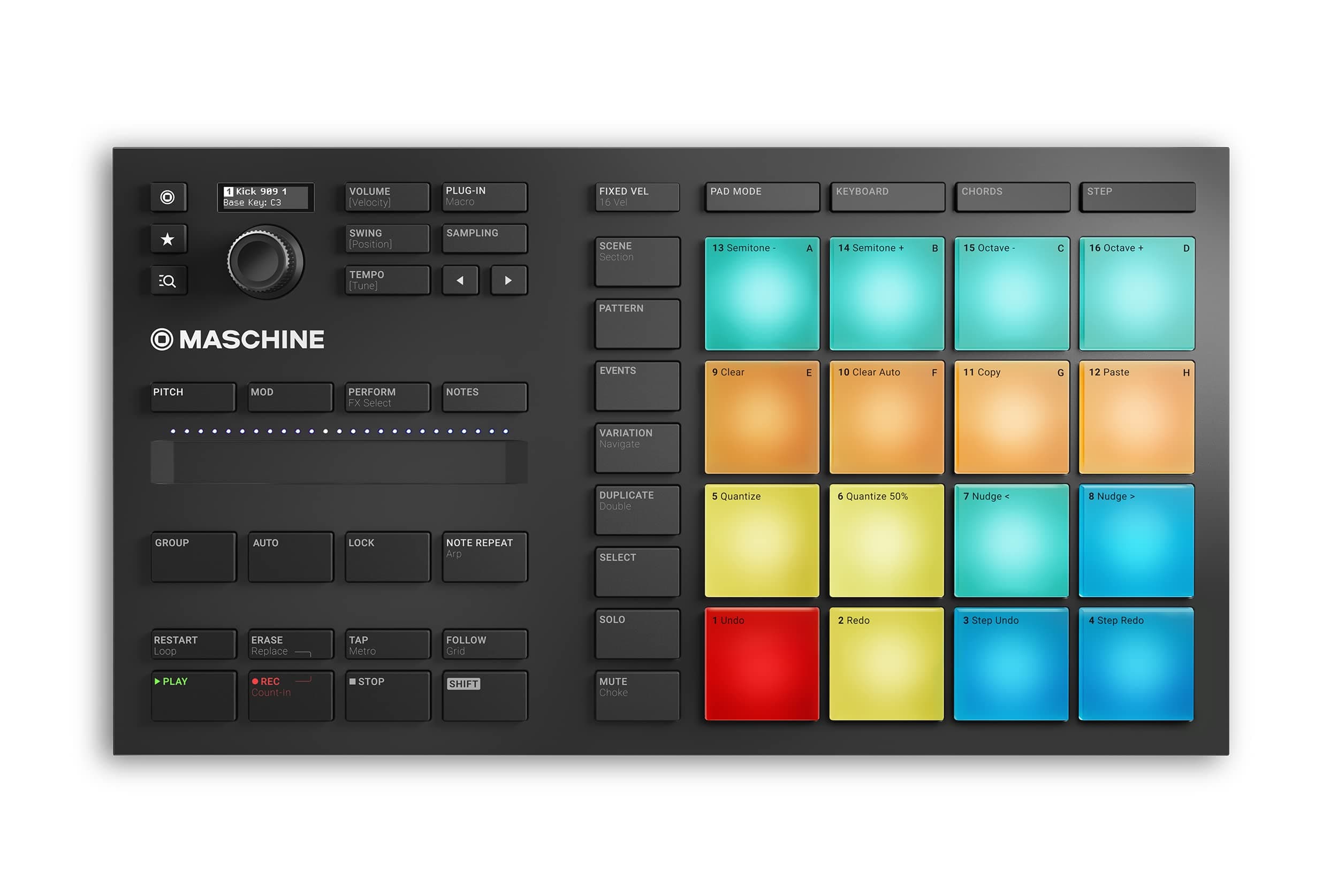


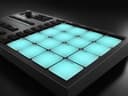
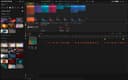
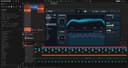
🎶 Your compact gateway to pro-level beats and melodies — don’t just make music, make waves!
The Native Instruments Maschine Mikro Mk3 is a compact USB MIDI controller featuring 16 highly responsive pads and bundled with 1.6 GB of professional-grade samples and presets. Designed for seamless integration with all major DAWs, it offers four versatile input modes—drum, keyboard, chord, and step sequencer—empowering millennial producers to create complex beats and melodies effortlessly. Powered via USB 2.0 and compatible with both Mac and Windows, this controller combines tactile hardware with powerful software (including Massive, Monark, and Reaktor Prism) to deliver a premium music production experience in a sleek, portable form factor.


| ASIN | B07GY8C68J |
| Best Sellers Rank | 4,818 in Musical Instruments & DJ ( See Top 100 in Musical Instruments & DJ ) 36 in MIDI Controller |
| Brand Name | Native Instruments |
| Colour | black |
| Compatible Devices | USB-compatible devices |
| Connectivity Technology | USB |
| Connector Type | USB |
| Control Method | Touch |
| Control Type | Percussion Controller, Keyboard Controller |
| Country of Origin | China |
| Customer Reviews | 4.6 4.6 out of 5 stars (1,547) |
| Global Trade Identification Number | 04042477257071 |
| Hardware Interface | USB 2.0 |
| Hardware Platform | PC/Mac |
| Human Interface Input | Buttons |
| Included Components | Native Instruments Machine Micro Mk3 MIDI Controller Drum Pad and Machine Software |
| Instrument | MIDI Controller |
| Instrument Key | Any |
| Item Dimensions D x W x H | 36.1D x 20.6W x 8.1H centimetres |
| Item Type Name | Loop Based Production Controller |
| Item Weight | 1.12 Kilograms |
| Keyboard Description | Compact keyboard layout on the device itself |
| Manufacturer | Native Instruments |
| Material Type | Plastic |
| Model Name | Maschine Mikro Mk3 |
| Model Number | Maschine Mikro MK3 |
| Model Year | 2018 |
| Noise Control | None |
| Outer Material | Plastic |
| Platform | Mac, Windows 10 |
| Product Style | Drum Controller |
| Product Warranty | 2 year manufacturer. |
| Special Features | Compact |
| Supported Software | Machine software, solid, monark, reactor prism |
| Total USB 2.0 Ports | 1 |
| Total USB Ports | 1 |
| Unit Count | 1.0 count |
D**R
Is This Worth Buying in 2025?
This device is knocking on a bit now, having been first released in Oct 2017. Is it still worth buying in 2025? - Absolutely!! It’s a superb bit of kit! And there are no signs yet of a Mk4 version being released any time soon. You do need know what you are buying though… First and foremost, this is not a ‘standalone’ item. This cannot produce any sounds on its own – none whatsoever! It is a controller, designed to control specific software on a computer. This software is called 'Maschine'. Version 3 is the latest version (since Nov ’24) and is bundled with the Mikro when bought new, and available after registering your Mikro with Native Instruments. Here’s where some 5-star reviewers are being quite harsh, criticising some 1-star reviewers. One 5-star reviewer in particular shouldn’t be quite so glib about stating this definitely comes with the required software. Yes, if bought new, it will do - but… If you buy this used here, there is a high probability that the unit has been registered with NI by the original purchaser and not de-registered on return, so you cannot re-register it in your account and therefore cannot gain access to the required software, rendering the unit next to useless! Please, if you buy this new and return it, have the decency to de-register it in your NI account and include the code NI give you to pass on to the next owner with your return!! So, onto using this device to create music… At the very least you will need a computer and an internet connection. This can be a PC - Windows laptop, desktop etc running Win10/11. Or a Mac (Intel or Silicon) running an up-to-date version of Mac OS. This does not work with an iPad or iPhone! A USB cable is included. Connect to your computer and you’ll see a flurry of lights at first, but then nothing! – This is normal - the controller is waiting for the Maschine software to run. Look at the black card that comes with the device and go to the web address shown – see my photo. You will need a Native Instruments account – free and easy to obtain. You then need to download and install Native Instruments’ ‘Native Access 2’ app – again free and easy to install. Log in to your account within the Native Access app and register the serial number of your nice new Maschine Mikro Mk3. This is printed on the black card that came with your device and is also on the base of the device. Click ‘add serial number’ on the bottom left of access and key in your serial number. You will then gain licensed access to download the bundled software through Native Access – see my screenshot from Access on my PC. If Native Access reports the serial number is already registered, you have probably bought a used unit where the previous owner has failed to de-register. NI support can very often help with this if you show them proof of purchase etc. But the safest way to buy this, is to buy new! It’s worth noting that if you buy used and have the older Maschine 2 software bundled with it, upgrading from version 2 to the latest full Maschine 3 software will set you back around £60, possibly making buying used less attractive. The full Maschine 3 software is automatically supplied with any Maschine Mk3 controller newly purchased and registered since Nov ’24. When registered, you will receive emails thanking you for your purchase with some great getting started guides. The full manual is easily found on NI’s site through the links provided in the emails from NI. Once the Maschine software is up and running, your Mikro Mk3 sparks into life and stops behaving dead! When first run, the software may take some time to start due to a one-off plug-in scan. The time taken depends on how many audio plugins you already have on your computer. This scan only runs once and the start-up time will be near instant the next time you run the software. I have a lot of plugins on my system and the first scan took close to 20 minutes! The Mikro Mk3 is reassuringly well built, with some nice weight to it. It’s a great cut down from the full controller, great value and fun to use. The included sound library is superb with sounds for all genres of music making. Lots of inspiration for musician’s block! The latest Maschine Version 3 software is well worth having. The stems feature alone is amazing and great fun! The UI is a bit more friendly too. The learning curve is not simple, I’ll be honest, but there is plenty of help and advice available on NI’s site to help you learn. Check out their YT channel too – look for the Maschine playlists. There are 2 playlists, one for the Mikro Mk3 hardware and one for the vers 3 software. If you experience any issues, NI support is really very good in my experience. As well as Maschine I also own their ‘Komplete 15 Collector's Edition’ and the Kontrol S61 MK3 Keyboard, which is just fabulous and integrates with the Maschine software in a very funky way! If you got this far, thanks for reading! I do hope I’ve helped :-)
K**B
Trusty NI hardware!
I use the Maschine Mikro Mk3 with Logic Pro, running Maschine as a VST mainly for programming drums, and it slips into that role beautifully. The compact size is a blessing, small enough to sit on my desk without crowding anything, but still powerful enough to feel like a proper creative tool and still sturdy in build. Yes, it lacks some of the deeper controls you’d find on the larger Maschine units, but it’s far from limited. For beatmaking, sketching ideas, and keeping the workflow fluid, it’s more than capable. The pads feel great under the fingers, and once you settle into its rhythm, it really does streamline the whole process. A tidy little device with enough punch and precision to get the job done, and get it done well.
M**R
A uniquely flexible piece of kit
There's a lot of functionality packed into this little box. You either love them or you hate them. It depends on what you want to do with it. I'm using it with Studio One DAW as a plugin, and while there was a pretty baffling learning curve it's great once you find your way of working. It's really flexible and can be used standalone with the Maschine software, or in midi mode with 3rd party plugins, or with the Maschine software plugin inside your DAW. In your DAW you can record audio or midi to the timeline with ease, and route individual sounds from a kit to separate channels for mixing with the DAW mixer. There is loads of support and tutorials online to get started. Really you get a lot here for your money. I've kept mine though I'm no skilled beat composer and haven't explored it's full potential. I'd say you just need to dedicate some time to learning it, esspecially if your older LOL. Build quality and feel: The pads feel great quality, firm but responsive. Due to its relatively small size it's easy to chuck this into a bag if you're away from home. Like all NI hardware it's made of plastic but doesn't feel cheap. It's a kind of very strong plastic that while feeling robust is also lightweight. The buttons have a comfortable feel, better IMO than on the MKII series of Komplete Kontrol keyboards, they have a softer click.
S**E
Excellent
Being a newbie with music making and production, I love this product, I've been Inspired by fred again and kenya grace lately and wanted to try my own music journey, maschine mikro mk3 far exceeds this! The amount of possibilities are endless with any genre of music and imagination. Brilliant quality, ease of use and performance, comfortably woth far more than it's priced at given you can make professional music with it and.the included software. If you have any interst in digital music making or production, this is a must to get started on.
M**S
Great Maschine!
Excellent device, great value. Ignore the weird stuff from other reviewers, it works fine with Windows 10 and Amazon send you a perfectly fine device that registers the software fine. A fantastic entry into music production. Can’t believe other people have given it 1/5 because it has ‘no instructions’ or the fact it isn’t a midi player even though it doesn’t say it is ,maybe they should buy fisher price. I knew what I had ordered and I’m very pleased with it,any struggles I have our my own as producing music isn’t easy. The hardware is responsive,intuitive and excellent
N**Z
it doesn't work on the ipad
this controller would be the best drum controller on the market but it doesn't support midi standalone mode, or to be clear better, while most of the other native instruments controller have a sequence of buttons to switch it to normal usb midi, this doesn't have it so you need the NI driver to use it with other apps. this for example means that I cannot use it on my android tablet or ipad or in devices where i can't install the Ni machine and drivers. that's simply stupid
R**R
A Mikro3 é a forma mais acessível para quem quiser entrar no mundo Maschine da Native Instruments. Os pads são os melhores que já experimentei. Atenção: ela precisa ser acoplada a um notebook.
S**Q
I was looking for a new way to approach tune making. This device shines with its Machine DAW software and the ability to customize it with the configuration software. You can view many Youtube videos demonstrating its capabilities, so I will summarize here: The Maschine software is a DAW that can use existing VSTs and any of the NI expansion packs to create songs. Maschine software is based on the concept of building blocks for your composition...build a beat or phrase, chain beats and/or phrases and link them together. This is not how I create music but it's very useful, nonetheless. I love the key and chord modes that allow great experimentation. You configure your scale and base key and pretty much can't go wrong with the pad strikes. There's many different chord types and scales to choose from which really opens up the experimental aspect. I use Cubase and Reason and it integrates perfectly as a VST instrument in both cases. Many instances can be opened, so you can create a song using your favorite DAW and using the Maschine as an instrument for each track. This is what works best for me. Additionally, it is easily set up in MIDI mode by pressing (SHIFT + project) and using the configuration software, the pads can be adjusted to match your favorite drum machine. The config software allows you to adjust pad colors in MIDI mode. Maschine works really well if you have another NI keyboard. I have a Kontrol S61 and it can be used to browse and play harmonic notes right alongside the pads. Lastly, Maschine hardware seems really well built and has fantastic tactile response. Everything is downloaded from NI. The software, owners' manual and all the other documentation is well written, straightforward and do a good job explaining all the concepts they dicuss.
B**U
I LOVE THAT MASCHINE
H**H
USB eingesteckt und dann ein kurzes Aufflackern und das war es. Ging leider wieder zurück.
M**H
I love maschine... maschine is one of best product from. Native Instruments company.
Trustpilot
Hace 1 mes
Hace 1 mes