We remain fully operational. Our teams are working around the clock to ensure your deliveries continue safely.

Descargar la aplicación


Servicios al cliente
Sobre nosotros
Copyright © 2025 Desertcart Holdings Limited
Descargar la aplicación


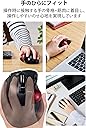
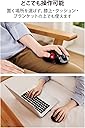


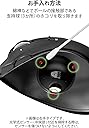

🖱️ Elevate your left-hand workflow with precision, comfort, and wireless freedom!
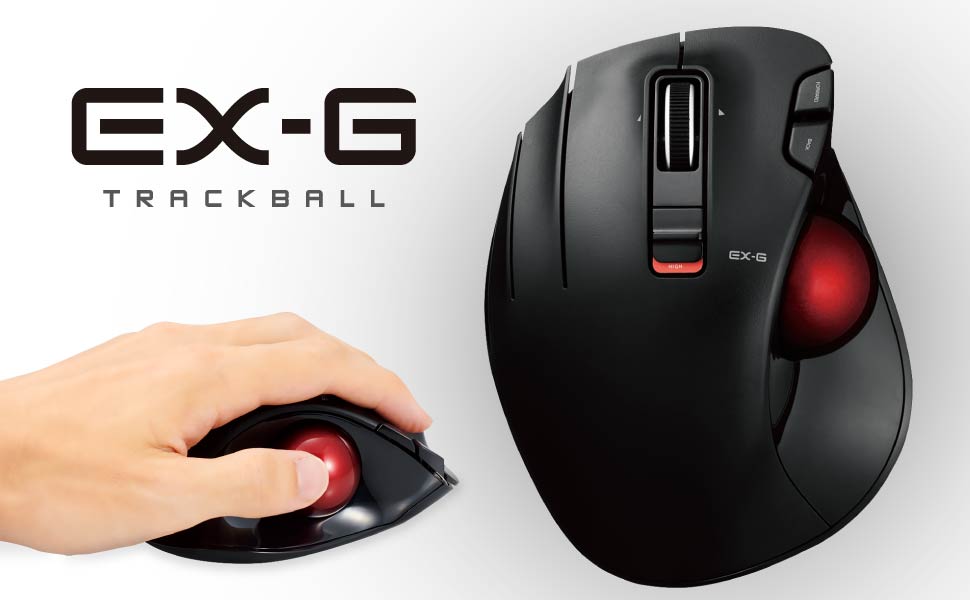
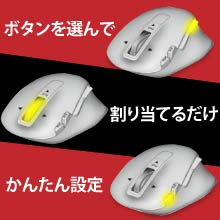
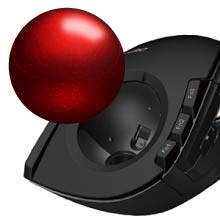
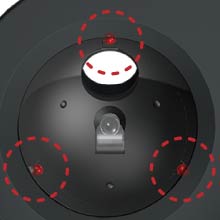
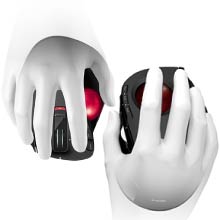
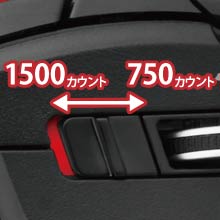
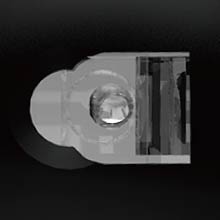
The ELECOM M-XT4DRBK-G is a left-handed, thumb-operated wireless trackball featuring a gaming-grade optical sensor with switchable 750/1500 DPI speeds, large 2.5mm artificial ruby bearings for enhanced smoothness and durability, and a 2.4GHz wireless system with up to 10 meters range. Designed ergonomically to fit the natural shape of the hand, it includes 6 customizable buttons, a tilt scroll wheel, and a compact USB receiver that stores inside the mouse for easy portability. Compatible with Windows and macOS, it offers up to 125 hours of continuous use on a single AA battery, making it ideal for professionals seeking precision and comfort in a sleek wireless package.








| ASIN | B08GR2K8WH |
| Additional Features | Ergonomic Design, Multi-function Button, Tilt Wheel |
| Amazon Bestseller | #1,682 in Computers ( See Top 100 in Computers ) #10 in Computer Trackballs |
| Antenna Location | Office, Home, Television |
| Are Batteries Included | Yes |
| Are Batteries Required | Yes |
| Battery Average Life | 6 months |
| Brand | ELECOM |
| Button Quantity | 6 |
| Color | Akatama Gaming Grade Sensor |
| Compatible Devices | Compatible OS: Windows 10, Windows RT8. |
| Connectivity Technology | 2.4GHz Wireless, USB |
| Country of Origin | China |
| Customer Reviews | 4.2 4.2 out of 5 stars (1,317) |
| Embellishment Feature | Logo |
| Hand Orientation | Left |
| Hardware Platform | Mac, PC |
| Item Dimensions L x W | 9.5L x 4.8W cm |
| Item Weight | 4.5 Ounces |
| Manufacturer | エレコム(ELECOM) |
| Model Name | M-XT4 Series |
| Model Number | M-XT4DRBK-G |
| Mouse Maximum Sensitivity | 1500 Dots per Centimetre |
| Movement Detection | Optical |
| Number of Batteries | 1 AA batteries required. (included) |
| Operating System | Compatible models: Windows OS and macOS equipped with USB port, Compatible operating systems: Windows 10, Windows RT8.1, Windows 8.1, Windows 7, Windows Vista, Macintosh OS X 10.10. *Update to the latest version of each OS and install the service pack. The landscape scroll function cannot be used on Windows RT8.1 |
| Pattern | No pattern |
| Power Source | Battery Powered |
| Range | 10 |
| Style Name | Single Item |
| Theme | Office, Home, Telework, Cafe |
| Unit Count | 1 Count |
| Warranty Description | 6 Months |
ち**む
2025/10/5更新 星1→星5 チルト機能が使えるようになりました。 最高です。 仕事で毎日酷使しています。 滑りが悪いと感じたときは、クレポリメイトを塗布すれば完璧な滑りです。 左手トラックボールをハイエンドモデルでも出してほしいと思います。 私は何故かLogiとは相性が悪いため ELECOMをずっと使い続けます。 -- 以前のレビュー -- 期待した左手用だったが・・ 長年ELECOMを愛用。 貴重な左手トラックボールマウス。楽しみに購入しました。 仕事使用でチルトホイール機能は必須なのですが チルトを使うにはマウスアシスタントのダウンロードが必要とのこと。。 これまでのELECOMはマウスアシスタントなしでチルト機能が使えていたのですが。 社用PCはマウスアシスタントのダウンロードが禁止されているため使えませんでした。 ダウンロードなしでチルト機能は使えるようにしてほしいです。
D**R
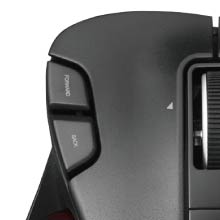
腱鞘炎になりかかってしまったので、その昔Panas◯nicのLet's N◯teで慣れ親しんでいたトラックボールに戻ってきました。人差し指でボールを操作するタイプの左利き用は無さそうだったので、親指操作の本品にトライです。ちなみにMacOSとの組み合わせです。 1週間使ってみた限りでは「やはり良いもんだ」という感想です。親指操作でのカーソル位置決めは当初ブレブレでしたが徐々に慣れましたし、ボールの1ストロークで画面の隅々までカーソルを飛ばすこともできます。それらを手首の動きなしでこなせるのは楽ですね。掌全体をマウスにゆったりと預ければ、最小限の筋肉の緊張で操作できます。着座姿勢も乱れません。 通常のマウスのようにぐるぐる動かさすスペースが不要で、デスクを擦る音も立たないのでマウスパッドも不要になりました。クリック音は明快にしますが図書館で使う訳でもないので不問です。 個人的に違和感があるのは「戻る/進む」ボタンの位置。人差し指を外側にずらしての操作がし難いので、結局キーボードショートカットで操作しています。無くても困らないのですが、どうしても「戻る/進む」ボタンを配置するのでしたら薬指側にあっても良かったのかもしれません。 とまぁ個人的な嗜好は分かれる点もありますが、全体的には満足できる使用感ですし、腱鞘炎の進行を抑えるにも役立ってくれそうです。 ご参考まで。
ナ**ム
問題無く使えました
こ**ん
マウスは通常のもトラックボールのもロジクール製品を愛用しているのですが、左手トラックボールがラインナップになくこの商品を購入(2022/7) 左右スクロールもできるしすごく満足して使用していましたが、2024/9頃に故障(おそらくセンサー部分の故障でカーソルが勝手に移動して制御不能) 使い勝手がよいので2024/10にすぐに再購入し、2025/11現在も最前線で活躍中 お気に入りの製品なのでこのあとの状況で変化あればまたレビューします
R**Y
回転もスムーズで満足しています。 実は2個目の購入です。 最初に購入した個体は、CADでの微細な操作をする際に、わずかに引っかかるような感覚がありました。清掃も試しましたが改善されず、そのままでも我慢できる範囲ではありました。 ただ、思い切って買い直したところ、今回の個体はとてもスムーズで大満足です。 工業製品なので多少の個体差は仕方ないとは思いますが、改善への期待も込めて★4としました。
A**R
携帯用のトラックボールで左利き用となると選択肢が僅少です。ELECOMなら有名なメーカーだし悪くないだろうと購入しました。しかし、動作がカクカクします。LowからHighに切り替えても同じ。置きたいポイントにカーソルを止められないもどかしさに、仕方なく矢印キーで微調整することも多い。使っていてイライラします。
ア**ン
右利きですが、ノートPCで外付けフルサイズキーボードを体の正中に置きたいこと、脳トレ?の為に左手トラックボールにチャレンジです。 Amazonアウトレットで購入しましたが、完全なる新品でした。
あ**し
いろいろ探したが左手用の親指トラックボールマウスは本品だけかも 静音でBluetoothであればなおよかった
R**A
Maravilhoso. Se você é canhoto só compre, não precisa pensar 2x. Eu tenho dificuldade em achar mouse. 1- uso com a mão esquerda. 2 - tenho a mão grande. Aí 90% do que tem no mercado é para mão média/pequena e para direita. Tem um mouse 650 da Logitech L (de large ou left) que é dos meus favoritos, mas este trackball eu liguei e apaixonei. O produto é excelente, tamanho grande, dá para espalmar a mão toda nele. A qualidade de construção é muito boa, fica bem firme no mousepad. Tem alguns botões a mais, do tipo tem um terceiro botão (tem o direito, meio, esquerdo e um ainda mais um pouco a esquerda, configurei para fechar janela, achei ótimo). É pesado e tem aparência de produto de boa qualidade. Tem um furo embaixo para cutucar a bola e tirar para limpar a bola e os sensores luminosos. A bola é bem precisa, não é tão precisa quanto um mouse mas é muito muito bom , tendo-se em conta que está se utilizando somente o dedão para o controle. Recomendo demais. É o tipo de produto que eu não sabia que precisava tanto até ter um.
P**A
Mi primer ratón de ordenador fue parecido a este, con una bola similar, que te permitía hacer casi todo con ella. Ahora, después de perder la movilidad de la mano derecha tras un ictus, vuelvo a tener un ratón fantástico para mí izquierda. Cómodo e intuitivo.
G**I
Ottimo, lo consiglio
T**E
I got this because I can't use my right arm for awhile and I wanted a mouse I could hold in my left hand standing up. It's not really designed for that but it works. I hands are medium/large. I've been using this mouse for a few days and the design is great. It fits my hand nicely and all of the buttons are easy to reach from adjacent fingers. Today I installed the software to program the buttons and the only issue I had was that it was all in Japanese despite the installer saying that it's for English. But weirdly enough, I just uninstalled it, restarted my computer, and then reinstalled it without doing anything differently and now it's in English. Whatever I guess. You can program the buttons for preselected functions or "arbitrary" ones. Arbitrary ones allow you to add custom key combinations, like Ctrl+W, which closes Chrome tabs. The only thing you can't change is the scrolling of the mouse wheel is only for scrolling - I thought to change it to up and down the volume, but I don't think that's possible. One cool thing about this mouse is that you have right-click, left-click, and then further-left-click, or I guess the left-click is actually middle, but that's confusing. The track ball works well enough, but it's not exactly "oiled" as one other reviewer said. It doesn't get stuck or anything, but if you try to move it slowly while the mouse is a certain angles, it won't go smoothly. This is mostly a non-issue - you just get used to it and forget about it once you do. I actually enjoy using the ball with my left thumb. It's very accurate to flicking the mouse cursor across the screen, or maybe my left thumb is just better than I expected it to be, considering I'm right-handed. Not sure about that, but in any case, I enjoy how the ball tracks. It has a nice weighty feel to it and it's a pretty red color like a Honey Buzzard's eye. Pros: I'm a computer guy and I like everything about it even though the track ball is not perfect, it's good enough and accurate and I enjoy using it, so I forgive. Cons: Not sure why the settings software decided to be Japanese the first time, but I just reinstalled it, literally did the exact same steps, and then it was English.. so whatever I guess Overall: I'm happy with this mouse. It's a sharp looking design, works as expected with an extra-left-click I didn't know I needed, and at $35 dollars it's money well spent.
A**Z
tardé un poco e acostumbrarme al uso pero una vez que te acomodas, es una gran herramienta
Trustpilot
Hace 3 semanas
Hace 2 semanas