💡 Elevate your smart home game with effortless control and universal compatibility!
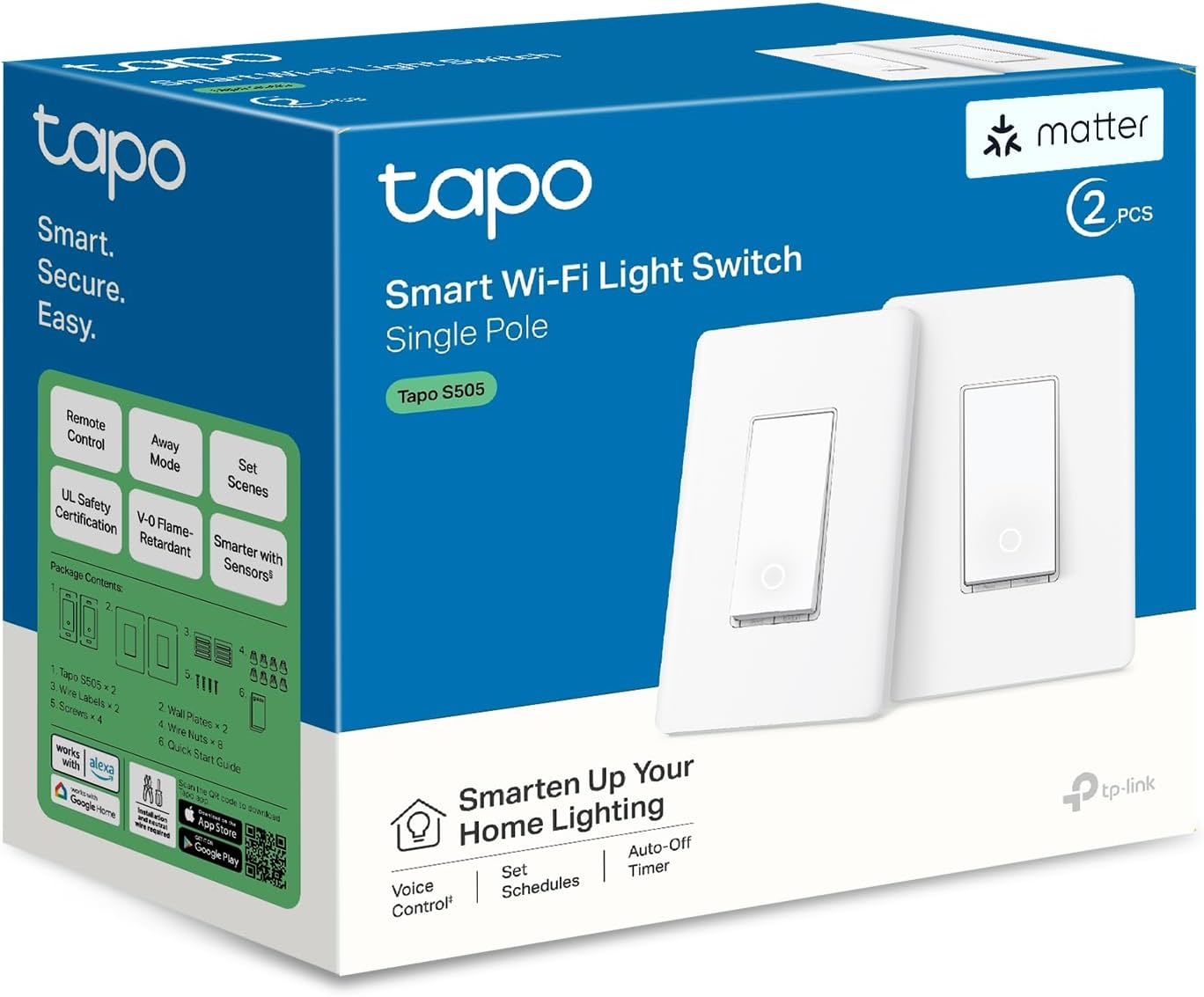
The TP-Link Tapo Matter Smart Light Switch S505 (2-Pack) is a UL-certified, Wi-Fi enabled smart switch designed for modern homes. Featuring Matter certification, it offers universal compatibility with all major smart home platforms, seamless local network control, and multi-admin access. With a 15A current rating and easy guided installation via the Tapo app, it supports voice commands through Alexa, Google Assistant, and Siri. Ideal for professionals seeking reliable, hands-free lighting control with advanced scheduling and a 2-year warranty.


| ASIN | B0CBNX6Q51 |
| Actuator Type | Push Button |
| Are batteries included? | No |
| Brand | Tapo |
| Circuit Type | 1-way |
| Colour | White |
| Connectivity Protocol | Wi-Fi |
| Connector Type | Screw |
| Contact Material | Copper |
| Contact Type | Normally Closed |
| Control Method | Voice |
| Controller Type | Amazon Alexa |
| Current Rating | 15 Amps |
| Customer Reviews | 4.4 4.4 out of 5 stars (517) |
| Date First Available | 6 July 2024 |
| Included Components | Tapo S505×2, Wall Plate×2, Wire Nuts×8, Screws×4, Quick Start Guide |
| International Protection Rating | IP00 |
| Item Dimensions LxWxH | 12.8 x 8.5 x 3.6 Centimeters |
| Item Height | 1.41 Inches |
| Item Weight | 350 g |
| Item Width | 3.33 Inches |
| Item dimensions L x W x H | 12.8 x 8.5 x 3.6 Centimeters |
| Item model number | Tapo S505(2-Pack) |
| Lower Temperature Rating | 32 Degrees Fahrenheit |
| Manufacturer | TP-Link |
| Model number | Tapo S505(2-Pack) |
| Net Quantity | 2 Count |
| Number of Items | 2 |
| Number of Positions | 1 |
| Operating Voltage | 120 Volts |
| Operation Mode | Off,Smart Switch |
| Product Dimensions | 12.8 x 8.46 x 3.58 cm; 350 g |
| Terminal | Screw |
| Upper Temperature Rating | 104 Degrees Fahrenheit |
| Voltage | 120 Volts |
| Wattage | 600 Watts |
J**O
Increíbles, elegantes de buen materiales y al ser matter funciona en Apple o cualquier otro asistente
A**R
Ce lot de deux interrupteurs intelligents Tapo Matter m’a vraiment impressionné par sa simplicité d’installation et sa compatibilité parfaite avec mon écosystème SmartThings. La configuration s’est faite en quelques minutes seulement, sans aucune complication. Depuis, ils fonctionnent sans faille : la réactivité est excellente et la connexion stable. Un produit fiable, bien conçu et idéal pour moderniser facilement son installation électrique. Je recommande à 100 %.
T**T
I'm not an electrician, and I was quite intimidated by the thought of installing this in my apartment suite rental. I put off on buying this for that very reason and went with smart bulbs instead. After a little research on the internet, I started feeling more comfortable with the idea of installing these switches. Here's what you need to know (from a non technical standpoint). Your home needs to have a neutral wire in the switch box for this to work. There is apparently a workaround for homes without a neutral wire, but I can't advise on that. If your home is a newer build, it may already have neutral wires. Here's how to know if you have neutral wires in tour light switch box: -Turn the breaker to your light switch off and confirm there is no power to the switch (by turning the switch on to confirm no lights come on and also with the use of a non contact voltage meter). -Unscrew the screws holding the switch cover, and then unscrew the switch itself to pull it out. If there are only two screws on your switch with wires attached, then this is the product for you. (NOTE: If there are three screws with electrical wire attached to your switch, this is NOT the Tapo product for you. This means you have a three-way switch and Tapo makes a separate product for that.) -Now look inside the switch box to find a small bundle of wires (two or three maybe) all twisted together with a wire nut on them. This will be the neutral wires you are going to add the Tapo neutral wire to. If you have this small bundle of wire, you are good to go. (The only other thing you should see inside the box is a bare copper wire. This may be screwed to the box itself or may just be resting inside the box. This is the ground wire.) If your light switch and box meet the conditions above, then this Tapo product is for you and an easy one to install. The Tapo switch has four wires coming out of it, all labeled on the back. The Tapo switch also comes with wire nuts so you can securely add the Tapo wires to the existing wires. I would recommend removing then adding one wire at a time, leaving all the other existing wires alone until ready to connect them. In other words, disconnect ONE of the wires from your old switch, leaving the other one still connected. Connect one of the Tapo black wires to this one and then put the wire nut on it and make sure it's secure. Next, disconnect the other wire from your old switch and connect the second Tapo black wire to this. Cap it with a wire nut. (Note that it doesn't matter which black wire attaches to which of the old switch wires. If one of your old switch wires has TWO wires together going to ONE screw, keep these wires together and simply add one of the black Tapo wires to these wires.) Next, connect Tapo's white neutral wire to the bundle of neutral wires existing in your box. After adding the Tapo neutral wire and putting a wire nut on it and testing that it is secure, finally add the green Tapo ground wire to the ground wire in your box. Make sure no bare copper wire is showing (except for the ground wire obviously). Push everything back into the box and screw the new Tapo switch into the box where the old switch was. I would turn the breaker back on at this point to see if the switch works. Even before being paired with your network. The Tapo switch will still turn on and off the power to whatever it controls. If it works, put the Tapo cover on. It's a snap-on cover. Very easy to put on. The last thing to do id add the switch to the Tapo app amd to your network. And now you're ready to start using your new Tapo switch!
C**N
Funciona muy bien con HomeKit y a su vez con Alexa, jamás he tenido un problema de desconexión y me agrada bastante el tacto que tiene y la vista que da, incluso tiene un led que está prendido cuando la luz está apagada y se apaga cuando se enciende la luz. lo único malo es que está pensado para los apagadores en USA, solo podrías poner uno xq ocupa toda la chalupa.
D**B
I recently installed the TP-Link Tapo S505 smart switches in my home, replacing an older 3-gang setup, and I’ve been really happy with how smoothly everything went. One of the first things I noticed is how much slimmer these switches are compared to older smart switches I’ve used. That might not sound like a big deal, but when you’re cramming three switches into one box with a bunch of wires, every millimeter counts. The reduced thickness gives you way more room in the back for wire management, which made the install way less stressful. And since they’re UL certified, I felt confident they’re safe to use without cutting corners. Wiring was surprisingly simple—especially the fact that either black terminal can be used for line or load. That’s a small but huge win because it means you don’t have to stress about matching the exact wire to the exact terminal. For someone who’s done a few DIY electrical jobs, that flexibility saves time and guesswork. The app setup was fast and intuitive, and within minutes, the switches were online and responding. I already use a bunch of TP-Link devices, so I’m familiar with their app, but even if you’re new, I think you’d find it straightforward. Bonus: once they were in the Tapo app, they showed up instantly in Home Assistant, which I use to control everything. No weird delays or pairing issues. The only thing to remember is that these need a neutral wire, so they won’t work in older setups that don’t have one. But if you’ve got the neutral, these switches are a solid choice—especially at this price. They’re reliable, responsive, and blend well into my smart home setup. I also like using the scheduling and timer features to turn lights on/off automatically.
Trustpilot
Hace 3 semanas
Hace 2 semanas