We remain fully operational. Our teams are working around the clock to ensure your deliveries continue safely.

Descargar la aplicación


Servicios al cliente
Sobre nosotros
Copyright © 2025 Desertcart Holdings Limited
Descargar la aplicación





⌨️🖊️ Elevate your Surface game—where productivity meets sleek innovation!
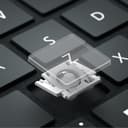
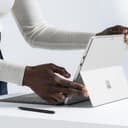
The Microsoft Surface Pro Keyboard with Slim Pen 2 Bundle combines a full mechanical keyboard featuring 104 backlit keys and a large trackpad with a premium Alcantara finish in sapphire. Designed exclusively for Surface Pro (11th Edition), Pro 9, and Pro 8, it offers instant AI-powered productivity via a dedicated Copilot key. The innovative magnetic hinge securely stores and charges the Slim Pen 2, ensuring it’s always at hand. Lightweight and compact, it magnetically attaches with enhanced stability and adjusts to multiple angles, delivering a seamless laptop-to-tablet experience while protecting your screen and conserving battery.
| ASIN | B0CXL4GW81 |
| Additional Features | Portable |
| Antenna Location | Office |
| Best Sellers Rank | #19 in Computer Keyboards |
| Brand | Microsoft |
| Built-In Media | User Manual |
| Button Quantity | 78 |
| Color | Sapphire |
| Compatible Devices | Microsoft Surface Pro Copilot+ PC (11th Edition), Pro 9, Pro 8 |
| Connectivity Technology | Magnetic |
| Customer Reviews | 4.6 4.6 out of 5 stars (406) |
| Enclosure Material | Alcantara |
| Hand Orientation | Ambidextrous |
| Item Dimensions L x W x H | 11.4"L x 8.9"W x 0.2"H |
| Item Weight | 9.6 ounces |
| Keyboard Backlighting Color Support | Single Color |
| Keyboard Description | Mechanical |
| Keyboard Layout | QWERTY |
| Manufacturer | Microsoft |
| Model Name | Surface Accessories |
| Model Number | 8X6-00191 |
| Number of Keys | 104 |
| Power Source | Wired |
| Style Name | Direct |
| Switch Type | Mechanical |
| Theme | productivity |
| Total USB 2.0 Ports | 1 |
| UPC | 196388357093 |
| Unit Count | 1.0 Count |
| Warranty Description | 1 year manufacturer |
A**T
Works exactly as expected with Surface 11
Bought this to pair with my Surface Pro 11 Elite (purchased the tablet and this keyboard in January 2026), works exactly as one would want, this isn't the bluetooth version which is far more expensive, but it functions flawlessly so far, so I'd recommend it as a good addition to the Surface and if you don't need the bluetooth version, this OEM product is the way to go. The pen is also great, works as expected. It's slightly more expensive than some of the other off-brand accessories, but it seems to work flawlessly so far, so I'd say spend the extra money to get a quality device. Super thin and light and folds neatly over the screen of the Surface tablet. It's not ideal for longer typing sessions but it will work especially when on the go. The pen stays securely in place magnetically and charges as it should, so that's a cool feature and no hidden surprises or failures on that. It's pricey but if you are using this for a business purpose it makes sense to go for it instead of rolling the dice on a no-name knock off to save a few dollars which might not be as good.
C**D
CLEVER pen storage IN HINGE - you’ll NEVER lose yr pen ever again!!
I am a true Microsoft zealot.. and I am not apologetic about it when it comes to my PCs. I PARTICULARLY love the Surface format. It’s compact, tidy & lightweight, leverages all the MSFT businesses applications I spent a career utilizing -and which I still use for supporting my non profit efforts (maximizing my time & contributions.) Functionally it fits in my purse when I want to carry it with me, offers a suite of options on power/ speed/ storage depending on what you need, and has a satisfying responsiveness and feel of the keys when typing. I’ve actually had 5 or 6 of them over time (and just bought a new one -I’m so excited!) I am UNBELIEVABLY pleased with the CLEVERNESS of the new keyboard; not only does it have current fashion colors and the familiar touch pad if you need it ( tho’ I’m a “touch screen” kind of gal), you now have a choice of getting an electronic pen with it (used to buy them separately) …. BUT MAJOR IMPROVEMENT is a feature of the current magnetic hinge mechanism on the keyboard that’s the current standout. The keyboard attaches with INCREDIBLE ease to the tablet & offers solid protection for the face of the screen - it’s the AMAZING electronic PEN STORAGE that “knocks this keyboard right outta the park”! Who ever designed the present pen storage was a GENIUS! The original storage was a loop you slipped your electronic pen into (…. and which from which the pen would slip out of - I lost 2 and gave up using that method of storage, keeping one in my purse. Inconvenient, but at least I wasn’t replacing price pens.) NOW, there is this wonderful magnetic storage slot WITHIN THE HINGE ATTACHMENT that cradles your electronic pen, keeping it out of sight in the fold of the attachment area between the tablet and keyboard, YET EASILY accessible with a QUICK tug of the keyboard which unfolds the hinge showing the hidden compartment of the electronic pen - you’ll NEVER lose your pen again!! It’s right at hand EXACTLY when you need it, but stored safely out of sight when not in use (See photo comparing new keyboard to older keyboard hinge area.). STELLAR! The Surface w keyboard has been a life long love affair for me - the new keyboard attachment mechanism with electronic pen storage continues to “seal the deal”!
I**Y
Nothing beats the original, OEM keyboard!
I've been using tablet PCs since they first became available, going back to the innovative devices from Motion Computing in the early 2000s. The Microsoft Surface is part of how these versatile devices became mainstream, rather than niche. This is a surprisingly good keyboard, capable of letting you type with speed and accuracy, despite its thinness and lightness. Very welcome is a slot to store and charge the Slim Pen, finally solving a small but persistent issue with tablet-and-stylus that's been around for a long time. If you've used tablets with auxiliary keyboards for a long time, I think you'll be pleased with this keyboard's design and performance for the long haul. Its materials seem well-chosen and, if past examples are any guide, will prove to be reasonably durable over the long haul. I rely on my Surface Pro. It's my "daily driver" and has thoroughly taken the place of a conventional laptop for most of my non-computationally-intensive tasks. The original, OEM, Microsoft keyboard for the Surface Pro is a big part of why the system as a whole works so well. Accept no substitute! Just buy the Real Thing.
A**R
Holding up well after 6 months
Holding up well after 6 months of near-daily use. I will see how long it lasts. I feel quite apprehensive about detaching it. The motion required is similar to tearing a page out of a book, and I am afraid to rip the keypad at the flex joint. But so far, there's no sign of that. Keyboard is silent but tactile. Touchpad works well. It is a nice accessory.
J**N
Good, not so sturdy product
I loke these keyboards I also seem to break one every 1-2 yrs the hingecwhere the pen is dies every time
G**.
Great Type Cover
Good product and great fit for the Microsoft Surface. I had no need of the Bluetooth capability of the more expensive keyboard for the Surface. Easy to type on. Does not flex too much when typing. The trackpad works well, as does the slim pen. A benefit I did not realize until I tried it, is that you can open the kickstand and fold the keyboard backward and the back of the keyboard supports the surface in my lap for reading and using the pen to highlight texts. Pressing the keys when the keyboard when it is folded back does not cause inputs to the computer.
J**L
Justo lo que necesitaba! El accesorio original 100% compatible
B**N
I absolutely love this keyboard and pen combo! The Surface Pro Keyboard with Slim Pen looks amazing in the Oatmeal color — modern, clean, and professional. The keys feel great to type on, responsive but quiet, and the magnetic attachment is super convenient.
B**S
The surface pro and keyboard is a sleek, powerful choice. Easy to set up and comfortable to use! I chose it for my retirement years and am very happy with the choice!
P**O
El teclado está en inglés
A**Y
Support Arabic keyboard
Trustpilot
Hace 4 días
Hace 2 meses