We remain fully operational. Our teams are working around the clock to ensure your deliveries continue safely.

Descargar la aplicación


Servicios al cliente
Sobre nosotros
Copyright © 2025 Desertcart Holdings Limited
Descargar la aplicación
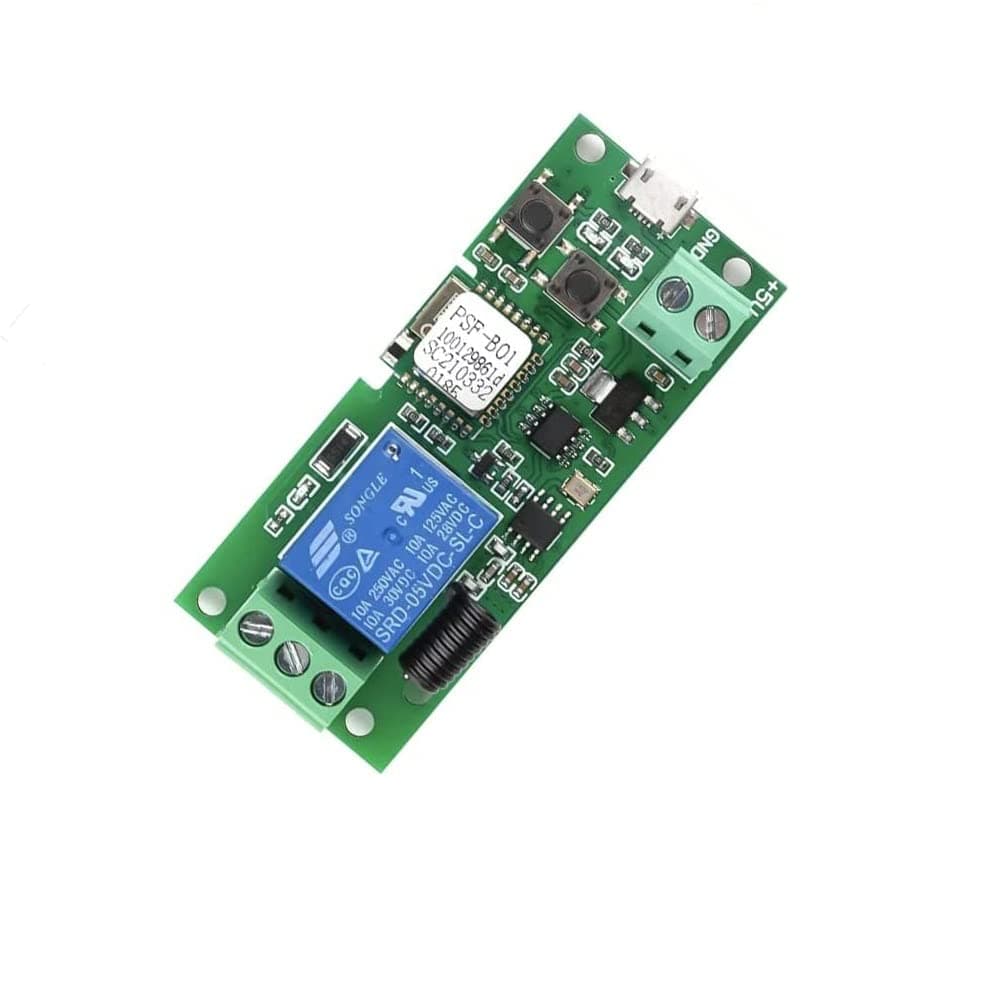


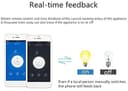
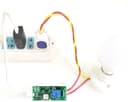

🔌 Power your smart home with precision and ease—because control is the new cool.
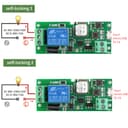
The MHCOZY WiFi Wireless Smart Switch Relay Module is a compact, 5V-powered device designed for smart home automation. Supporting only 2.4GHz WiFi, it enables remote control of connected appliances via the eWeLink app and popular voice assistants like Alexa and Siri. With a robust 10A switching capacity and dual operation modes (latching and inching), it’s perfect for applications like garage doors, PCs, and access control. Easy to install and configure, it supports group management, scheduling, and device sharing, making it a versatile and affordable upgrade for any connected home.
| ASIN | B0752P57ZG |
| Best Sellers Rank | #117,524 in Tools & Home Improvement ( See Top 100 in Tools & Home Improvement ) #568 in Garage Door Keypads & Remotes |
| Brand Name | MHCOZY |
| Coil Voltage | 5 Volts |
| Connector Type | Usb |
| Contact Current Rating | 10 Amps |
| Contact Type | Normally Open |
| Current Rating | 10 Amps |
| Customer Reviews | 4.4 4.4 out of 5 stars (706) |
| Included Components | ewelink wifi relay switch board |
| Item Type Name | wifi relay switch |
| Item Weight | 10 Grams |
| Manufacturer | Mic technology |
| Maximum Switching Current | 10 Amps |
| Maximum Switching Voltage | 5 Volts |
| Model | LEDWALL01 |
| Operation Mode | Automatic |
| Part Number | LEDWALL01 |
| UPC | 674551222268 |
C**G
Sold piece of equipment at a great price
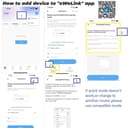
This review is for the single channel relay. I also own and will separately review the two channel version. This relay works fantastic. Configuring it for WiFi in the Ewelink app from iOS was the biggest challenge. Make sure you follow the instructions from reviewer FRANK KOSSLER for how to get that done as he thoroughly explains the process. For a visual on the button and LED, see the attached video. Once you get this clear in your mind, it's easy peasy. I initially purchased this to get around Chamberlain Groups lack of Alexa control for my new and expensive LiftMaster 8550 garage door opener. And it worked just as it should for that. I've since upgraded to the 2 channel for this purpose for better control, and am now using this single channel for smart home manual ON/OFF control of the fan in my forced hot air furnace that the Nest thermostats stubbornly do not provide at the moment. When used for the garage door, it was configured for "inching" or pulse mode. IOW it closes the circuit momentarily just as your opener's wall control would. Now for use with the furnace fan it is in "latching" or ON/OFF mode. To switch between modes you briefly push the same button you used to configure for WiFi. To manually activate the switch, press the other button. See attached photo. Any 5V wall wart or USB charger will power the minimal requirements of the relay, and you probably have some laying around in a junk drawer. Power can be input either via micro-USB cable, or bare leads into the terminals adjacent to the micro-USB connector. That's about it. Not specific to the hardware, but two quibbles about the ewelink app: 1) they don't provide a susnet/sunrise option for scheduling. You can get around this by setting up triggers in IFTTT 2) your login expires in some ridiculously short period of time. A day or so. If you use the app regularly this becomes extremely frustrating, especially if you have a password of decent size for security.
A**E
Three of these and they all are working great.
5 Stars for being exactly as described and working great for the past month. I run these to perform specific tasks. I could have used the wall mounted plugs for the first two items I hooked up but I like the "tinkering" you can do and how to set these up. Plus these are about $10-$15 cheaper than the wall plugs. I have a Tivo Mini that likes to freeze going into Amazon Prime Video app sometimes. Most of the time we are in bed and have to get up pull out the dresser a little unplug the power adapter and plug it back in. Now I just ask Alexa to "Reset the Tivo" to do it for me. I also have one on the Cable Tuning Adapter box that will "lose connection" and has to be reset. I have it set up the same way, "Alexa Reset Tuning Adapter". And the third one I used on my Garage door. I already have a camera setup to view the cars and use that when I open and close the garage door from my phone or while I'm on the computer. They are very easy to setup only real option is if you want them "inching" and what relay output to hook up to, NO or NC. Pretty cool little device, they do not come with a case so I just used double sided foam tape to hold them where I mounted them. I have twelve items now controlled through various outlet switches, wall switches, and now these using Amazon Echo. Overall they are pretty neat little devices and if you wanted a more “consumer” level finished product there are certainly many options, but they are all more expensive. I have 12 items now controlled through the Echo.
R**E
Good price, app a bit weird, jury still out on connectivity
I have had this for a few days, I am still testing it out, and it seems to work pretty well. Installation isn't quite as bad as others have said, the biggest challenge is that you need to register your email with the app, and it then sends you an email with a PIN which it says you must enter within 60 seconds AND type your password in those same 60 seconds. That's just about impossible to do on a phone if you want a secure password - but I think that the actual time limit is longer than 60 seconds. The other thing that I found a little weird is that the On/Off in the app doesn't correspond to the circuit being closed IF you connect your circuit through the NC (normally closed) connector. If you use that terminal, the circuit is closed when the app shows "Off", and open when the app shows "On" - when I would expect a closed circuit to be "On". If you lose power to the switch, the circuit continues to be closed, which is what I want. If you switch to the NO (normally open) connector, then the On/Off is correct in the app, however if your device loses power the switch opens and your switch is off. You can set the app to have a power-on state of either Off, On, or "last state" - so that helps a bit, but I would like to have my circuit Normally Closed ("on") and have the app show me that my switch is in the On position. The red LED light on the device also is reversed when you use the NC connector, being lit when the circuit is open. I am a little unsure about the connectivity stability of the device. As I write this review, having unplugged the device to switch the wires, it lost connectivity when plugged back in. I waited at least 5 minutes and it still did not connect. I then pressed the manual switch button, once I did that, it seemed to reconnect. I have the app set to tell me when it loses connectivity, and the first day it seemed to lose it every few hours. For now, I think it is 4-stars (with a ding because of the On/Off thing and the uncertainty about connectivity). The price is very nice, and it does the trick for me, which is to toggle the power to a device that is wifi-connected, but loses connectivity sometimes - so a way to "reboot" that device.
A**L
no hay mucho que decir, simplemente funciona muy bien.
D**S
Got this WiFi Smart Relay Module and tethered it to my Home WiFi. Then I got some torch cables and soldered it to specific points on my RF Garage Door (my Garage Door worked on a Short Radio Frequency remote control ... and also a side key slot). By attaching the WiFi Smart Relay, now I can control my Garage Door through my Echo Dots, Echo Auto, or a push of a Virtual Button on my Phone ... again ... from anywhere around the World. How cool is that !!! Bloody awesome.
B**N
This little wifi controlled relay is a champion. Work's well. Like other users, I use it to open-close the Garage door via Google Home/ Alexa. Just connect the common and NC (normally closed) terminals to the pushbutton terminals in your grade door control unit/motor. Set to inching mode. Mine worked best on 2 seconds.
R**0
Very easy to setup and is currently working well and doing what it should do.
B**Y
Was a little tricky to get it setup on the wifi and once connected to the garage door I had to go into the app and enable a few settings to step the door constantly being triggered. Other than these minor issues it is working perfectly. And the link from Alexa was easy.
Trustpilot
Hace 4 días
Hace 2 meses