We remain fully operational. Our teams are working around the clock to ensure your deliveries continue safely.

Descargar la aplicación


Servicios al cliente
Sobre nosotros
Copyright © 2025 Desertcart Holdings Limited
Descargar la aplicación


desertcart.com: VORKE HDMI Switch HDR 4k2k@60Hz(4:4:4) 18Gbps 4 in 1 Out HDMI2.0b HDCP2.2 HDR Auto Switch RS232 EDID ARC with Stereo and Optical Output Remote Control (HD41 Pro) : Automotive Review: Garbage. Complete and total garbage. Never worked right, now it's dead. - Go look at the other reviews. This item and vendor is garbage. I was skeptical when I purchased this due to the reviewers that indicated the product did not work and the vendor was unresponsive. Well believe the reviewers. Received the item, read the instructions and hooked it up. I added one component at a time, so I could determine if there were any issues. As soon as plugged the ARC/Out into my TV HDMI ARC port, the screen started to flicker between the TV image and a snow screen. Won't bore folks with all the trouble shooting, suffice it to say, I did my due diligence looking thru posts on Google etc. Emailed the vendor explaining the issue then proceeded to follow the steps listed to update the firmware. Reading the posts about upgrading the firmware bricks the device, I figured, well it's not working anyway, what have I got to lose. Downloaded the firmware, instructions, and application. Verified that I was able to communicate with the device, and started the update. The application window indicated it was loading the firmware file, the switch rebooted … Nothing. I mean N. O. T. H. I. N. G. Never saw any signs of life from the switch again. No power lights, no device lights, no additional communication with the software program. Nada. Zilch. Dead as a door knob. Never heard back from the vendor, so am returning the switch for a refund. I you want to purchase this and waste a few hours go for it. Review: make sure that you have good quality HDMI 2 - The Vorke HD41 Pro 4K HDR HDMI switch with optical output is just what I needed. I use the optical output to listen to movies and play video games at night using my gaming headset. I have my 4K Blu-Ray, PS4, Xfinity box, and PC plugged into it. The HDMI out goes to my AMP and the optical out goes to my gaming headset. So far it has handled everything that I have thrown at it. For those new to 4K, make sure that you have good quality HDMI 2.0 18 Gbps cables (i.e. Monoprice Certified Premium High Speed HDMI) or you may experience video problems. The remote is minimal, standard for A/V switches. I had some problems getting it to work but I figured out that the infrared cable wasn't fully plugged in (make sure it is plugged in securely) , the end wasn't turned in the right direction (side with indent needs to be facing up), and the IR cable needs to be connected before the unit is turned on. The SPDIF port doubles as an analog stereo output and as a mini TOSLINK output. The box includes a mini TOSLINK to TOSLINK adapter, used to connect a standard optical cable. Dolby and DTS seems to work just fine as long as the device on the other end supports the format. For those with a Logitech Harmony remote, you will have to go through the learning sequence for the Vorke HD41, as it isn't yet listed in their database. I had to enter it as an Amplifier. The inputs wouldn't show up in my activities if I entered it as an A/V switch (could be that I wasn't doing it right). Beyond that, the learning process went smoothly and everything switches properly when I change activities.
| ASIN | B0725VS4DF |
| Customer Reviews | 3.0 3.0 out of 5 stars (48) |
| Date First Available | January 14, 2018 |
| Is Discontinued By Manufacturer | No |
| Item Weight | 1.45 pounds |
| Item model number | VORKE HD41PRO |
| Manufacturer | VORKE |
| Product Dimensions | 7 x 0.59 x 3.3 inches |
A**N
Garbage. Complete and total garbage. Never worked right, now it's dead.
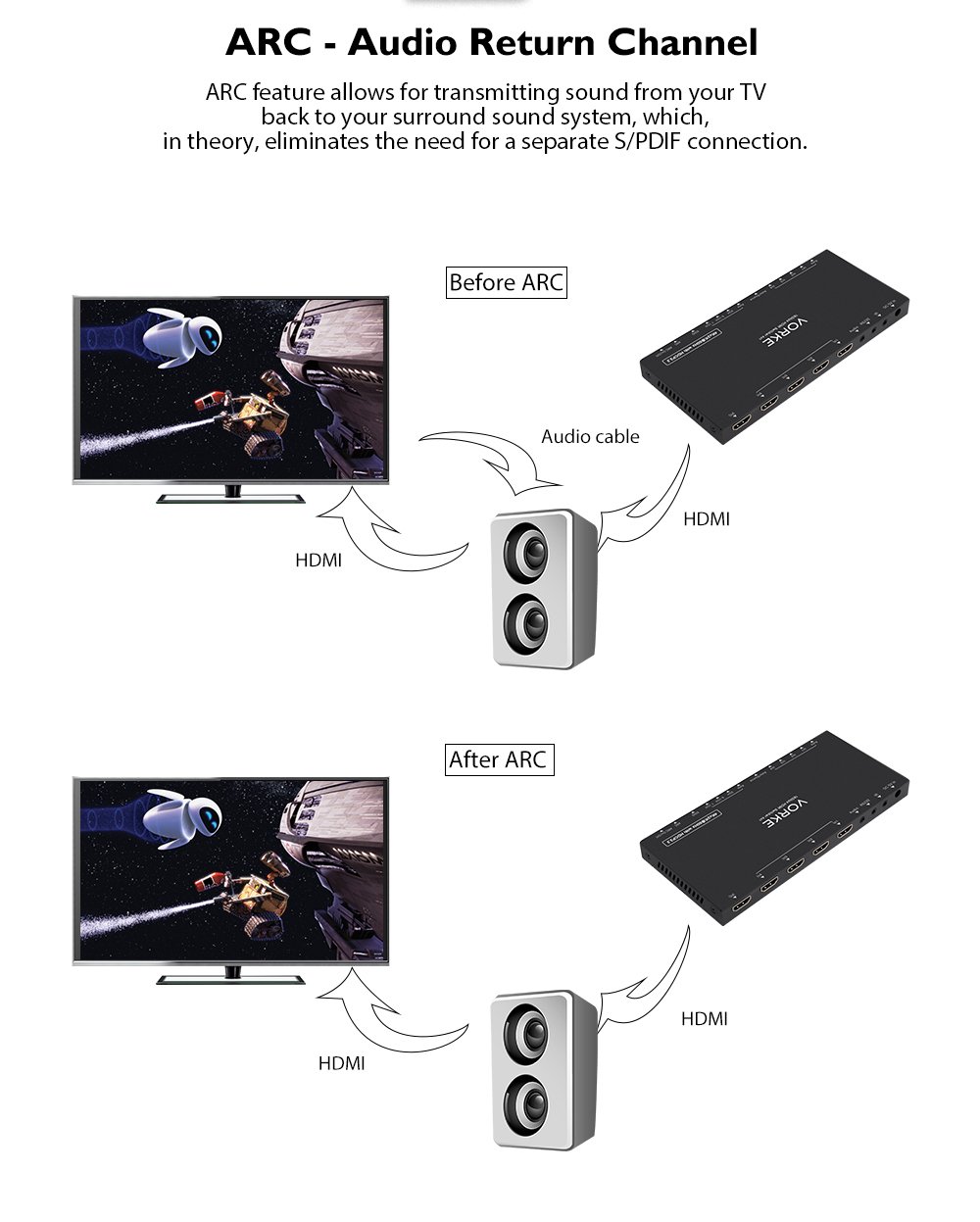
Go look at the other reviews. This item and vendor is garbage. I was skeptical when I purchased this due to the reviewers that indicated the product did not work and the vendor was unresponsive. Well believe the reviewers. Received the item, read the instructions and hooked it up. I added one component at a time, so I could determine if there were any issues. As soon as plugged the ARC/Out into my TV HDMI ARC port, the screen started to flicker between the TV image and a snow screen. Won't bore folks with all the trouble shooting, suffice it to say, I did my due diligence looking thru posts on Google etc. Emailed the vendor explaining the issue then proceeded to follow the steps listed to update the firmware. Reading the posts about upgrading the firmware bricks the device, I figured, well it's not working anyway, what have I got to lose. Downloaded the firmware, instructions, and application. Verified that I was able to communicate with the device, and started the update. The application window indicated it was loading the firmware file, the switch rebooted … Nothing. I mean N. O. T. H. I. N. G. Never saw any signs of life from the switch again. No power lights, no device lights, no additional communication with the software program. Nada. Zilch. Dead as a door knob. Never heard back from the vendor, so am returning the switch for a refund. I you want to purchase this and waste a few hours go for it.
T**"
make sure that you have good quality HDMI 2
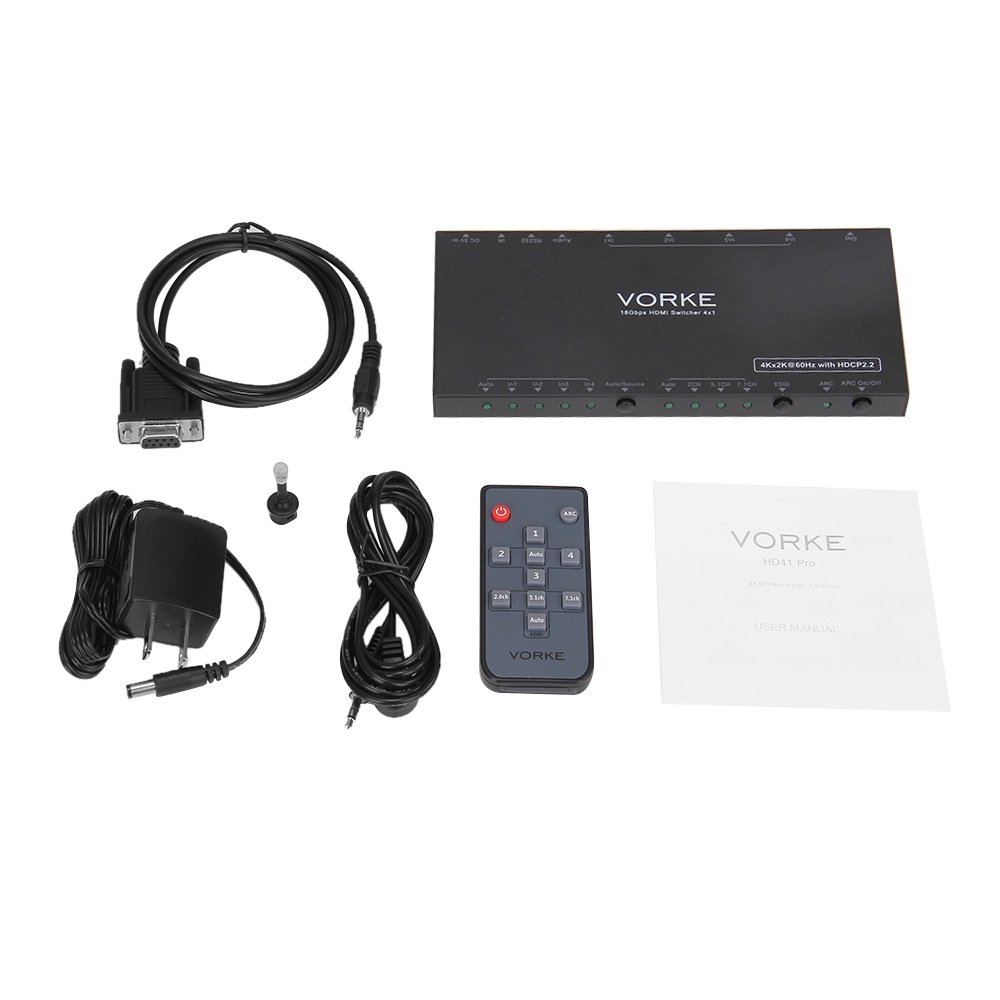
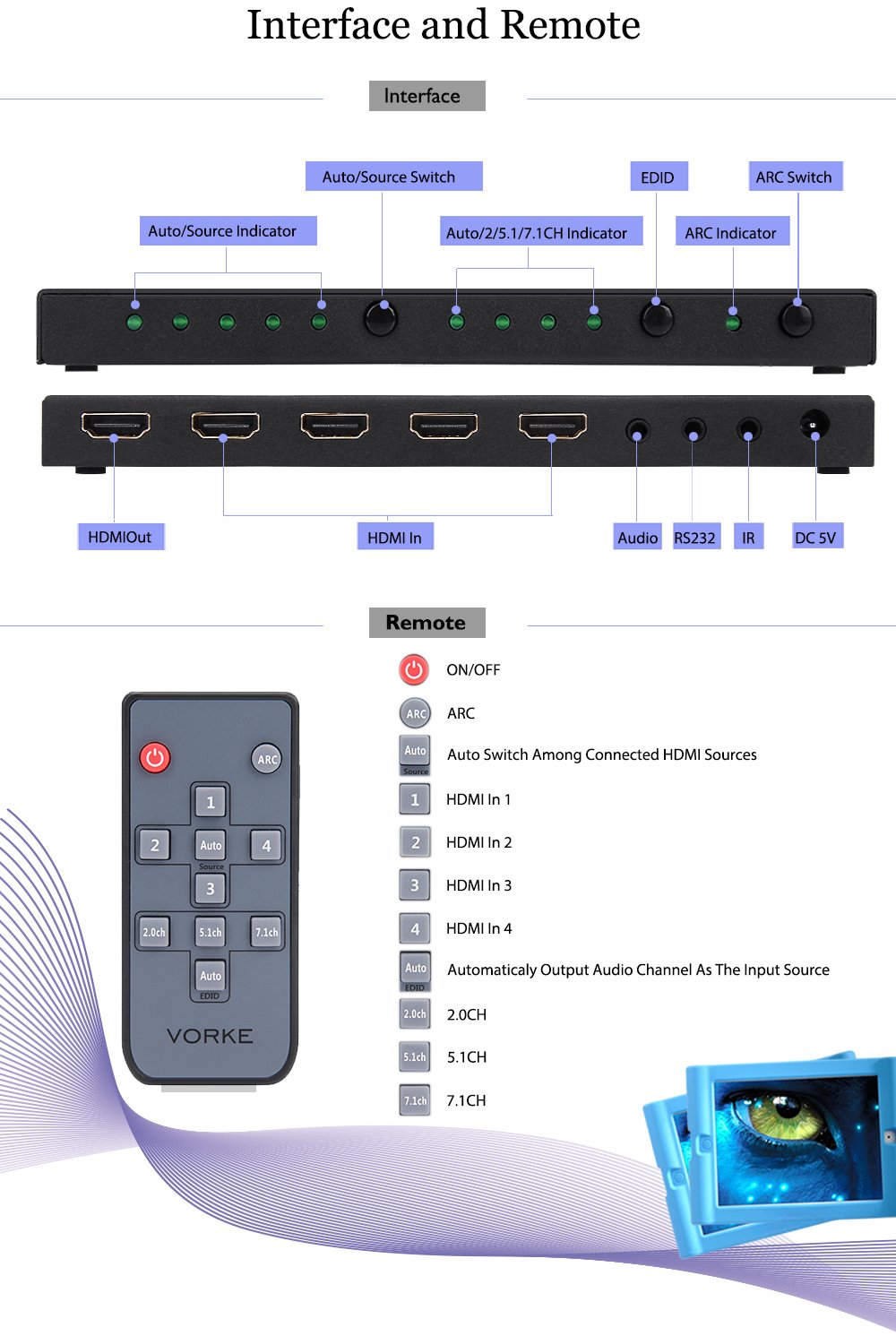
The Vorke HD41 Pro 4K HDR HDMI switch with optical output is just what I needed. I use the optical output to listen to movies and play video games at night using my gaming headset. I have my 4K Blu-Ray, PS4, Xfinity box, and PC plugged into it. The HDMI out goes to my AMP and the optical out goes to my gaming headset. So far it has handled everything that I have thrown at it. For those new to 4K, make sure that you have good quality HDMI 2.0 18 Gbps cables (i.e. Monoprice Certified Premium High Speed HDMI) or you may experience video problems. The remote is minimal, standard for A/V switches. I had some problems getting it to work but I figured out that the infrared cable wasn't fully plugged in (make sure it is plugged in securely) , the end wasn't turned in the right direction (side with indent needs to be facing up), and the IR cable needs to be connected before the unit is turned on. The SPDIF port doubles as an analog stereo output and as a mini TOSLINK output. The box includes a mini TOSLINK to TOSLINK adapter, used to connect a standard optical cable. Dolby and DTS seems to work just fine as long as the device on the other end supports the format. For those with a Logitech Harmony remote, you will have to go through the learning sequence for the Vorke HD41, as it isn't yet listed in their database. I had to enter it as an Amplifier. The inputs wouldn't show up in my activities if I entered it as an A/V switch (could be that I wasn't doing it right). Beyond that, the learning process went smoothly and everything switches properly when I change activities.
E**E
This is a great little HDMI switch (4 in
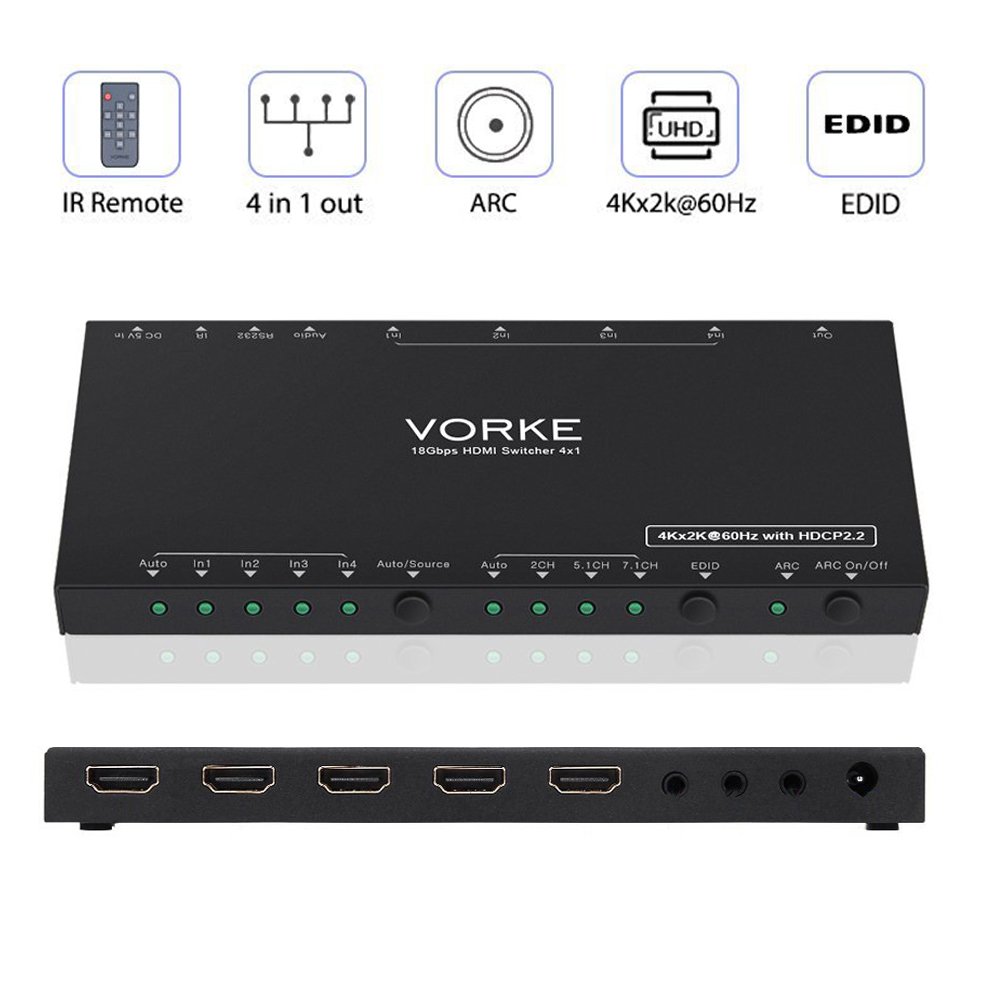
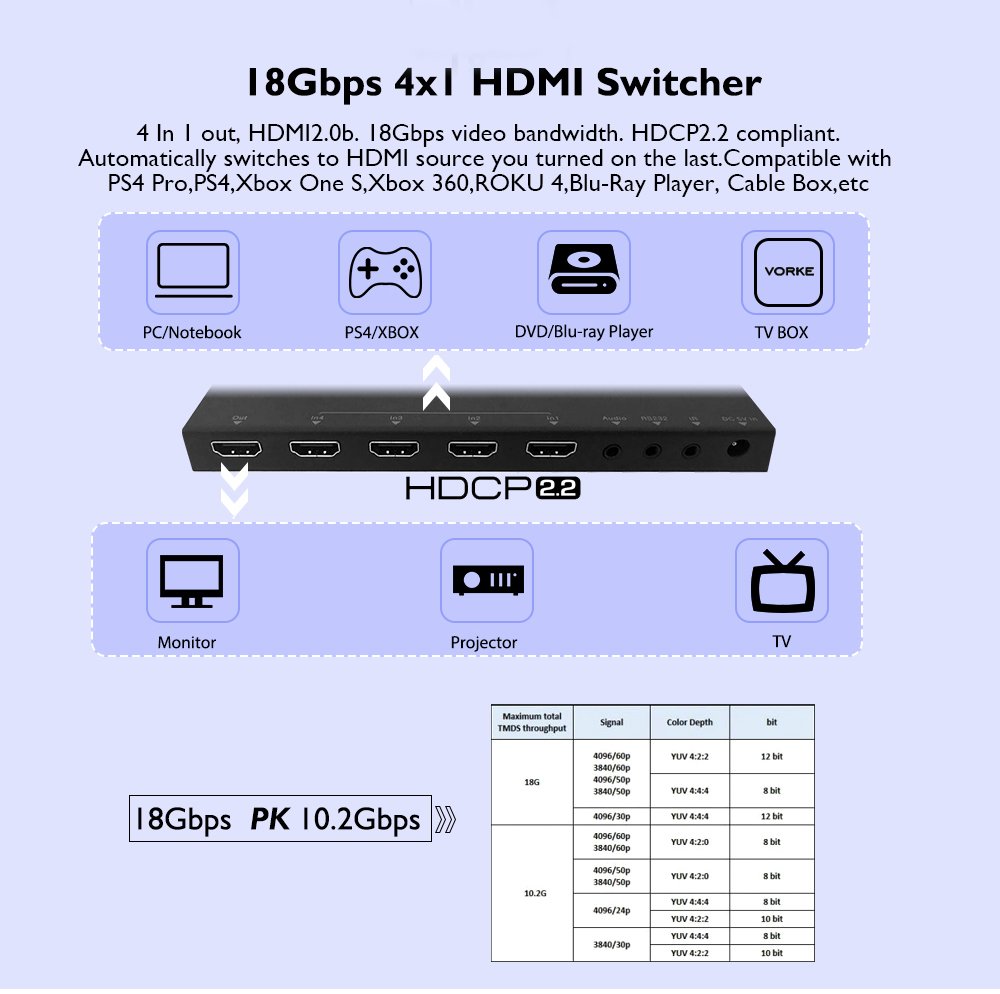
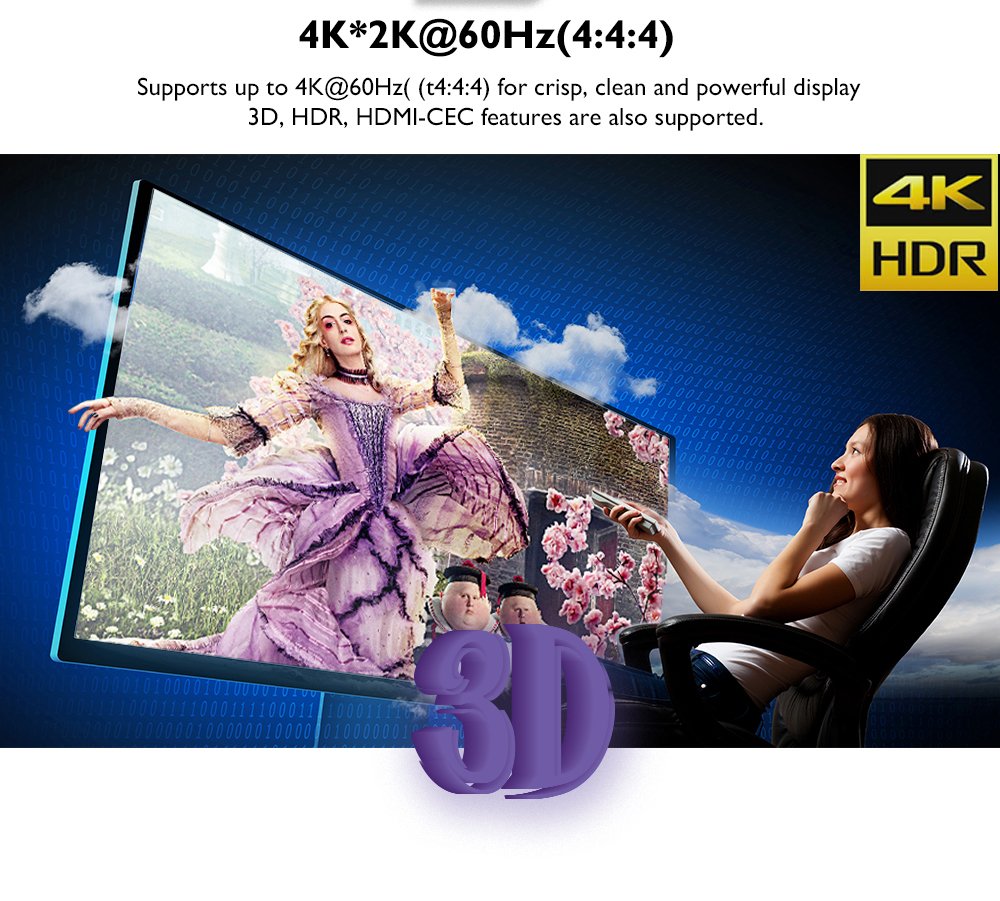
This is a great little HDMI switch (4 in, 1 out) that works great between my devices and 4K TV. It supports 4K video at 60Hz with HDR, and I use the optical audio out to connect to a sound bar, it does the job just fine. Its design is sleek and unobtrusive, fitting neatly into the entertainment center. There are only three indicator lights along the front of the device and their respective toggle buttons, which serve to; select the input source, select the number of audio channels to output, and to toggle ARC on or off. In the back, the HDMI ports are adequately spaced for most cables. The 3.5mm audio output is actually also a mini Toslink optical port, a mini to standard adapter is included. There are also connection ports to plug in an included RS232 adapter, a port to plug in the included IR receiver to use the remote, and the connection to plug in the power adapter. The reason for the 4 stars out of 5 is that the remote did not work. The device itself does not have the IR sensor itself built into it, instead it relies on the included IR receiver to be plugged in. Unfortunately, the HDMI switch does not respond to the remote, even after replacing the remote's battery, repositioning the IR receiver, and unplugging the power cord to the switch and trying again. On the plus side, the toggle buttons on the front of the switch work fine and it does have the ability to be put into auto input source selection.
S**N
Works, but kind of pricey.
Works well. I got this product for the hdr pass through because my 4k display only support one hdr hdmi input. This switch remedies that. Not sure how well the remote works didn't use it much before the battery that came with it died. The auto feature for audio didn't work for my setup. I had to set it to 5.1 to get dts. The cable route is surround system/optical line/4k display/hdmi cable/This Switch/hdmi cable/sources. Works with XBox One X and PS4 Pro, although sometimes the XBox One X has issues but that might be my display or a setting on the console that not quite right. Great for gaming and watching 4K content in HDR and 5.1 surround. Higher end price tag.
G**G
Works well, PC users beware
I got this to switch between my computer and a few consoles that are connected to an Elgato. This switch works fairly well. I dont use the remote because when I did try to use it, it didnt work too easily. Since I use an Elgato and this unit has HDCP 2.2 it prevents it from passing through signal when I open certain websites. If I go to Netflix on my PC the screen will turn grey. I needed to spend extra money on an HDMI splitter since it eliminates the HDCP protocol. It works well, easy to enable/disable the auto switching. Cant complain too much otherwise. Update: after rearranging and cleaning the area this switcher was in it randomly stopped working. Nothing i did could get it to work and i had to return it.
Trustpilot
Hace 1 mes
Hace 2 meses