
🎮 Elevate your desk game with Phantom+ Elite — where pro performance meets style and freedom.
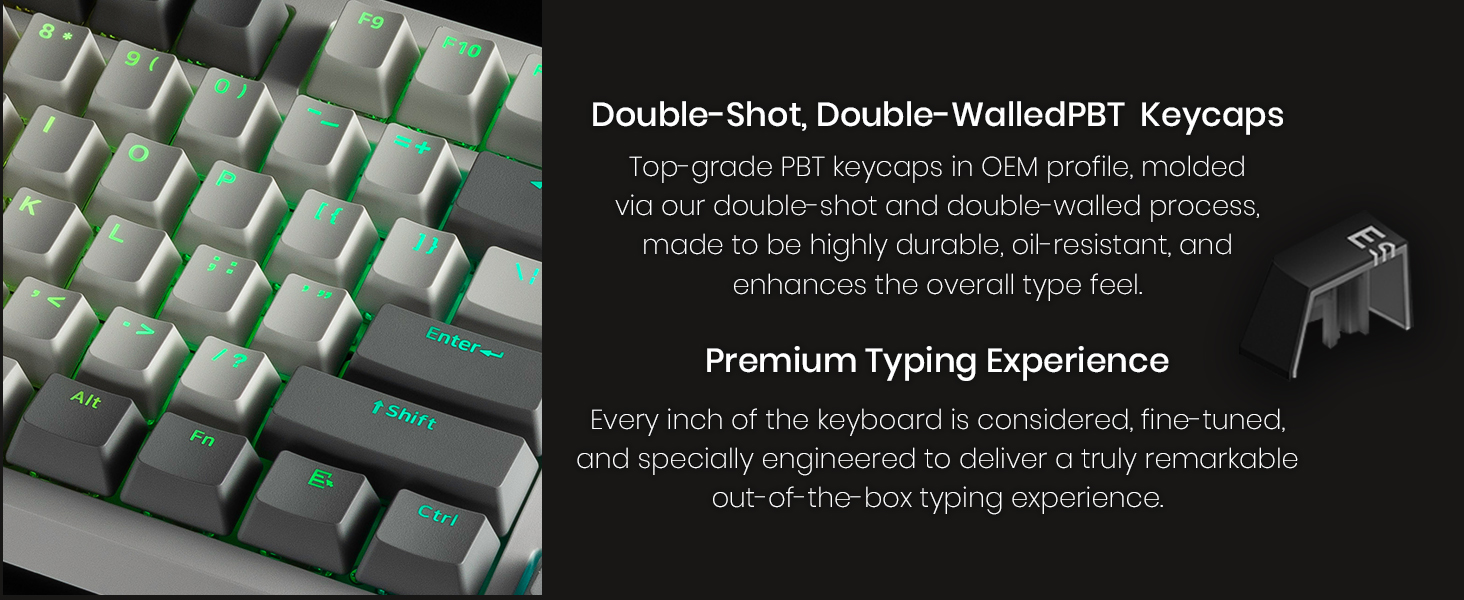
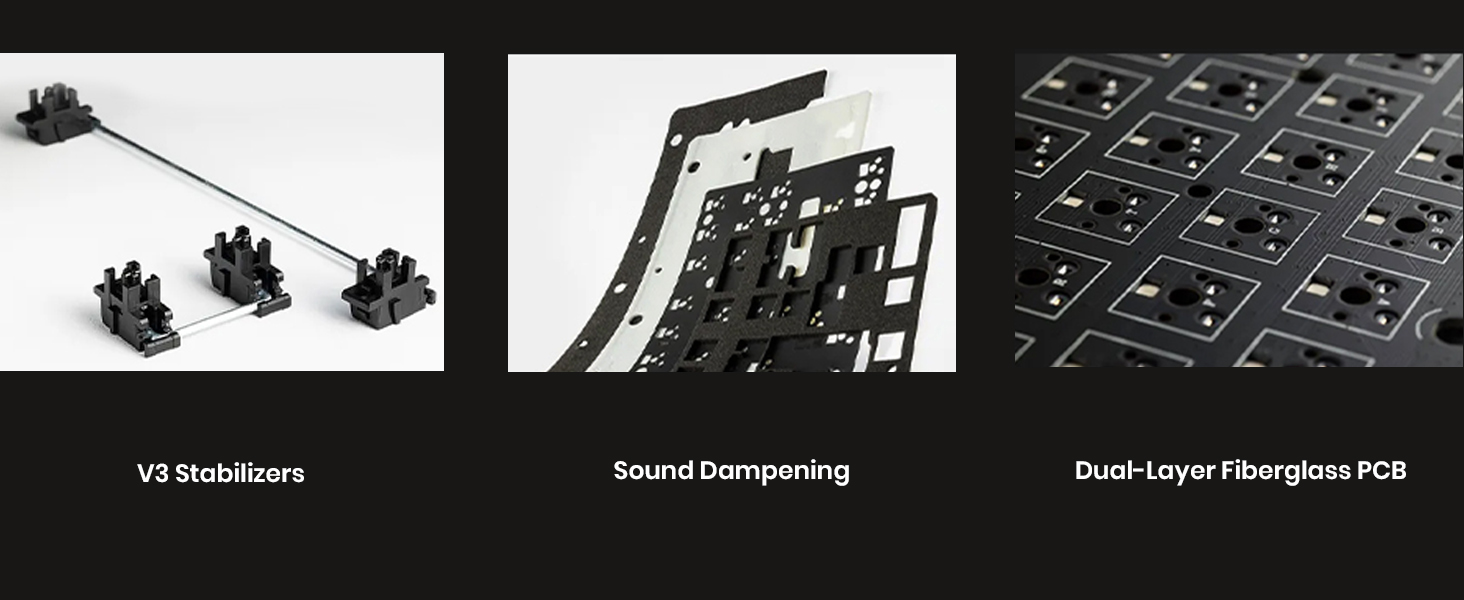
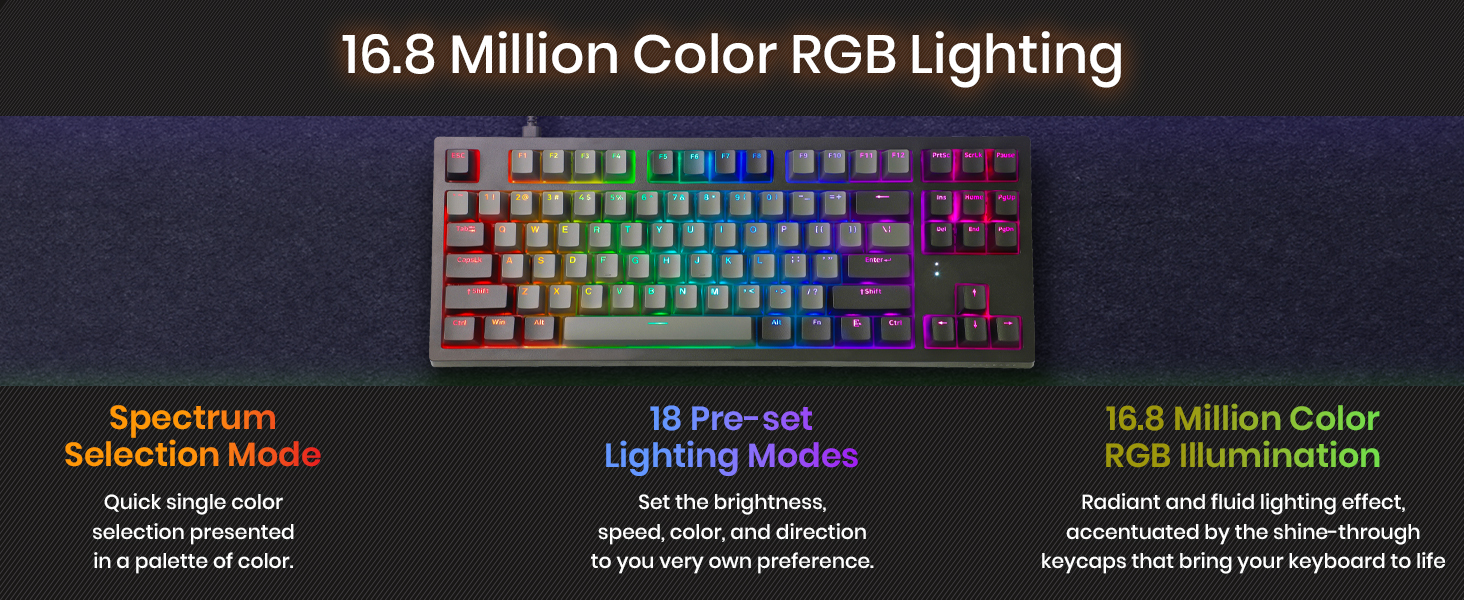
The TECWARE Phantom+ Elite 87-Key RGB Mechanical Keyboard combines versatile 3-mode connectivity (Bluetooth 5.0, 2.4GHz wireless, USB-C wired) with a powerful 2500mAh battery offering up to 250 hours of use. Featuring hot-swappable 5-pin MX-style switches and premium double-shot PBT keycaps, it delivers customizable tactile feedback and durable, quiet typing. Its fully customizable 16.8 million color RGB lighting with 18 presets enhances any professional or gaming setup.


| Brand | TECWARE |
| Item model number | TWKB-PE87PZT-BKWBR |
| Hardware Platform | PC |
| Operating System | Windows |
| Item Weight | 3.14 pounds |
| Product Dimensions | 14.69 x 5.98 x 1.65 inches |
| Item Dimensions LxWxH | 14.69 x 5.98 x 1.65 inches |
| Color | Black Elite Wraith Brown (Tactile) |
| Power Source | Battery Powered |
| Batteries | 1 Lithium Ion batteries required. (included) |
| Manufacturer | TECWARE |
| Language | English |
| ASIN | B0BQ2Z8VS6 |
| Date First Available | December 14, 2022 |
S**R
Awesome quality, better than keyboards costing 2x
This product needs to have a higher overall rating than it currently is getting. One of the most critical reviews was claiming there was a ton of coil whine. I don't know what sort of bat-hearing they have but I had to put my ear up against this keyboard to hear any sort of whine, and even then it was not loud even in my very quiet room. With that out of the way, my background: I'm an absolute keyboard junkie. I've used $300 keyboards with exotic switches and expensive doubleshot PBT keycaps... I've also used $30 keyboards. I've used probably over a dozen different types of switches on two dozen keyboard models from Cherry, Gateron, Kalih, Razer, etc. I type comfortably at about 110-120wpm so I'm hammering keys pretty hard and fast, and have a pretty discerning feel for what I like and what I don't like. In a single line, this keyboard just feels smooth. It feels very solid when hammering away on it, and the switches don't feel as heavy as Cherry MX Browns do. It's not drastically different, but just feels a touch lighter spring weight (lighter keycaps can make a switch feel lighter too). There is no issues with hearing the spring "ping" as it is decompressing as I've experienced on other boards with genuine Brown switches. The switches are somewhat lower profile and don't have annoying play/looseness between the stems and the housing like I've experience with some *really* generic MX switches. Some other review was complaining about the stabilizers, but I'm able to type very quickly on these without feeling like either the shift or space bars are tripping me up at all. Misc: the font they used is kinda "meh" but does it really matter? The RGB lighting works as expected...can get bright / dim and does a bunch of patterns and stuff that I don't particularly care about. For the current price tag of this keyboard, it's an excellent value. "name brands" would probably put their logo on it and charge 2x as much. I wouldn't be mad if this keyboard cost 2x as much...that's how much I really enjoy typing on it.
A**R
Hands down one of the best keyboards that I've ever used
I've owned a Logitech G810 keyboard for about two years now. I love the thing to death, it's easily one of my favorite keyboards out there. I've always wanted a keyboard with a more tactile feel compared my linear G810. I was doing research on keyboards and this keyboard kept creeping up time and time again. I didn't really feel like shelling out upwards of $180 for a new keyboard and I figured with a price point of only $49.99 it was worth a try. Boy am I glad I bought this keyboard. This is easily one of the best keyboards I think I've ever used. I purchased the Outemu brown switch version of the keyboard. This keyboard features hot swap-able switches. Meaning you can take the switches out of the PCB and replace them with other Outemu switches such as the blues or reds. The keyboard comes with 4 spare switches which is a nice extra. I've heard people say you can put true Cherry MX switches in here. Apparently you would just have to file down the pins slightly to make them fit into the PCB. I don't know if that's true or not but just something that I read online. The typing feel is quite amazing. I don't spend alot of time typing out essays or other forms of text but when I start to type on this keyboard I seriously don't want to stop. The typing experience on this keyboard is that good. This is a personal preference thing but I will have to buy some rubber o-rings as I do bottom out my keystrokes 100% of the time and the noise from that is very noticeable. This isn't a big deal and not a design fault of the keyboard. The stock key caps feel decent, they have a slight texture on them but nothing too crazy. The font on the standard keys is very simple though some key fonts look thicker than others. I replaced the original key caps with the Hyper X Pudding Key caps (shown in my picture). The build quality of this keyboard is better than my Logitech G810 hands down. The top plate of the Tecware Phantom is steel while the rest of the case is built from a very sturdy plastic. This keyboard has no flex what so ever. I was expecting some sort of flex at this price point but I was surprised to find none. My G810 keyboard has slight flex in it compared to the Tecware Phantom. They keyboard has decent weight to it. It's not super light but not super heavy. I'm impressed with the build quality. It's sturdy and strong and not something that bend or flex. I then switched to some CS:GO as I primarily play games on my PC. I was a little worried that going from a linear switch to a tactile switch would be detrimental to my overall gaming experience. Again, I was wrong. Each key press felt distinct and precise. I didn't feel like I was missing the linear feel of my G810. The keyboard is full NKRO so you can hit and press as many keys as you like and not one key press will be ignored. I tried to pay attention to how the keys felt while gaming. They felt really good and responsive so no issues here. The RGB is impressive as well. While not as bright and flashy as other higher end RGB mechanical keyboards such as those from Corsair or Hyper X, the RGB lights on the Tecware Phantom are great. I highly recommend picking up the Hyper X Pudding Keycaps on Amazon. I purchased them alongside this keyboard. They really make this keyboard's RGB pop. The keyboard comes preset with loads of different RGB effects which can be triggered via different macros built into the board. If that isn't your cup of tea, Tecware offers software online that will allow you to create and edit RGB effects within the application. I don't really have any negatives to say about this keyboard. I guess my only negative with this keyboard is the lack of actual media controls. This isn't a deal breaker by any means. My logitech G810 had a dedicated volume wheel, pause/ play buttons, etc which I found really useful and something that I'm used to having. The Tecware Phantom has them built into the keys via the FN key. Not a deal breaker and not a feature I'd expect from a $50 keyboard but it would be nice to have some sort of scroll wheel for the volume. Also a USB passthrough would be nice and handy to have but again I would never expect that feature on a $50 keyboard. All in all for anybody looking for an amazing 100% true mechanical keyboard that won't break the bank, please consider this keyboard. I honestly would never buy a $150+ keyboard again after using the Tecware Phantom. Truly phenomenal to have a board of this quality at this price. Purchase this board, you will not regret it!
R**D
Cheap and good, compared with what is available in the market. I've used a variety of keyboards ranging from the cheapes to the the Razor and Logitech mechanicals, but the '87 beats the lot. I'm using the one with the Red switches, the sound is quiet, the touch is execellent (reminds me of the old IBM's) and the spacing exact. Best of all the price is very reasonable! BTW I don't care much about the RGB lighting, though it looks nice. One downside - it doesn't work with the ATen KVM Switch (can't change modes) and need to plug it into the USB mouse port instead of the keyboard port
D**R
I've been using this for about six months now and I really like the feel of the keys and the overall styling. Ideal for both work and play, this is a great keyboard without being too flashy or overloaded with "gaming features". What's more, one of the feet had snapped and the other was showing signs of fracturing (I would chalk this off to wear and tear), I reached out to Tecware customer support and they promptly sent out replacement feet. Great customer service and a very good keyboard!
P**Y
Helaas hebben we dit pakket nooit aangekregen en kan ik ook niemand bereiken om uit te zoeken hoe dit komt. We zijn 111€ kwijt want ik kom ook niet in aanmerking om onze centen terug te krijgen. Dit vind ik geen service. Dus op deze site zal ik dan ook nooit meer iets bestellen.
A**R
First of all i'd like to talk about the AMAZING Customer Service. I ordered the 104 key when it said '3 left in stock'. The next day, they messaged me saying unfortunately it's not in stock, I could pick something else or get a refund. I picked the 87 key RED and not only did they pay me back the difference they sent with it a FREE MOUSE as an apology for the "inconvenience". Now for the KEYBOARD: First thing i noticed was that it's heavy, metallic, which is good because it doesn't look/feel like it's made of cheap plastic. The RGB is GREAT. Unfortunately the software for it doesn't work when i download but you can do everything easily from the keyboard, just google the manual. The colours and brightness of the RGB is super good though. Typing and everything feels really good however it's my first mechanical keyboard so I don't know much about the subject. If you're on a budget i DEFINITELY think its worth it though.
J**E
Es el mejor teclado calidad precio del mercado
Trustpilot
Hace 1 semana
Hace 2 días



